Remove someone's access
Remove a team member and understand what happens to their access
If a team member should no longer be able to open your company's projects, remove them from the Team members page. Their access ends immediately.
Note: Any team member can remove another team member. The company owner can't be removed this way. To change ownership, contact support.
Remove a team member
-
From any company page, click Invite in the top-right corner. This opens the Team members page.
-
Find the person in the list and click the ... menu at the end of their row.
-
Click Remove. If they haven't accepted their invite yet, the option is Remove invitation.
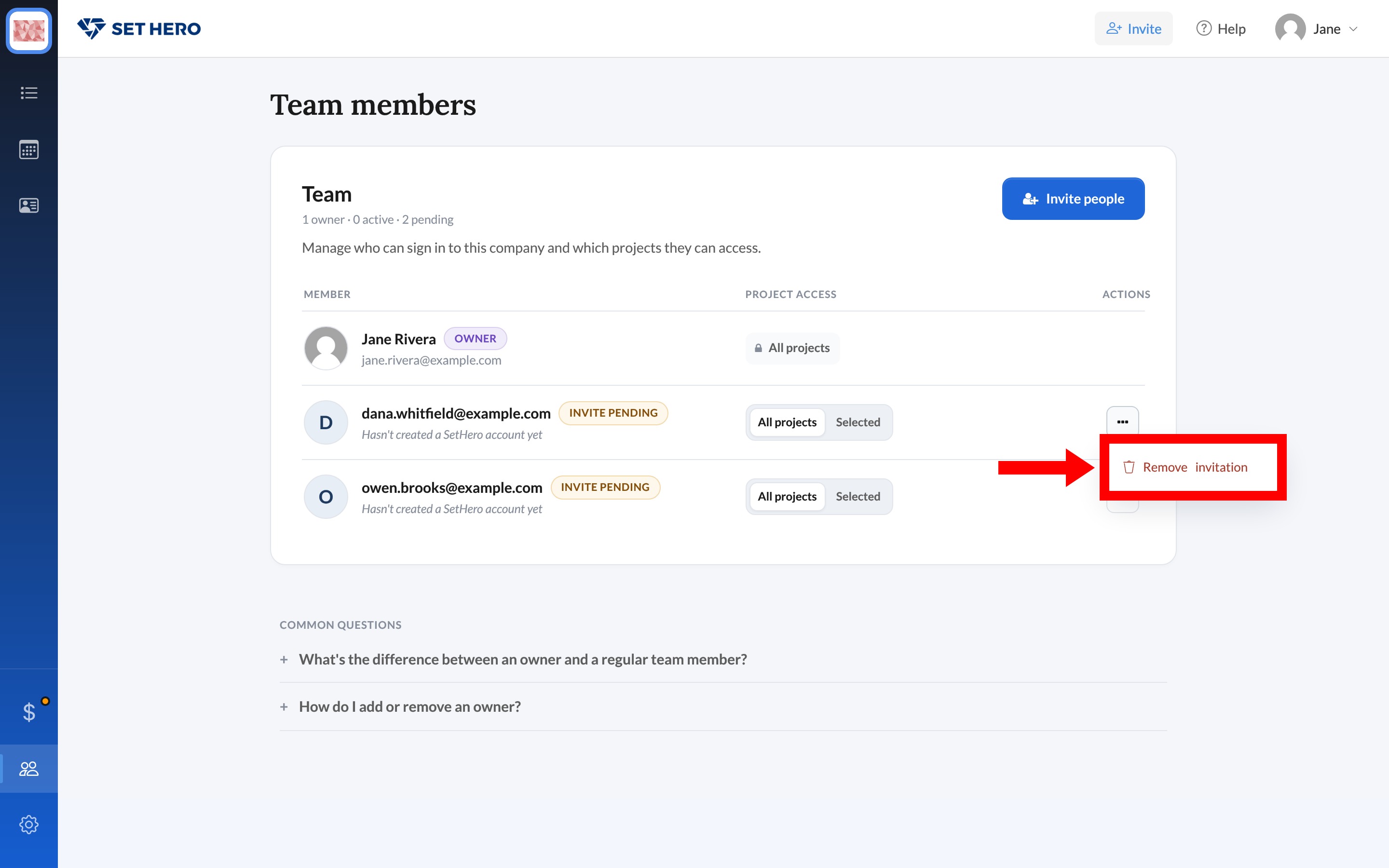
Warning: SetHero removes them as soon as you click, without asking you to confirm. To give someone access again, invite them again.
To remove yourself, open the ... menu on your own row and click Leave company.
What happens next
- They can no longer open any project in this company.
- Projects and call sheets they worked on stay in the company.
- Their SetHero account isn't deleted, and they keep access to any other companies they belong to.
- This only ends their login access. If they're also listed as crew, they stay on your call sheets and in Contacts.
Roles, admins, and permissions explained explains what owners and regular team members can each do.