Setting the call time, shoot time, and wrap time
Where to set call, shooting, and wrap times, and what they mean
When building a call sheet, setting clear times for when the crew arrives, when shooting starts, and when the day ends helps keep production on track. SetHero groups these key production times directly within the Call Sheet Editor's Day Details.
Finding the times section
The main times for your shoot day are configured in the Call Sheet Editor:
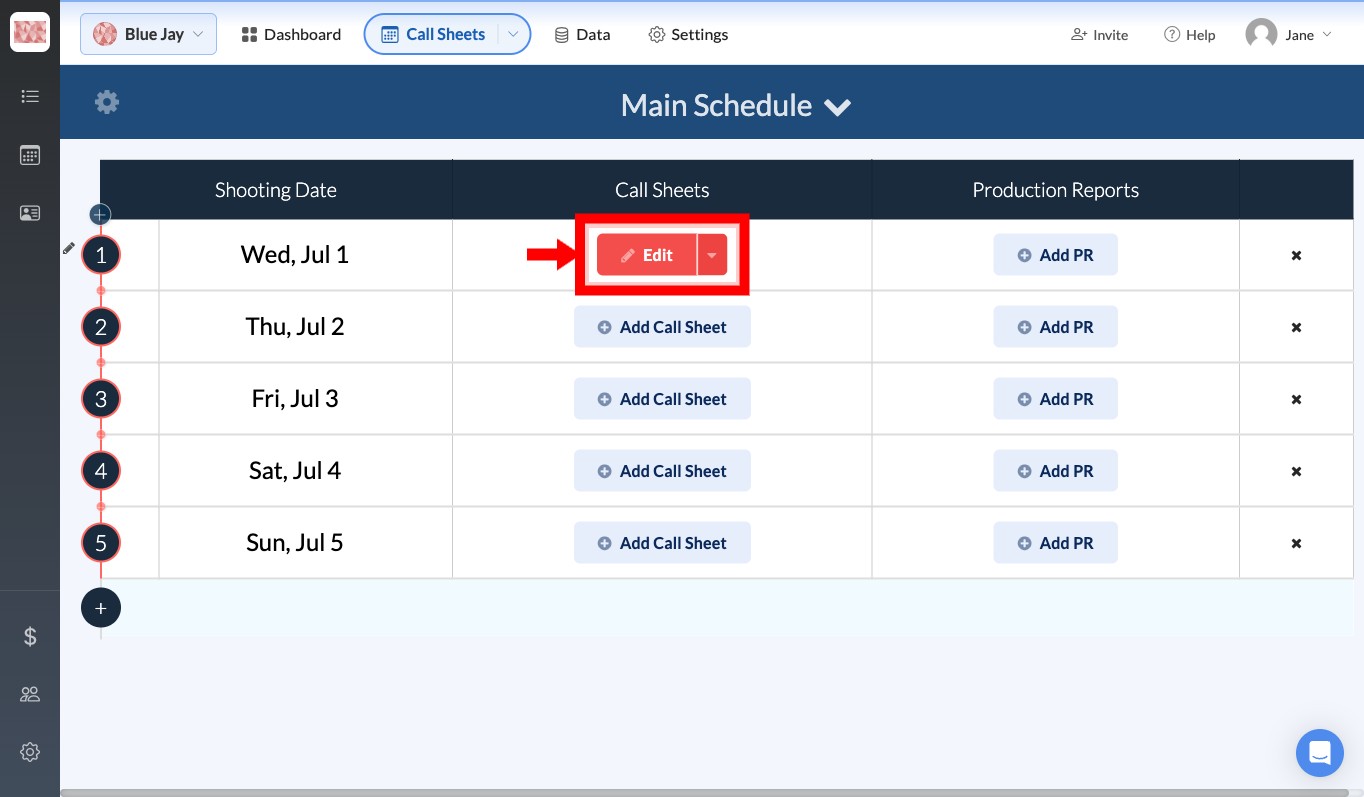
- Open a project and navigate to Call Sheets. Click the Edit button on the day you want to update.
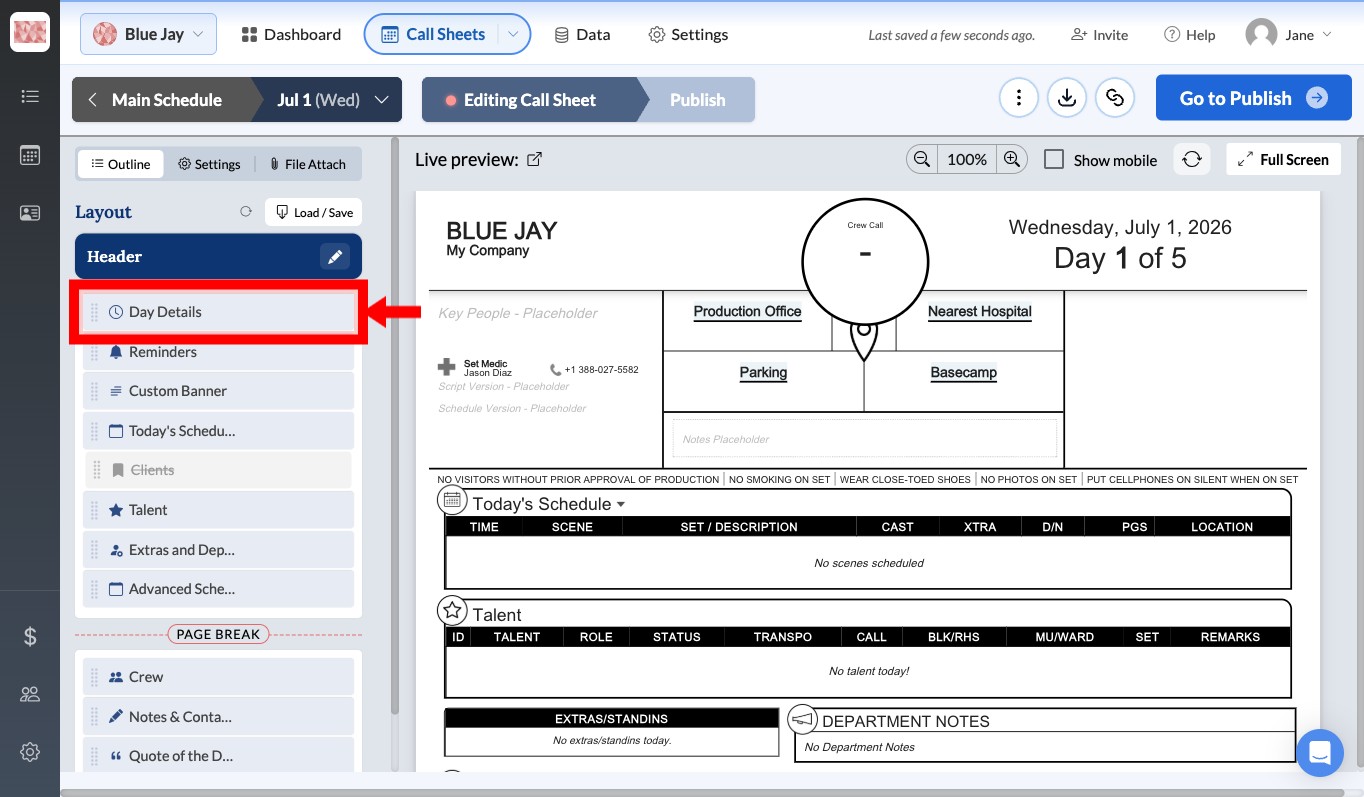
- In the outline panel on the left, find the Day Details section and click Edit.
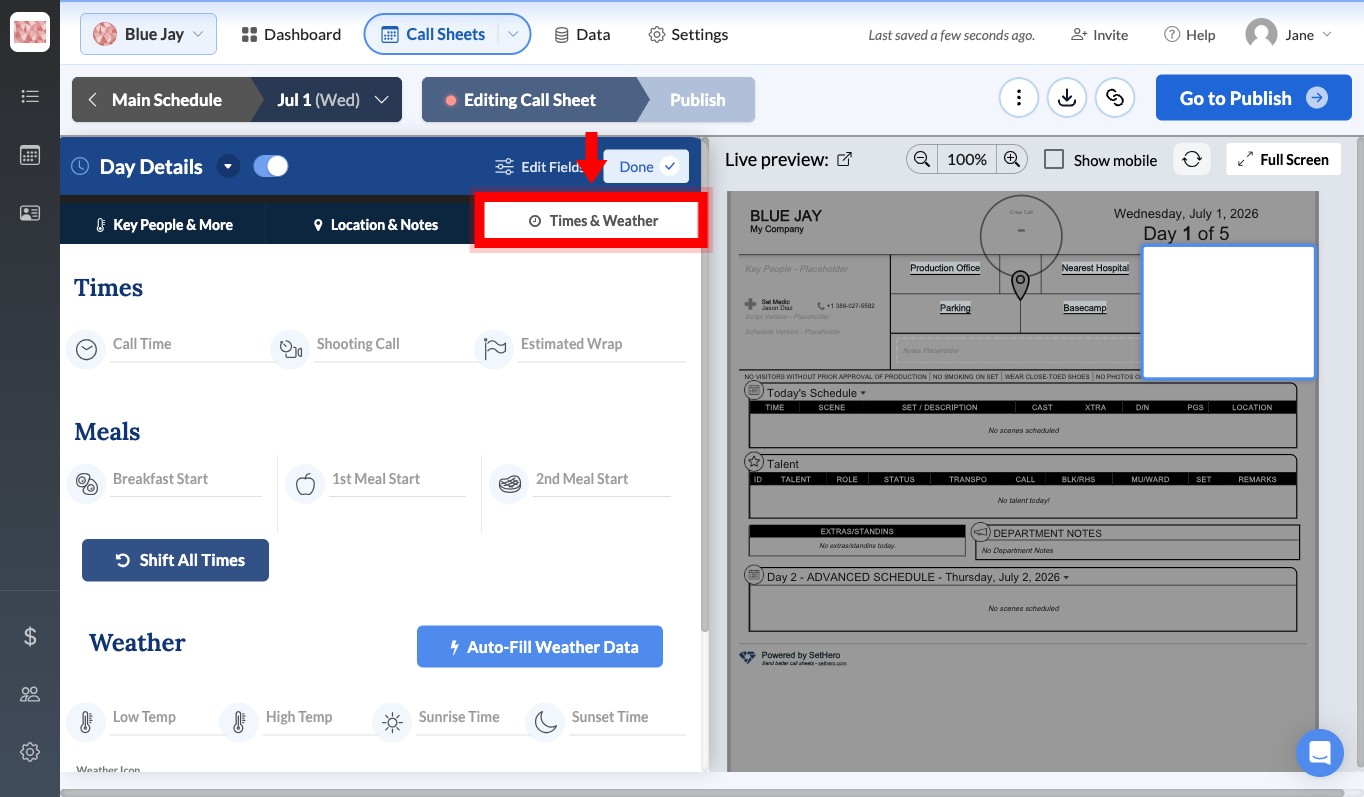
- Select the Times & Weather tab at the top of the Day Details editor.
Understanding the different times
Within the Times section, there are three fields that control the flow of the day.
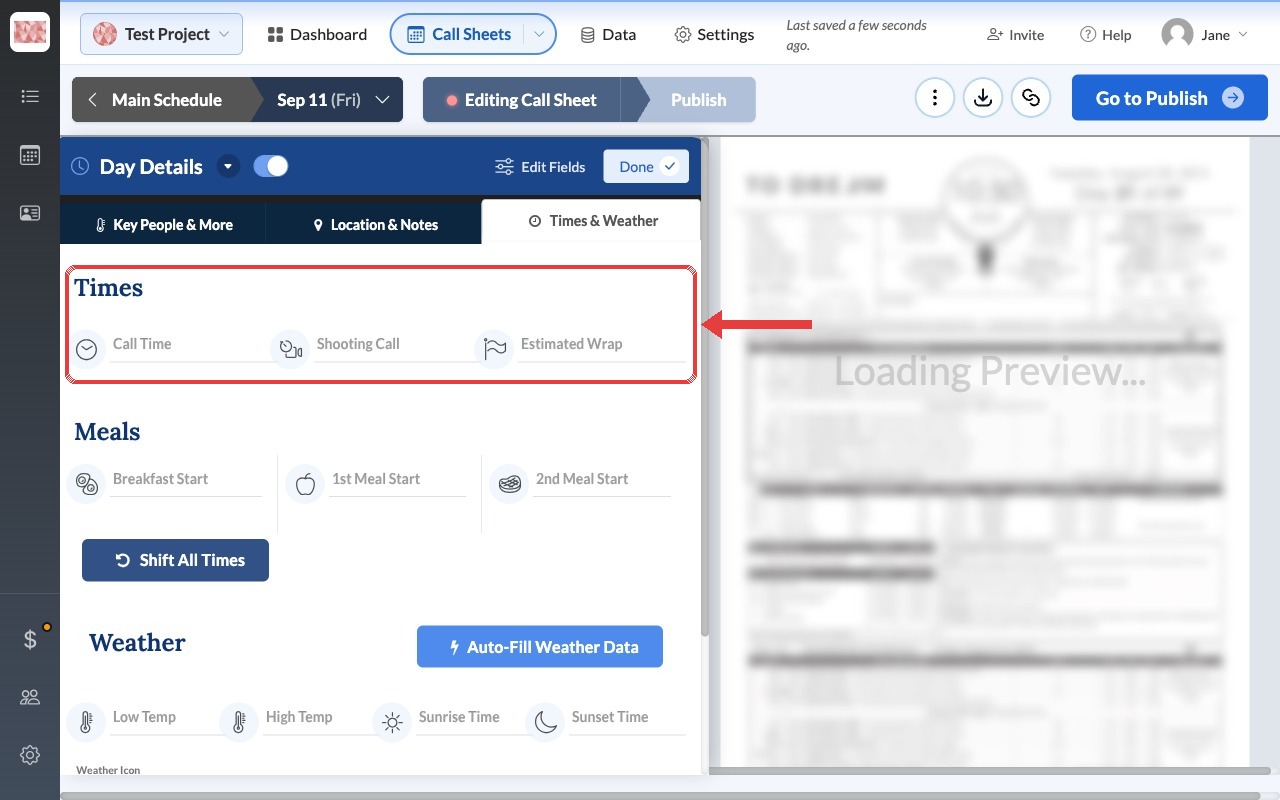
Call time
This is the general crew call. It tells the majority of the crew what time they should plan to arrive on set. Individual cast and crew members can still have personalized call times set in the Talent and Crew sections of the call sheet.
Shooting call
This is the time you are scheduled to begin your first shot of the day. Some productions refer to this as picture up. It is typically later than the call time to allow crew members time to set up before cameras roll.
Estimated wrap
This is the time you expect to finish shooting for the day. Setting this helps everyone plan their schedule and anticipate the length of the shoot day. You can leave this field blank if you do not yet know when the day will wrap.
Tip: If you need to shift the entire schedule, you can use the Shift All Times button below the Meals section to push all times forward or backward at once.
Can I rename these time labels?
No. Call Time, Shooting Call, and Estimated Wrap are built-in labels and cannot be renamed. For example, a production may refer to shooting call as "picture up," but SetHero will continue to display Shooting Call.