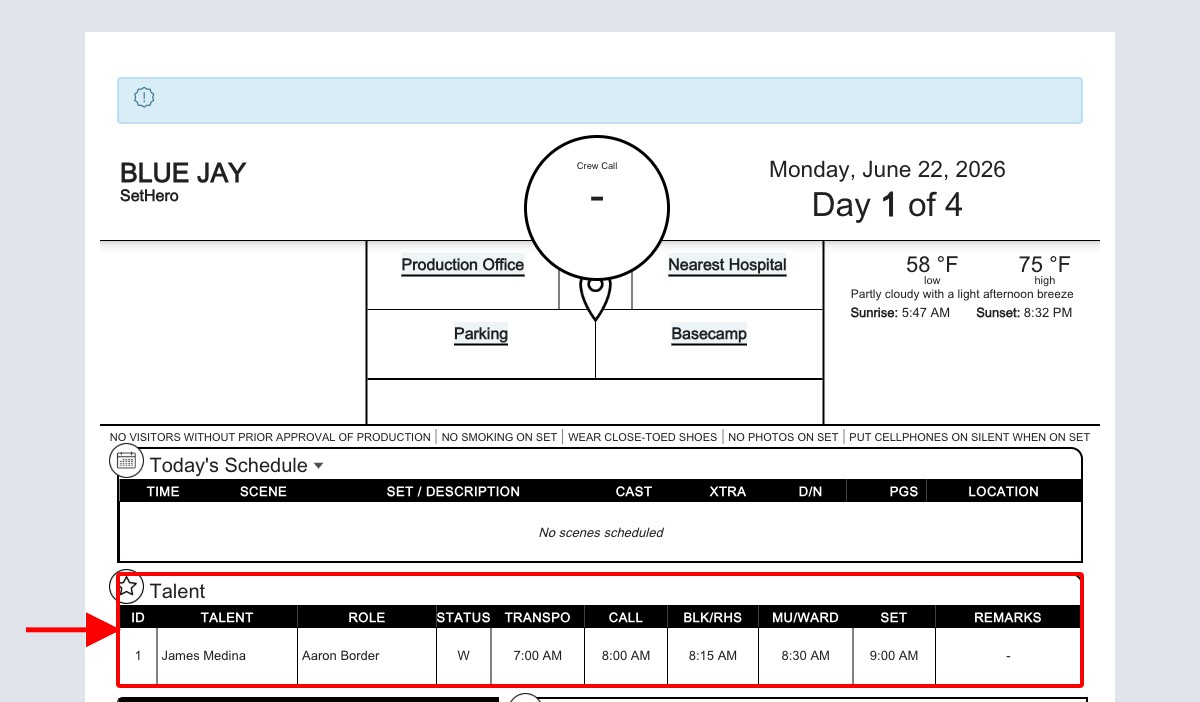
The cast block and individual cast times
How to add cast, choose DooD status, and set individual times
The Talent section (or cast block) on your call sheet is where you list the actors needed for the day, along with their cast status and specific call times. SetHero makes it easy to add cast members, record their Day Out of Days (DooD) status, and customize their individual schedules.
Managing the talent section
To edit the cast block and add talent to your call sheet:
- Navigate to the Call Sheets section of your project.
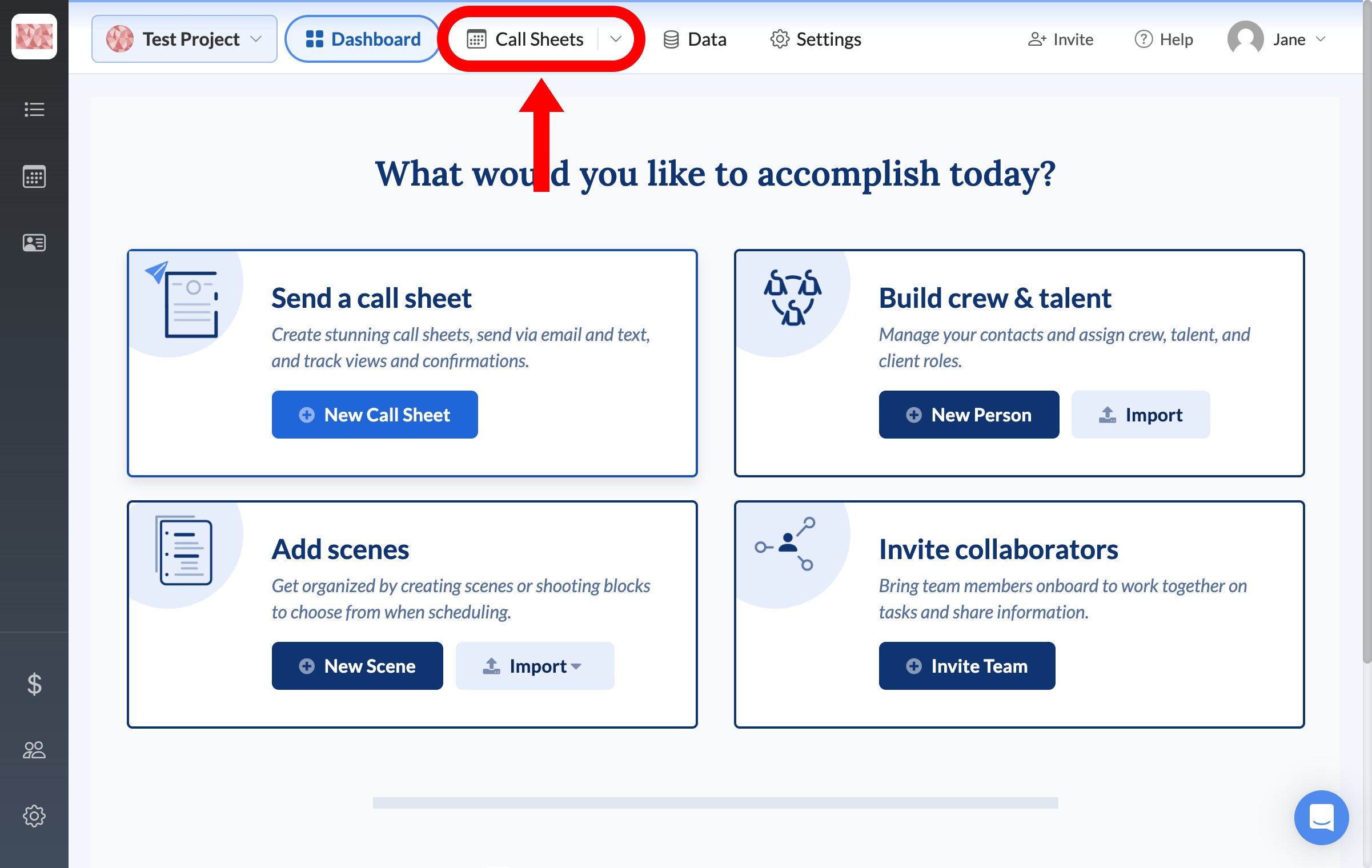
- Click Edit on the call sheet you want to update.
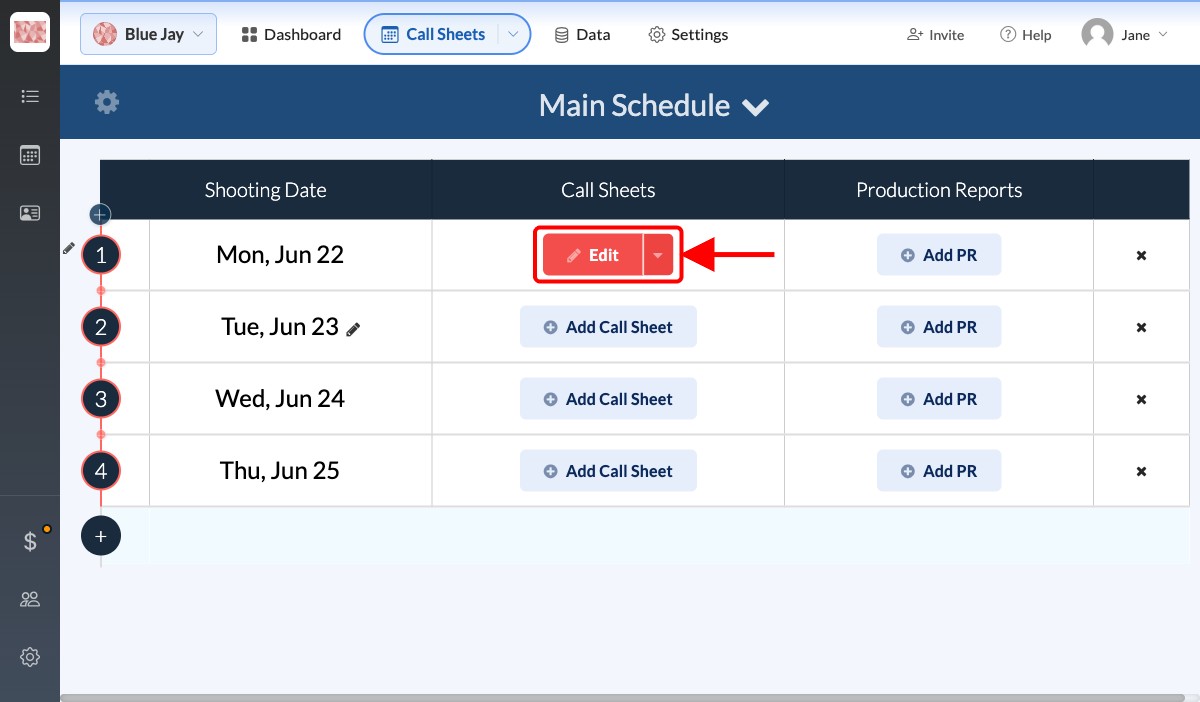
- In the call sheet editor, look at the left-hand sidebar under the Outline tab.
- Click the Talent row to open its editing panel.
Adding cast members
Once the Talent editing panel is open:
- Click + Add Talent to open the Select Talent menu.
- Choose a cast member from your project's talent list. Each option shows the person's cast ID and character name.
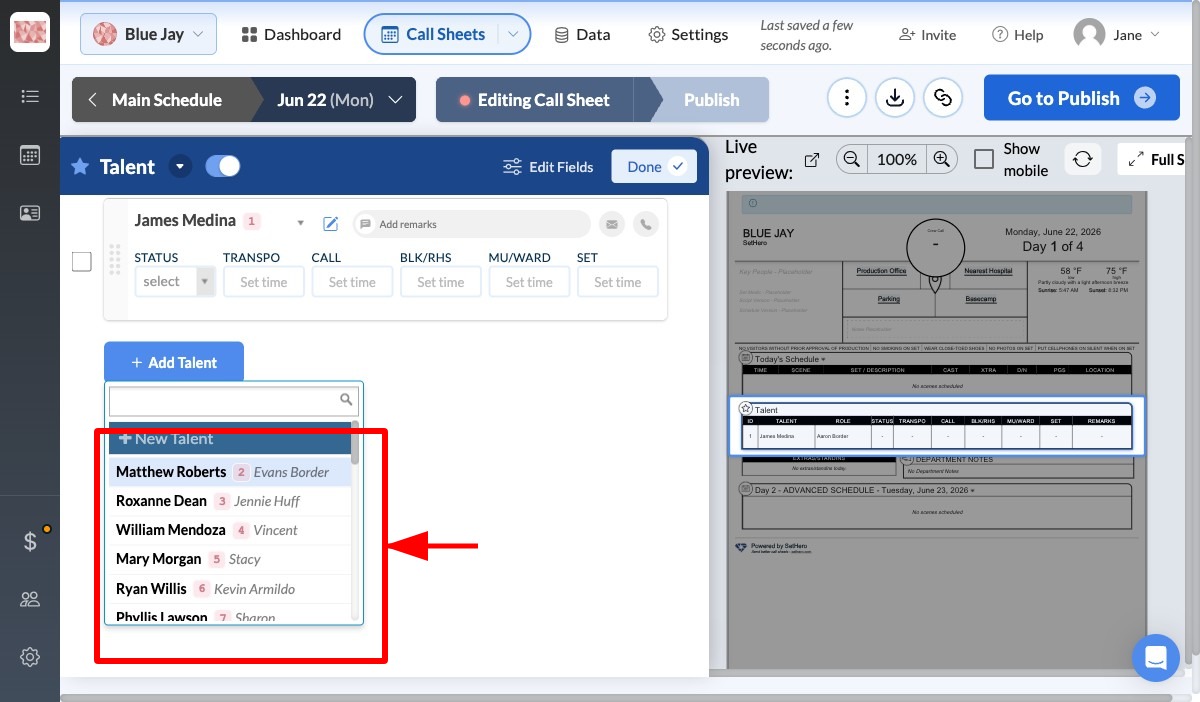
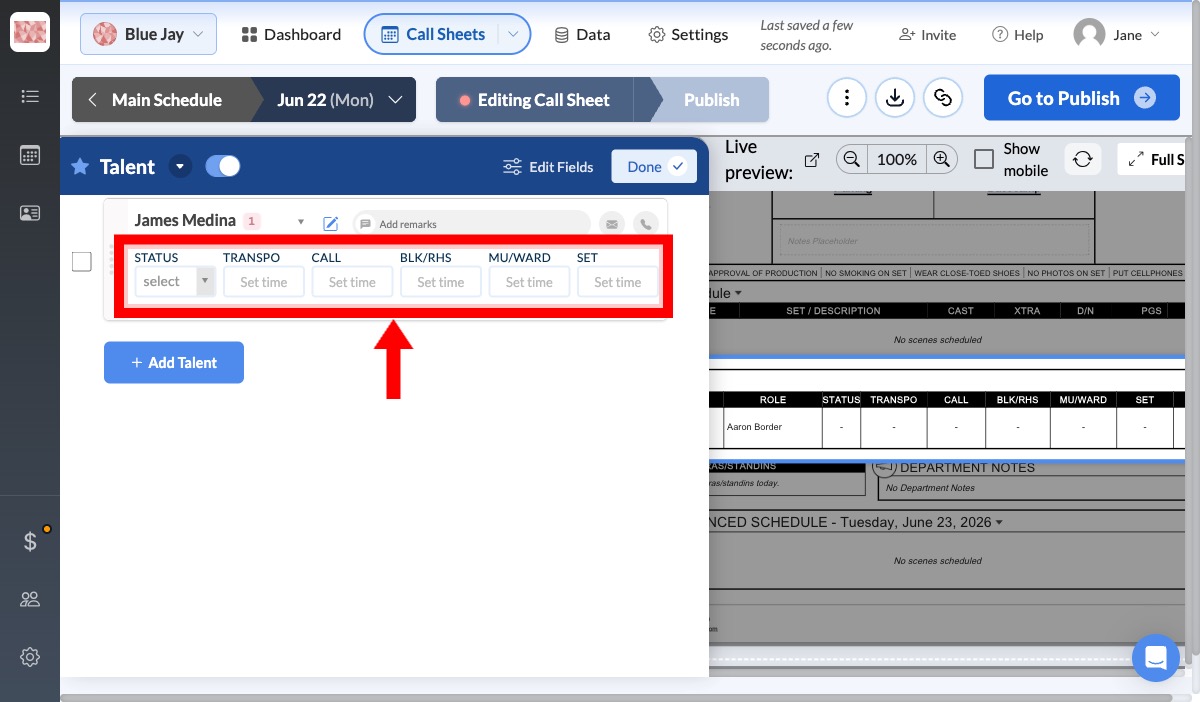
- The selected cast member appears in a new row with fields for their cast status and individual times.
Setting cast status and individual times
Use the Status dropdown to record the cast member's DooD work status for that day. Common selections include:
- Start (S), Work (W), and Finish (F): Basic start, work, and finish statuses.
- Start-Work (SW), Work-Finish (WF), and Start-Work-Finish (SWF): Combined milestones for a working day.
- Work-Drop (WD), Start-Work-Drop (SWD), and Pickup-Work-Drop (PWD): Work statuses that end with a drop.
- Pickup-Work (PW) and Pickup-Work-Finish (PWF): Pickup statuses for a returning cast member.
- Rehearsal (R), Start-Rehearsal (SR), Fitting (FT), Hold (H), Idle (I), Test (T), Travel (TR), and Media/Publicity (EPK): Non-standard work-day activities.
Choose the status that matches your production's DooD convention. The Status field controls the code shown in the cast block; it does not replace the cast member's individual times.
You can then fill in the following time fields:
- TRANSPO: The pickup or transportation time.
- CALL: The general call time for the actor.
- BLK/RHS: The time for blocking or rehearsal.
- MU/WARD: The time for makeup and wardrobe.
- SET: The time the actor is expected to be on set and ready to shoot.
Select the cast status, then type each time into its corresponding field. SetHero formats the entries for the call sheet.
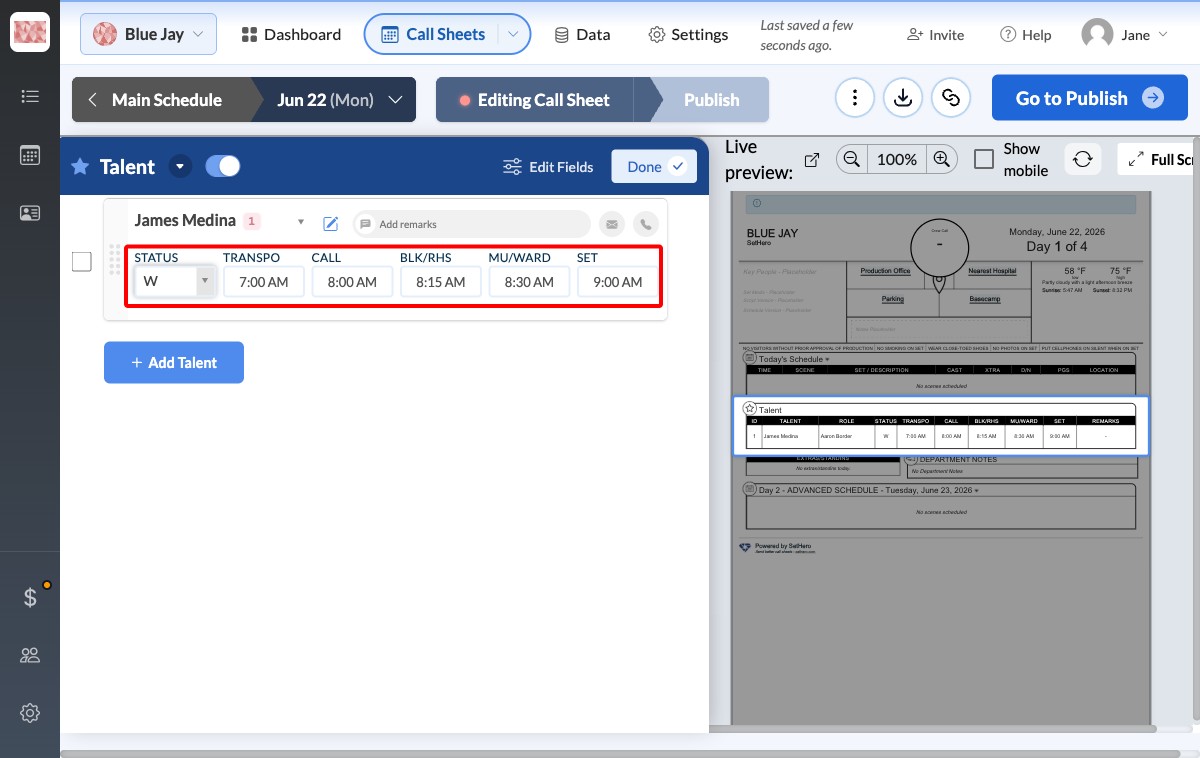
When you finish setting the status and times, click Done to return to the call sheet layout. The saved status code and times appear in the Talent block on the call sheet.