Add key people (directors, producers, ADs)
Who to add as key people and where they appear
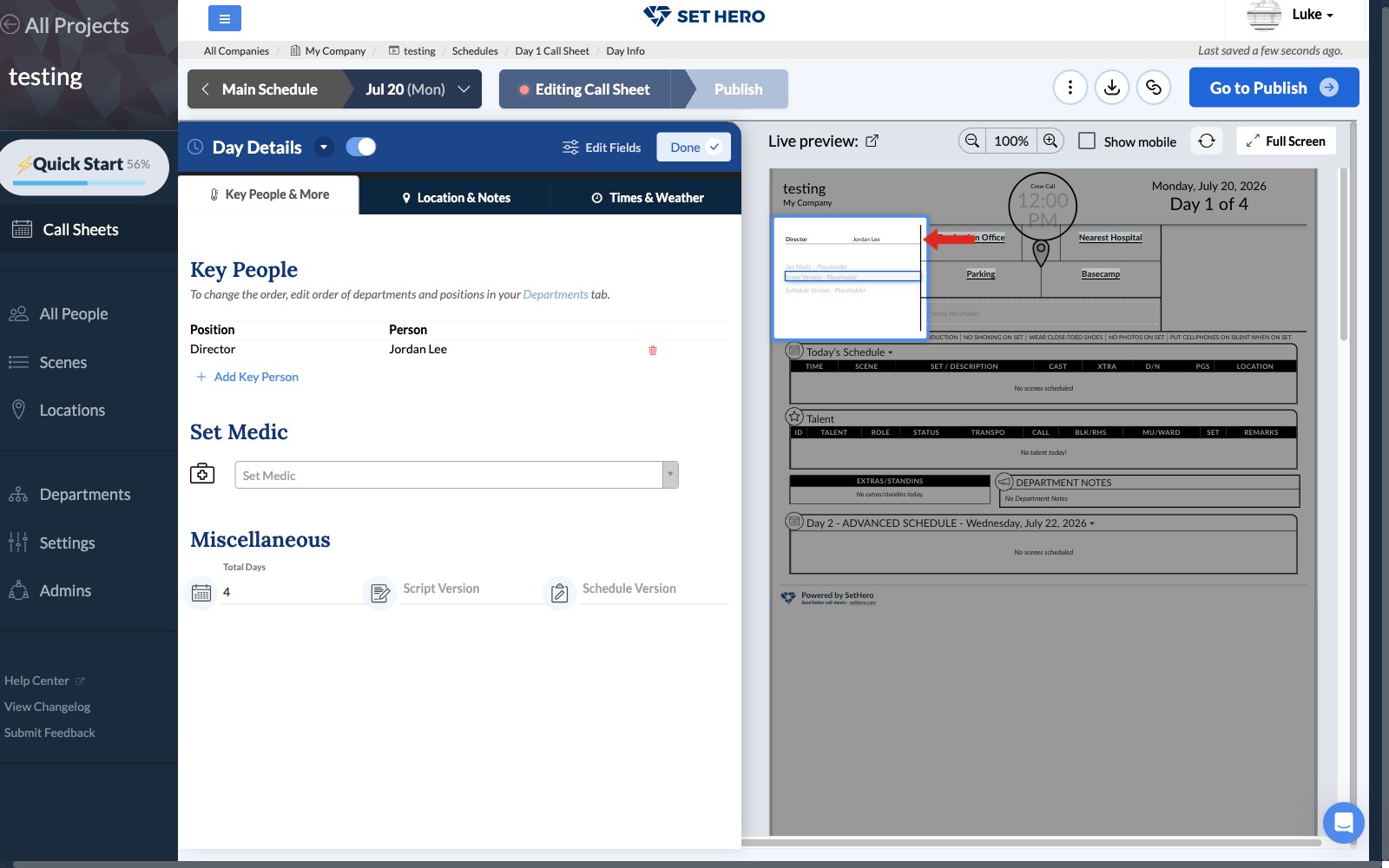
Use the Key People section to list important production personnel such as the Director, Producers, and Assistant Directors. On the finished call sheet, this list appears in the upper-left header area beneath the project name and beside the location details.
Adding a key person
-
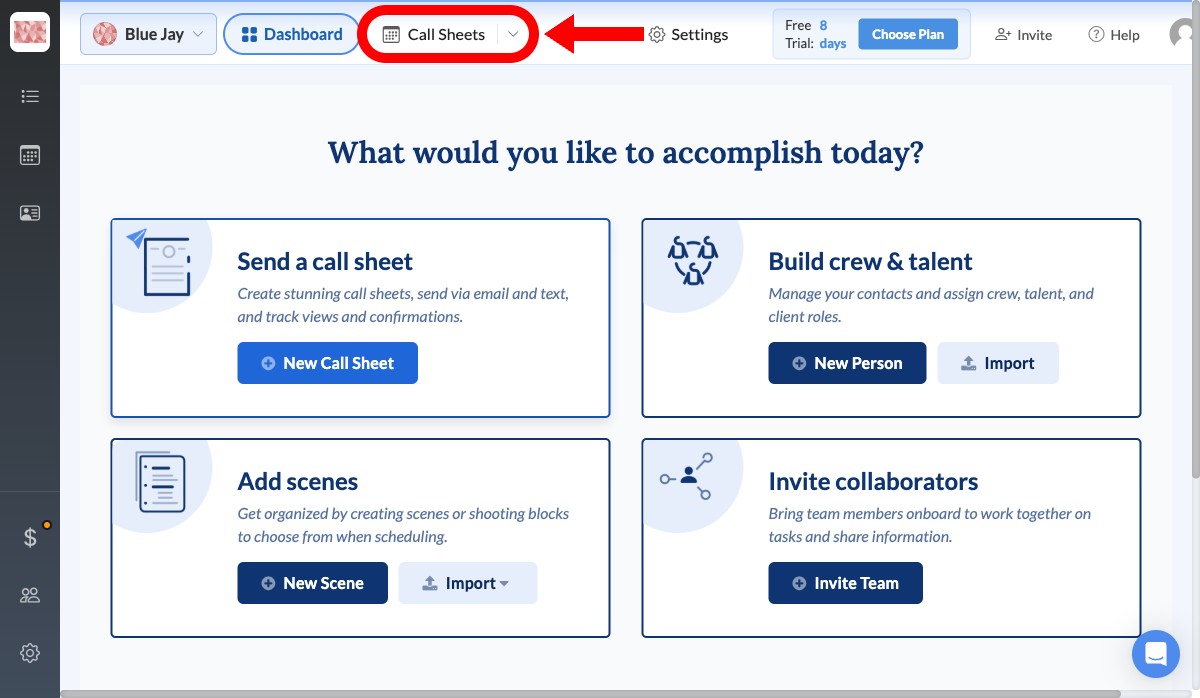
From your project dashboard, click Call Sheets in the top navigation bar.
-
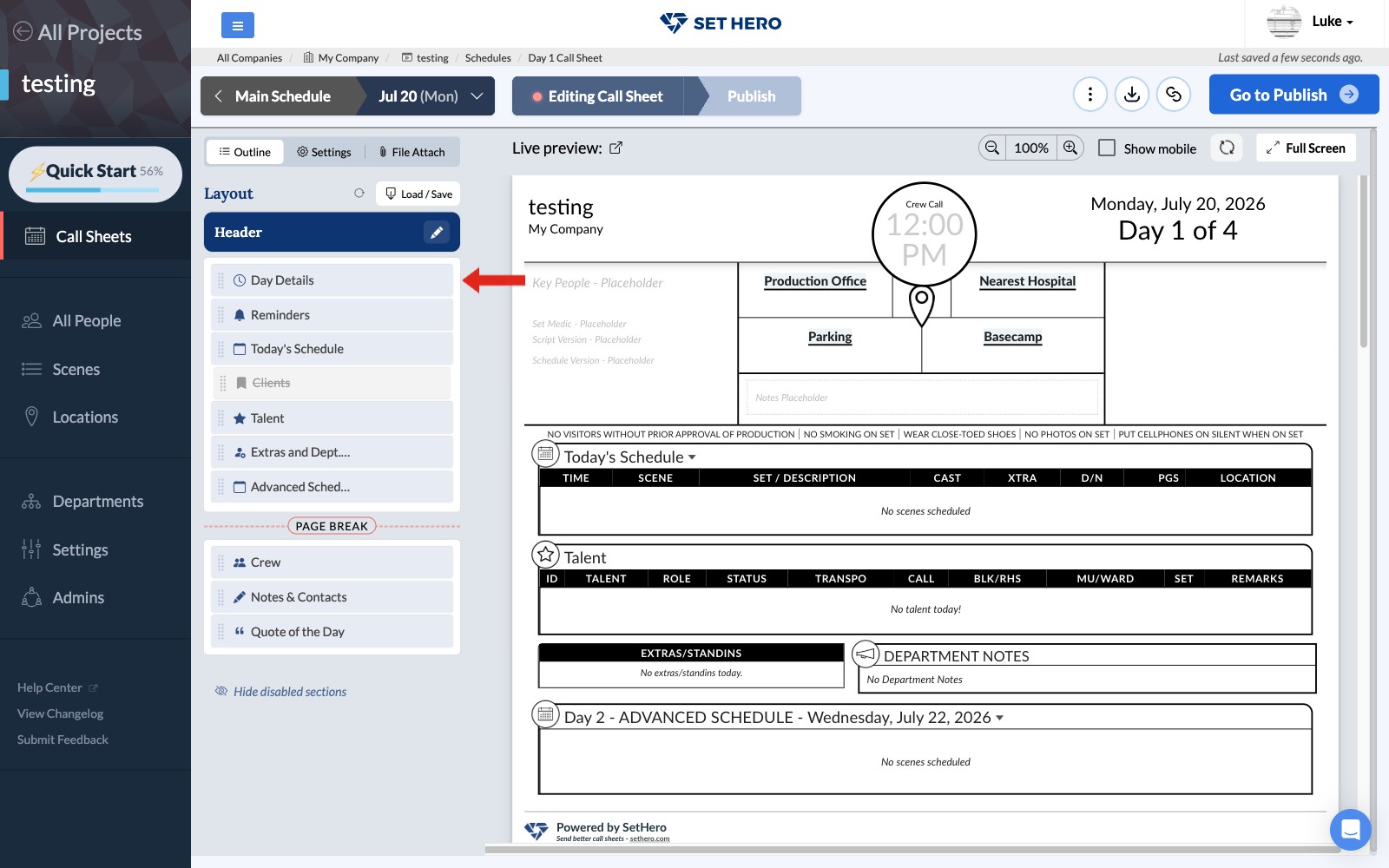
Open the call sheet you want to edit. In the call sheet outline, find Day Details and click Edit.
-
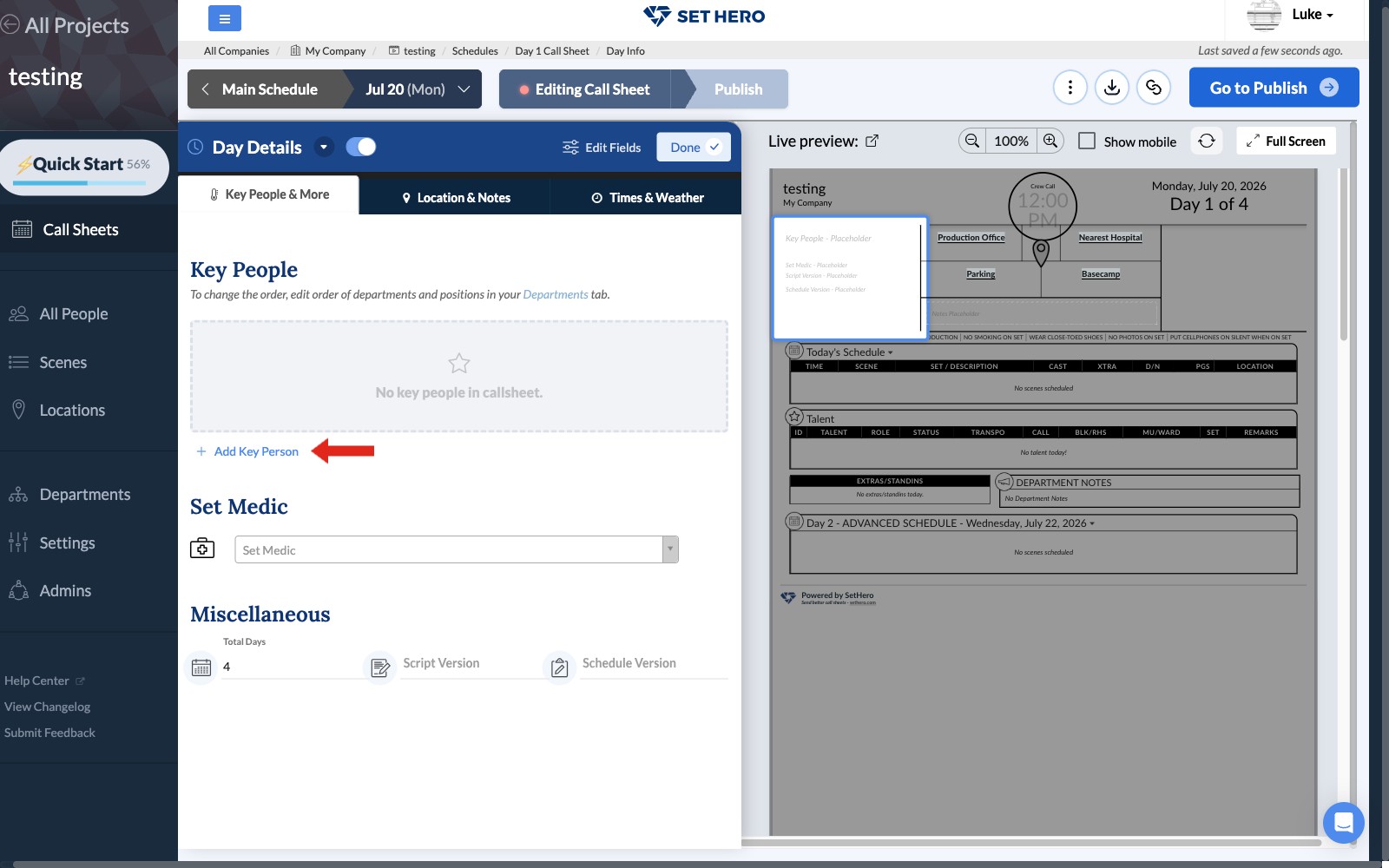
Select the Key People & More tab, then click Add Key Person.
-
Open the person dropdown and choose the person you want to add.
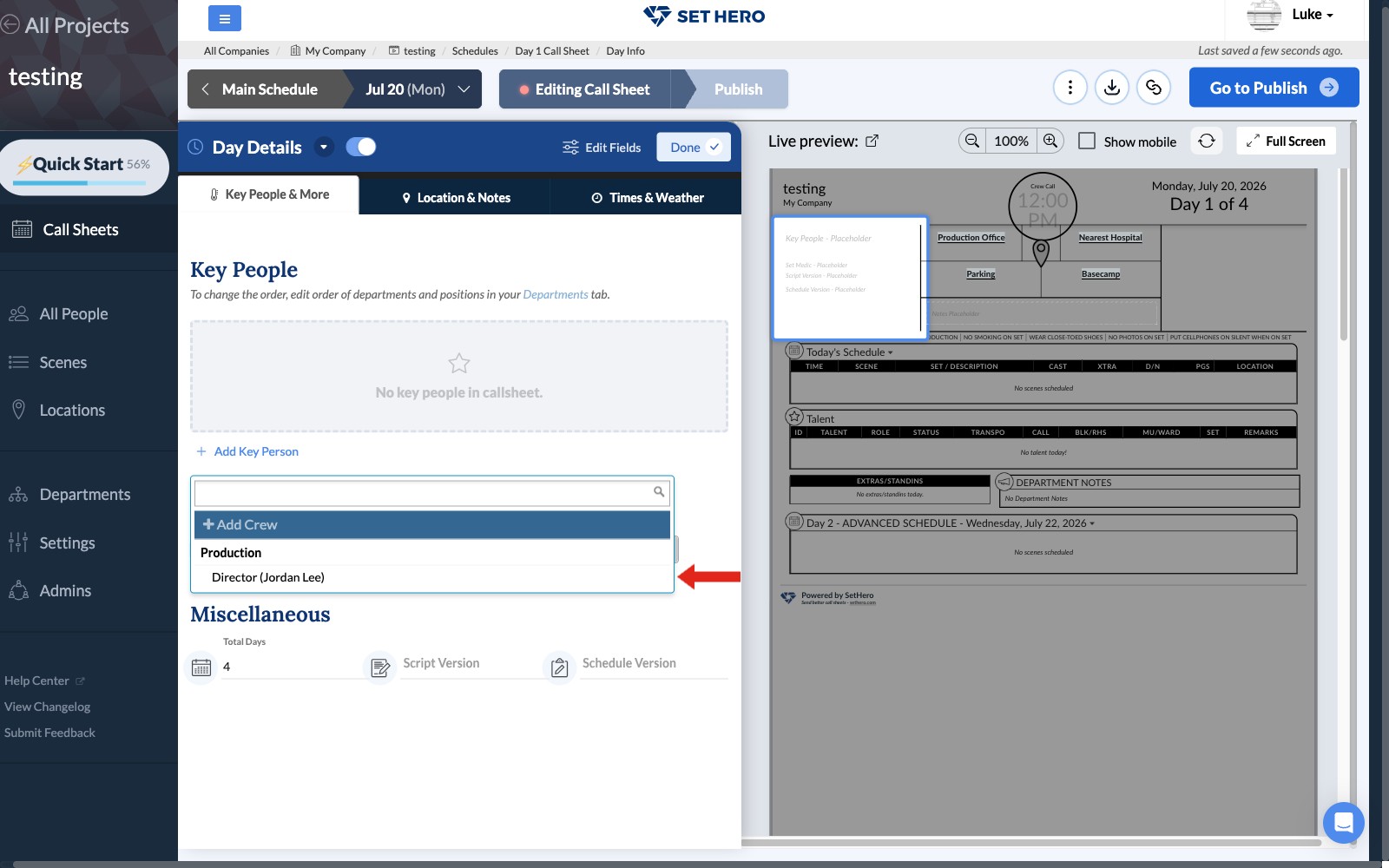
The person is added to the Key People list as soon as you select them. Repeat these steps for each additional key person.
Viewing key people on the call sheet
The finished call sheet displays the Key People list in the upper-left header area. Each row shows the person's position on the left and their name on the right. Phone numbers and email addresses do not appear in this section.