Use the launchpad to learn the basics (and earn trial days)
Learn how to use the Project Dashboard to set up your project and earn extra free trial days.
When you open a project in SetHero, you land on the Project Dashboard (also known as the Launchpad). This is your home base for the project, providing a quick overview of your schedule and easy access to all your data.
It also includes a setup checklist that guides you through the basics of SetHero — and rewards you with extra free trial days for completing it!
1. The setup checklist
At the top of your dashboard, you'll see the Project setup card. This card tracks your progress as you set up your project.
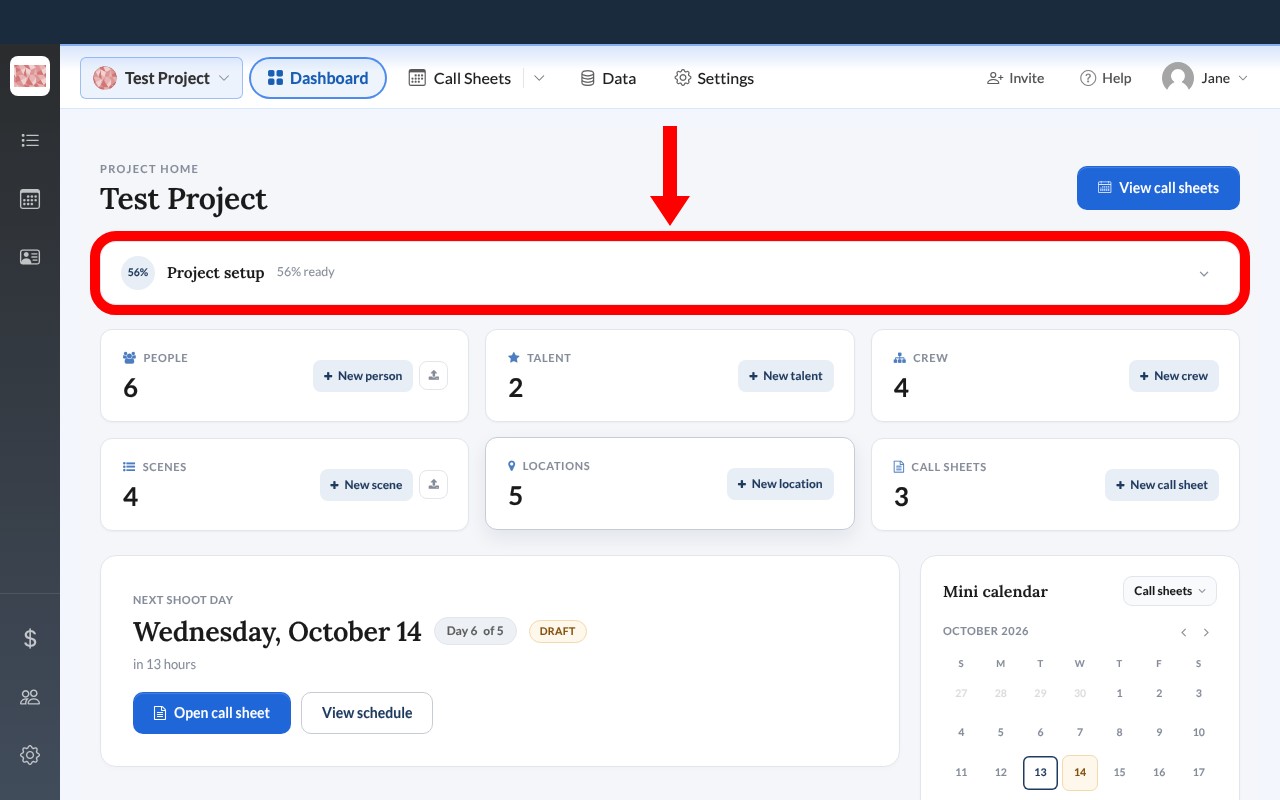
Click the arrow on the right side of the card to expand it. It opens as Get your project ready, with recommended steps such as creating a schedule, adding contacts, and publishing your first call sheet.
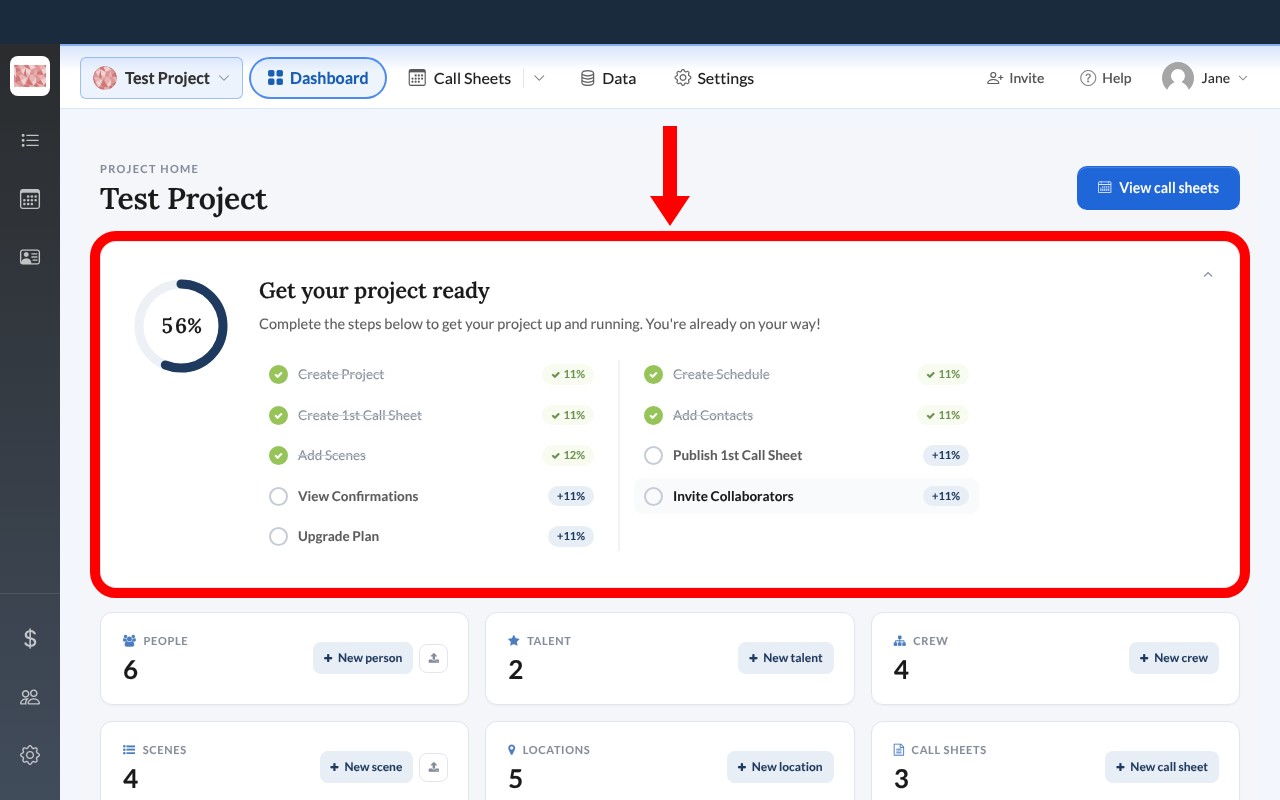
As you complete these steps, your progress bar fills up. Each step you complete earns you extra trial days, up to a total of 37 days. Publishing your first call sheet earns the most days. See How your free trial and starter project work for how the trial works.
2. Your schedule at a glance
Below the setup card, you'll find the schedule section. This area keeps you oriented on what's coming up next.
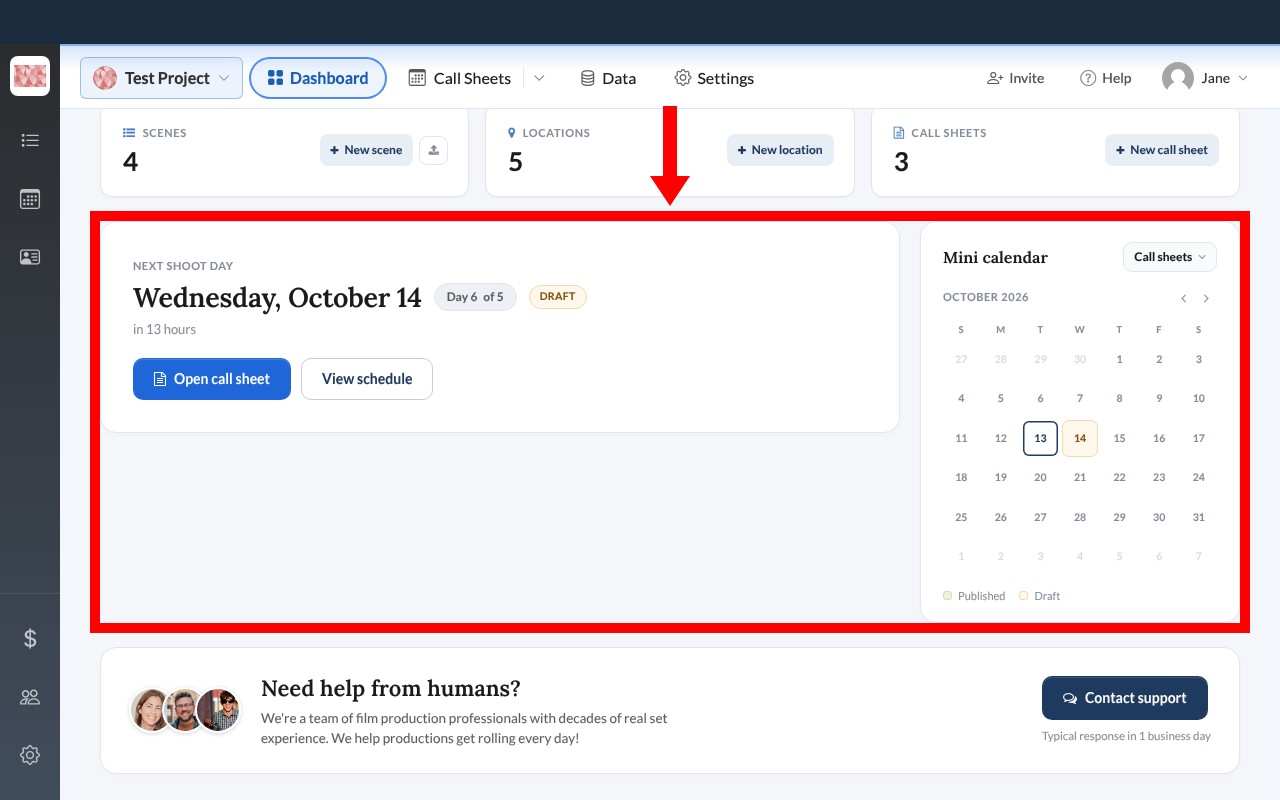
- Next shoot day: This card highlights your upcoming shoot day, showing the date, day number, and whether the call sheet is published or still a draft. You can quickly open the call sheet directly from here.
- Mini calendar: This calendar gives you a bird's-eye view of your month. Days with scheduled call sheets or production reports are marked with dots, color-coded to show their status (published or draft).
3. Production data tiles
At the bottom of the dashboard, you'll find quick-access tiles for all your project data.
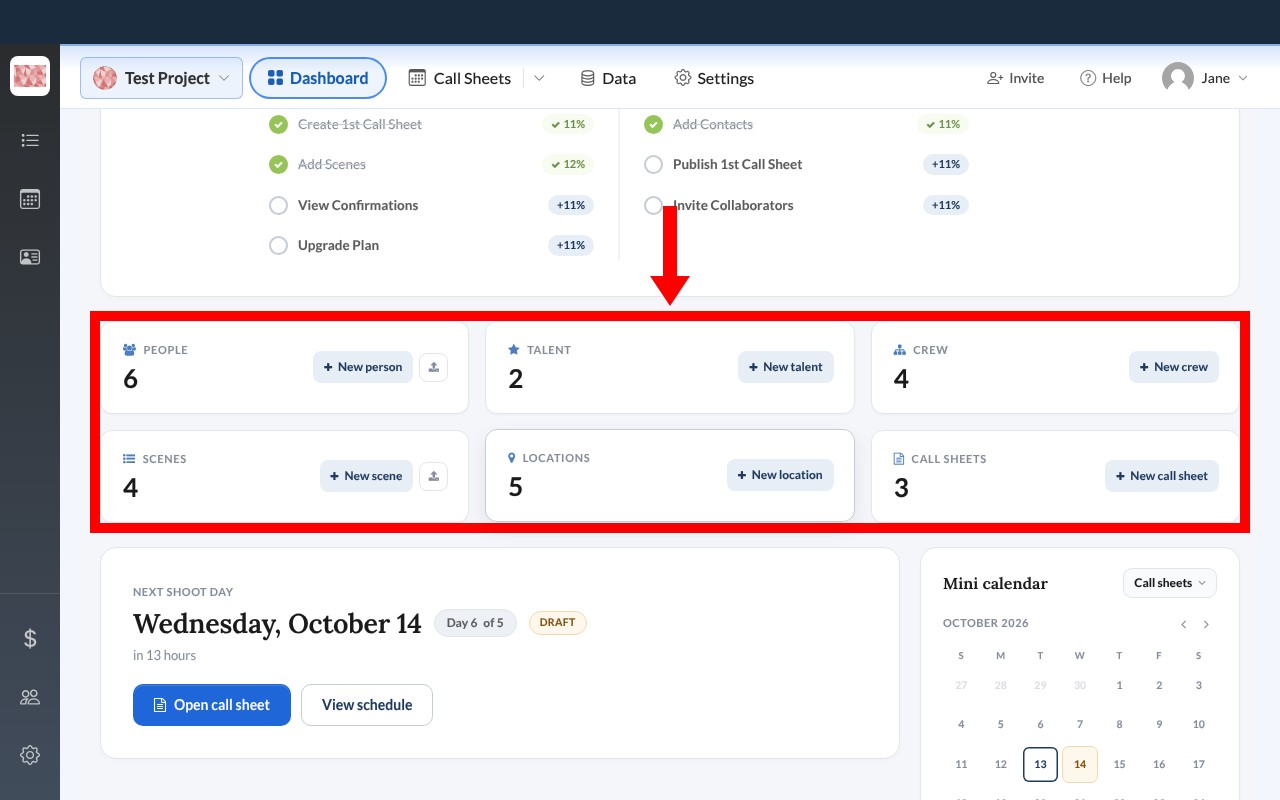
These tiles show you exactly how many people, talent, crew, scenes, locations, and call sheets you have in your project. You can click any tile to jump straight to that section, or use the New buttons to quickly add items without leaving the dashboard.