Create, rename, or delete schedules
When to create, rename, or delete schedules for your shoot days
A schedule groups your shoot days and call sheets in order. Every new project starts with one, usually called Main Schedule, and most projects never need another.
Larger productions sometimes do. A Main Unit and a Second Unit, or Principal Photography and Reshoots, each stay tidier on their own schedule. Run a second unit or split day explains when you need one.
Create a new schedule
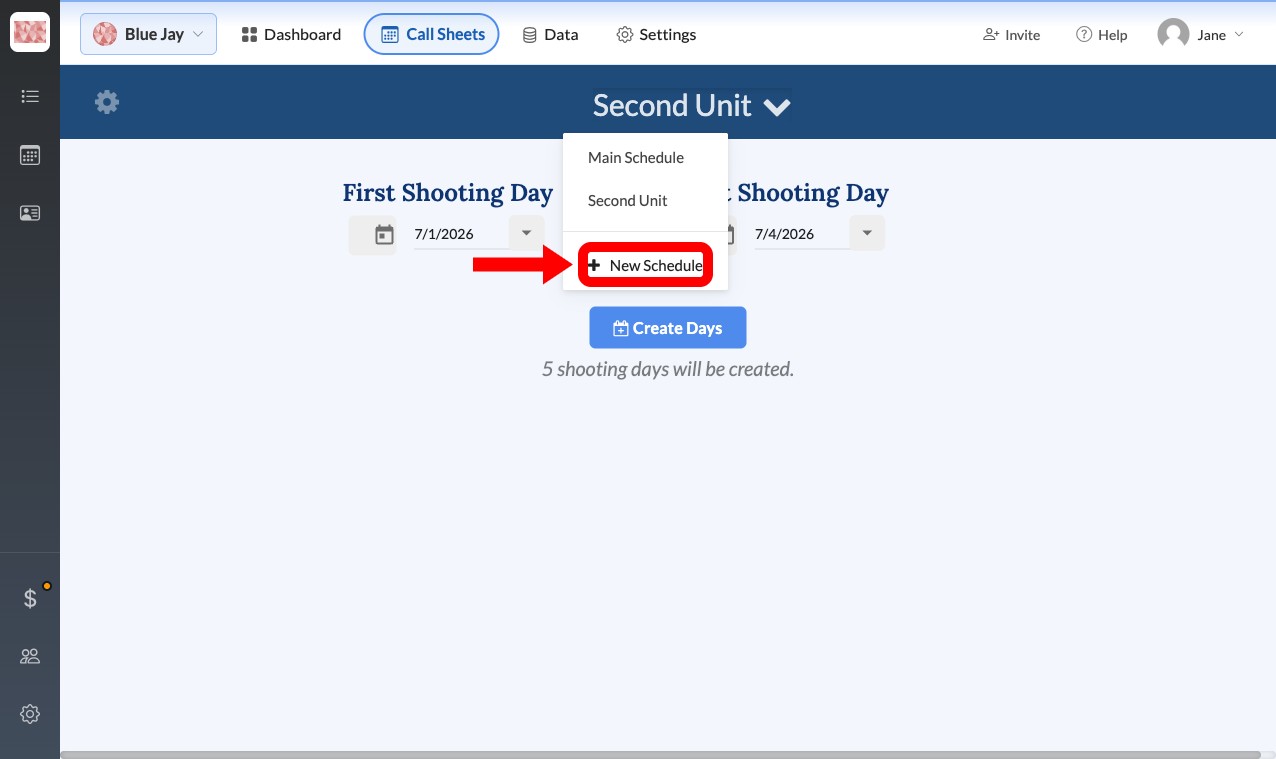
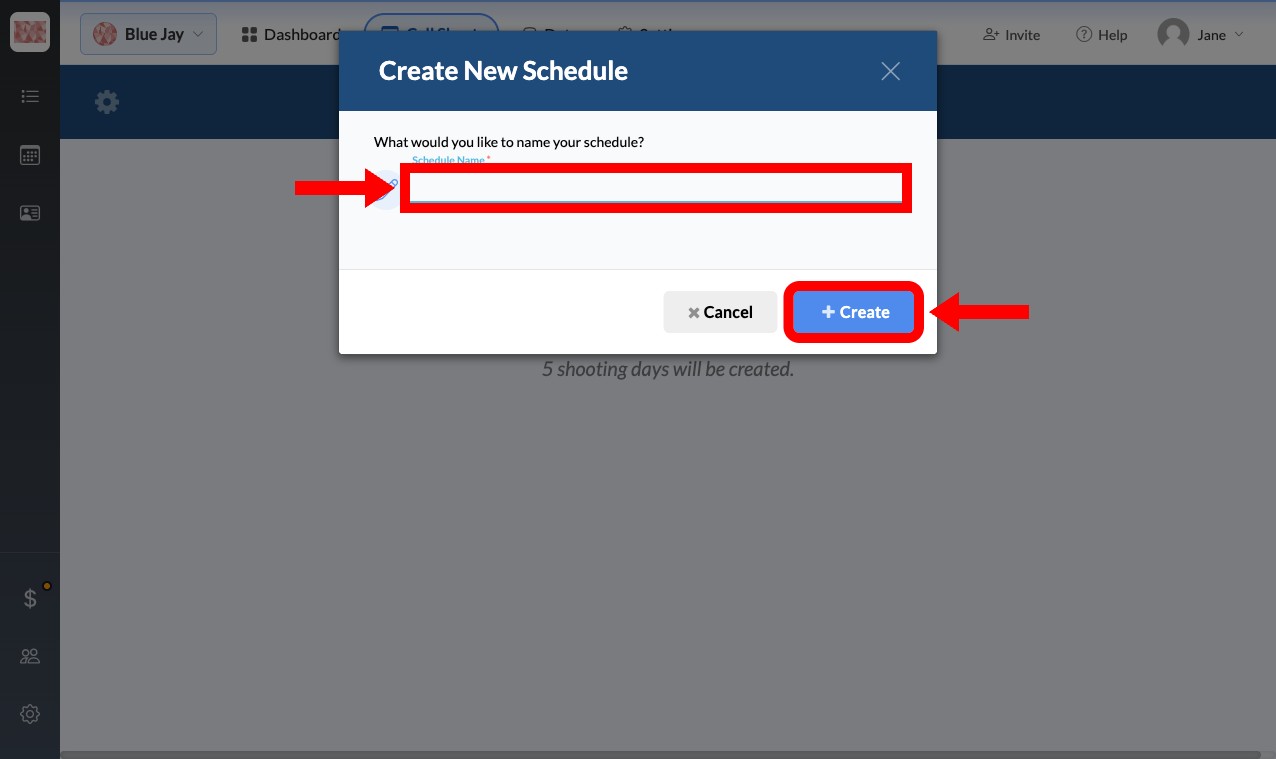
On the Call Sheets page, click the current schedule's name in the top-left corner to open the schedule dropdown, then click New Schedule at the bottom of the list. Type a name and click Create.
SetHero switches you to the new schedule right away. It starts empty, ready for you to add shoot days.
Rename a schedule
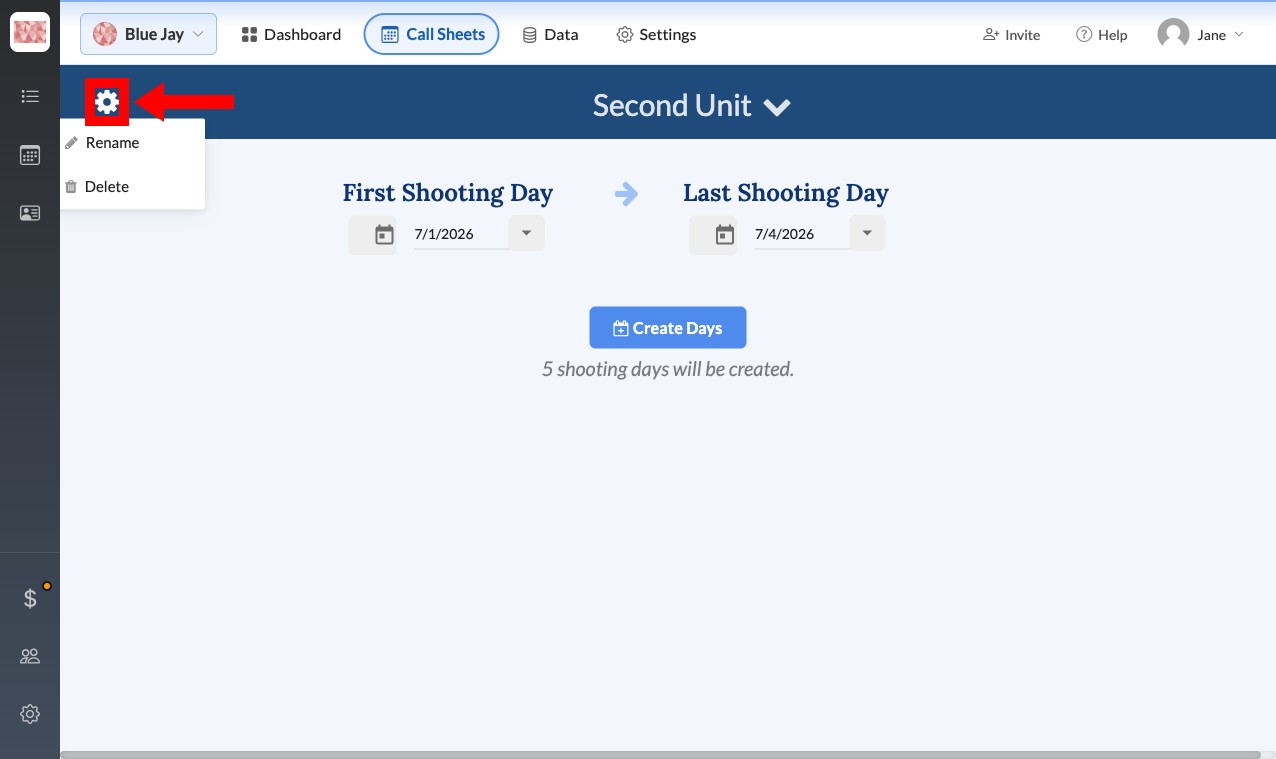
With the schedule open, click the gear icon next to its title and select Rename. Update the Schedule Name and click Okay.
Delete a schedule
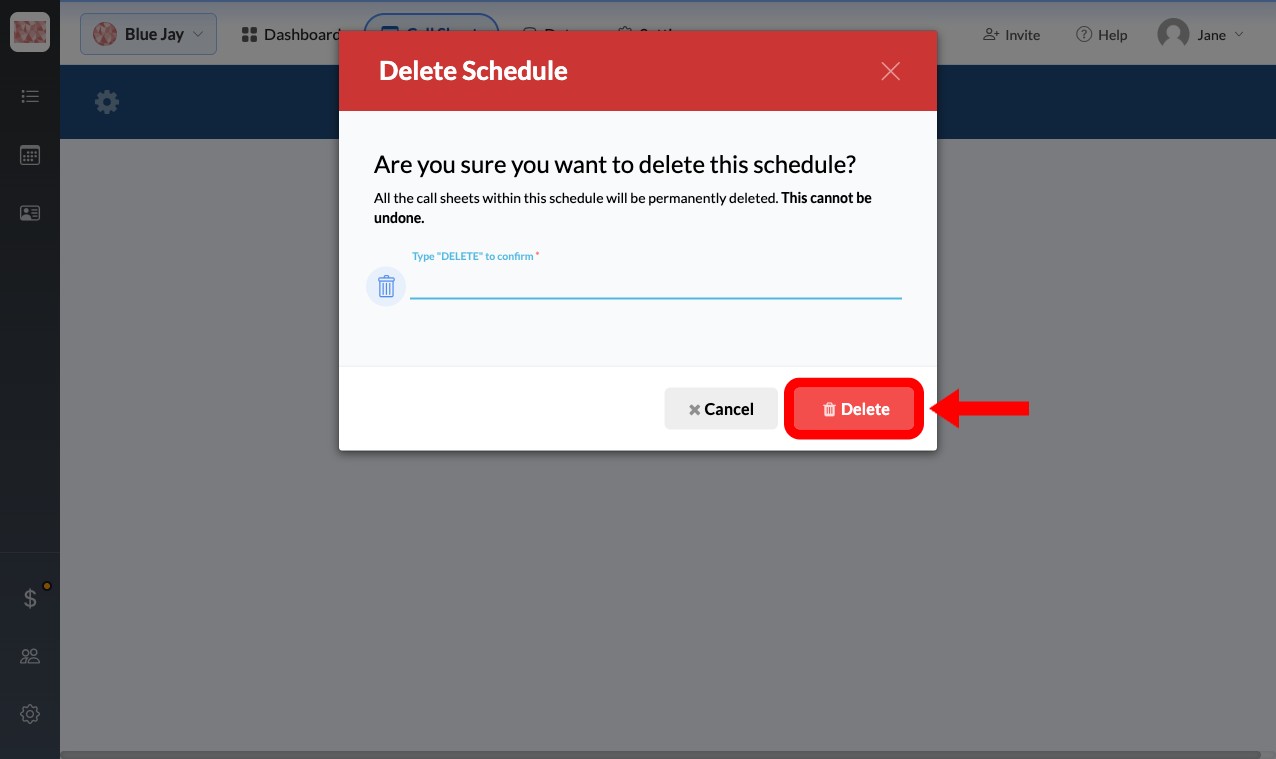
Warning: Deleting a schedule permanently removes it and every shoot day and call sheet on it. You can’t undo this.
With the schedule open, click the gear icon, select Delete, type DELETE in the confirmation box, and click Yes, Delete.