Scene details (INT/EXT, day/night, page count)
How to format Int/Ext, Day/Night, and scene page counts
Scenes are the building blocks of your shooting schedule. Getting the details right, whether a scene is interior or exterior, day or night, and how many pages it runs, is what makes your plan and your call sheets accurate.
Add scene details manually
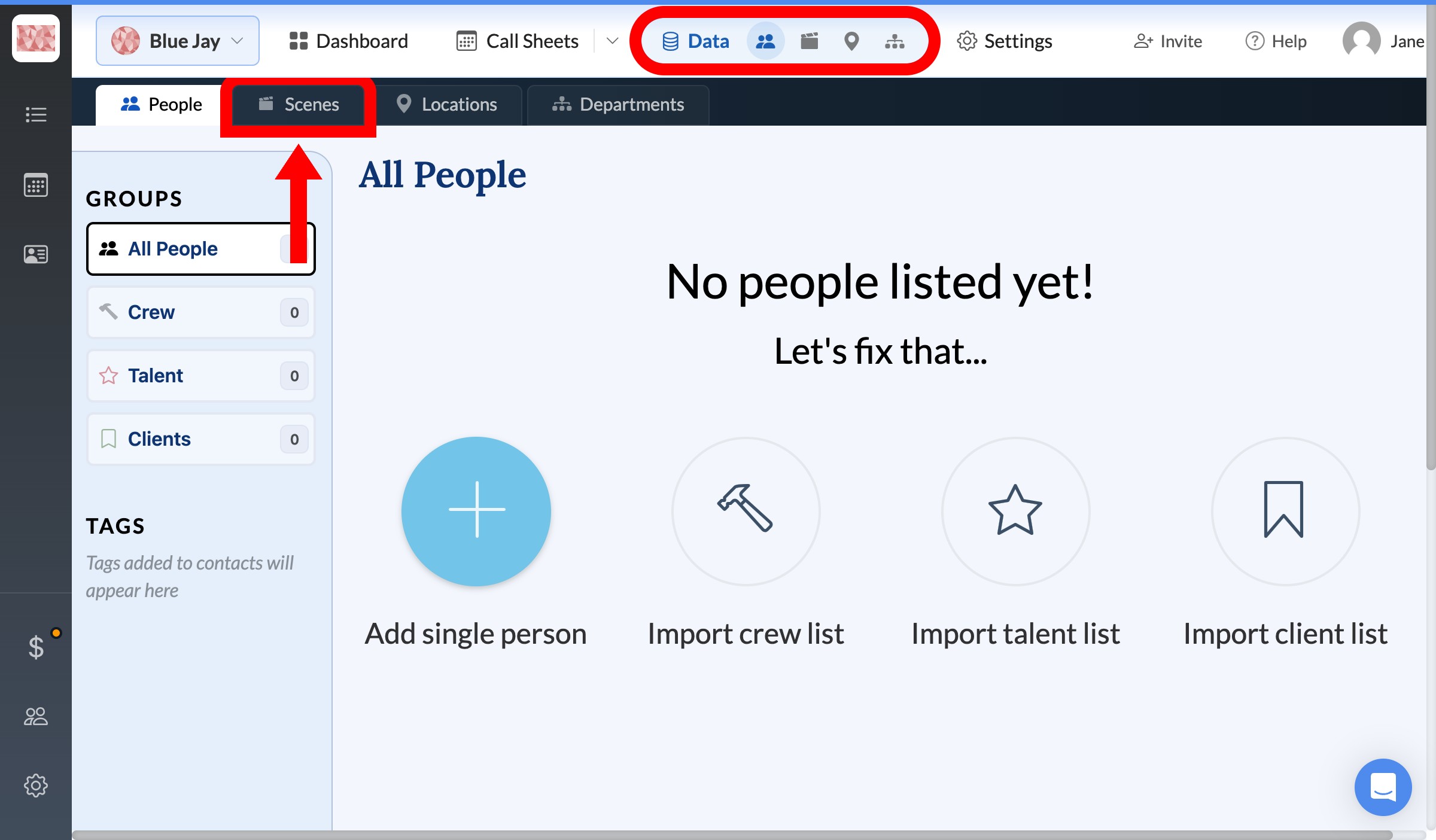
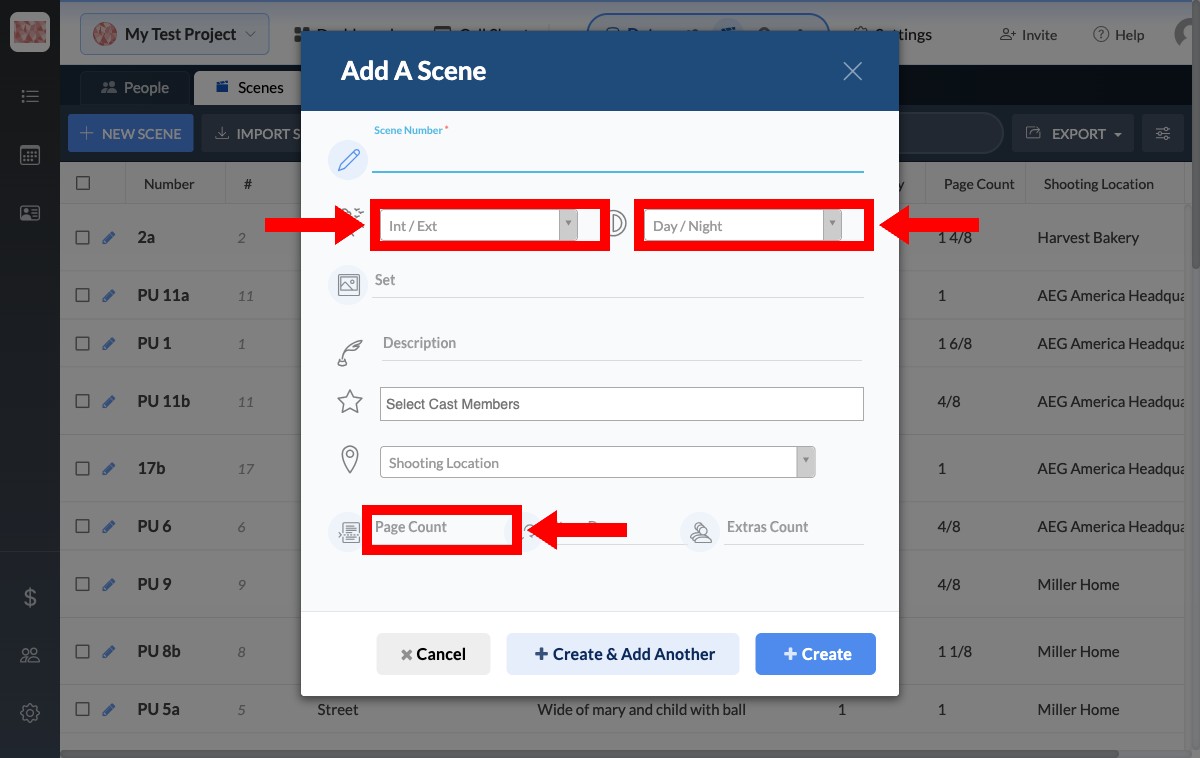
From your project, click Data in the top navigation and open the Scenes tab. Click new scene to add one, or the pencil icon beside an existing scene to edit it. In the modal, set:
- Int / Ext: interior or exterior.
- Day / Night: Day, Night, Dawn, or Dusk.
- Page Count: the scene's length in pages, such as
1,2 4/8, or1.5.
Click Create (or Save Changes) to save.
Format details for a spreadsheet import
If you're importing scenes from an Excel or CSV file, format the columns so SetHero can read them:
- I/E: full words like
InteriorandExterior, or abbreviations likeINT,EXT,INT., andEXT.all work. - D/N:
Day,Night,Dawn, orDusk. - Page Count: decimals like
1.5and1.75, or script eighths like1 4/8and1 6/8.
Tip: If your spreadsheet uses decimals for page counts, import them as they are. SetHero automatically converts them to eighths on your call sheets.
When you upload the file with Import scenes on the Scenes page, map your I/E, D/N, and Page Count columns to the matching SetHero fields. See how to import scenes for the full flow.