School and organization partnerships
How organizations get group pricing, how members use a group code, and how admins manage it
Schools, festivals, unions, guilds, and clubs can provide SetHero to their members at bulk pricing. Members join with a group code, and your organization's admins manage who's in the group.
Note: Applying for yourself as a student or instructor? See Get the student discount instead.
Become a partner organization
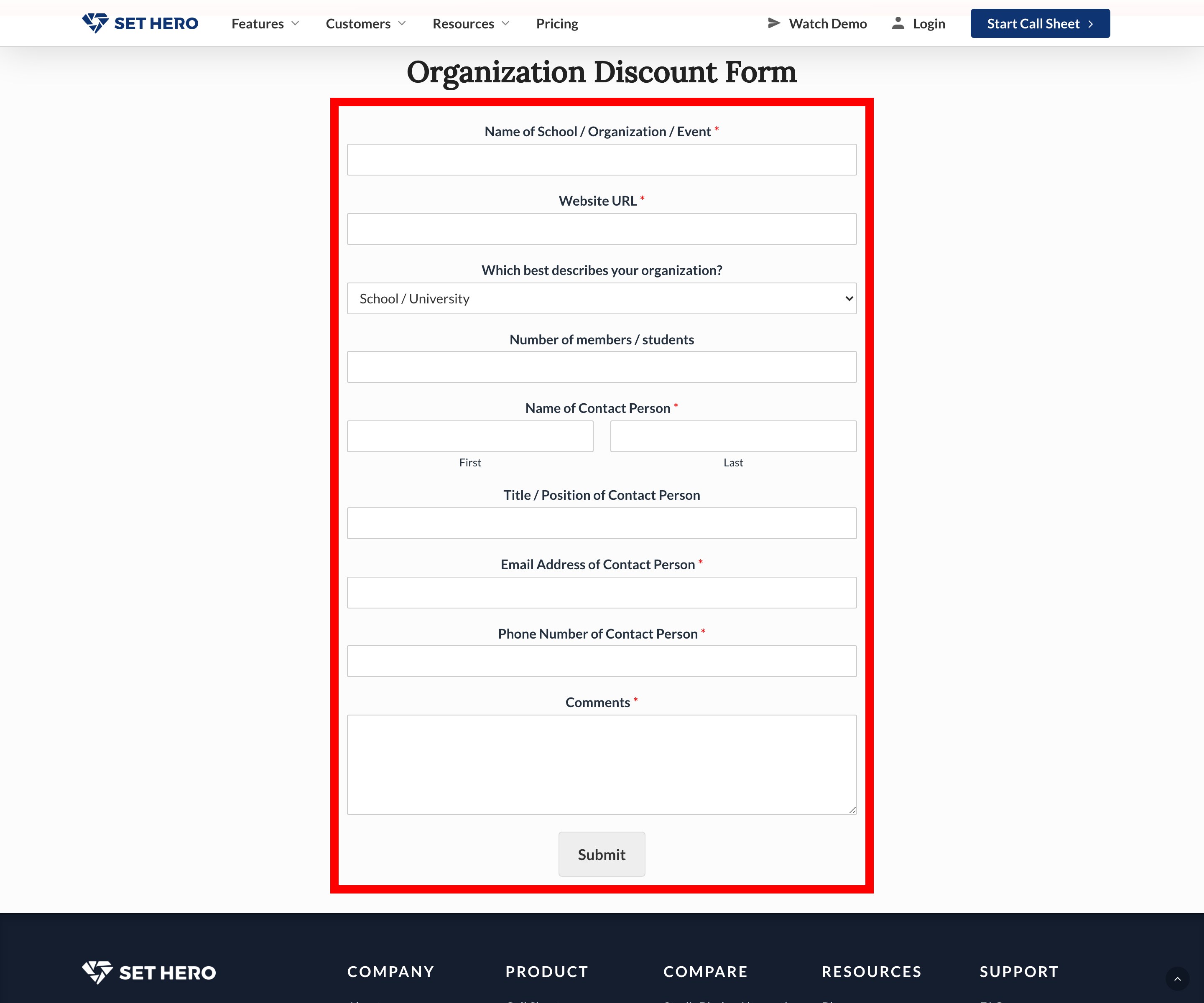
Complete the Organization Discount Form on the Schools and Organizations page and click Submit. A team member will then contact you to schedule a 30-minute call, and you can ask for a free test trial.
Join a group with your code
Your school or organization gives you this code. If it isn't a partner, you won't have one, but you may be able to apply for the student discount.
If you're creating a new account, select I have a group code from a school or organization on the sign-up screen, then enter the code in School / Organization Discount Code.
If you already have an account:
-
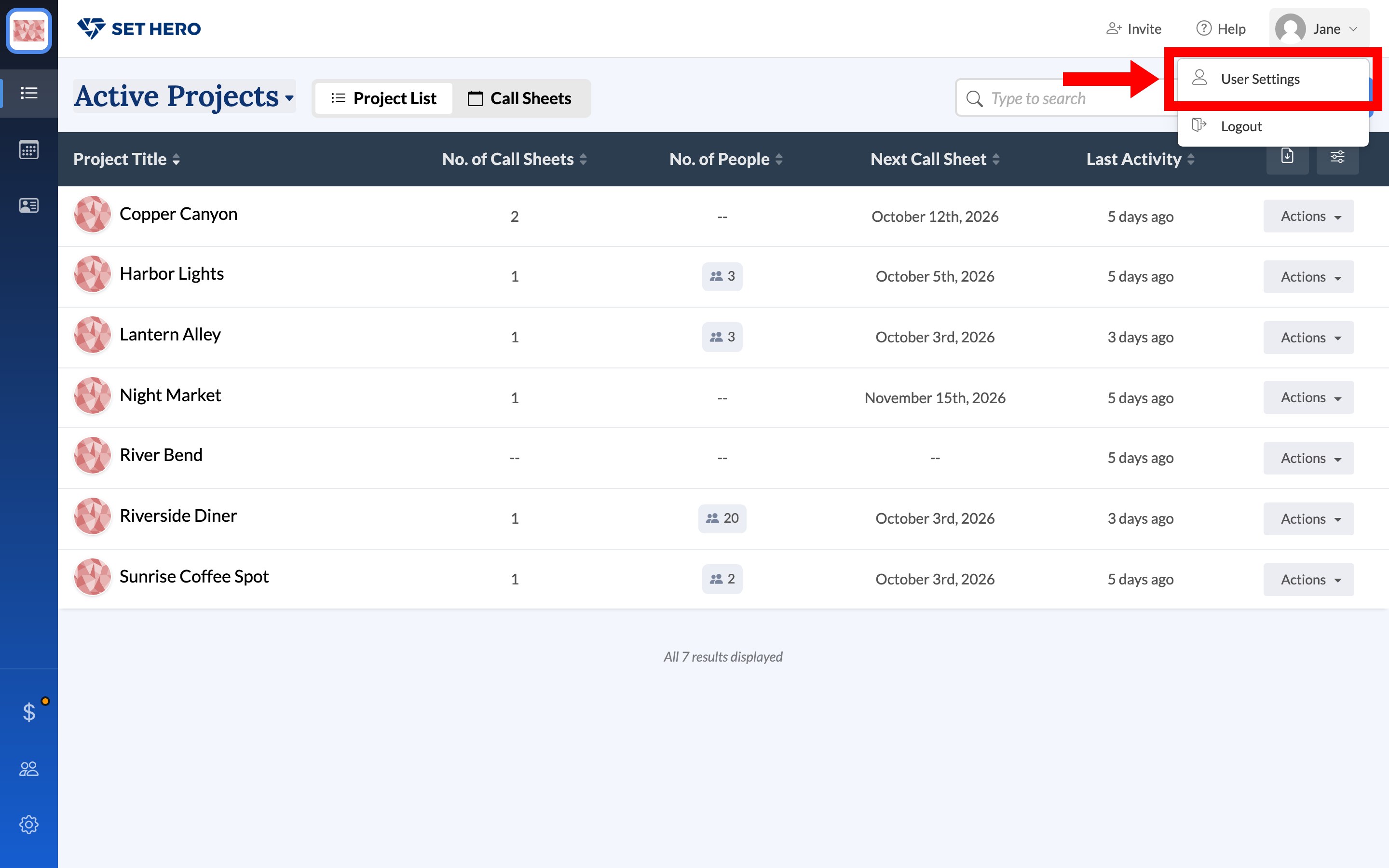
Open the account menu in the top-right corner and choose User Settings.
-
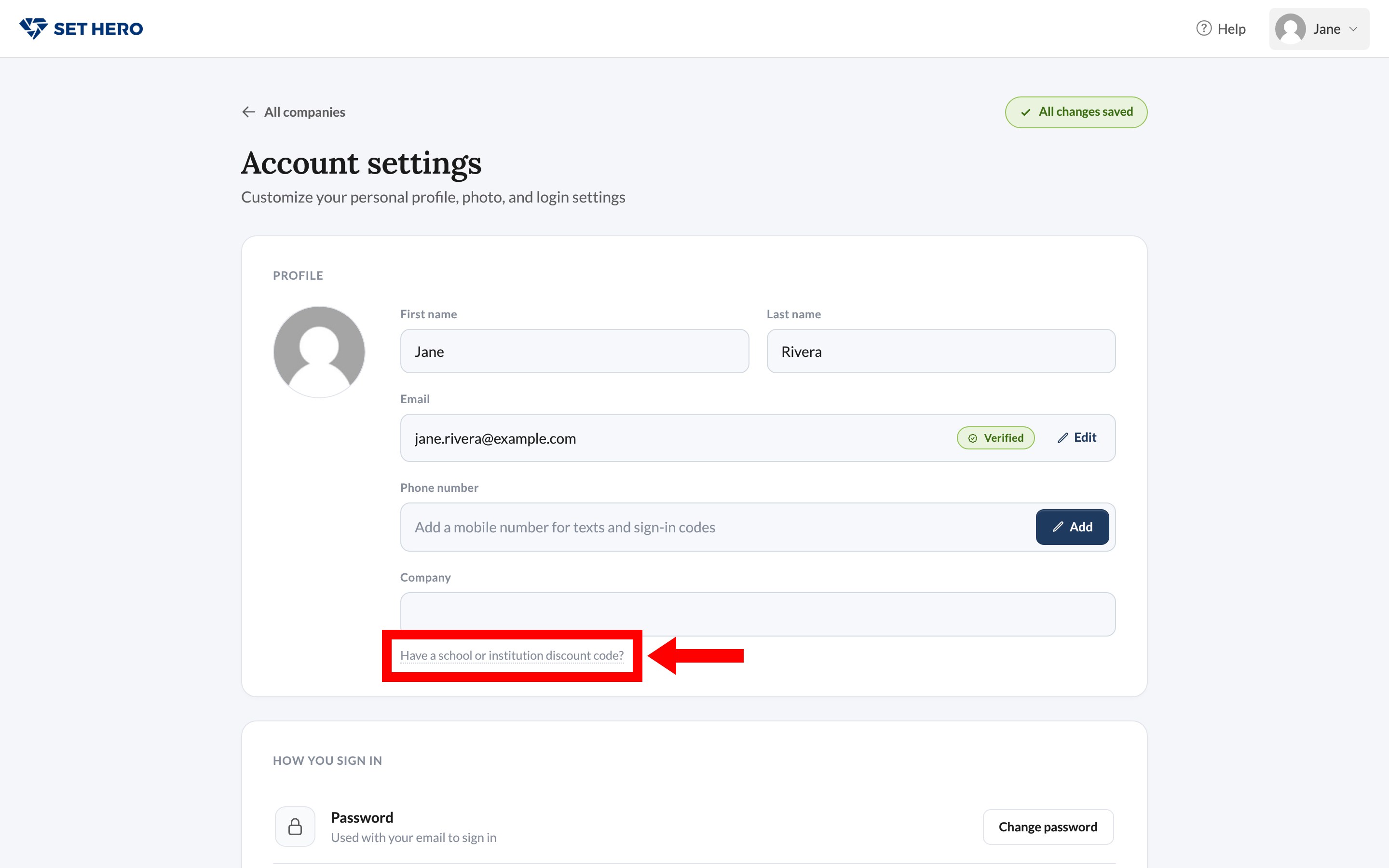
On the Profile card, click Have a school or institution discount code?.
-
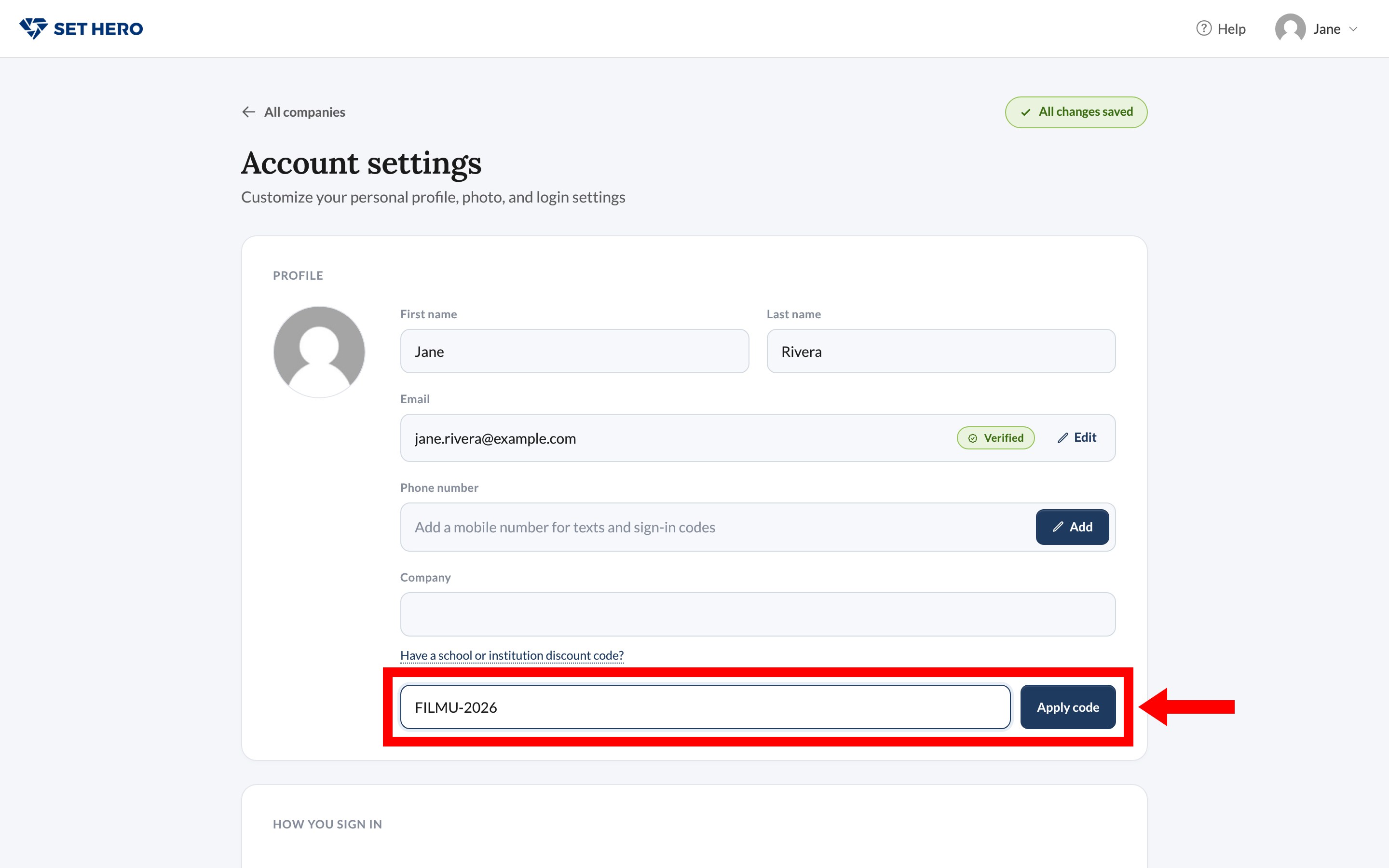
Enter the code and click Apply code.
Your Profile card then shows your group, your discount, and its Ends date. Leave removes you from the group immediately, so only use it if you joined the wrong one.
Important: The discount only applies to companies you create. If you work in a company owned by a classmate, an instructor, or anyone else, that work is billed to the owner's plan. To have your projects covered, create your own company.
If your code doesn't work
| What you see | What it means | What to do |
|---|---|---|
| That is not a valid code | The code is mistyped or hasn't started yet. A coupon code from the student discount won't work here either. | Check the code with your group's admin. For a student coupon code, enter it at checkout. |
| This code is no longer valid | The group's end date has passed. | Ask your group's admin for a current code. |
| This code has reached the max number of users | The group is full. | Ask your group's admin to raise the limit. |
Manage your group
If you're an admin for your organization, it appears under Partner organizations on your companies page. Open it to go to Group Codes, where each code shows its active users, user limit, discount, and end date.
From there, you can:
- Add people by email: click Add People by Email and paste a list of addresses, separated by commas or line breaks. People with a SetHero account are added right away. Everyone else is invited to create one, and they join your group when they do.
- Share a signup link: click Copy Signup Link and send it to your members.
- Remove someone or cancel an invitation: click the trash icon beside them under Active Users or Pending Invitations.
To add another administrator, open Admins and invite them by email. To raise a code's user limit or extend its end date, contact support.
Pay by invoice or purchase order
Schools and departments can pay by invoice instead of credit card. Contact support with your institution's name, your department, and a billing contact to set this up.
- We'll issue an annual invoice instead of charging a card.
- If your purchasing office uses purchase orders, send us the PO number to include on the invoice.
- You can pay by check.
- Invoices can go directly to a billing contact rather than the person who created the account.
Invoiced accounts renew on the date shown on the invoice. If your department doesn't plan to renew, contact support before that date.
Accessibility information
SetHero doesn't currently have a VPAT. If your procurement office needs accessibility information, contact support.
For help, use the chat bubble in the bottom-right corner of the app or email support@sethero.com.