Get the student discount
How students and instructors apply for a free year and use their coupon code
Students and instructors in a film program can use SetHero free for one year. Apply with a short form, and if you're approved, we'll email you a coupon code to use at checkout.
Note: If your school or organization gave you a group code, that's a different program. See School and organization partnerships.
Who can apply
- Students must be actively enrolled in a film program at a school or university.
- Instructors must currently teach in a film program.
- Alumni aren't eligible, including recent graduates.
Apply for the discount
Complete the Student Discount Form on the student discount page and click Submit. If your school doesn't use .edu email addresses, apply anyway and mention it under Comments.
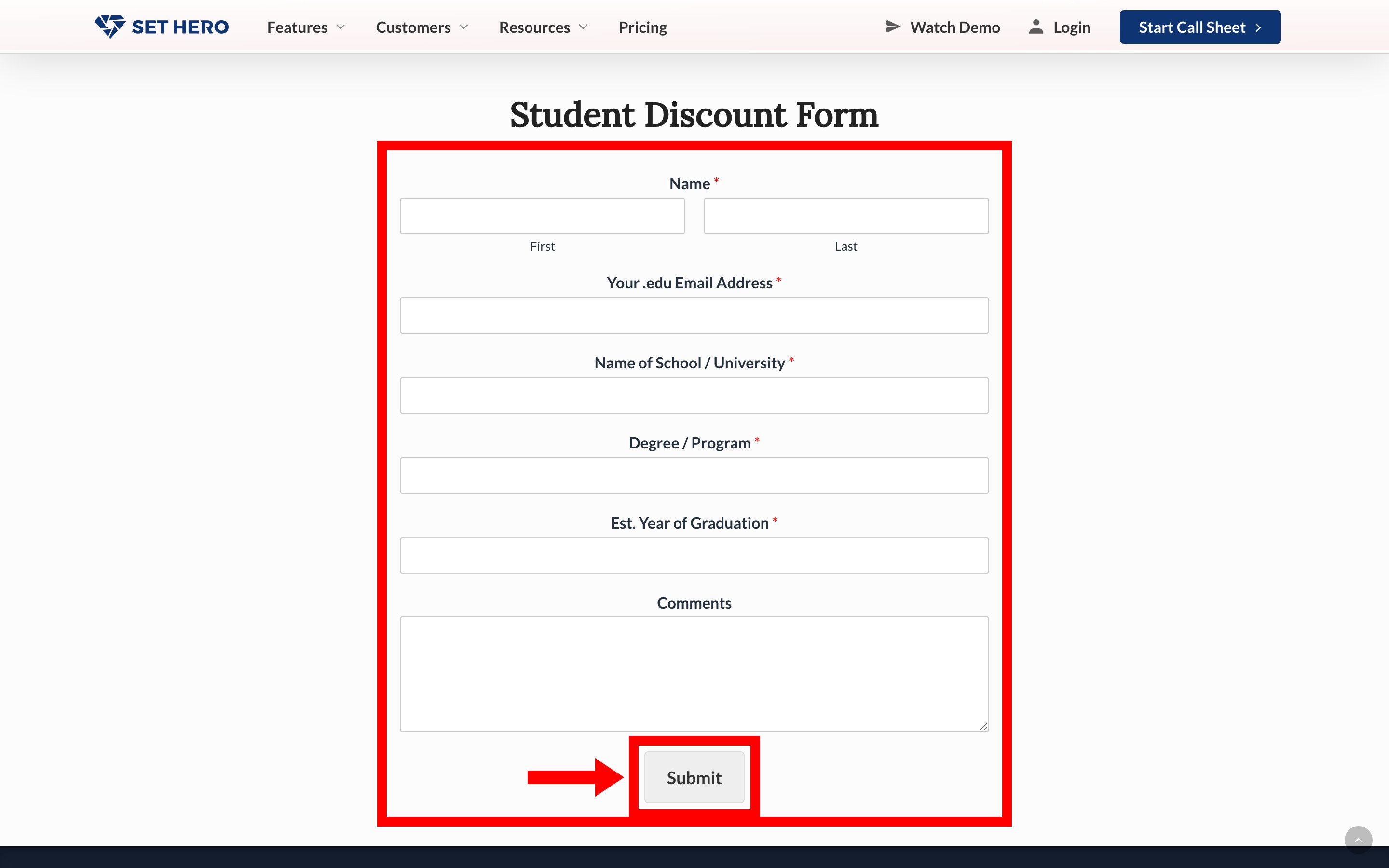
It takes a few days to review each request. If you're approved, we'll email you your code.
Instructors use the same form. If you're teaching a class, have each student apply individually.
Use your coupon code
You enter the code when you choose a plan:
- Go to Company Billing and choose a plan. The code works on any subscription plan, but we recommend a monthly one so you aren't committed to a full year when your discount ends.
- On the Review Order step, select + Add Coupon Code.
- Enter your code and select Apply.
- Check that the discount appears in your total, then finish your purchase.
Important: Enter this code at checkout, not under Have a school or institution discount code? in your account settings. That field is only for partner group codes.
Your discount lasts up to 12 months from when you first apply the code. During that time you can create unlimited projects, and a monthly plan renews for $0. Each project still has the size and shooting-day limits described in Project size limits: people and days. Apply a coupon code covers what to do if your code doesn't work.
Before your free year ends
Warning: Your discount doesn't renew automatically. When it ends, SetHero may charge the card on file the full price of your plan.
To avoid an unexpected charge, set a reminder several weeks before your renewal date. Payment card, renewals, and invoices shows where to find that date. Then:
- If you're still eligible: submit the same form again before the end date, using your current school information and expected graduation year. Reviews take time, so if the end date is close, contact support after you apply.
- If you're graduating or don't want to renew: contact support near the end date. Cancelling takes effect immediately, so don't ask too far in advance. Cancel your subscription explains what happens to your projects.
If you've already been charged, contact support as soon as possible. Refunds and billing mistakes explains the refund window.