Change the call sheet date
How to change a call sheet's shoot date, and whether later days move too
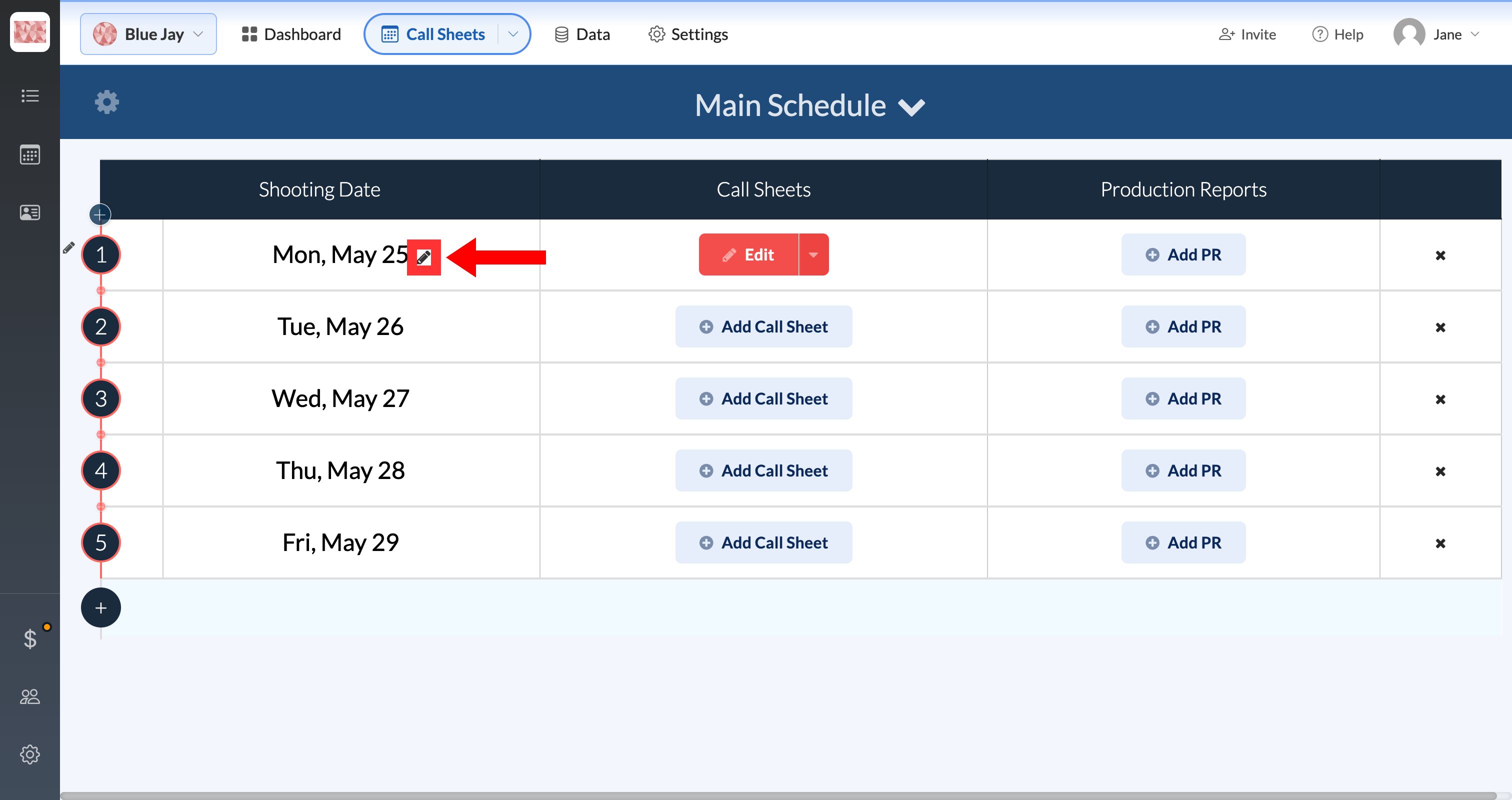
The date at the top of a call sheet comes from your schedule, so you can't click it on the call sheet to change it. Change it from the Call Sheets page instead:
-
Open Call Sheets in the top navigation bar.
-
Hover over the date and click the pencil.
-
Pick the new date, choose whether later days move too, and click Okay.
Adding or editing shooting days explains both options. To change the day number instead, see Setting the day numbering (Day 3 of 12).