Copy or move a call sheet to another day
How to copy a call sheet to another day or move it
When your shoot days follow a similar structure, you do not need to rebuild every call sheet from scratch. SetHero lets you copy data from an existing day so you can start with crew, locations, schedule sections, and other details already in place.
Copy data when adding a new call sheet
The fastest way to set up a new shooting day is to copy from a day that already has a call sheet.
To copy data into a blank day:
- Go to Call Sheets and open your schedule.
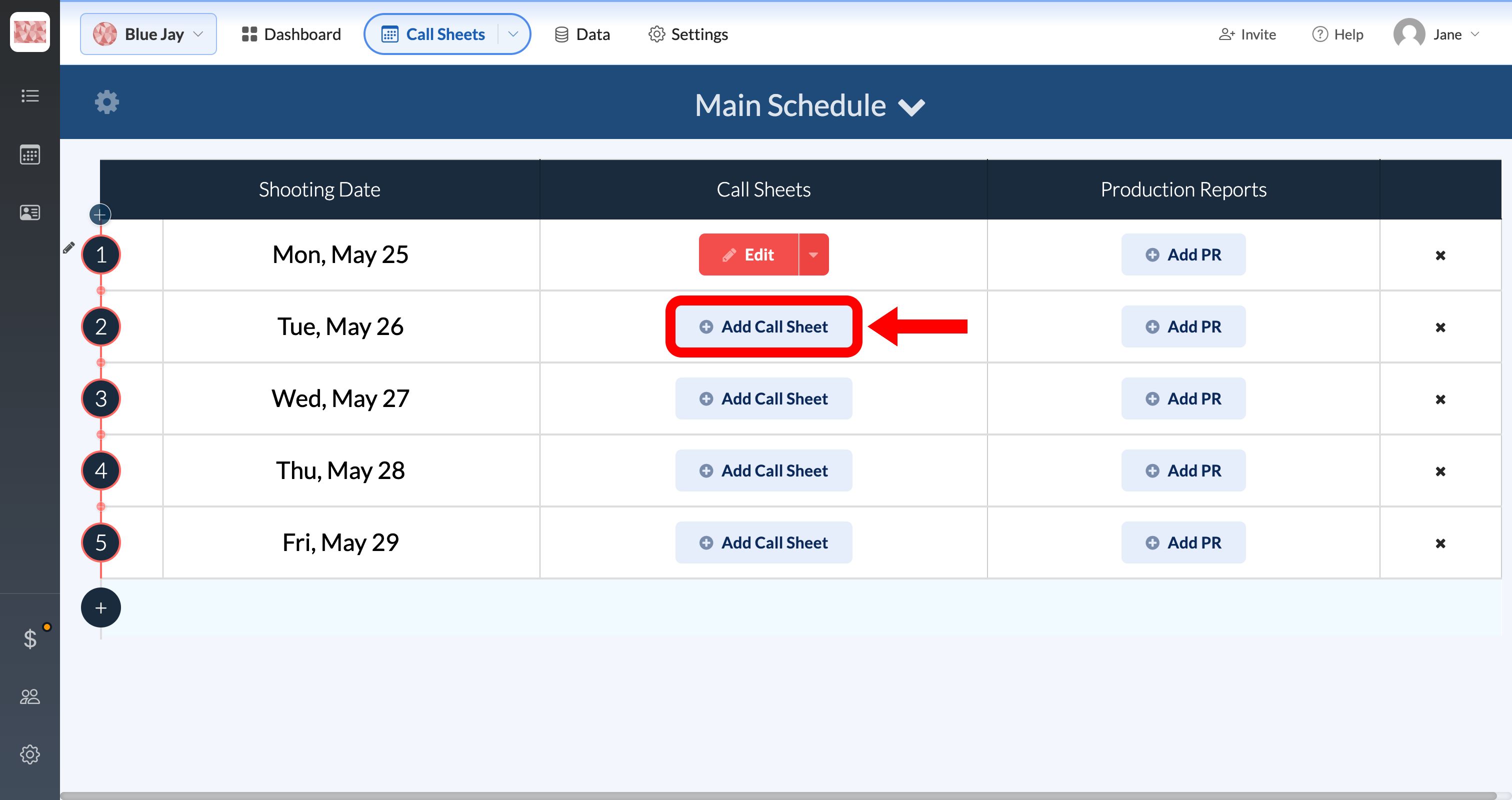
- Find a shooting day that does not have a call sheet yet.
- Click Add Call Sheet.
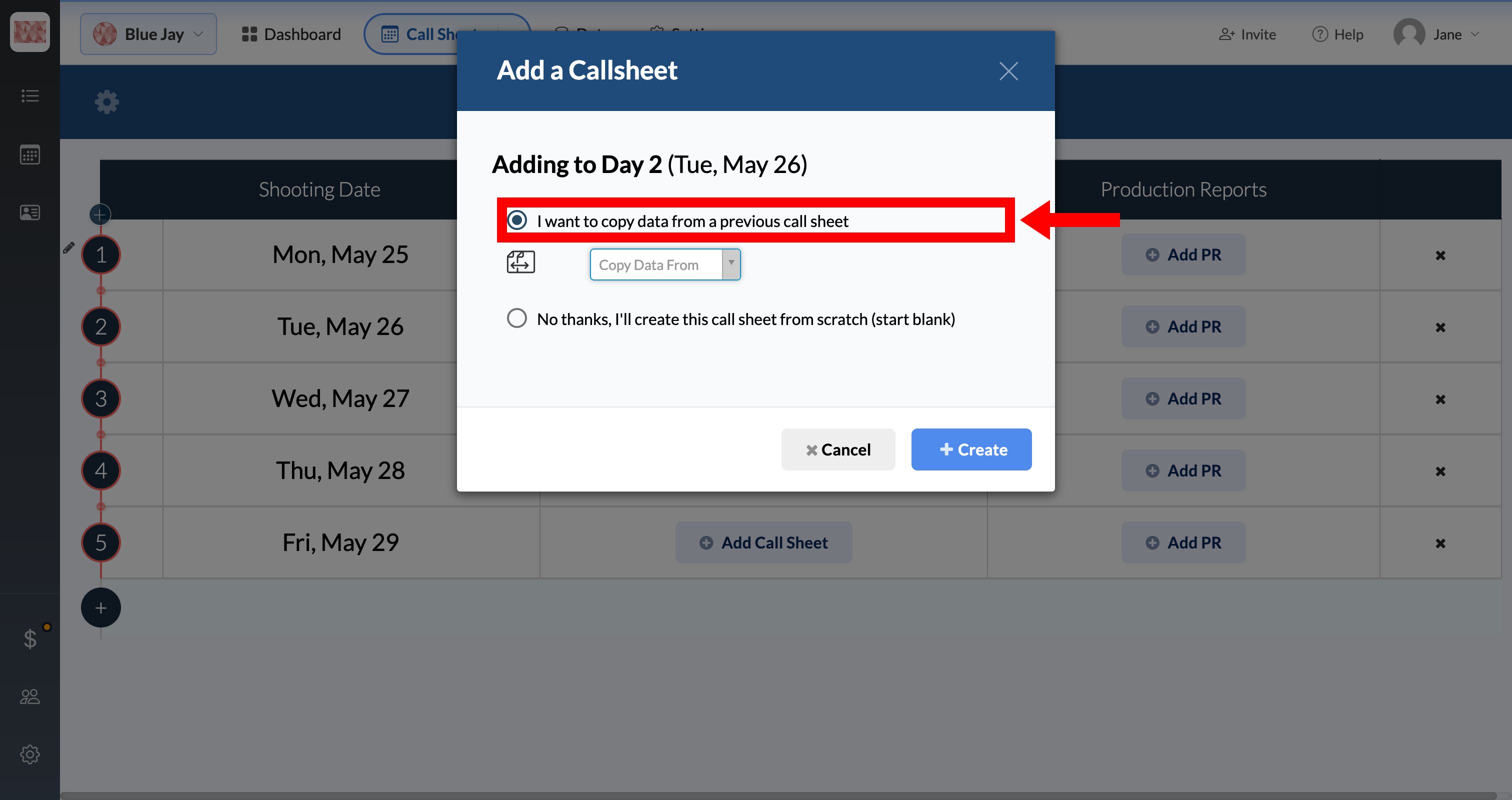
- In the Add a Callsheet window, select I want to copy data from a previous call sheet.
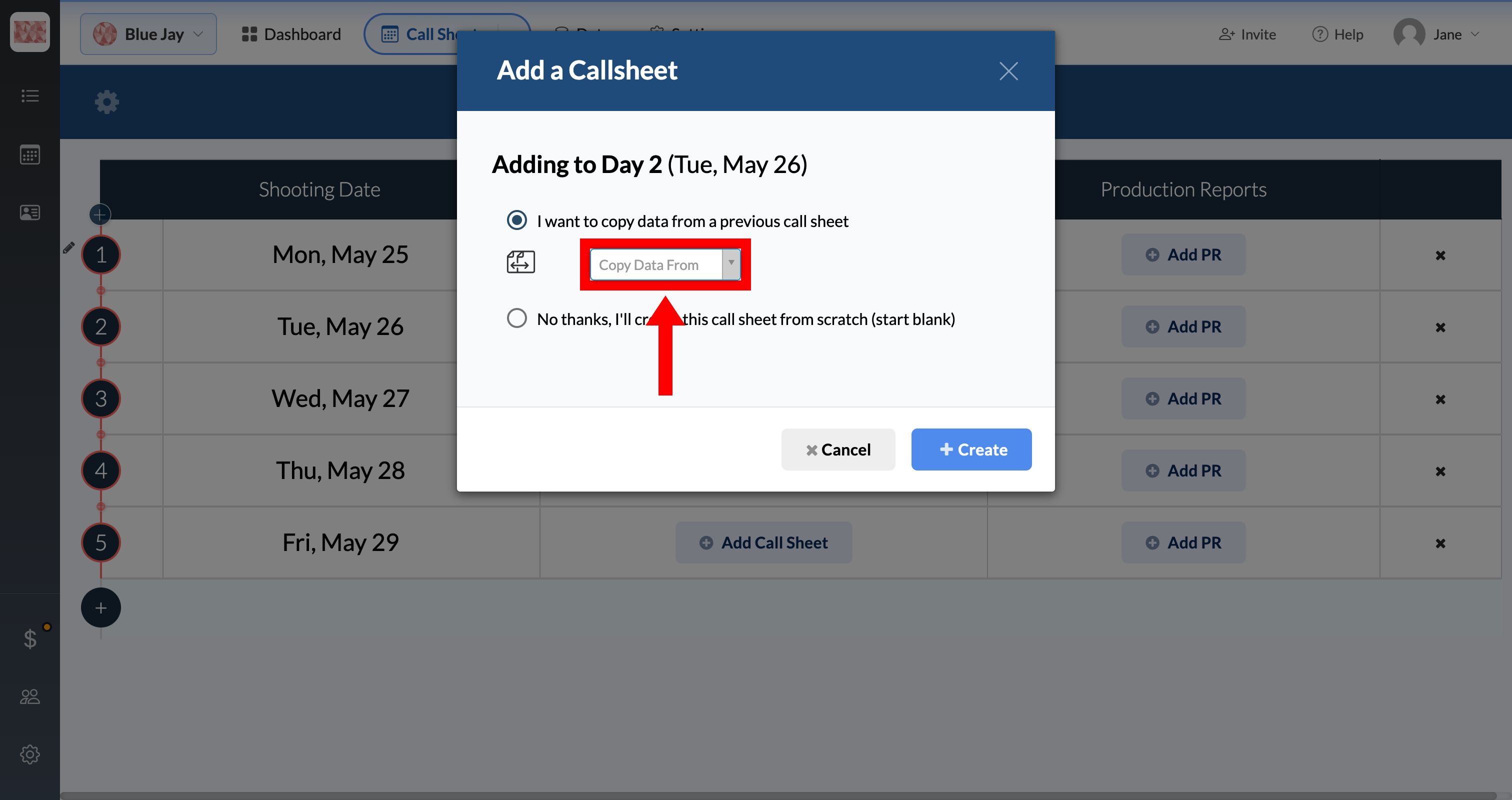
- Open the Copy Data From dropdown and choose the day you want to copy.
- Click Create.
SetHero creates the new call sheet using the selected day's data and opens it in the Call Sheet Editor. From there, update anything that changed for the new date, such as times, scenes, or crew.
Copy an existing call sheet to another day
If you already have a call sheet and want to duplicate it onto a different blank day, use the Copy / Move option.
To copy an existing call sheet:
- On the schedule, find the call sheet you want to copy.
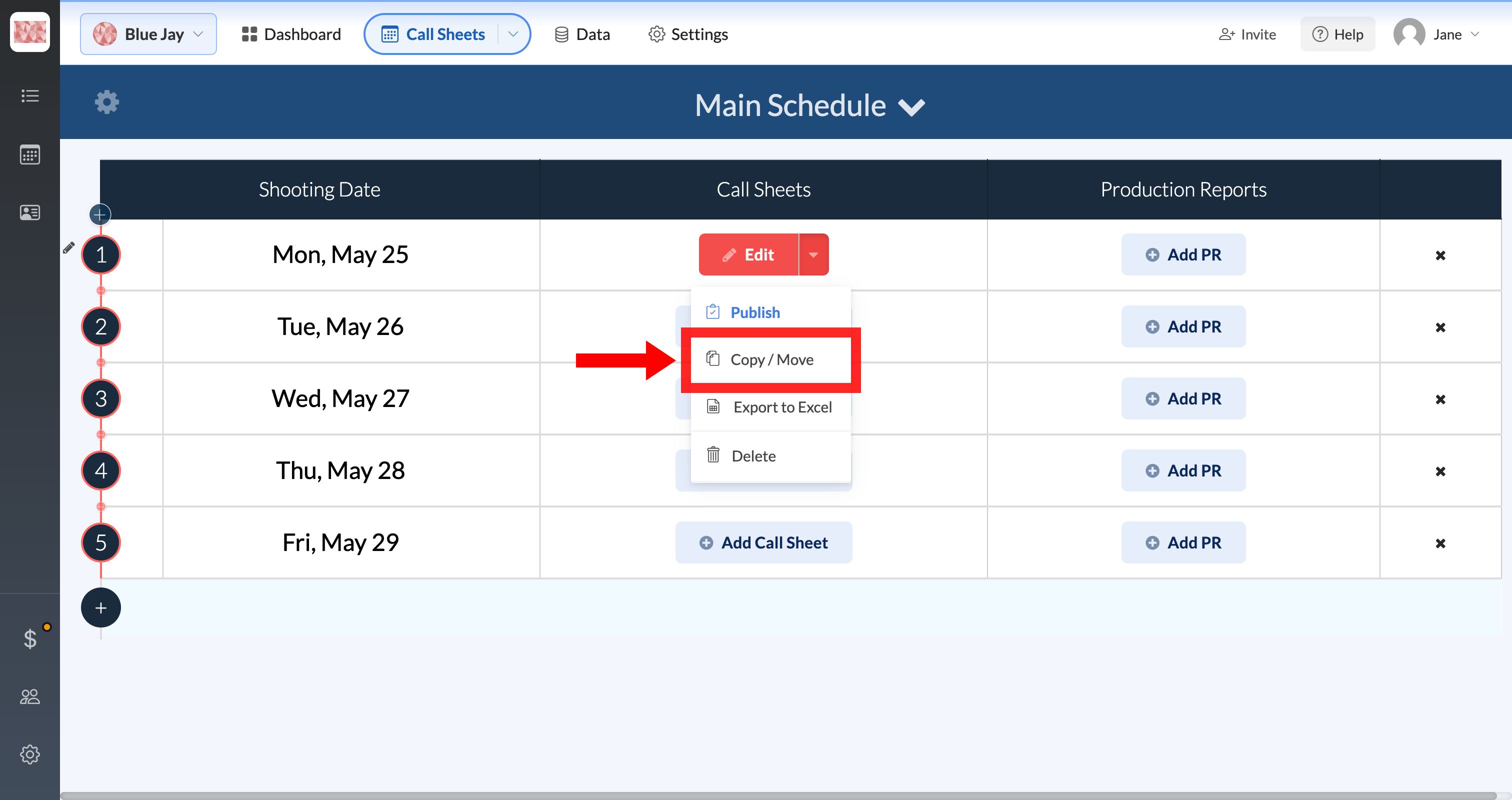
- Click the dropdown arrow next to Edit.
- Select Copy / Move.
- Confirm Copy this call sheet is selected.
- Choose the Target Day you want to copy to. Only days without a call sheet appear in this list.
- Click Okay.
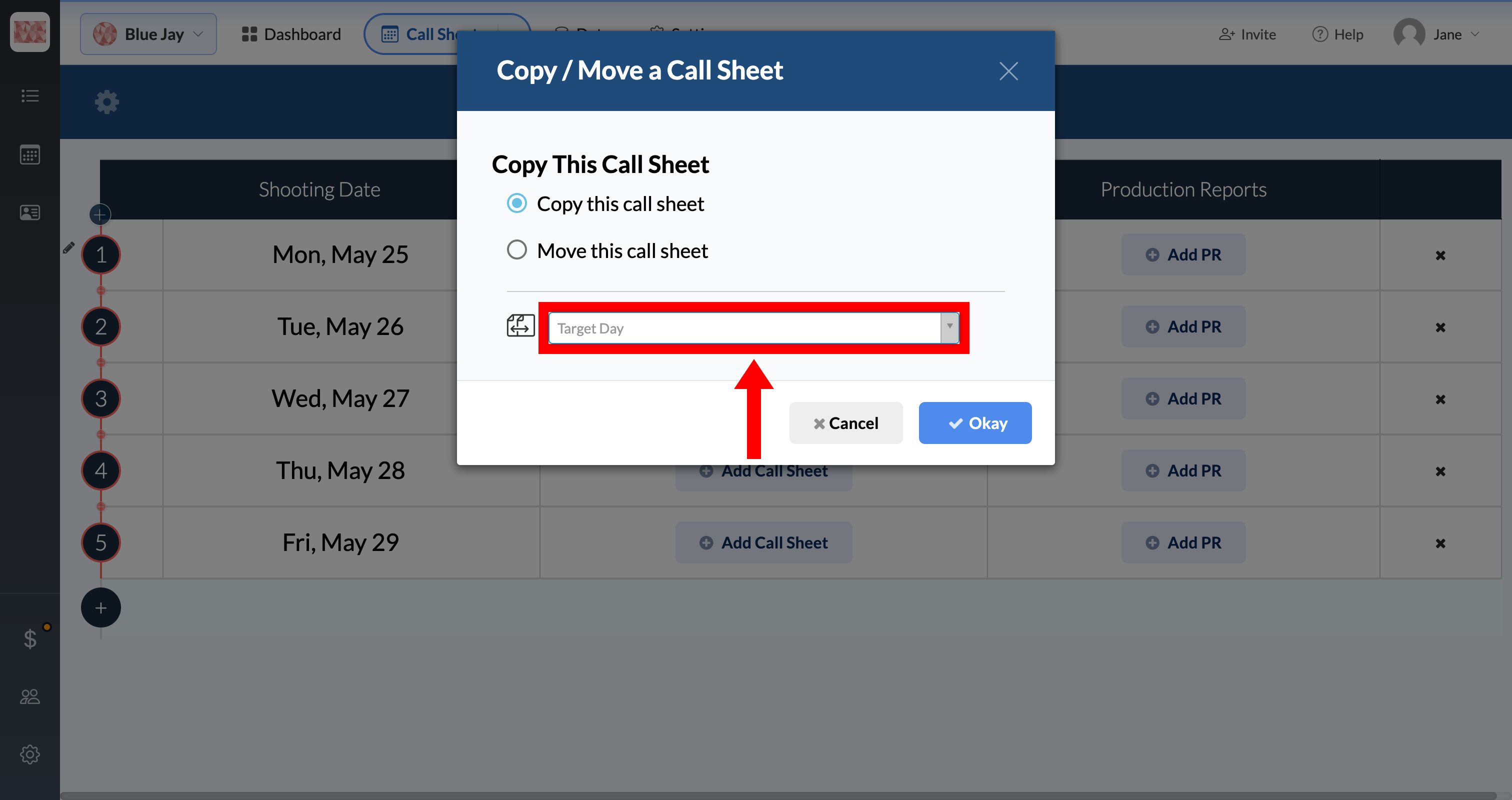
The copied call sheet appears on the target day as a new draft. The original call sheet stays on its current day.
Note: You can also choose Move this call sheet to relocate the call sheet instead of duplicating it. Move is only available for unpublished call sheets.
Tips
- Copying works best when your days share a similar layout. After copying, review times, scenes, and crew for anything that needs to change.
- If every day in your schedule already has a call sheet, add a blank shooting day first. See Adding or editing shooting days.
- The Total Days setting and day numbering on your call sheet header are covered in Setting the day numbering (Day 3 of 12).