Duplicate an existing project
How project duplication works, what gets copied, and who gets notified
Starting a project that shares cast, crew, or schedule structure with one you've already built? Duplicate it. SetHero copies everything into a new project: cast, crew, scenes, schedule data, and every call sheet and production report, all marked unpublished.
Note: Duplicating a project doesn't notify anyone. All copied call sheets and production reports stay unpublished until you choose to publish and send them.
Duplicate a project
-
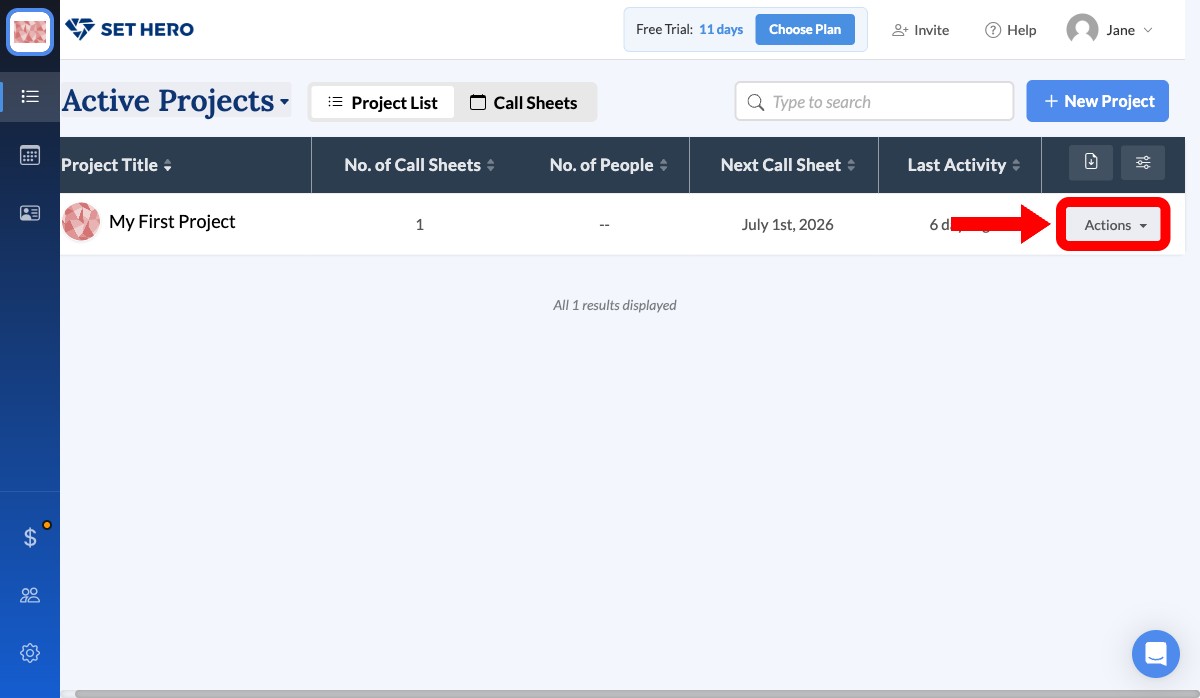
On your company dashboard, find the project in Active Projects and click its Actions button.
-
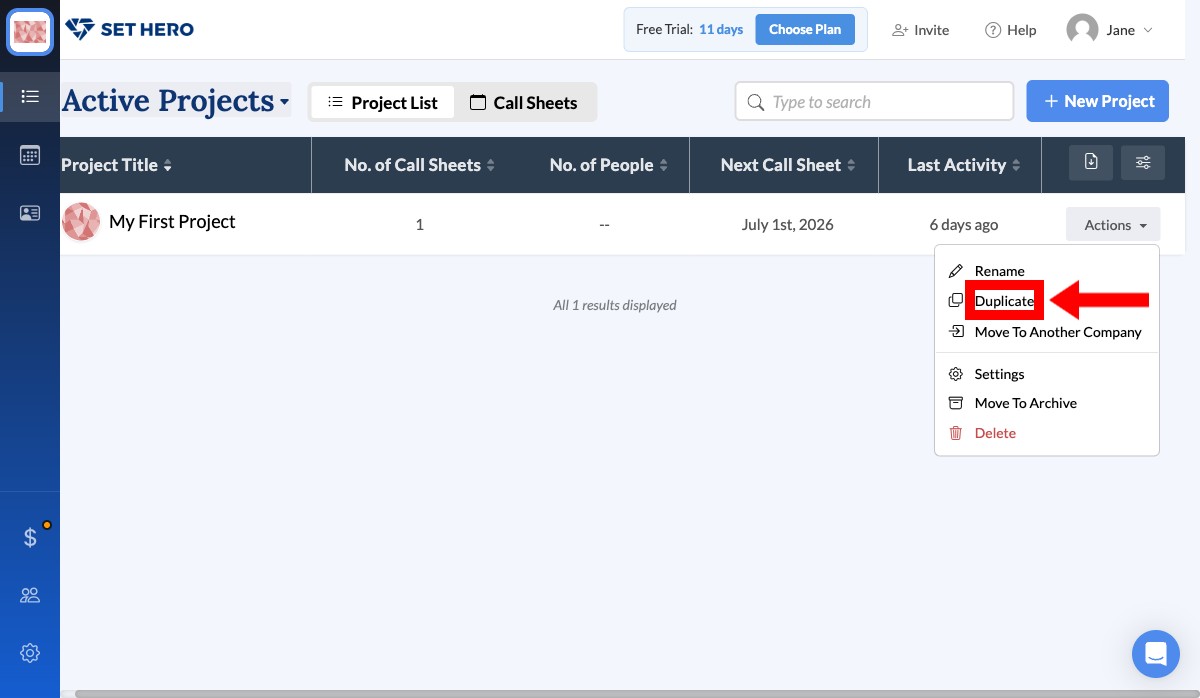
Select Duplicate from the menu.
-
Review the confirmation and click Duplicate Project.
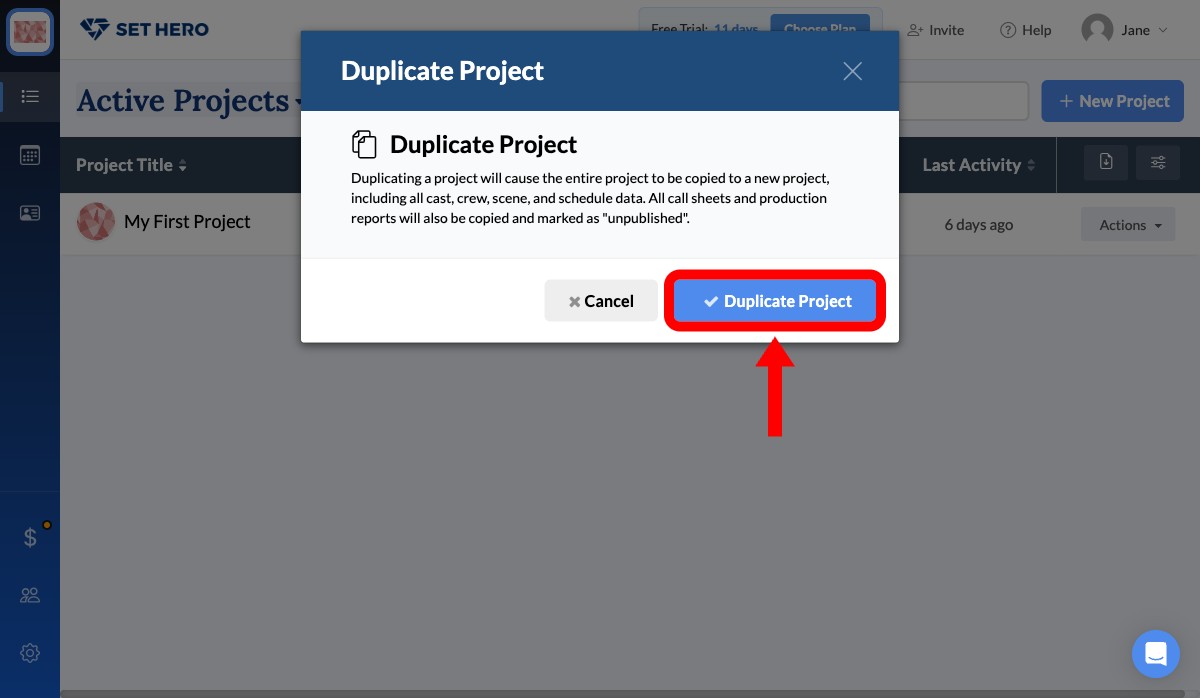
When it finishes, SetHero opens the new project. From there you can update the project settings, adjust the schedule, and update the call sheets for the new show.