Record day counts, schedule status, and script versions
How to track production dates, current versions, and scheduled versus actual days
Most of a production report logs one shoot day. The Day Counts / Versions section is the exception. It gives producers and executives the big picture: when the shoot started, when it should finish, whether you're on schedule, which script and schedule revisions are current, and how many days you've used against the plan.
Open the sub-tab
Open the day's report from your schedule, select the Times, Counts, & Notes tab (the clock icon), then click the Day Counts / Versions sub-tab.
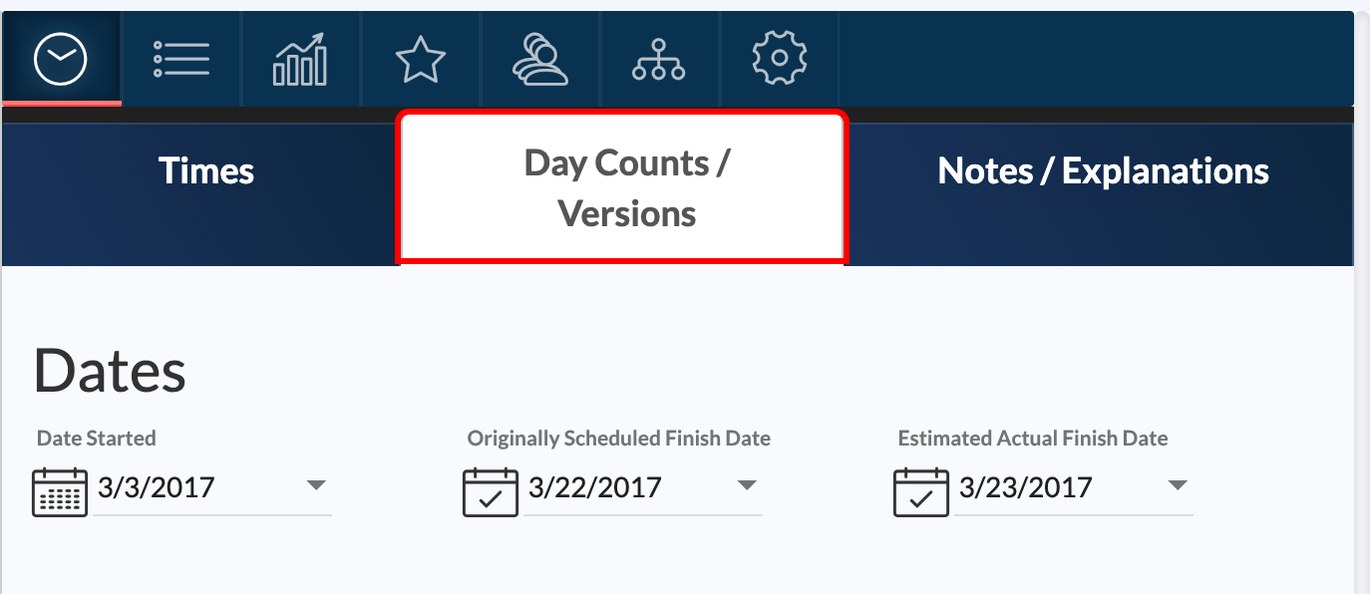
When you create a new report, SetHero carries these settings forward from the previous report on the same schedule, so you usually only need to update what changed.
Production dates
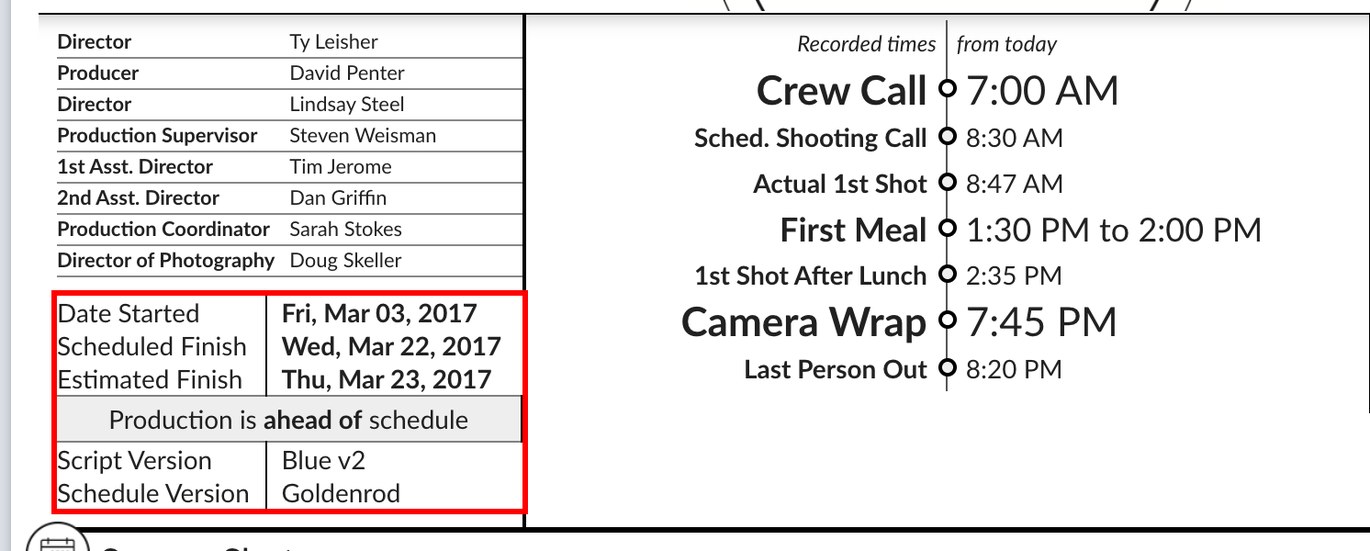
At the top, log your overall timeline:
- Date Started: the first day of principal photography.
- Originally Scheduled Finish Date: the wrap date planned in pre-production.
- Estimated Actual Finish Date: your current projected wrap date.
Click a field for a date picker, or type the date as M/D/YYYY.
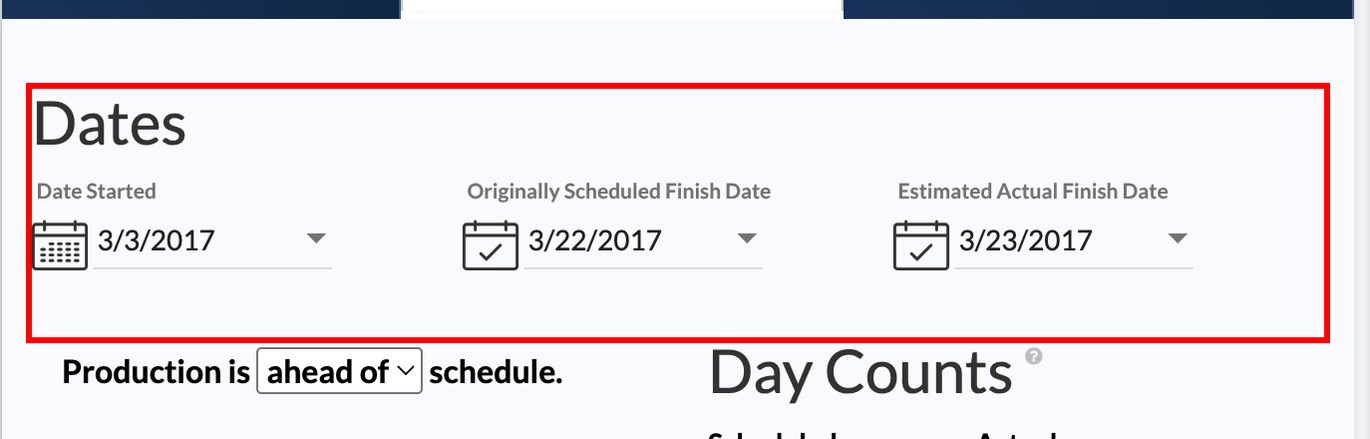
Tip: Leave Originally Scheduled Finish Date unchanged and update only Estimated Actual Finish Date. The difference shows executives how far the schedule has drifted.
Schedule status
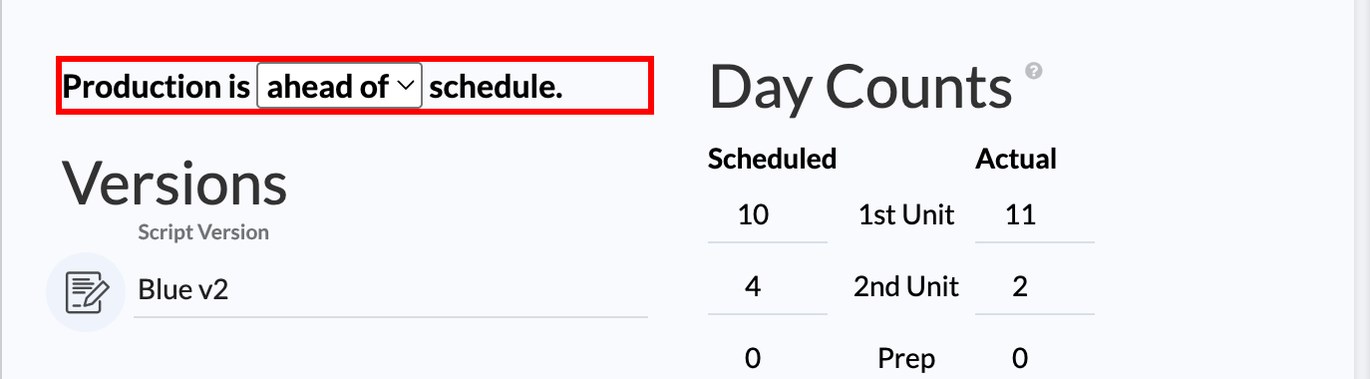
Below the dates, use the dropdown to mark production as ahead of, on, or behind schedule. This prints as a prominent line in the header of the report.
Script and schedule versions
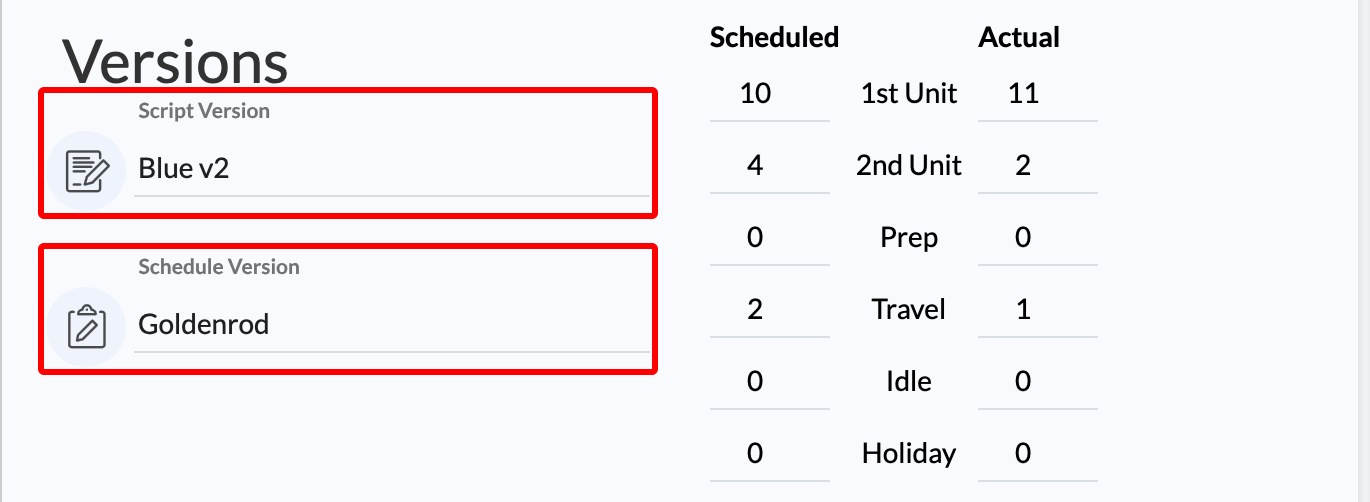
In Versions, type the current revision labels. Script versions are usually colors or numbers, such as White, Blue, or v2.1. Schedule versions might be Yellow, 1 Day Shifted, or v3. These print below the schedule status. Leave them blank and the lines hide automatically.
Day counts
The Day Counts grid tracks cumulative days in six categories:
- 1st Unit: main unit filming days.
- 2nd Unit: second unit filming days.
- Prep: pre-production and rig days.
- Travel: dedicated company travel days.
- Idle: hold days where no filming happened, such as a weather delay.
- Holiday: recognized production holidays.
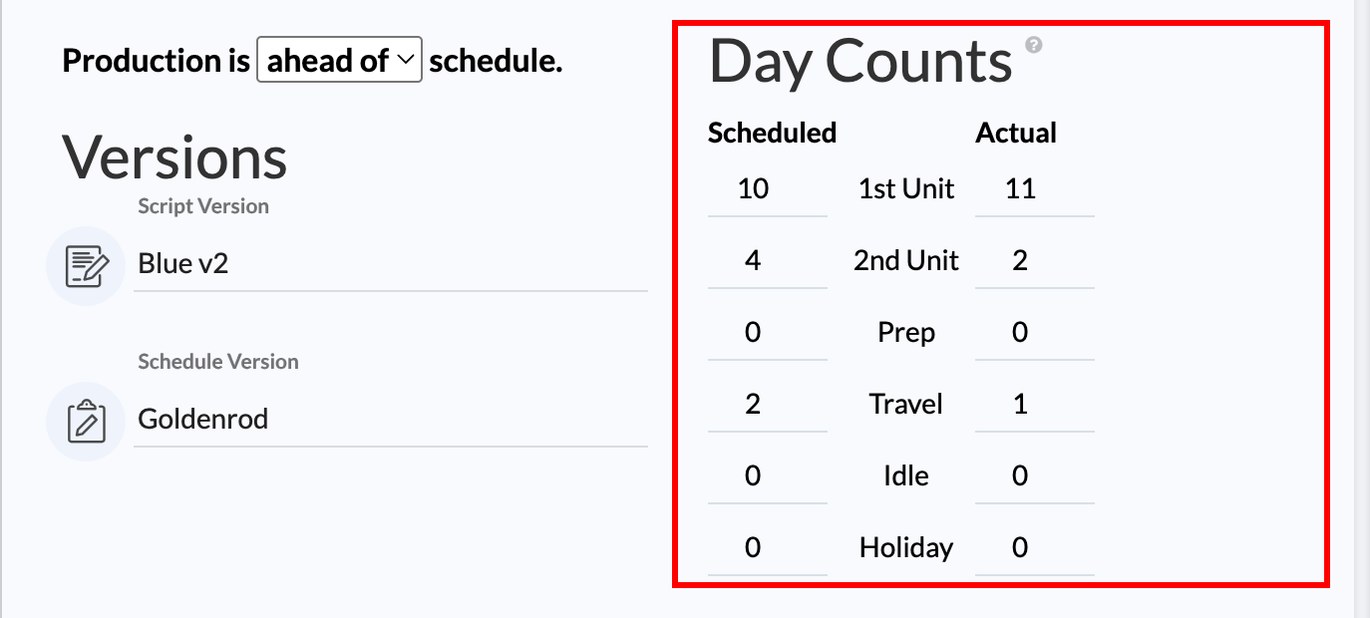
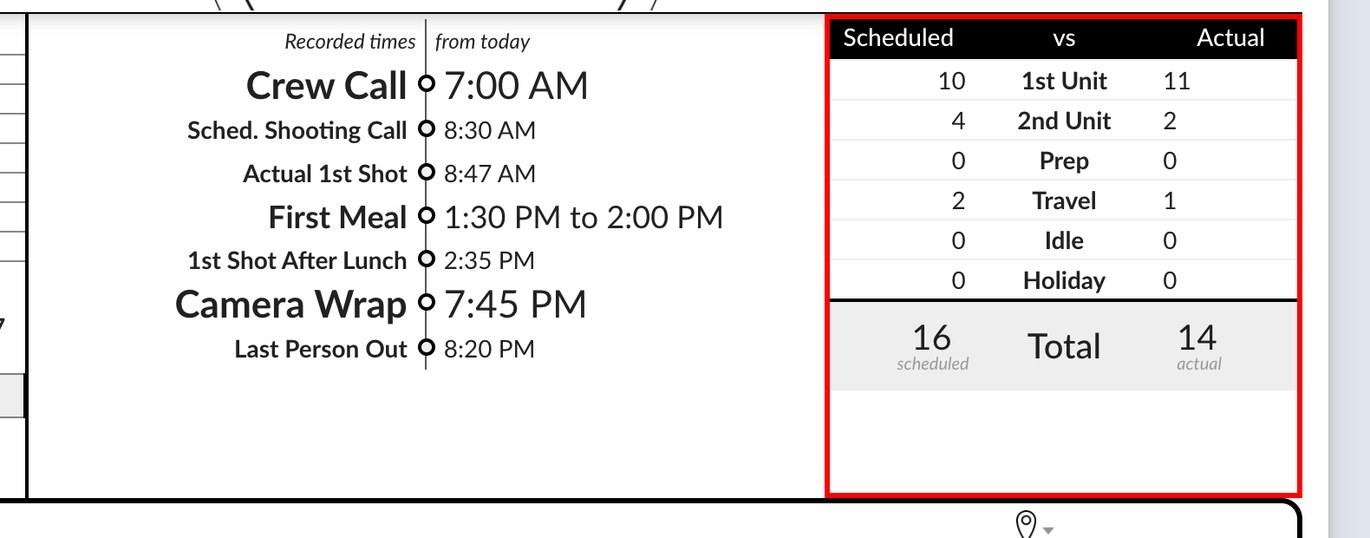
Enter the Scheduled counts once at the start of production. Then increment the Actual counts as you go, typically adding one to 1st Unit each shoot day. SetHero totals both columns automatically.
How it prints
Dates, status, and versions appear in the upper header block on page 1. The scheduled-versus-actual day counts print as a side-by-side table with totals. For scenes, pages, and setups to date, see Track coverage, camera rolls, and script totals.
Everything saves automatically, and the Live preview shows your changes as you make them.