Delete your SetHero account
Delete your account, review what is removed, and avoid losing company data
Deleting your account permanently removes your login and every company you own. It's a four-step wizard with a review screen, so you'll see exactly what goes before you confirm.
This is not how you remove a teammate from a company. That's Remove someone's access, and it doesn't touch their account. If you're the owner and only want to shut down one company, see Set your company name, photo, and defaults.
Note: To stop paying without deleting anything, click I'd like to just pause my billing on the first step. This closes the wizard and opens Company Billing. It doesn't pause billing by itself. Cancel your subscription covers what to do there.
Open account settings
Click your name in the top-right corner, then click User Settings. Scroll to the footer and click Delete account.
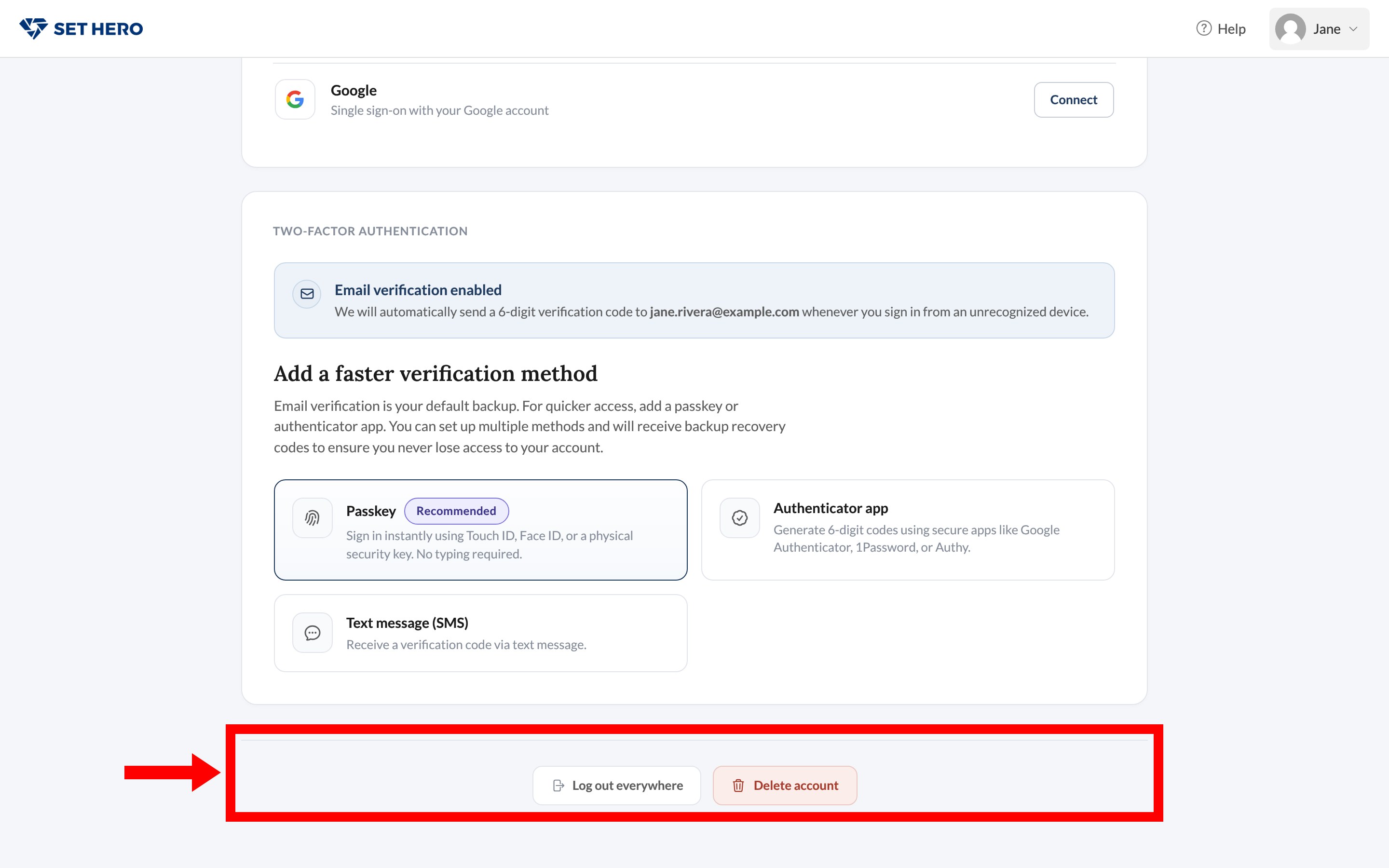
Work through the wizard
The wizard has four steps: Overview, Feedback, Review Data, and Confirm.
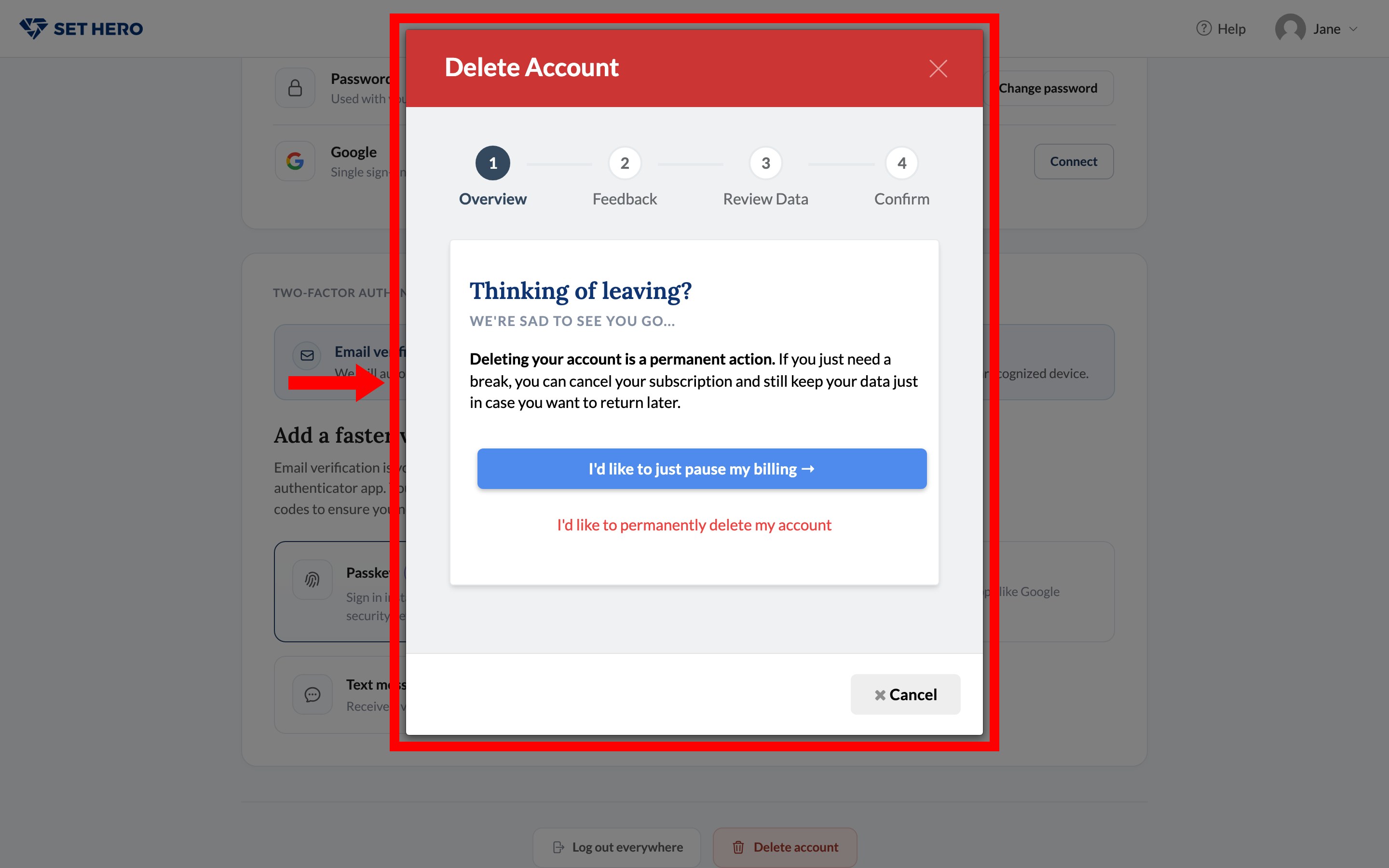
- Overview says deleting is permanent. I'd like to permanently delete my account continues. Cancel closes the wizard.
- Feedback asks why you're leaving. Pick reasons or leave them blank.
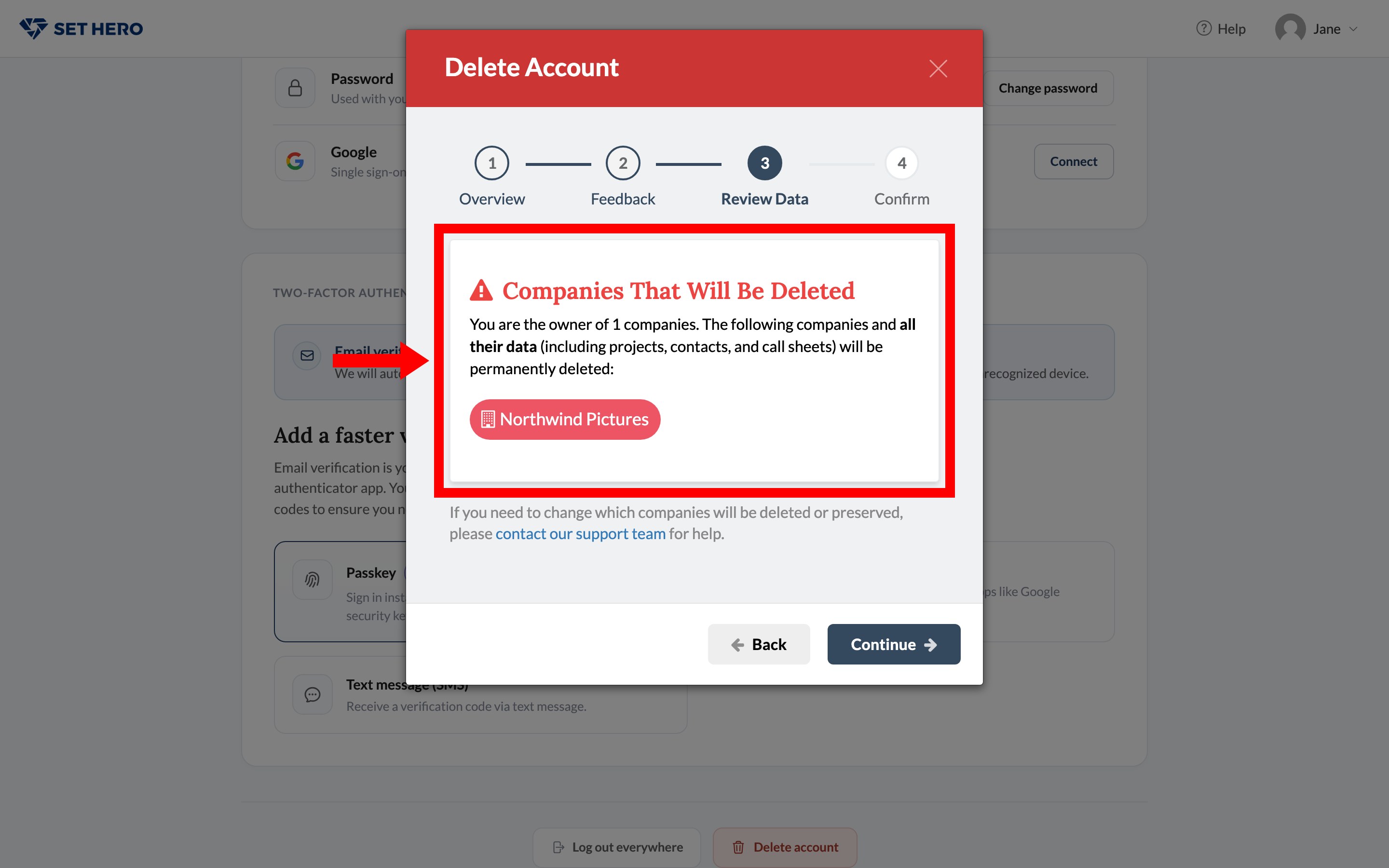
- Review Data lists Companies That Will Be Deleted: every company you own, with its projects, contacts, and call sheets. Companies where you're only a member aren't deleted. You're just removed from them.
- Confirm asks you to type DELETE, check that you understand it can't be undone, and confirm. SetHero may ask for your password or a two-factor code first.
Warning: Deleting your account immediately cancels every paid subscription on the companies you own. You won't get a refund for the rest of the billing period. Cancel those subscriptions or download anything you need from them first.
Warning: Stop at Review Data and check the company list carefully. Every company you own is deleted with your account, including its projects, contacts, call sheets, and production reports. Other members lose access too. If a company needs to stay, cancel and contact support to transfer ownership before you continue. You can't recover anything after you confirm.
What happens afterward
Your login no longer works, companies you owned are deleted, and companies you were only a member of continue without you. Anyone who still needs access to a former company of yours should be invited by its remaining owner.