Log out of SetHero everywhere
Sign out on every device and see what else gets reset
Left yourself signed in on a shared computer, or lost a laptop? Log out everywhere ends every SetHero session for your account in one step. It affects your login only, not any project or company.
Open account settings
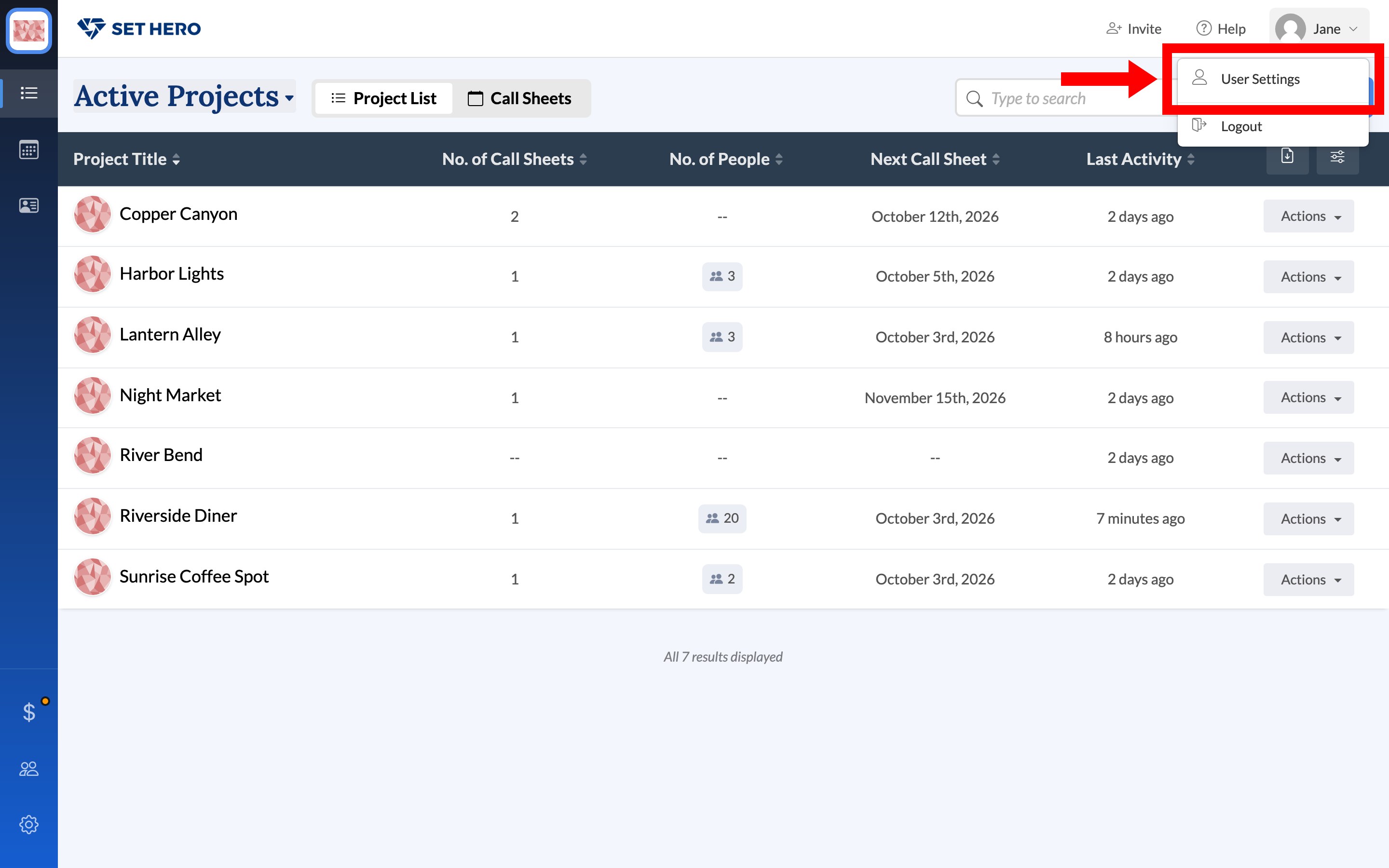
Click your name in the top-right corner, then click User Settings.
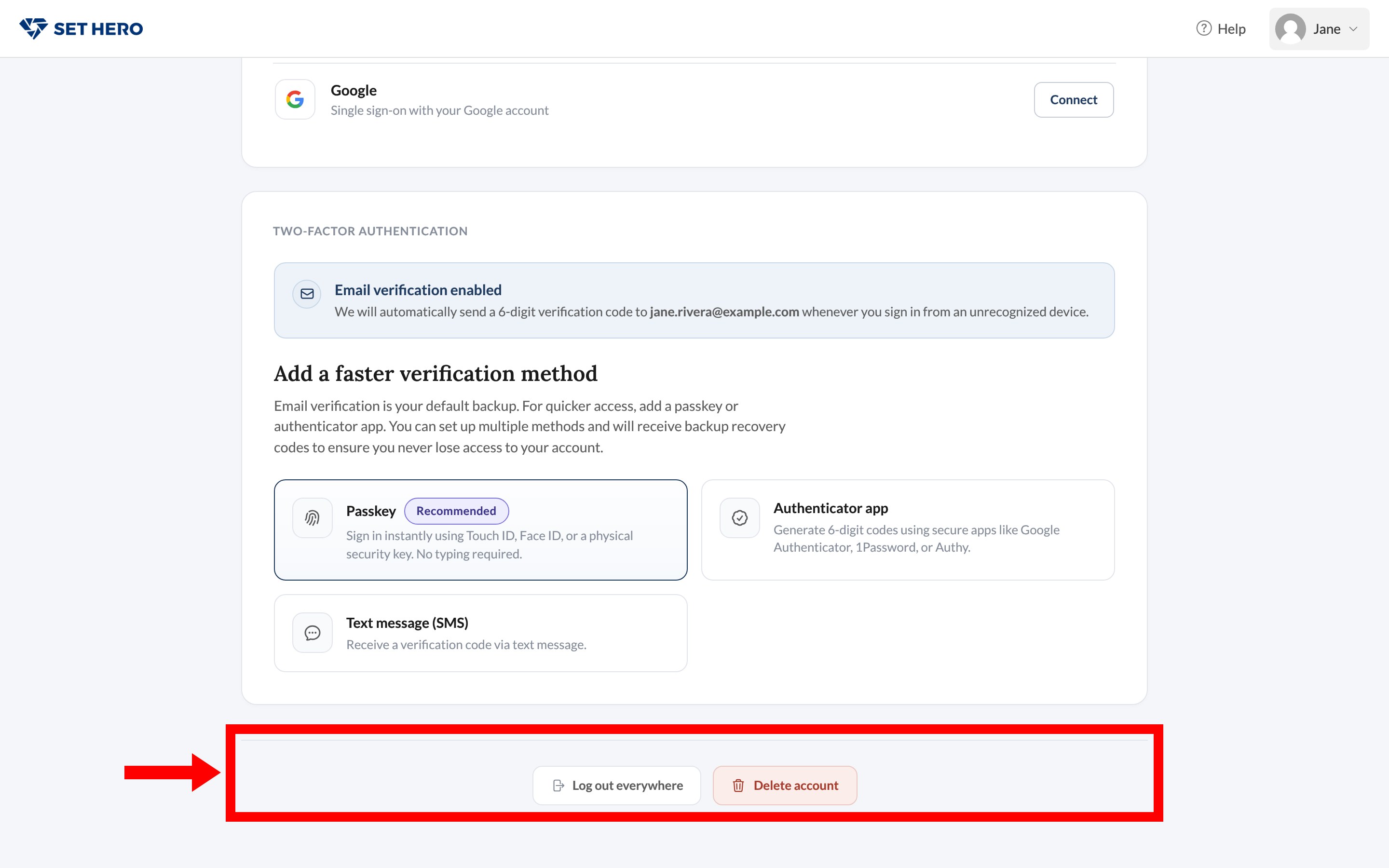
Log out everywhere
Scroll to the footer and click Log out everywhere.
A dialog asks Log out everywhere? Confirming signs you out on every device, including the one you're using. Cancel leaves you signed in here.
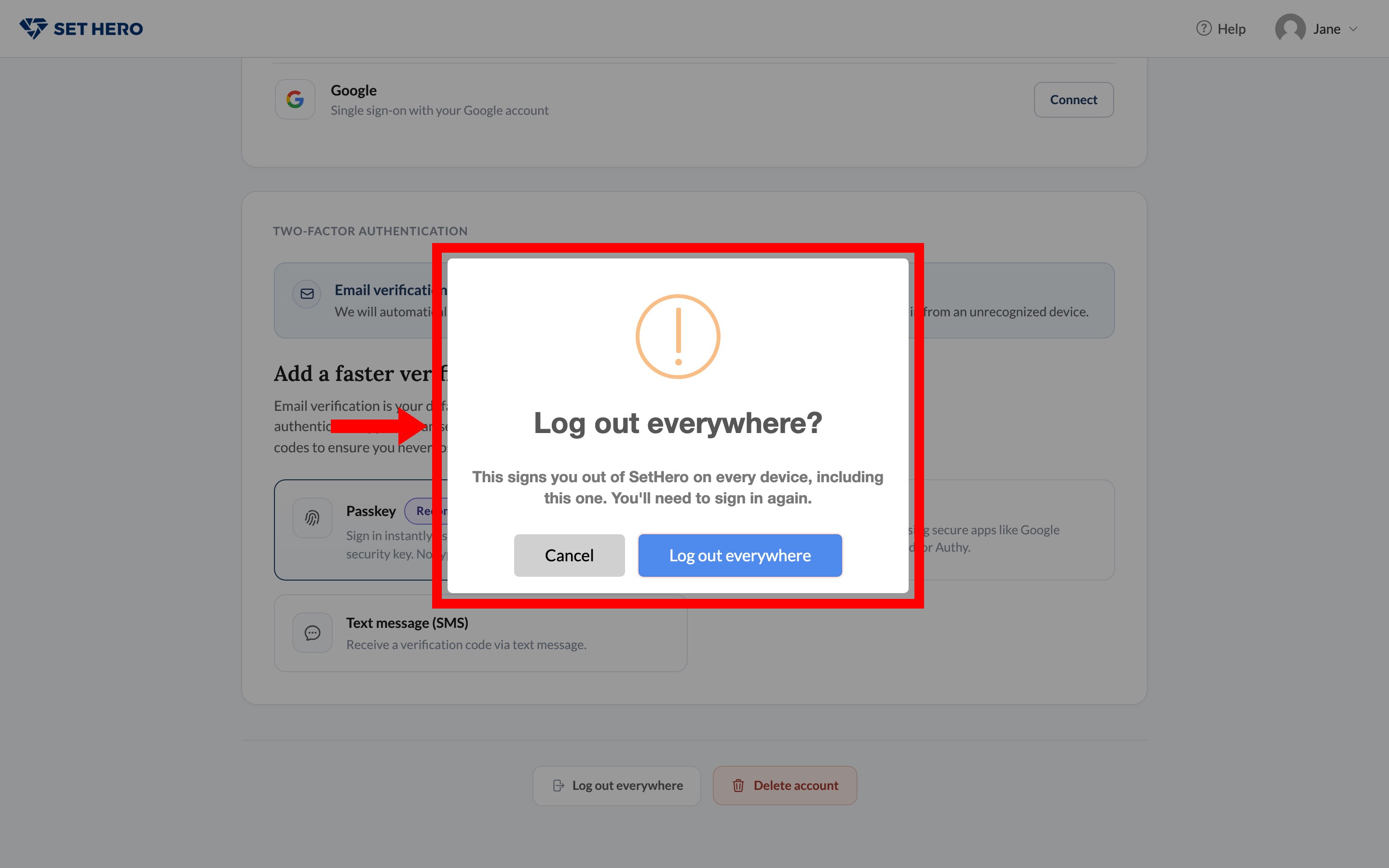
Note: This also forgets every remembered device. Your next sign-in on each computer asks for a verification code again, which helps lock out a device you no longer control.
This is stronger than Logout in the name menu, which only ends the current browser.
What to do next
If you're doing this because you think someone else has your password, change it as well. A password change also signs out other sessions and clears trusted devices. To make future sign-ins from unknown devices harder, add a passkey or authenticator in Set up two-factor authentication.
Looking to close your account for good instead? That's Delete your account.