Set up two-factor authentication
Set up two-factor authentication, understand sign-in, and recover account access
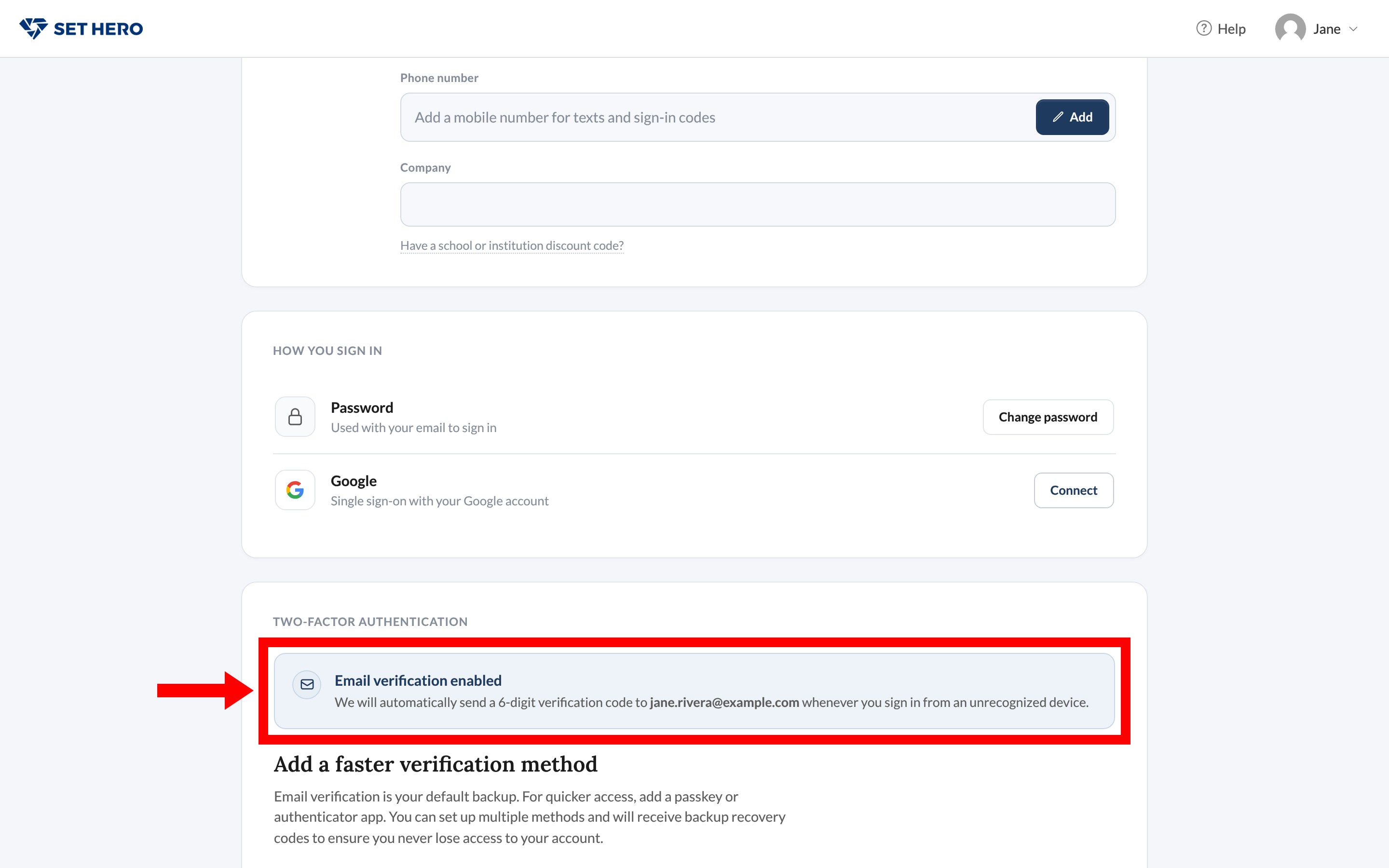
Every SetHero account already uses email verification. When you sign in from a device SetHero doesn't recognize, a 6-digit code goes to your email. You don't turn that on, and you can't turn it off.
You can add a stronger, faster method, a passkey, authenticator app, or text message, so the second step doesn't mean waiting on your inbox. Crew who only open a published call sheet never sign in, so they never see any of this.
What's already on
Open User Settings from your name menu and scroll to Two-factor authentication. The status reads Email verification enabled.
Add a faster method
Under Add a faster verification method you can add one or more of:
- Passkey, marked Recommended: Touch ID, Face ID, or a security key.
- Authenticator app: a 6-digit code from Google Authenticator, 1Password, or Authy.
- Text message (SMS): a code texted to a mobile number.
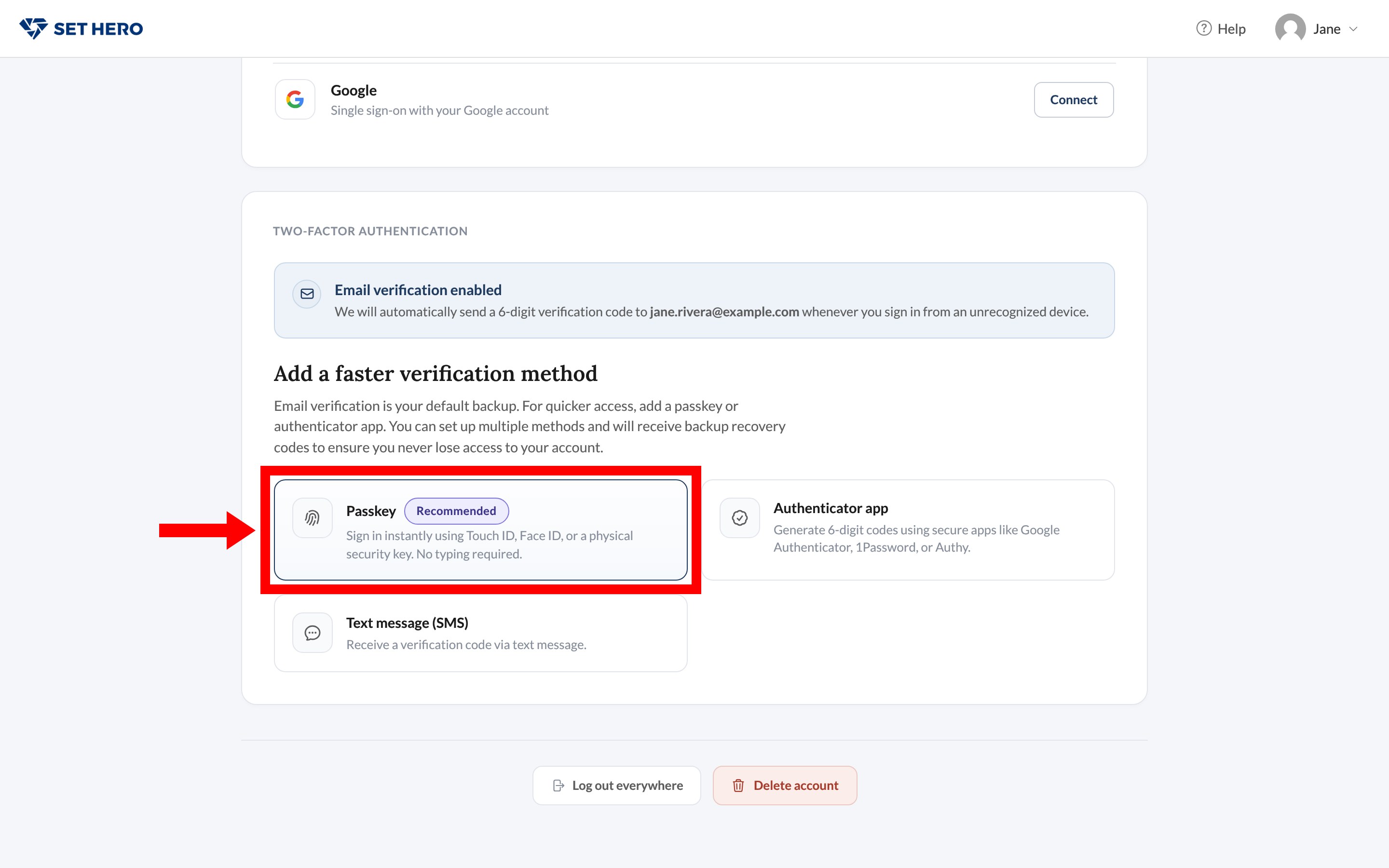
Adding any of these changes the status to Two-factor authentication is on and gives you 10 recovery codes.
Important: Save your recovery codes when they appear. Each works once, and you won't see the list again. You can generate a new set later only if you can still sign in.
Don't start Text message (SMS) unless that phone should receive a real text. Once a strong method is on, you can Remove it at any time. Email stays as the backup and can't be removed.
What sign-in looks like
From an unrecognized device, a password sign-in is accepted first, then you see Verify it's you. Google sign-in only adds that step if you've added a strong method, since Google already proved the inbox.
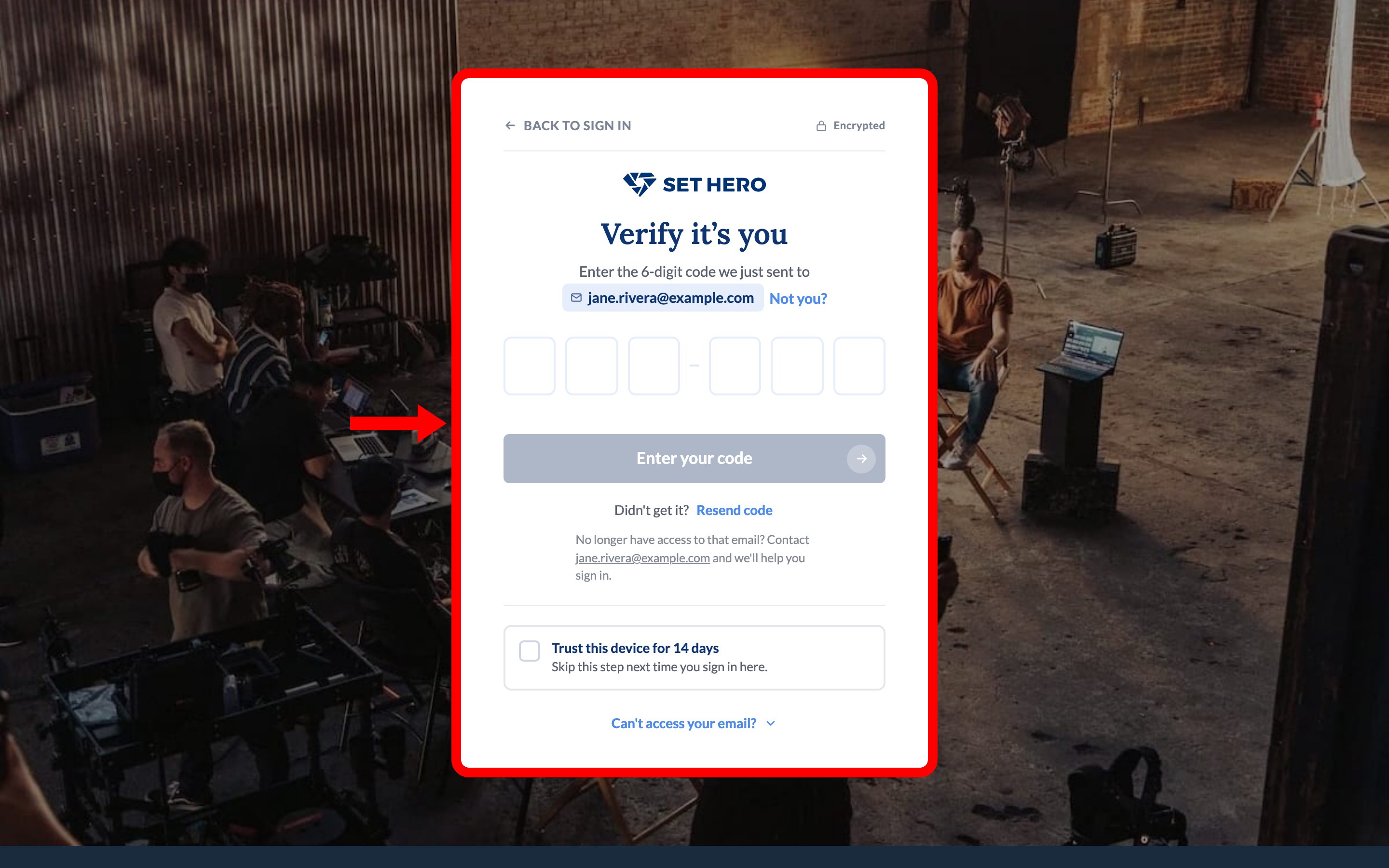
Type the six digits. Trust this device for 14 days skips the extra step on that computer until the trust expires, or until you change your password, which clears trusted devices. See Reset or change your password.
Didn't get it? opens Resend code. Can't access your email? opens the other methods you've enrolled. If email is your only method, the page tells you to contact support. Codes are good for a short window and a few tries, then you request a new one.
If your company requires a strong method
Email codes alone never satisfy a company requirement. After the grace period, accounts without a passkey, authenticator, or text method are limited to the setup screens until they enroll. Require two-factor authentication for your company is the owner setting.
If you're locked out
Use a recovery code from the set you saved. If you can't open email and have no other method and no codes, How to get help fast. An admin in your company can't reset your two-factor from Team.