Require two-factor authentication for your company
Require two-factor authentication, choose a grace period, and understand member access
Only the company owner can require a strong sign-in method for everyone in the company. Admins see the card once the policy is on, but they can't flip the switch. Roles, admins, and permissions explained explains owners versus collaborators.
This applies to people who log into SetHero, the same people you Invite your team. It does not apply to crew opening a published call sheet, since they never sign in. Personal setup is Set up two-factor authentication.
Open company settings
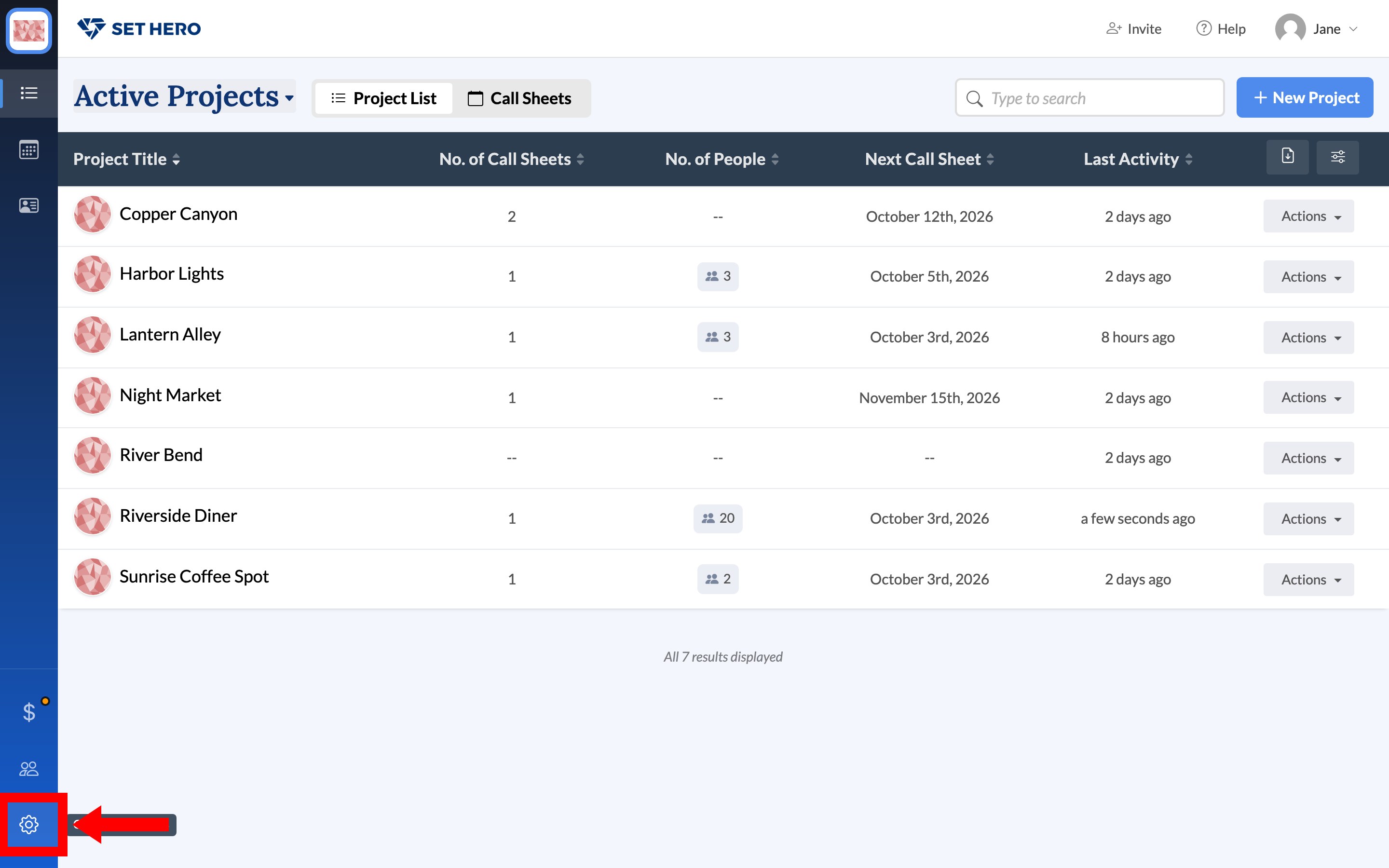
From Active Projects, click the gear at the bottom of the left rail. That's Company Settings, not User Settings.
The two-factor card
Find Two-factor authentication. The badge reads Owners only.
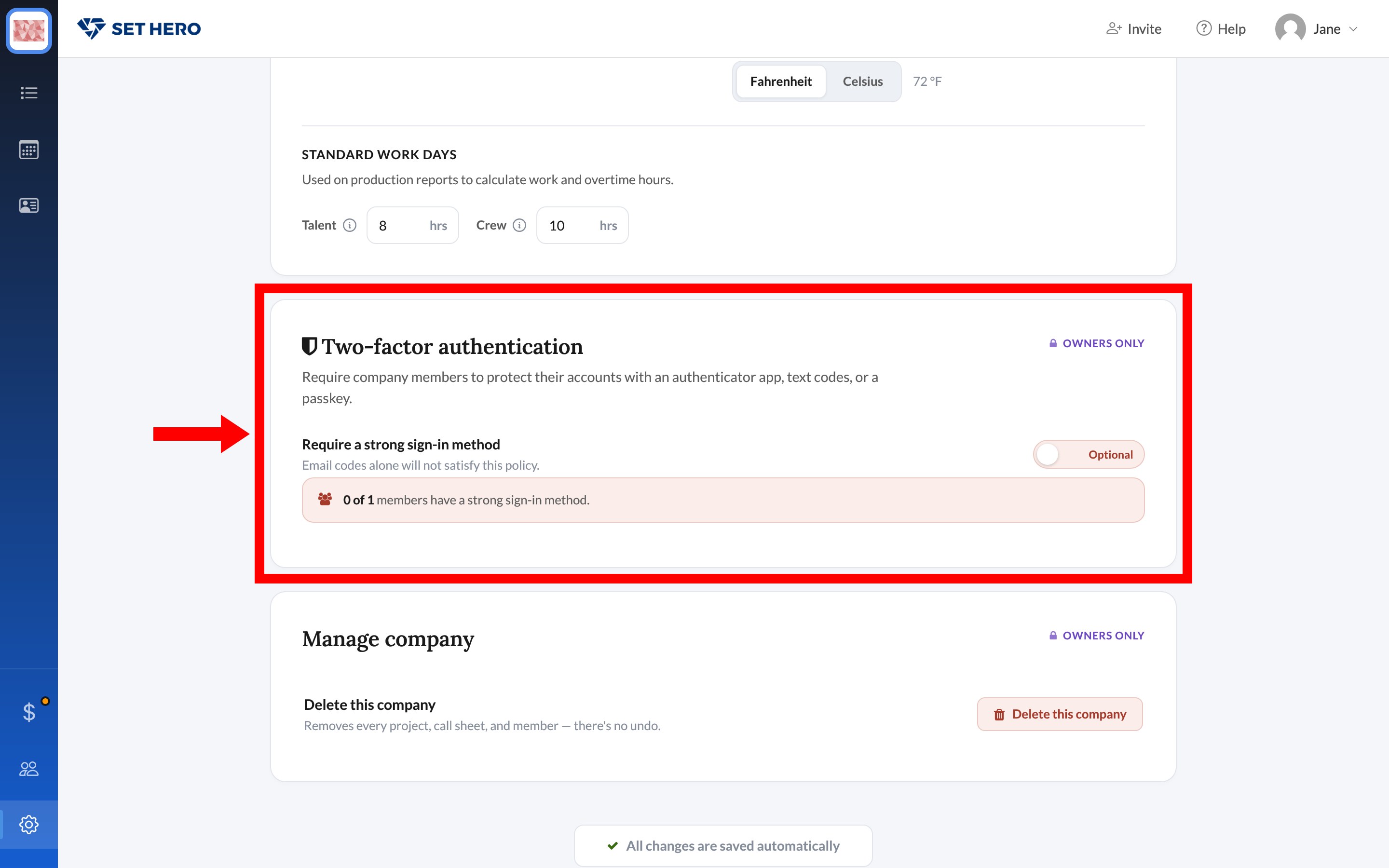
Require a strong sign-in method is a toggle with Optional (off) and Required (on). The line under it says Email codes alone will not satisfy this policy. A passkey, authenticator app, or text codes count. The email codes every account already has do not.
The count under the toggle shows how many approved members already have a strong method, for example 0 of 1 members have a strong sign-in method.
Turn it on
Note: The owner must add a strong method on their own account first. If you haven't, SetHero blocks the save and offers to open Account settings.
When you confirm, every member gets a grace period of 7, 14, 30, or 45 days. The clock starts when the requirement is turned on, not when each person joins. Members who already have a strong method are unaffected.
- During the grace period: members can still sign in. Anyone without a strong method should add one from User Settings.
- After the deadline: accounts without a strong method can only reach the setup screens until they enroll.
- New members: anyone invited after you turn it on inherits the same deadline. If the grace period has already ended, they're limited to setup as soon as they're approved.
Turning the requirement off doesn't remove anyone's passkey, authenticator, or text method. They keep what they set up. Remove someone's access is how you take a person out of the company entirely.