Import crew and talent from a previous project
Whether to duplicate a project or bring over selected people
Starting a new project with a familiar team? If the previous call sheet already lives in SetHero, you don't have to re-enter anyone. There are two ways to bring people over, depending on how much of the old project you want.
Option 1: Duplicate the whole project
This is the fastest route when the new show reuses most of the same crew, cast, schedule structure, and call sheet layout. Duplicating copies everything into a brand-new project: crew, cast, scenes, schedules, call sheets, and production reports.
Note: Duplicating won't notify anyone. Every copied call sheet and production report stays unpublished, so nothing goes out until you publish it.
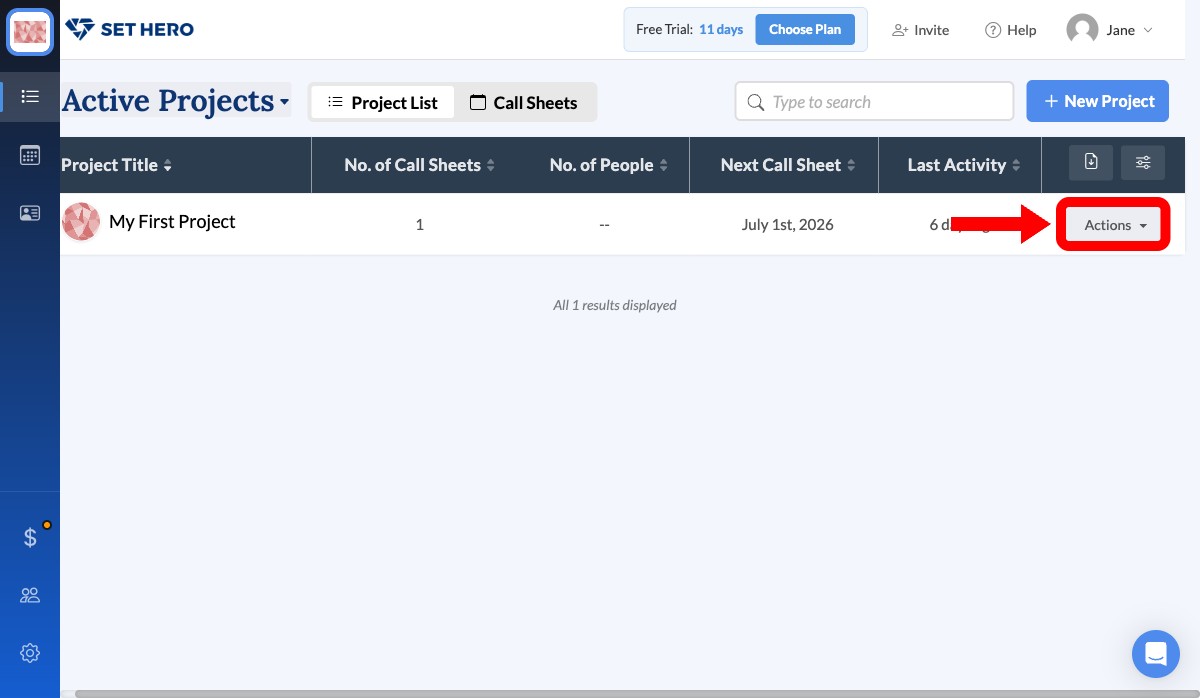
From Active Projects, click the Actions button on the previous project and select Duplicate, then confirm. You land in the new project with the whole roster in place. Remove anyone who isn't returning, add new people, and update the dates. Duplicate an existing project has the full walkthrough.
Option 2: Assign company contacts to the new project
If you only want some of the same people, pull them from Company Contacts. Everyone you've ever added to any project is stored at the company level and available for future shows.
-
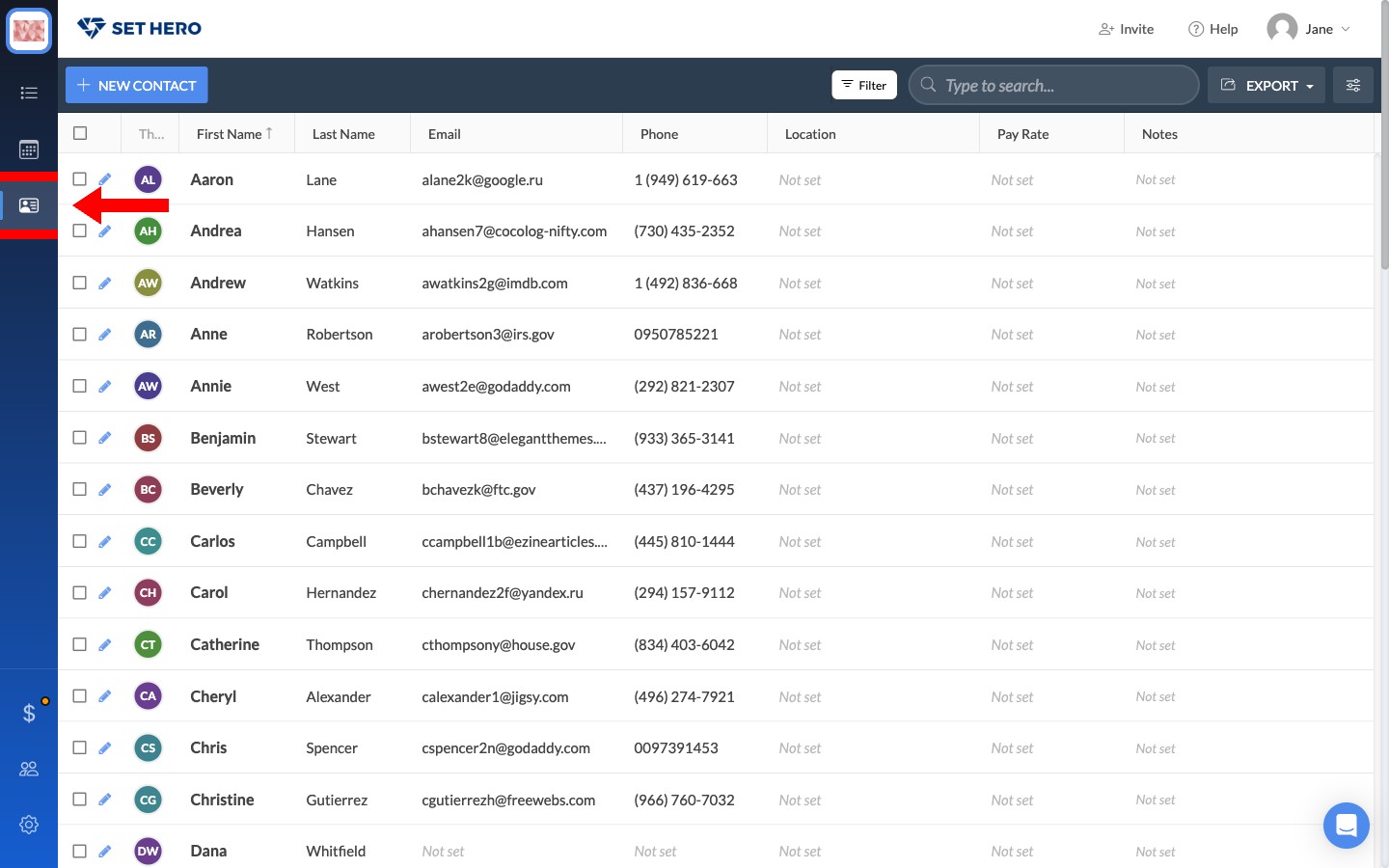
From the company dashboard, open Company Contacts.
-
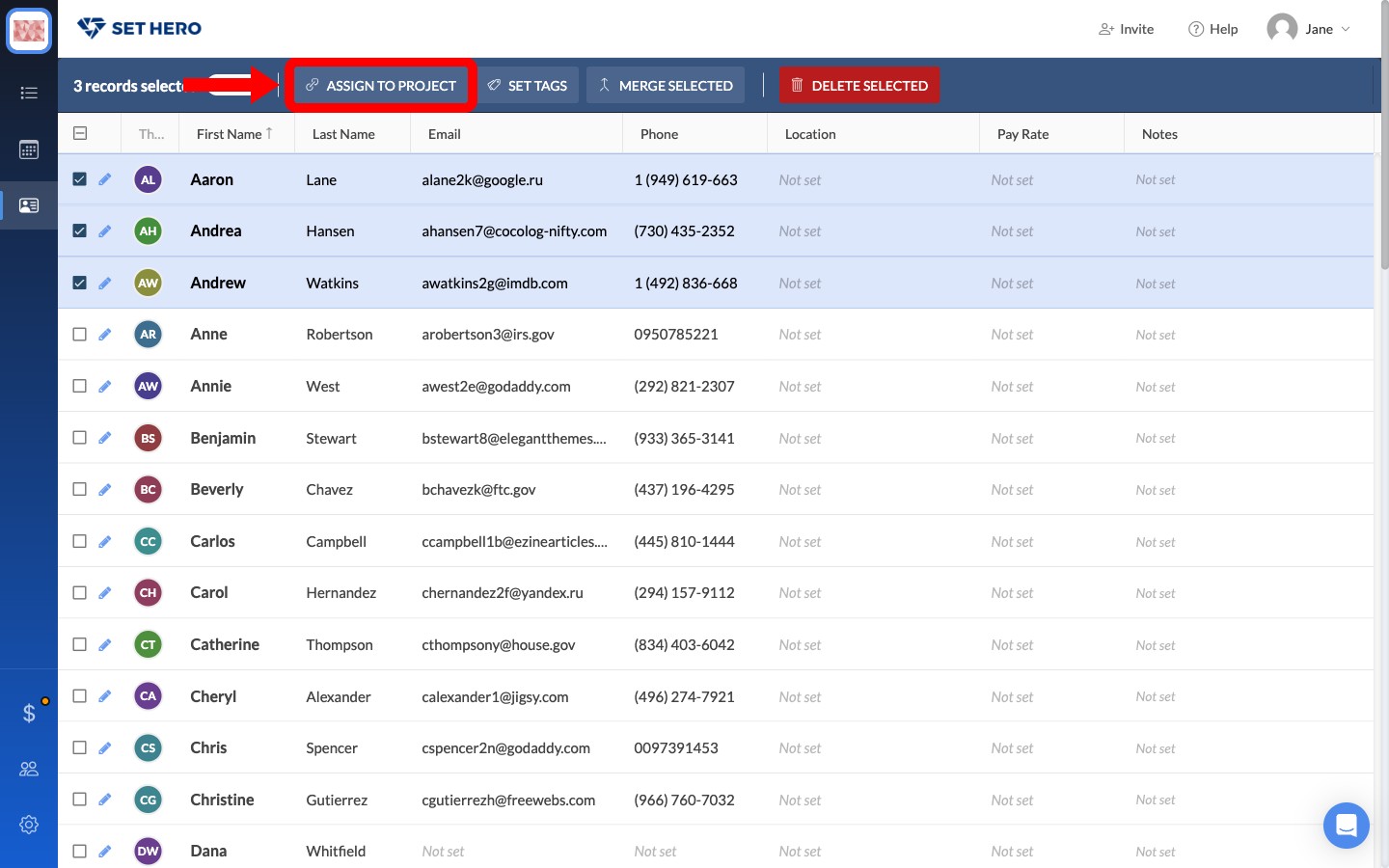
Check the boxes beside the people you want, then click Assign to Project.
-
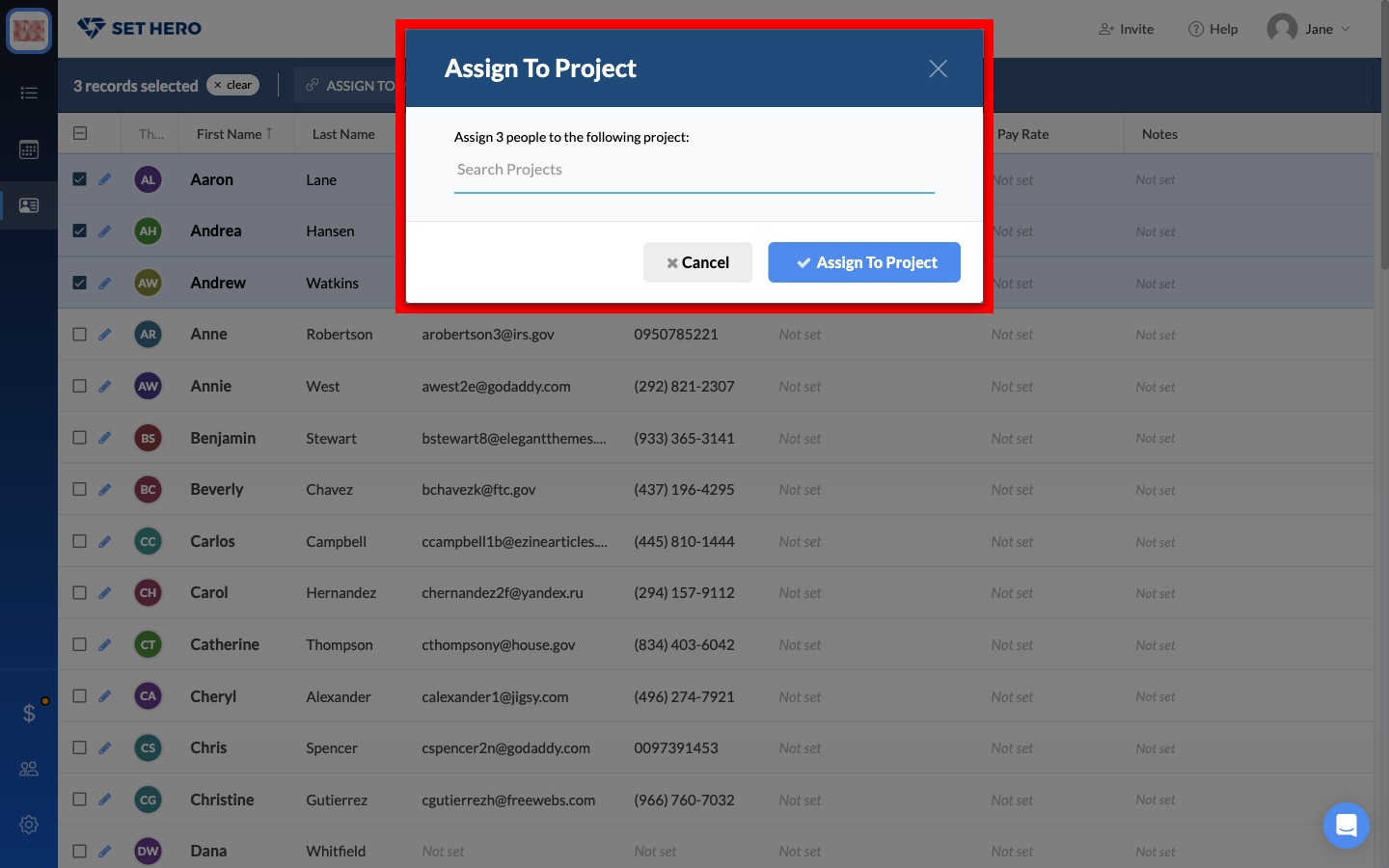
Type the new project's name, select it from the list, and click Assign. Everyone you checked is added at once.
Once they're assigned, open the new project and assign crew positions or cast roles as needed.