See call sheets on the company calendar
What Company Calendar shows, how to navigate it, and available views
Company Calendar shows call sheets from every project you can access on one month or week grid. It's a different thing from a project's Schedule page.
Note: This calendar shows only call sheets. A shoot day without one doesn't appear, even if it's on the project's schedule. Production reports and off days don't appear.
Open it from the rail
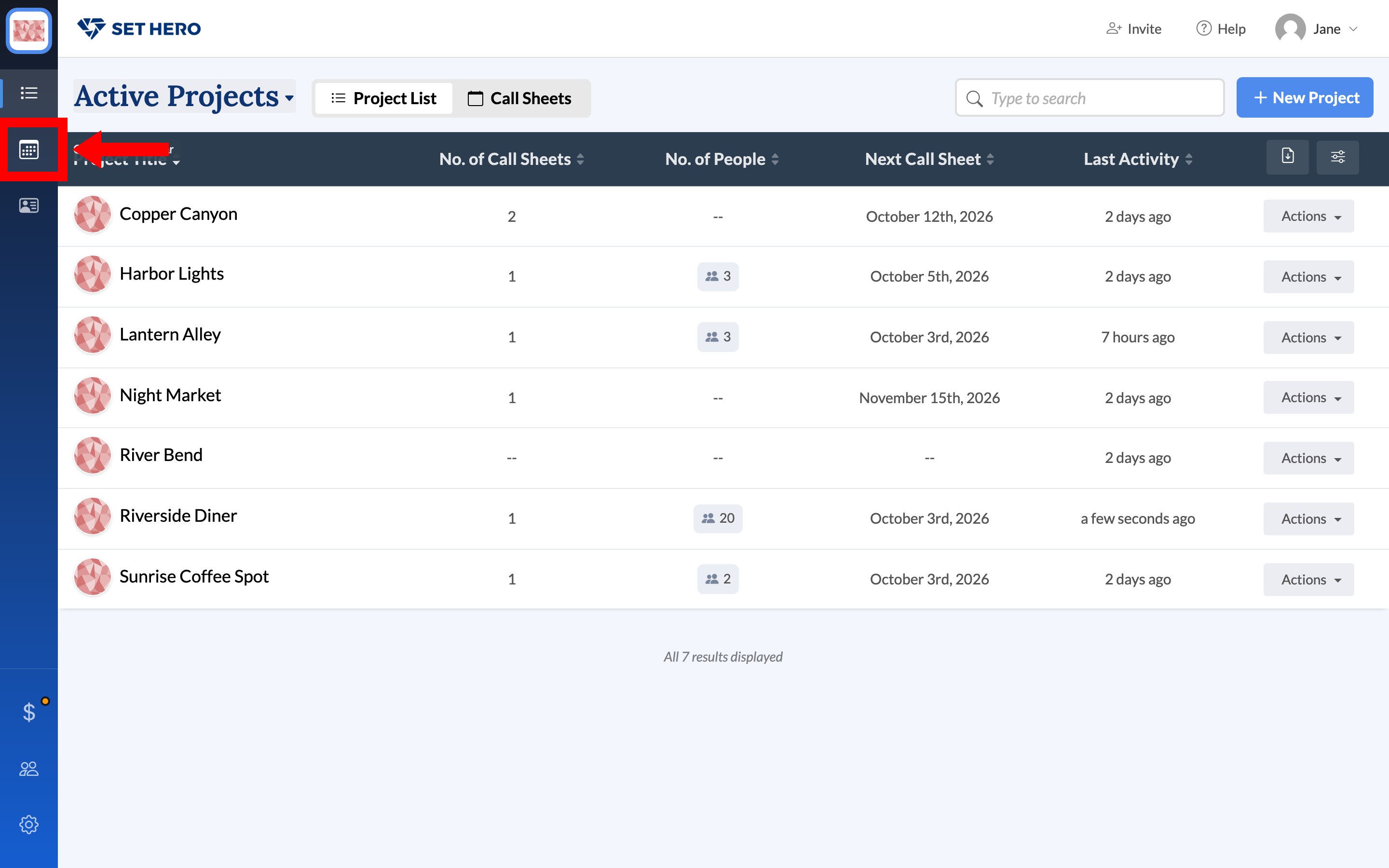
From Active Projects, click Company Calendar on the left rail. It's the second icon, and hovering it shows the name. There's no calendar tab in the header. On a phone, use the Calendar tab, or More → Calendar from inside a project.
Move around
The calendar opens in Month view on the current month. Use today, the arrows, or click the month title to move. There's no day view.
Read the chips
Each chip is one call sheet, labeled with the project title and Day number. Draft means it hasn't gone out. Sent means it was published. A call time such as 7a appears when the sheet has one.
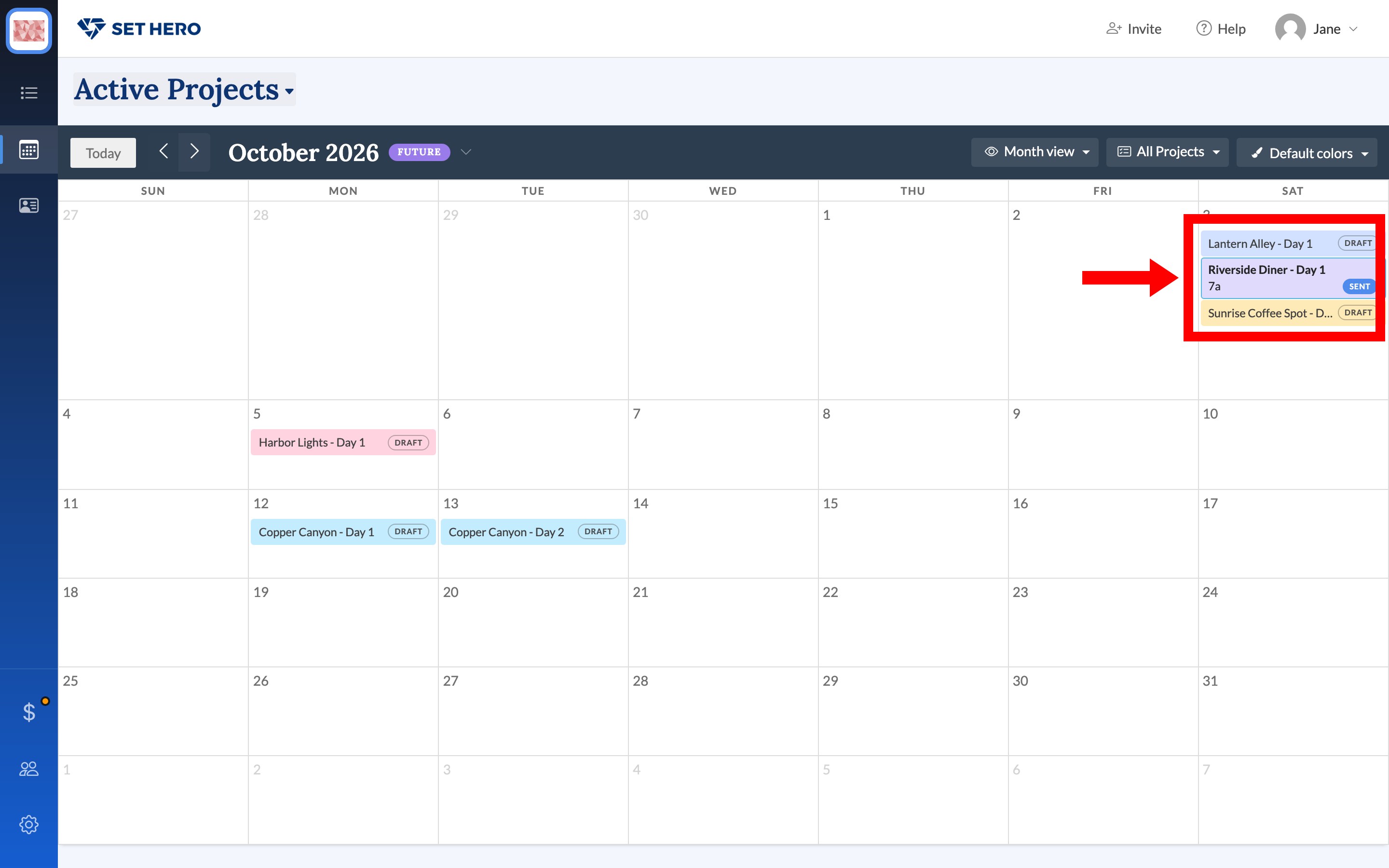
All Projects filters which shows appear. Default colors and Project colors change how chips are colored. A project with no call sheets doesn't appear, and if your access is limited to certain projects, you see only those.
Click a chip
Clicking a chip opens a popover without leaving the calendar. It shows the date, project, call times, and status. The popover says Published even when the chip says Sent.
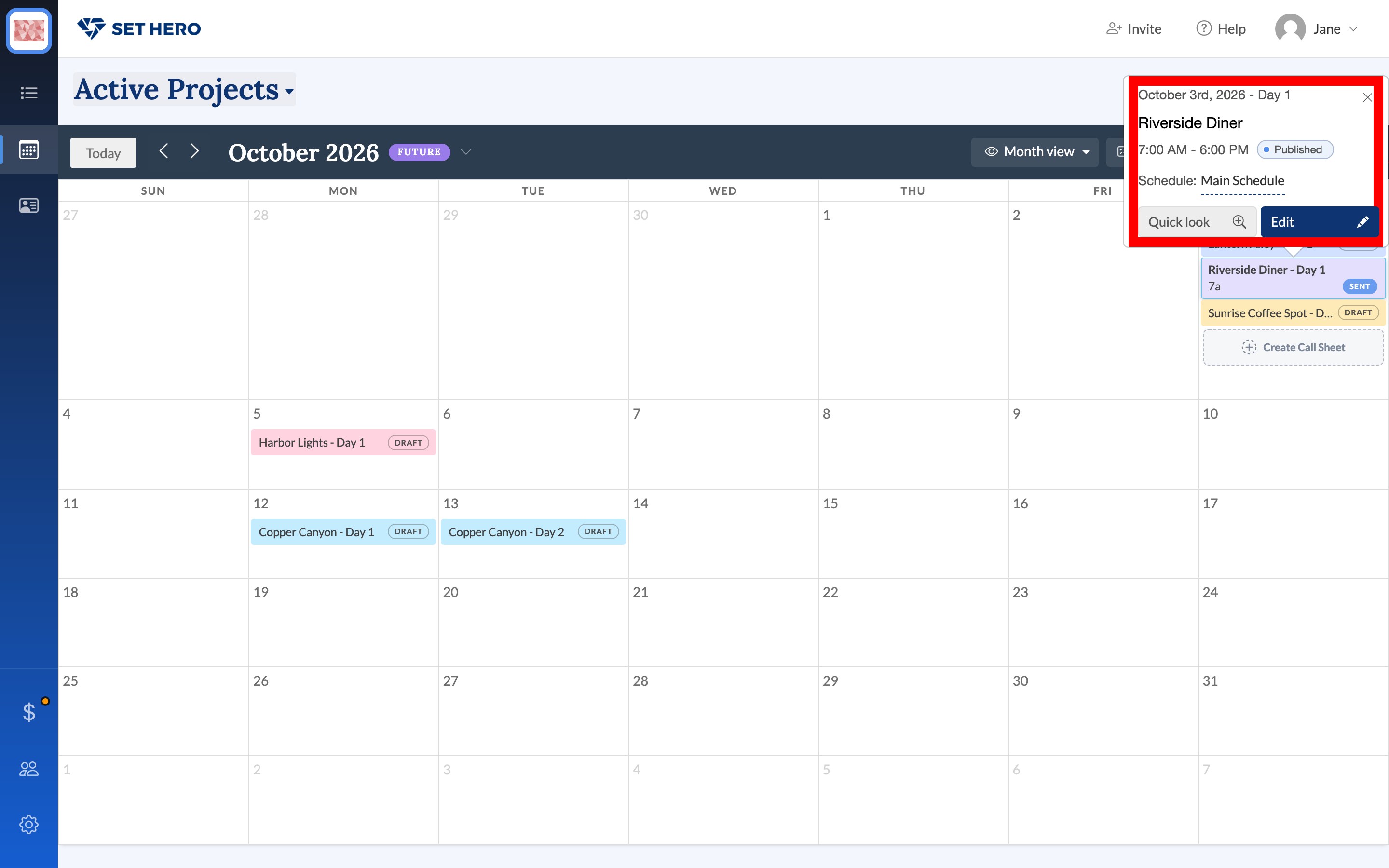
From the popover, Quick look previews the sheet in a dialog, Edit opens the editor in a new tab, and the schedule name (usually Main Schedule) opens that project's schedule page in a new tab.
Empty space on a day shows Create Call Sheet. Picking a project there creates a draft, and a shoot day if the project needs one. Adding days on purpose is Adding or editing shooting days.
Week and list views
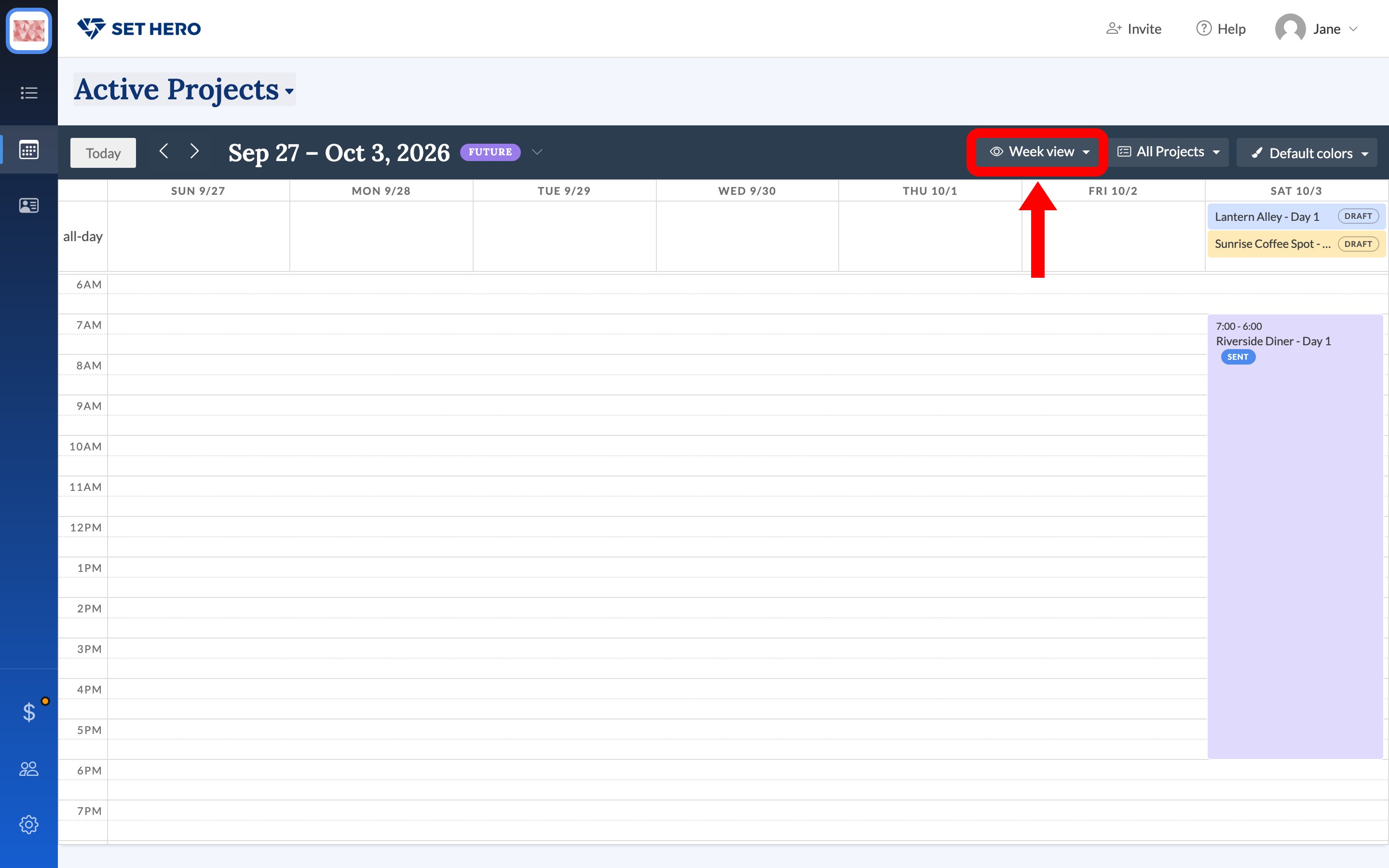
Month view also offers Week view and List view. Week view puts timed sheets on the clock, with untimed drafts in the all-day row.
Archived projects
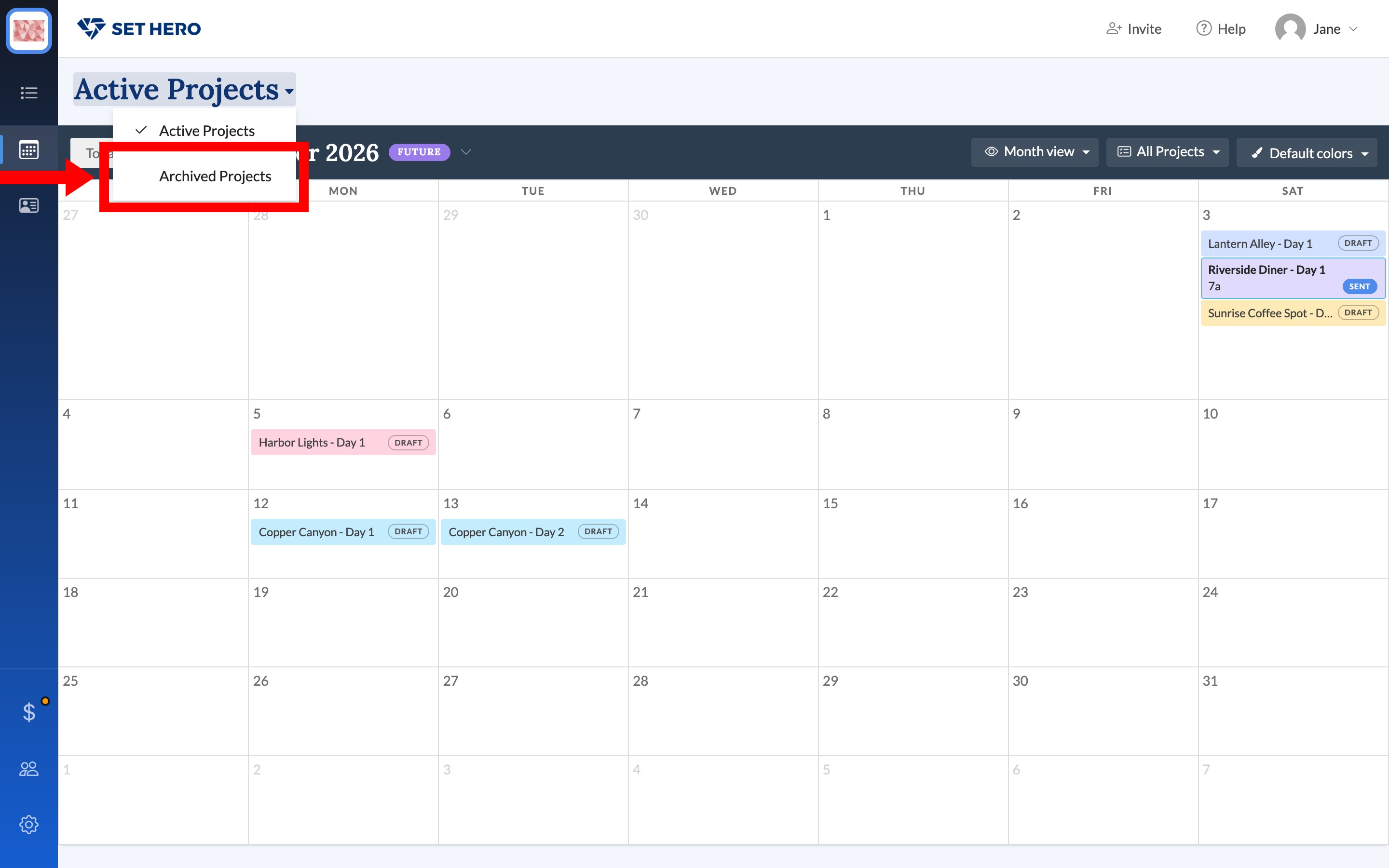
The page heading reads Active Projects. Open it and choose Archived Projects to see sheets from archived shows only. You can't create a sheet from that view. Archive, restore, or delete a project covers archiving.
Subscribe or export
There's no subscribe, iCal feed, or export on this page. SetHero doesn't push these dates to Google Calendar or Outlook.