MMS to Excel exporter billing
Identify your exporter charge, check renewal, and cancel
The Movie Magic Scheduling to Excel exporter is a separate product from SetHero. It is sold at moviemagictoexcel.com and billed through Stripe. Import from Movie Magic Scheduling shows how to use it. Its charges and invoices do not appear on your SetHero plan or under Company Billing. If you are looking for your call sheet plan instead, that lives in Billing basics.
Important: A $35 charge about a year after you first used the exporter is its Unlimited plan renewing, while a $10 charge is for a single conversion. Neither is a SetHero plan charge, even if you used the same card.
Note: The exporter is free for SetHero subscribers. To get access, email support@sethero.com and we'll set it up for you.
What you paid for
After a conversion, the exporter asks for your email address and displays the payment options before downloading your files:
- Single — $10 one-time: one conversion.
- Unlimited — $35 / year: unlimited conversions for one year.
You can also download a free sample containing the first 10 rows. A paid option is required for the full file.
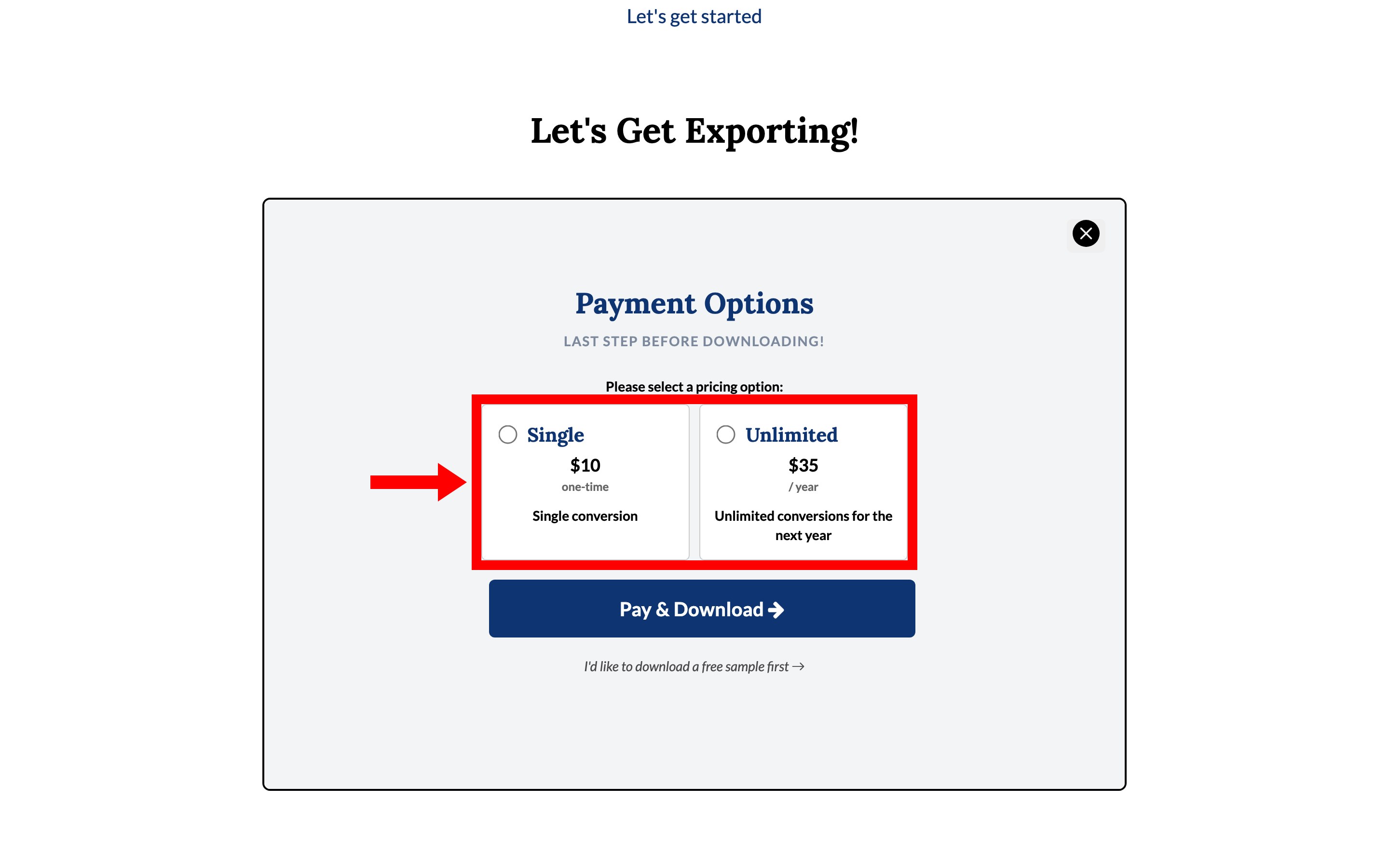
Selecting Pay & Download takes you to Stripe to enter your card details. The Unlimited plan is an annual subscription that renews automatically unless you cancel it before the renewal date.
Find your subscription using your email address
The exporter does not use accounts or a login. Your purchase is connected to the email address entered at checkout, not to your SetHero account.
When the tool asks for your email, enter the same address you used to purchase the subscription. Hovering Have a paid subscription? under the Next button says the same thing: use the address you purchased with so we can look up your record.
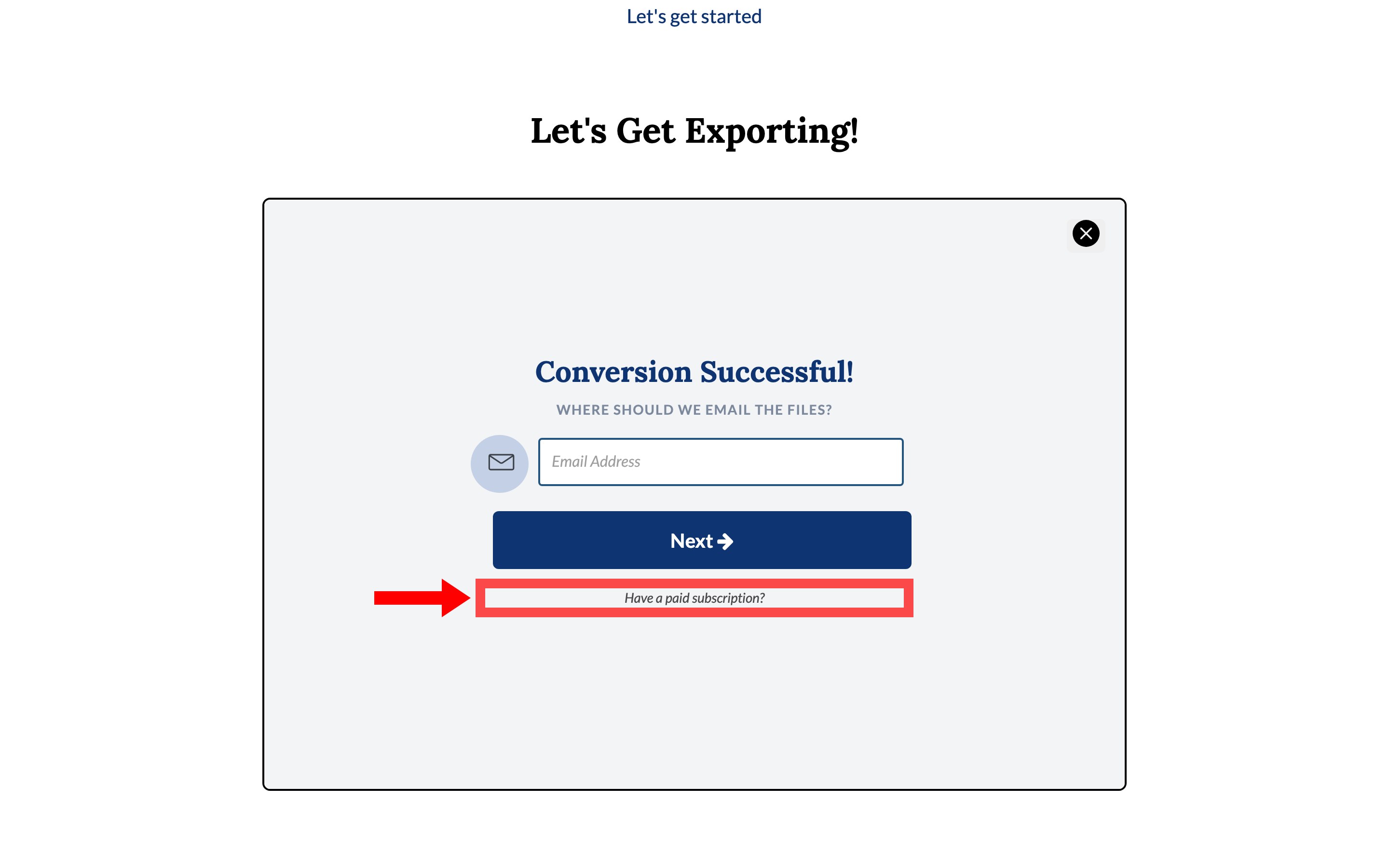
If it finds an active paid year, the tool says You have an active subscription! and shows an Annual Subscription box with a status of Active or Cancelled and either Will auto-renew on or Expires on with the date. Continue to Download then takes you to your files without paying again.
If you see the payment options instead, you may have entered a different address—for example, a work address instead of a personal one. Check your Stripe receipt and try the exact email address shown there.
Cancel the annual plan
Email support@sethero.com and ask us to cancel your exporter subscription. Include the email address used for the purchase so we can find it in Stripe.
If you contact us within 7 days of the invoice date, we will also refund the charge — the same window covered in Refunds and billing mistakes.
Important: The I'd like to cancel my subscription link in the exporter does not submit a cancellation request. It only retrieves your converted files. Your subscription is cancelled only after you email us and receive confirmation.
A cancelled plan remains active until the end of the paid year. The status switches to Cancelled and the box reads Expires on with the end date instead of Will auto-renew on.
Refunds return to the card originally charged and usually take 5–10 business days to appear. After 7 days, the current subscription year is not refundable. Cancelling will prevent the next renewal instead.
SetHero and the exporter must be managed separately
The exporter is not connected to your SetHero account:
- Cancelling your SetHero subscription does not cancel the exporter. It keeps renewing at $35 a year until you cancel it separately.
- Deleting your SetHero account does not cancel the exporter either. Delete your SetHero account removes the SetHero side only.
- Cancelling the exporter does not affect your SetHero plan, projects, or call sheets.
- You do not need a SetHero account to use the exporter or keep its annual plan.
If you want to stop both services, cancel each one separately.
Identify an exporter receipt
SetHero subscription receipts come from our billing provider, Chargebee, and include your company and plan information.
Exporter receipts come from Stripe, name the exporter, and show a charge of either $10 or $35. The two look nothing alike, and exporter charges never appear under Past Invoices in SetHero Company Billing.