Billing basics
Find your plan, update billing details, and check project usage
Company Billing is this company's plan, payment details, invoices, and usage. Any member of the company can open this page and manage billing. Roles, admins, and permissions explained covers what else each role can do.
Open company billing
From Active Projects, click the dollar icon at the bottom of the left rail. Hover it to read Company Billing.
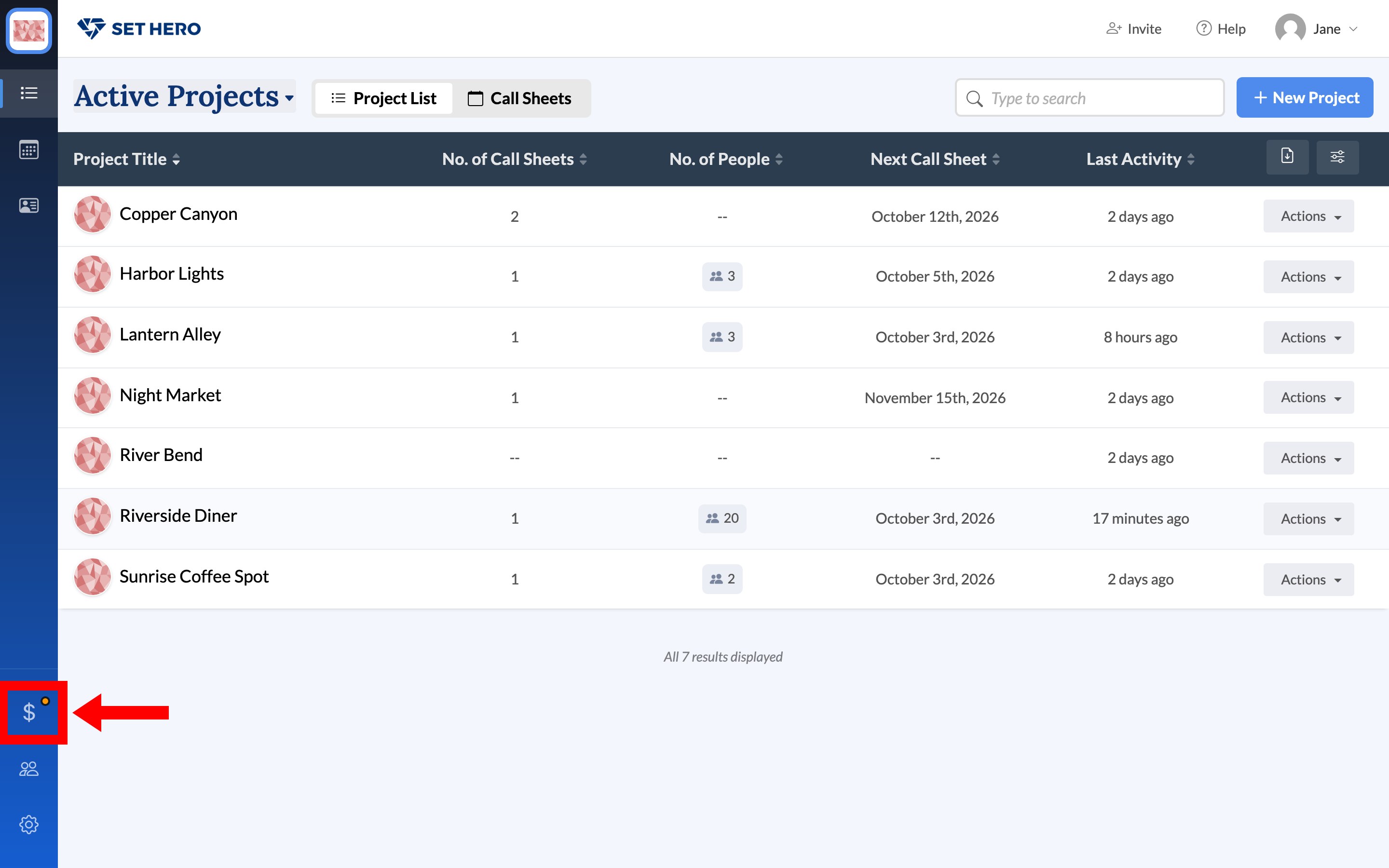
Plan, billing info, and invoices
The left column holds Plan Info, Billing Info, and Past Invoices. The right column holds Usage and Projects.
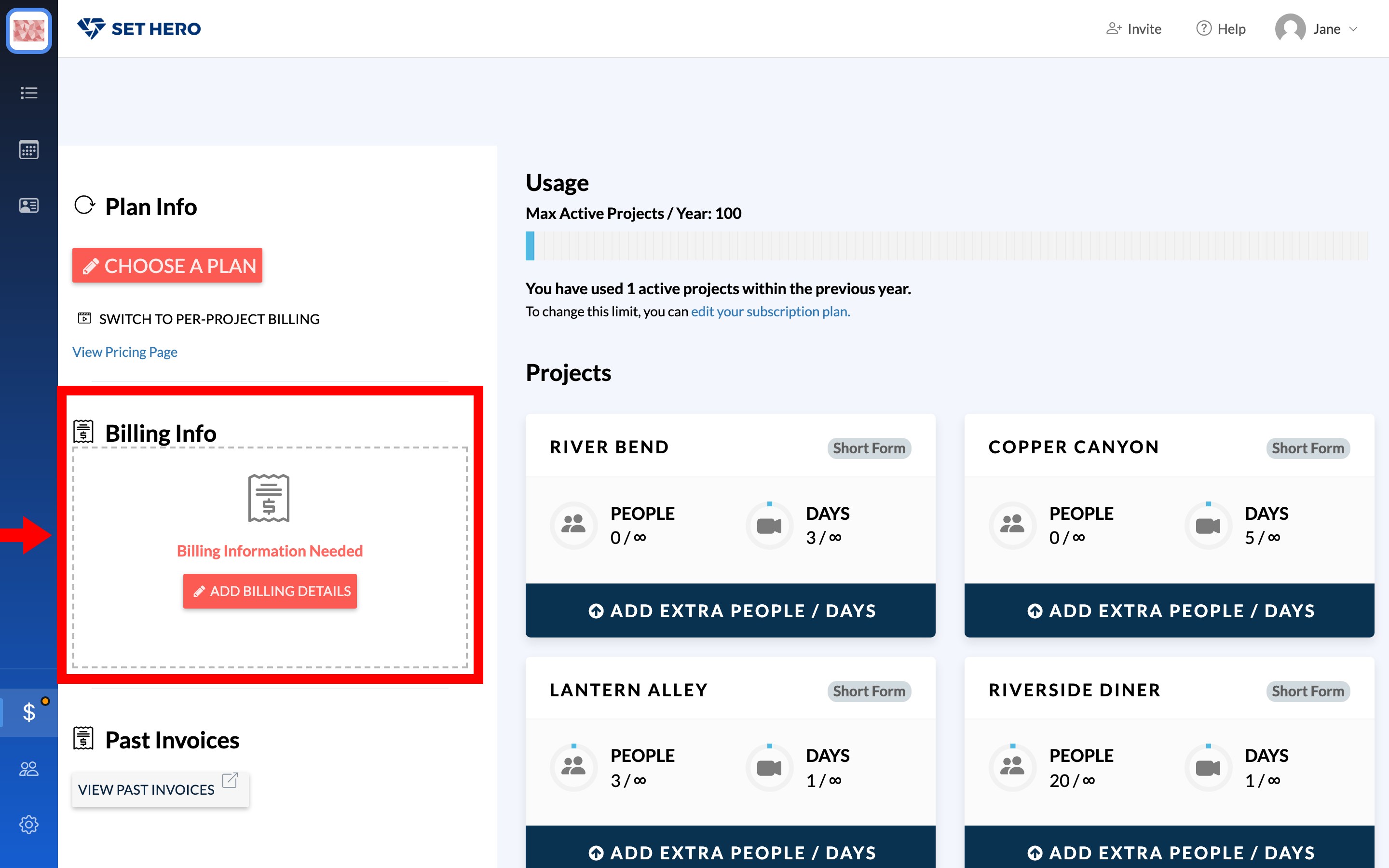
Plan Info shows your current plan, or Choose A Plan if you haven't picked one. Subscription plans explained covers what each plan includes. On a paid plan the card also holds Cancel Subscription. See Cancel your subscription.
Note: Switch to Per-Project Billing moves the company from a subscription to per-project billing and ends the subscription. Read Subscription or per-project billing: which one and how to switch before you click it.
Billing Info is the address and contact on the account. When a card or address is missing, the card reads Billing Information Needed with Add Billing Details. Once both are on file, you get Edit Billing Info and a Credit / Debit Card block with Replace Card. Payment card, renewals, and invoices walks through each of these.
Past Invoices has View Past Invoices, which opens a billing portal in a new window without changing your plan.
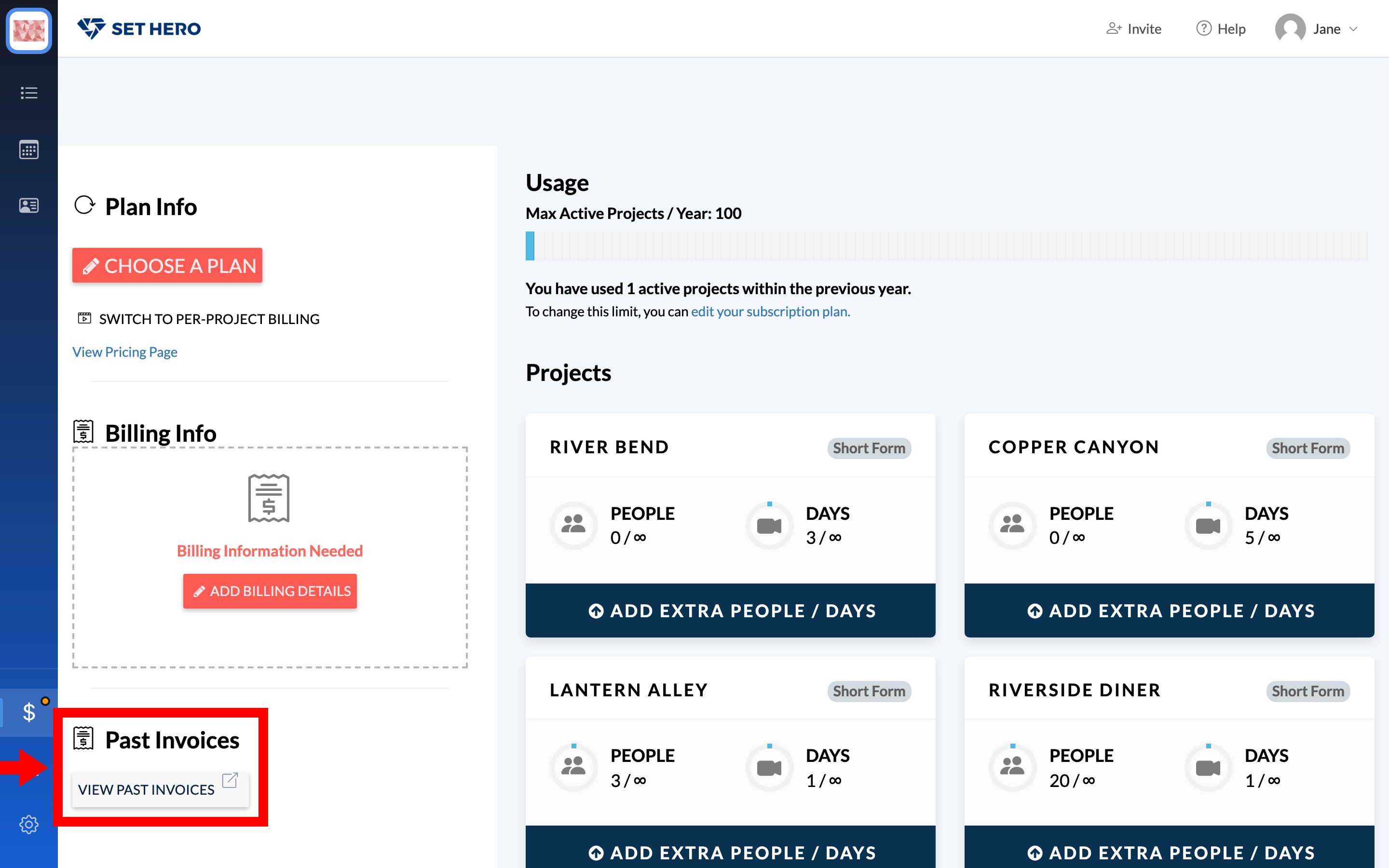
Usage and project limits
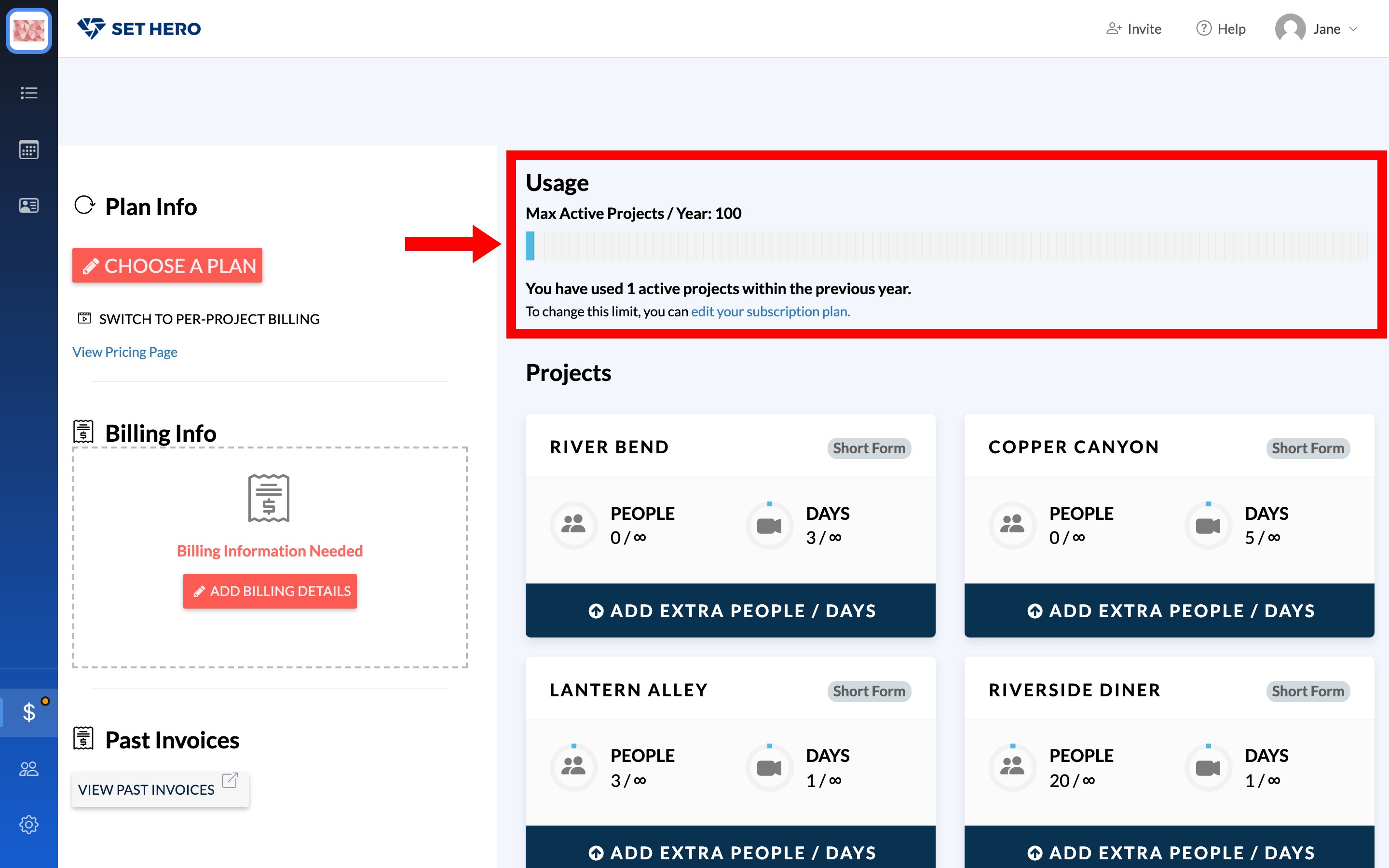
Usage reports Max Active Projects / Year and how many you've used in the previous year. If you need a different yearly cap, the page links to edit your subscription plan.
Each active project is a card with People and Days meters and a Short Form or Long Form badge. Add Extra People / Days raises that one project's caps without switching the whole company plan. Project size limits: people and days explains how the meters are counted, and Upgrade a single project covers the per-project Upgrade button.
How SetHero is organized shows where billing sits in the rest of the workspace.