Export a call sheet to PDF or Excel
Which export shows your latest edits, and what each file includes
When someone needs the sheet outside SetHero, for a printed copy, a client, or a spreadsheet, you can take a PDF or an Excel file. Sending the sheet to crew is a different path. Publish and send a call sheet covers that.
Note: The three files can show different versions. View PDF opens the last published version your crew received. Download PDF and Export to Excel use the current saved sheet, including a draft. If you edit after sending, only those two include the changes until you republish.
Where the exports live
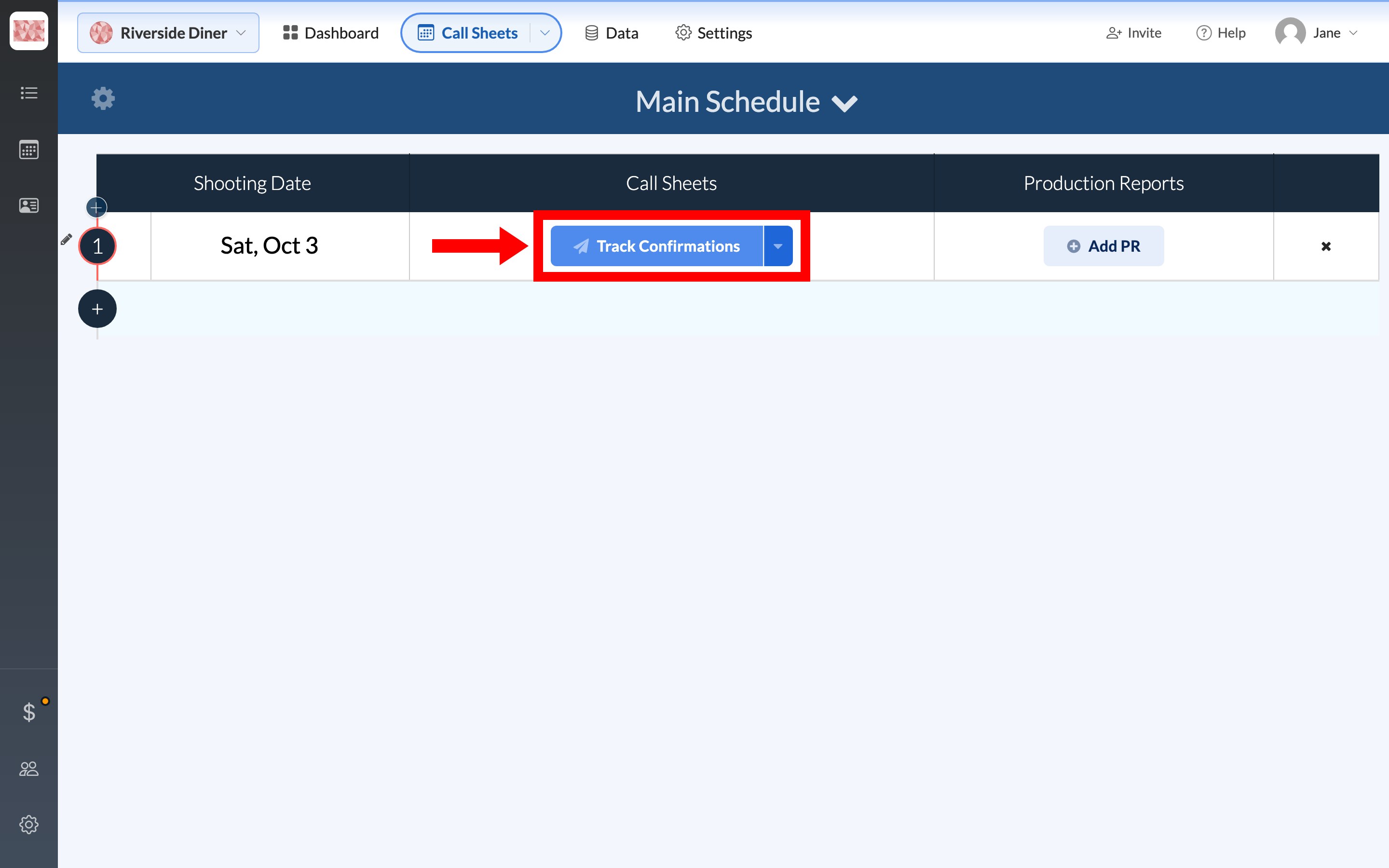
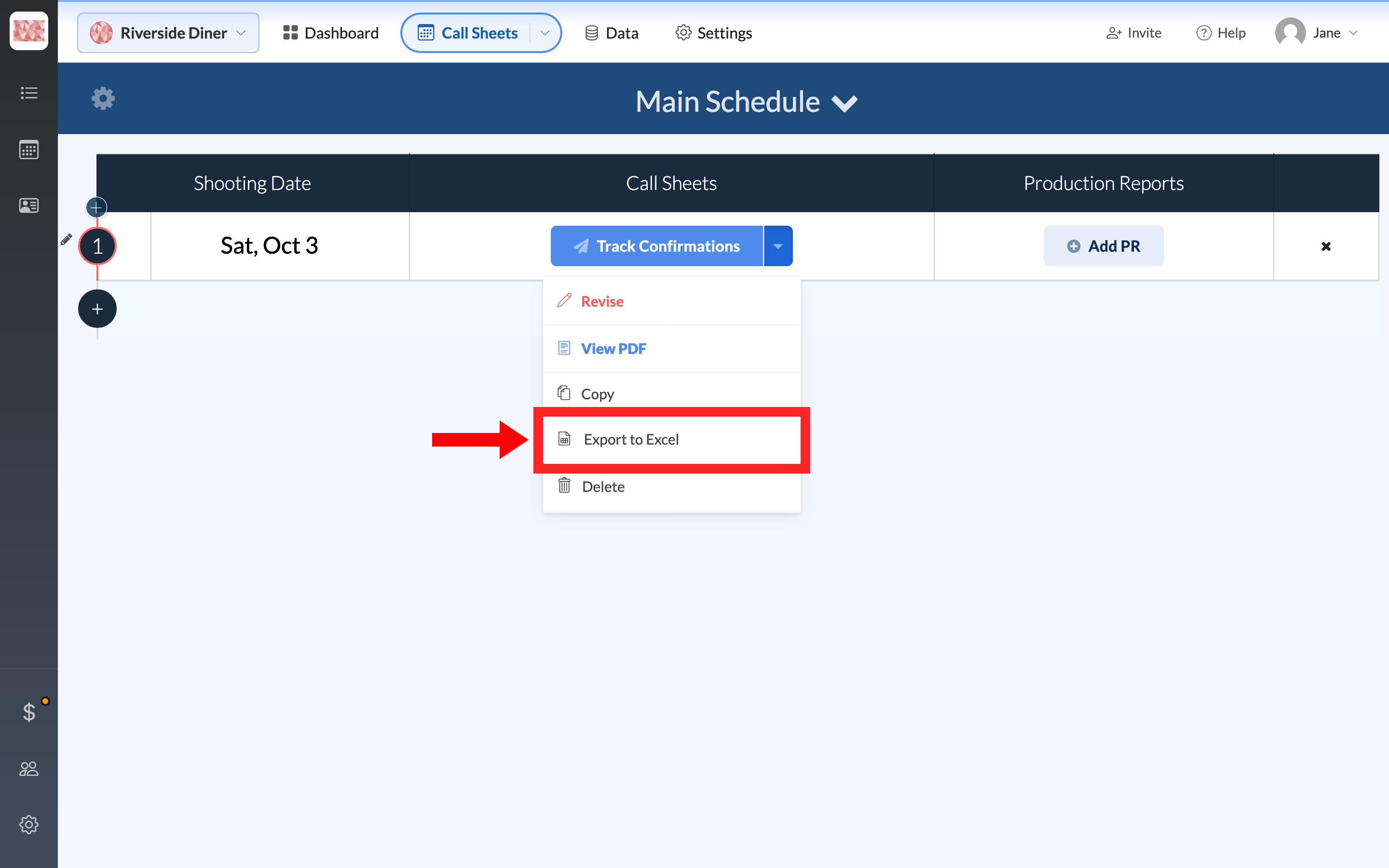
On the schedule, use the day's Call Sheets button group. After publish, the main button is Track Confirmations and the caret beside it holds the export actions. A draft still shows Edit, and its caret has Export to Excel but not View PDF.
View PDF: the published version
View PDF opens the last published PDF in a new tab, where you can save or print from the browser. There's no separate print control in SetHero.
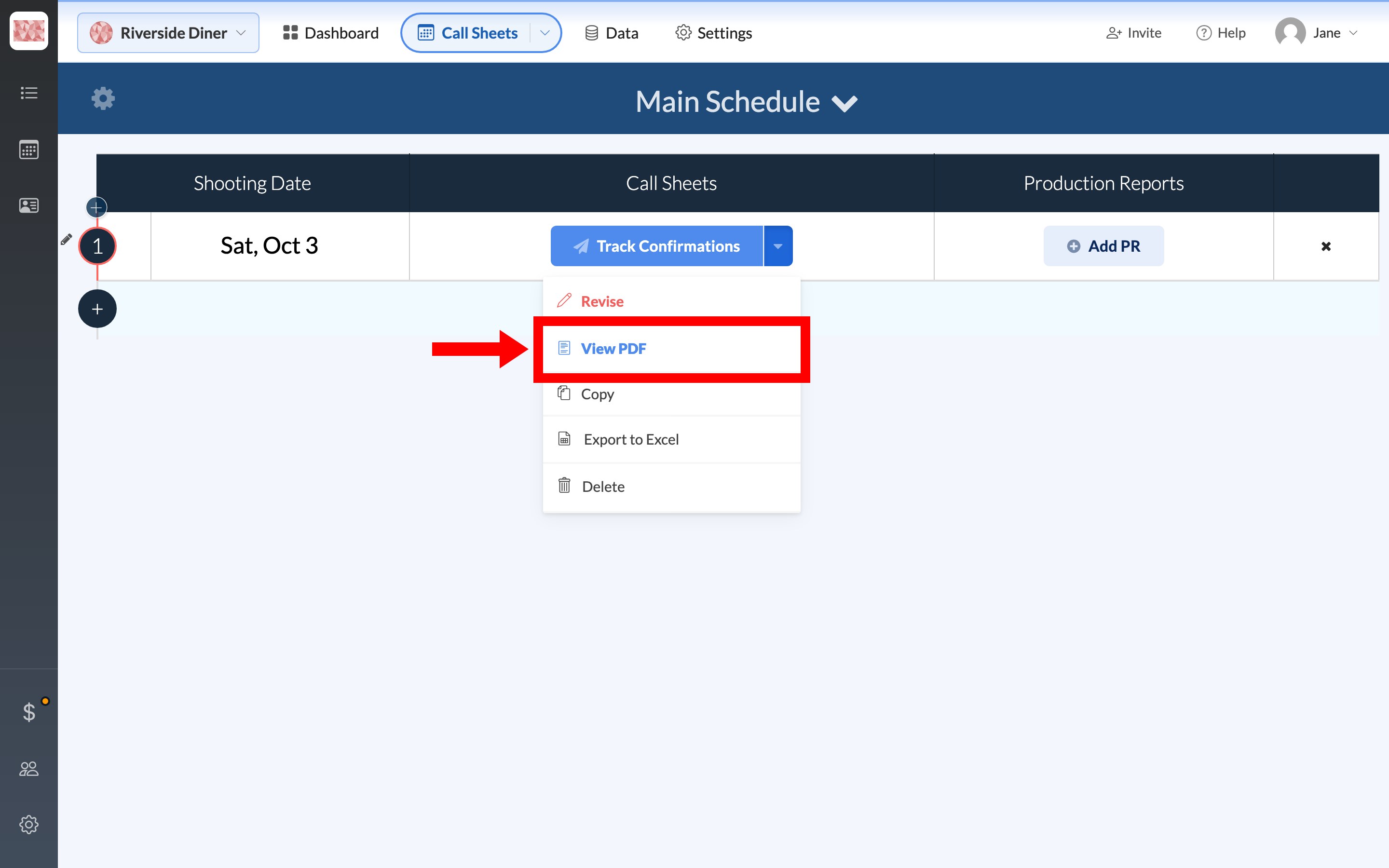
This file doesn't change when you make changes in the editor. If it's missing or stale, republish with Update Silently to regenerate it without another email or text.
Download PDF: a current snapshot
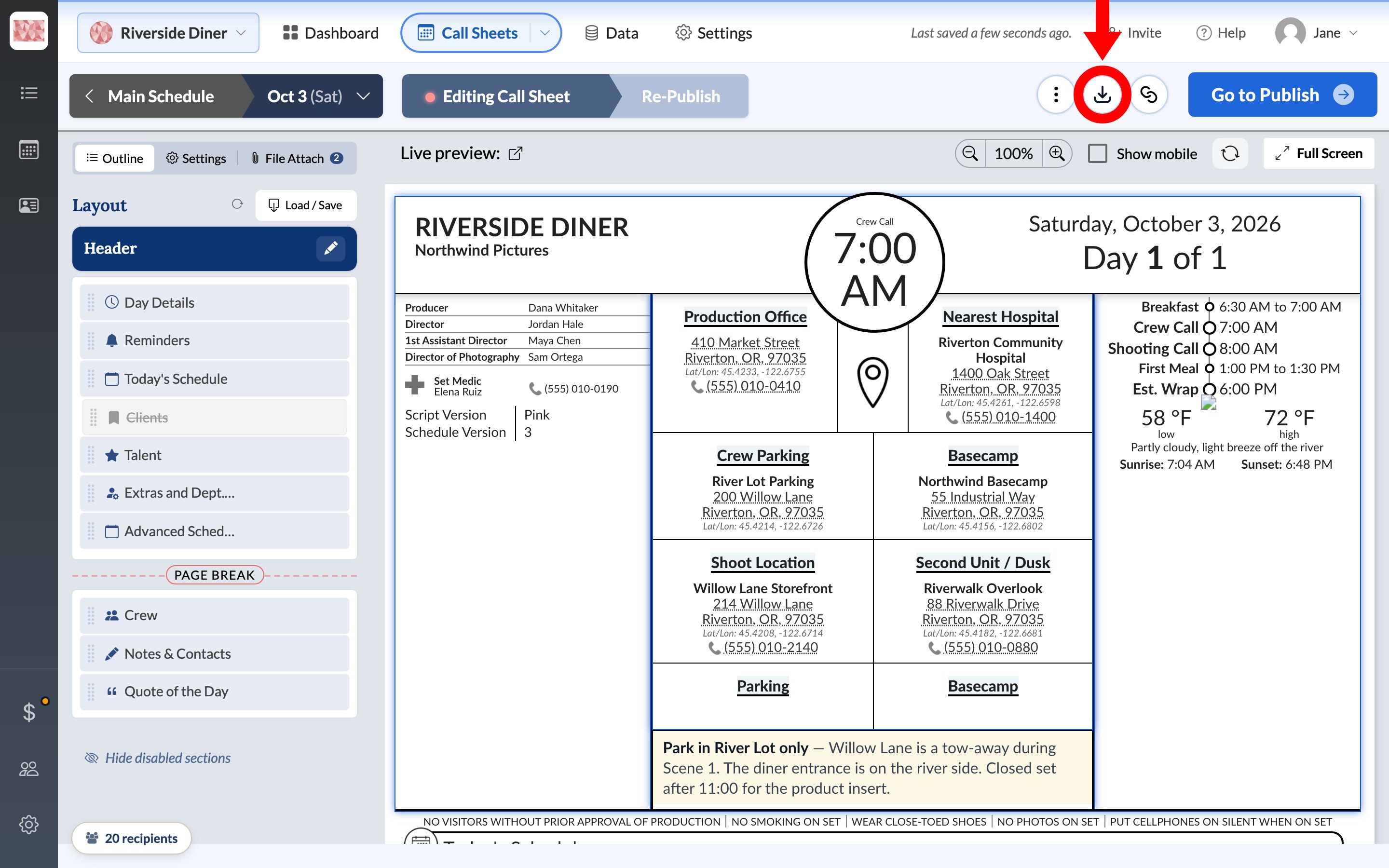
The circular Download PDF icon in the editor header builds a PDF from the sheet as it's saved right now, draft or published. The same icon is on the publish page header.
SetHero saves first, then opens a preview. Include Watermark stamps a short label such as PRELIM across the pages. Download saves a file named like Call Sheet Sat, Oct 3, 2026 - Riverside Diner [Preview].
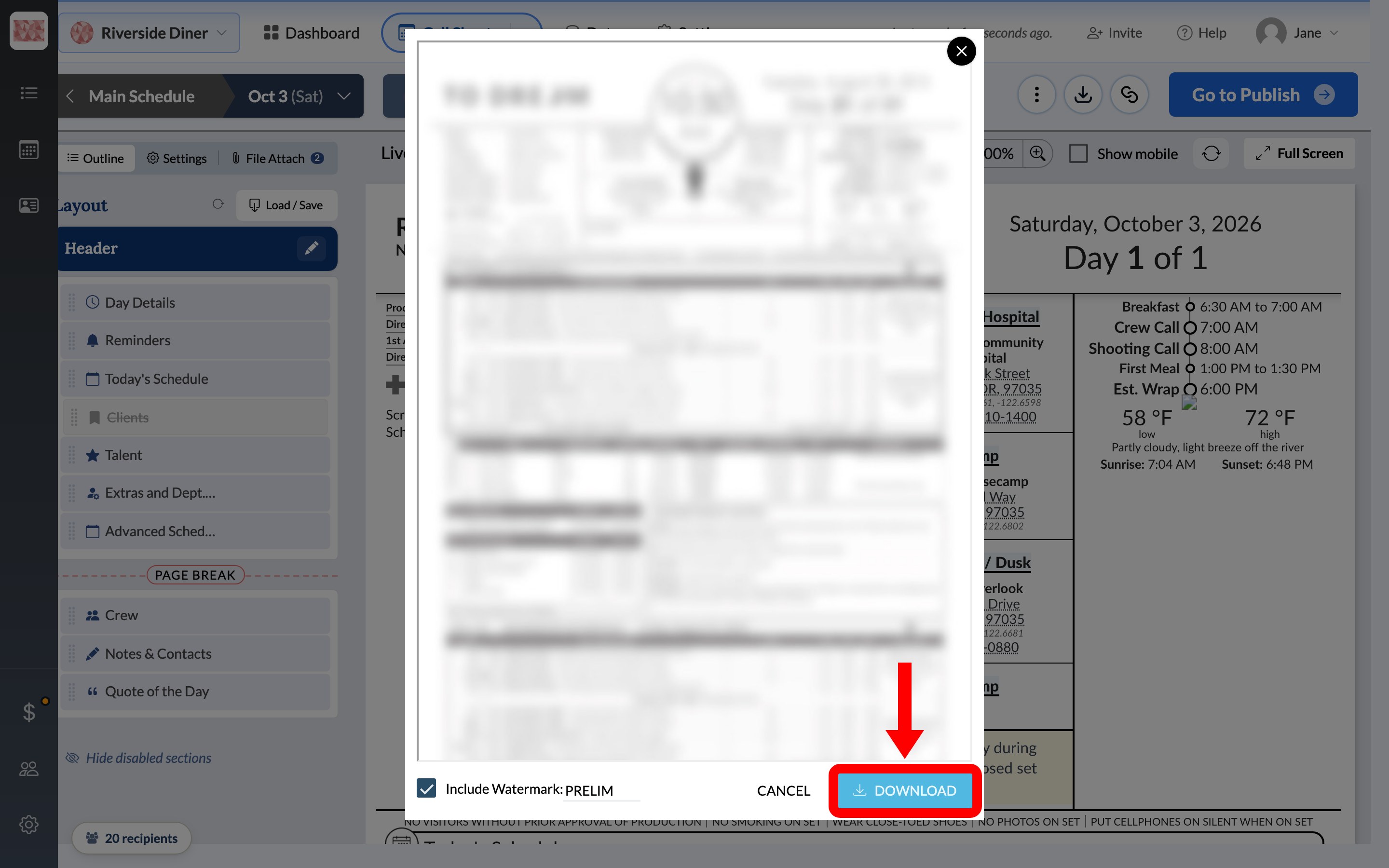
Use this for today's edits or a draft to review. Use View PDF when you need the copy that already went out.
Export to Excel
From the same caret, choose Export to Excel. In the editor, the ⋮ menu has it as Export to Excel File. The download is an .xlsx named like Day 1 Call Sheet - Oct 3 2026.xlsx. Plans without Excel export show a plan badge on the action.
The workbook is a laid-out replica of the call sheet, not a flat contacts table and not an import template. Page 1 carries the header, key people, timeline, weather, locations, notes, schedule, cast, and extras. Page 2 appears after a page break and carries crew call times by department, useful contacts, and the quote.
Note: The workbook doesn't include the Clients block, and you can't re-import it. To move people to another project, use Import crew and talent from a previous project. If you just made changes in the editor, let the last save finish before exporting.
Page size and spacing
The PDF's page size and row spacing are set per call sheet under Settings in the editor. Time zone, time format, and units covers those controls.
If you meant a production report
Production reports have their own PDF and Excel export. See Download, link to, or export a production report.