Complete the cast time log on a PR
How to log cast hours, work statuses, and overtime
The Cast Time Log, traditionally called Exhibit G, records each actor's working hours, travel times, meal breaks, and work status for the day. Payroll and your production records depend on it being right.
Open the cast tab
Open the day's report from your schedule and select the Cast tab, the star icon fourth from the left.
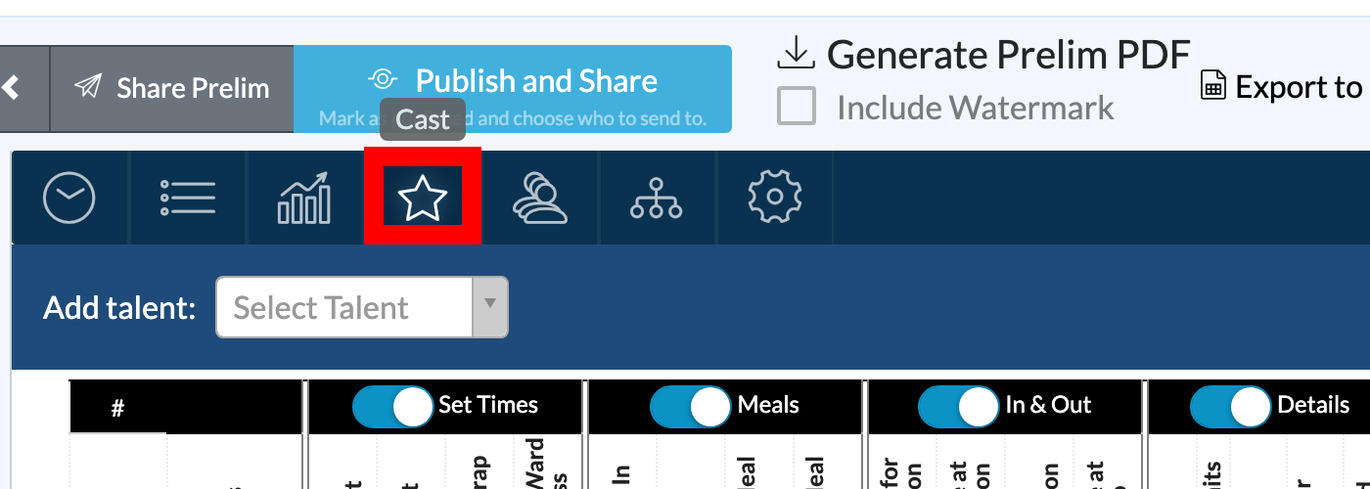
If you used call sheet autofill, the cast block arrives already listed with planned call times.
Add talent
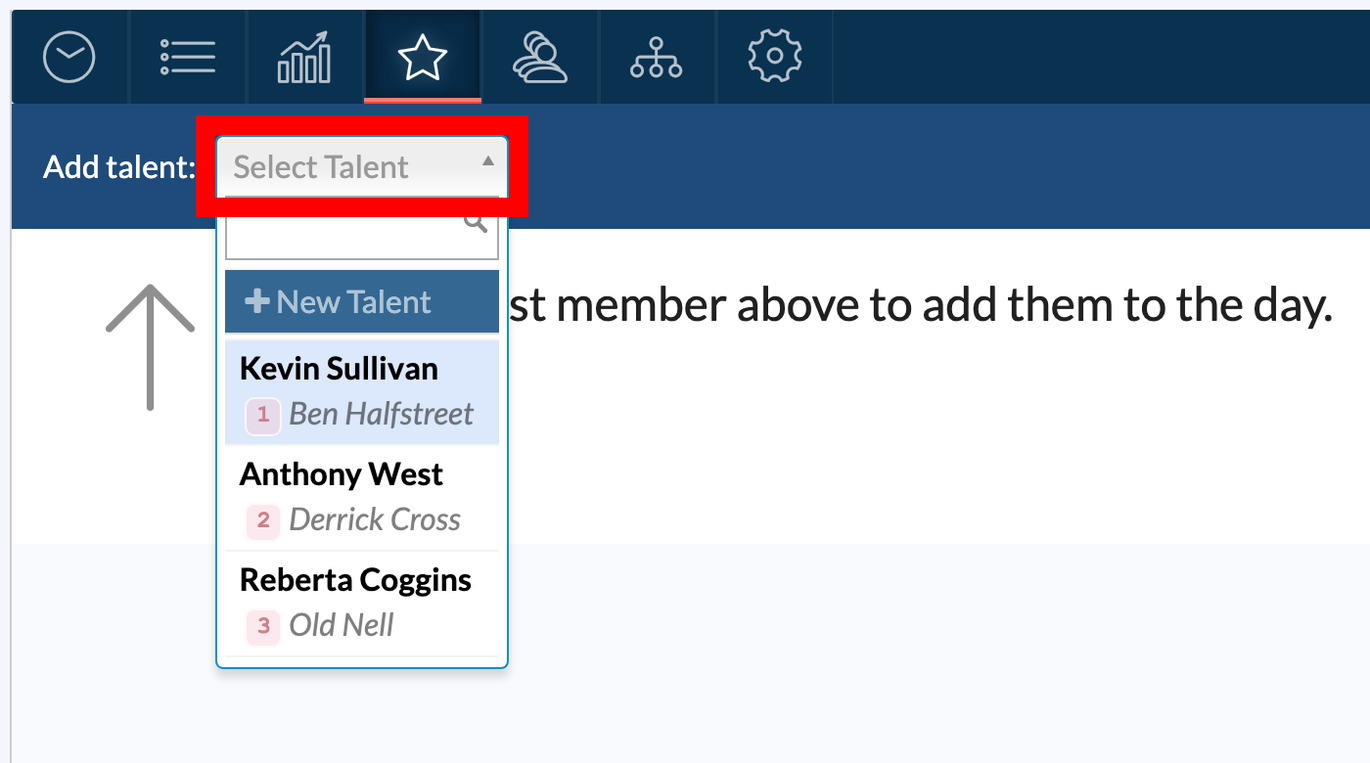
Use the Select Talent dropdown in the toolbar to add an actor from your project. If they aren't in the project yet, click + New Talent at the top of the dropdown.
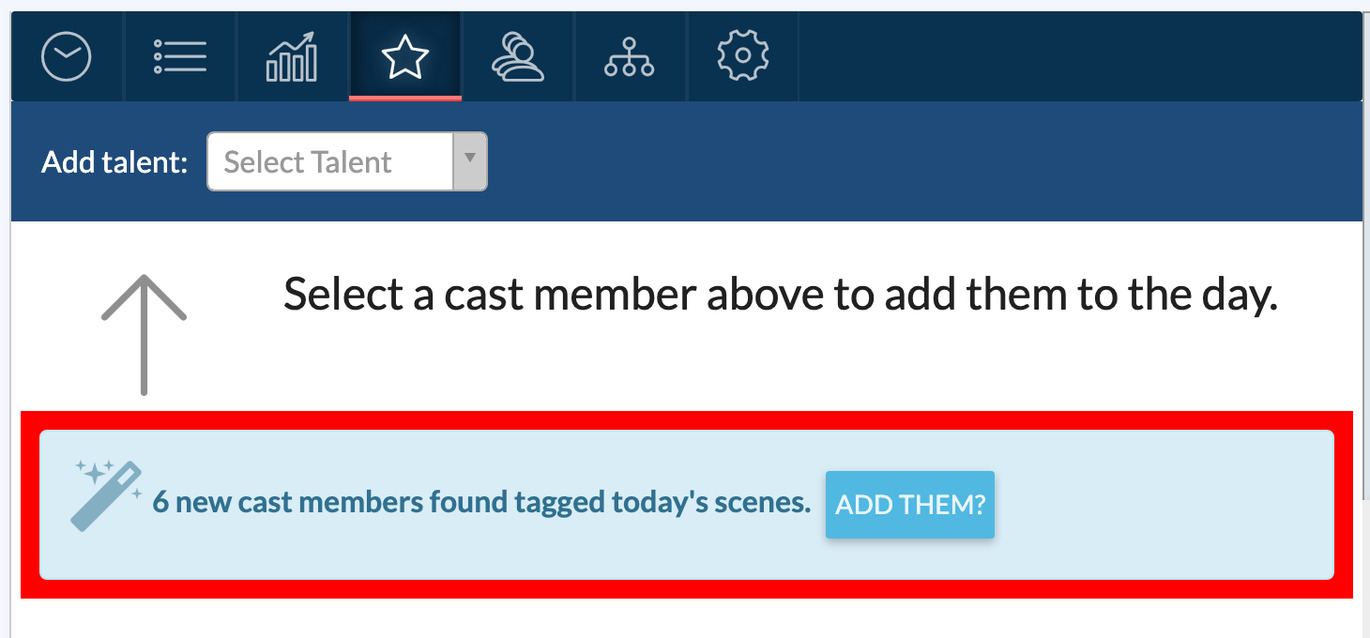
If you logged scenes first, SetHero notices any cast tagged in completed scenes who aren't on the log yet. Click Add them? in the banner to add them all at once.
Assign a work status
Click the Status dropdown on each row to set the day's work code:
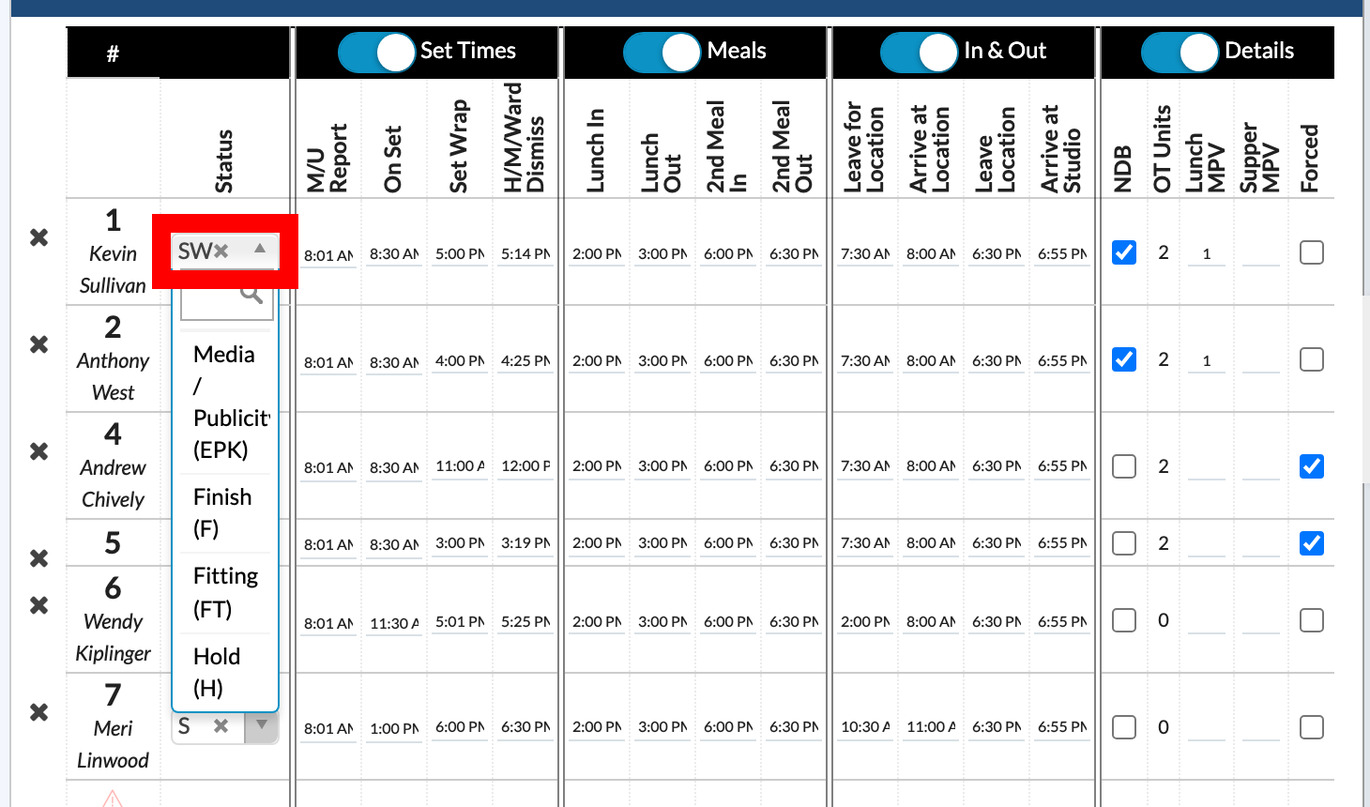
- S Start, W Work, F Finish
- SW Start-Work, WF Work-Finish, SWF Start-Work-Finish
- H Hold, TR Travel
The four column groups
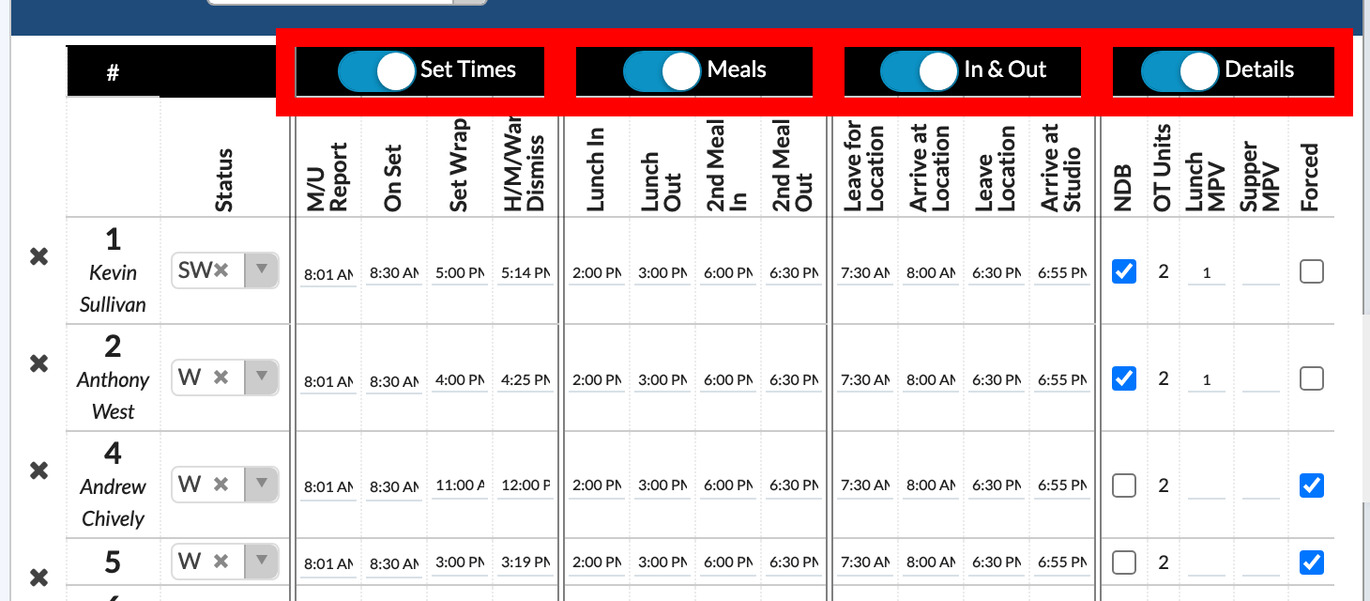
| Group | Fields | What it covers |
|---|---|---|
| Set Times | M/U Report, On Set, Set Wrap, H/M/Ward Dismiss | Hair, makeup, wardrobe, and filming times |
| Meals | Lunch In, Lunch Out, 2nd Meal In, 2nd Meal Out | Actual meal break start and end |
| In & Out | Leave for Location, Arrive at Location, Leave Location, Arrive at Studio | Travel times that bracket the day |
| Details | NDB, OT Units, Lunch MPV, Supper MPV, Forced | Overtime, meal penalties, NDB, forced calls |
Click a group header to switch that group off if your production doesn't report it. Switched-off groups stay off the printed report.
How overtime is calculated
SetHero fills in OT Units automatically:
- Working duration runs from Leave for Location (or Arrive at Location) to Arrive at Studio (or Leave Location).
- Meal deductions come off if your project settings say meals are off the clock.
- Hours beyond your project's standard talent work day become OT Units, rounded up to the nearest tenth of an hour.
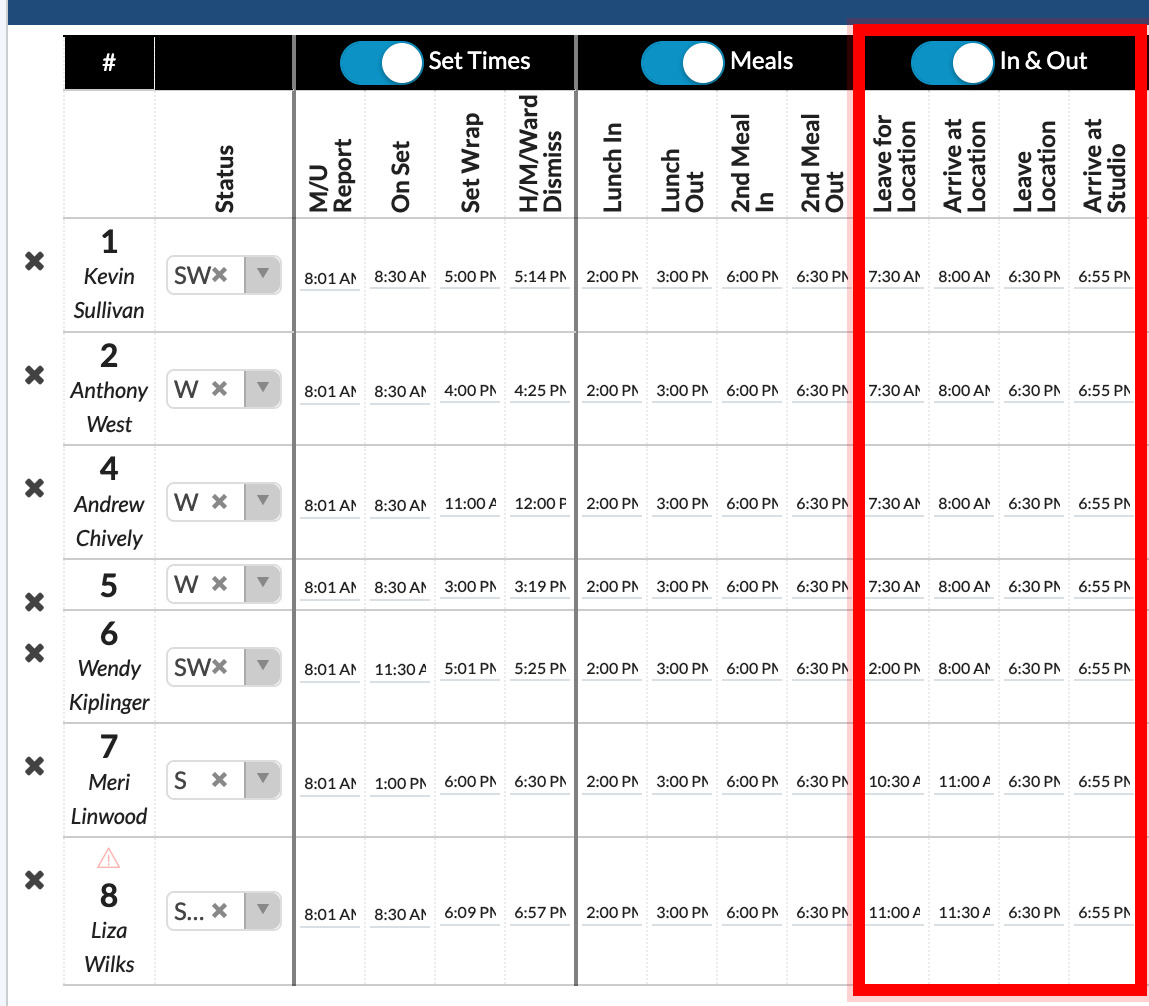
Tip: Fill in the travel times in the In & Out group. If they're blank, SetHero can't calculate overtime.
The standard work day defaults to 8 hours. Change it in Number of Hours in Standard Cast Work Day below the table, and click Adjust how meal breaks factor into OT calculations → to review the project-level meal deduction switches. Standard work days and overtime explains those settings.

Note: OT Units are calculated from your project's settings. Check them against your union agreement and payroll.
Warning triangles
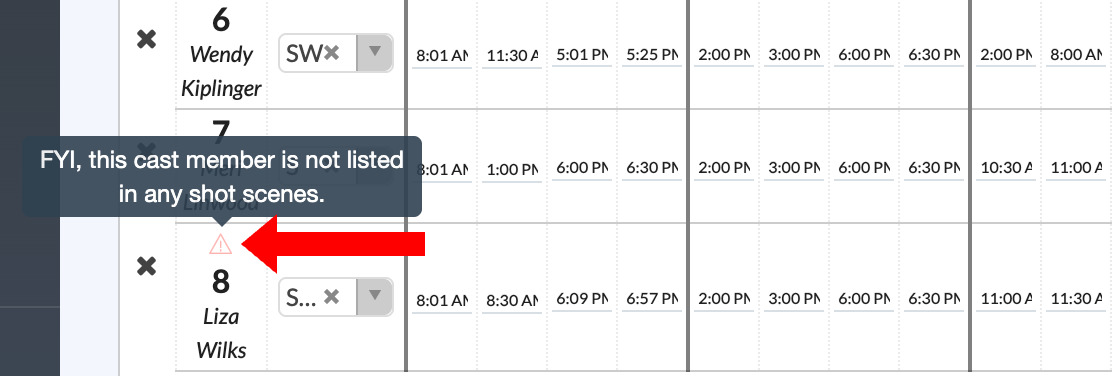
A small red triangle beside an actor's cast number means they're on the log but weren't tagged in any completed scene on the Scenes tab. That's normal for hold, fitting, and travel days. Hover the icon to read the note.
How the log prints
The finished report shows an Exhibit G-style table on page 1: cast number, performer and character names, status code, set and meal and travel times, overtime units, meal penalties, and footnotes explaining the codes.
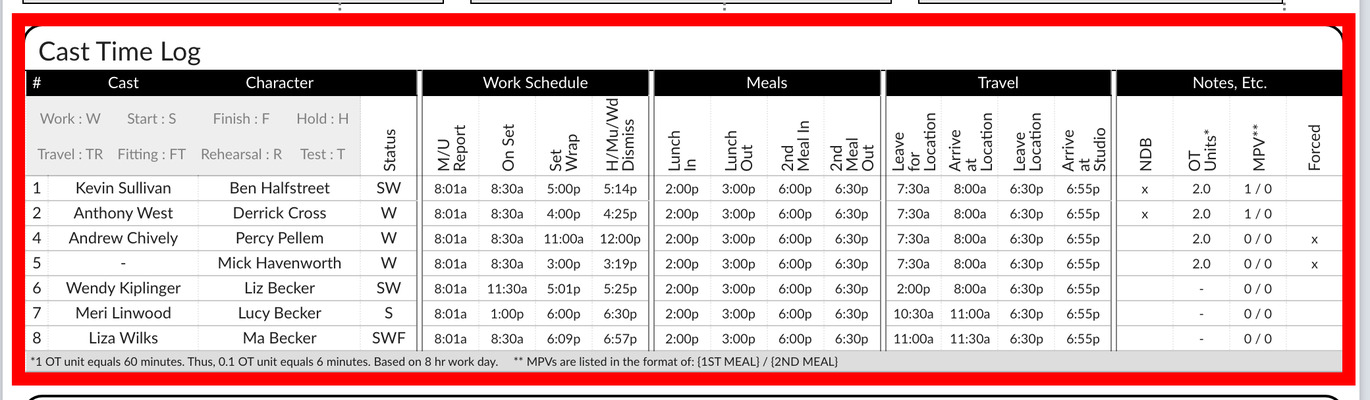
Entries save automatically, and the Live preview shows the table as you fill it in.