Standard work days and overtime
Where work-day defaults apply, how meals count, and when overtime starts
Production reports compare logged hours against a standard day, and count anything past it as overtime. This is SetHero's calculation, so check it against your union agreement and payroll. That standard day lives in two places: a company default that new projects start with, and a setting on each project that you can change.
On the project
Open the project, select Settings in the top header, and scroll to the Work days card.
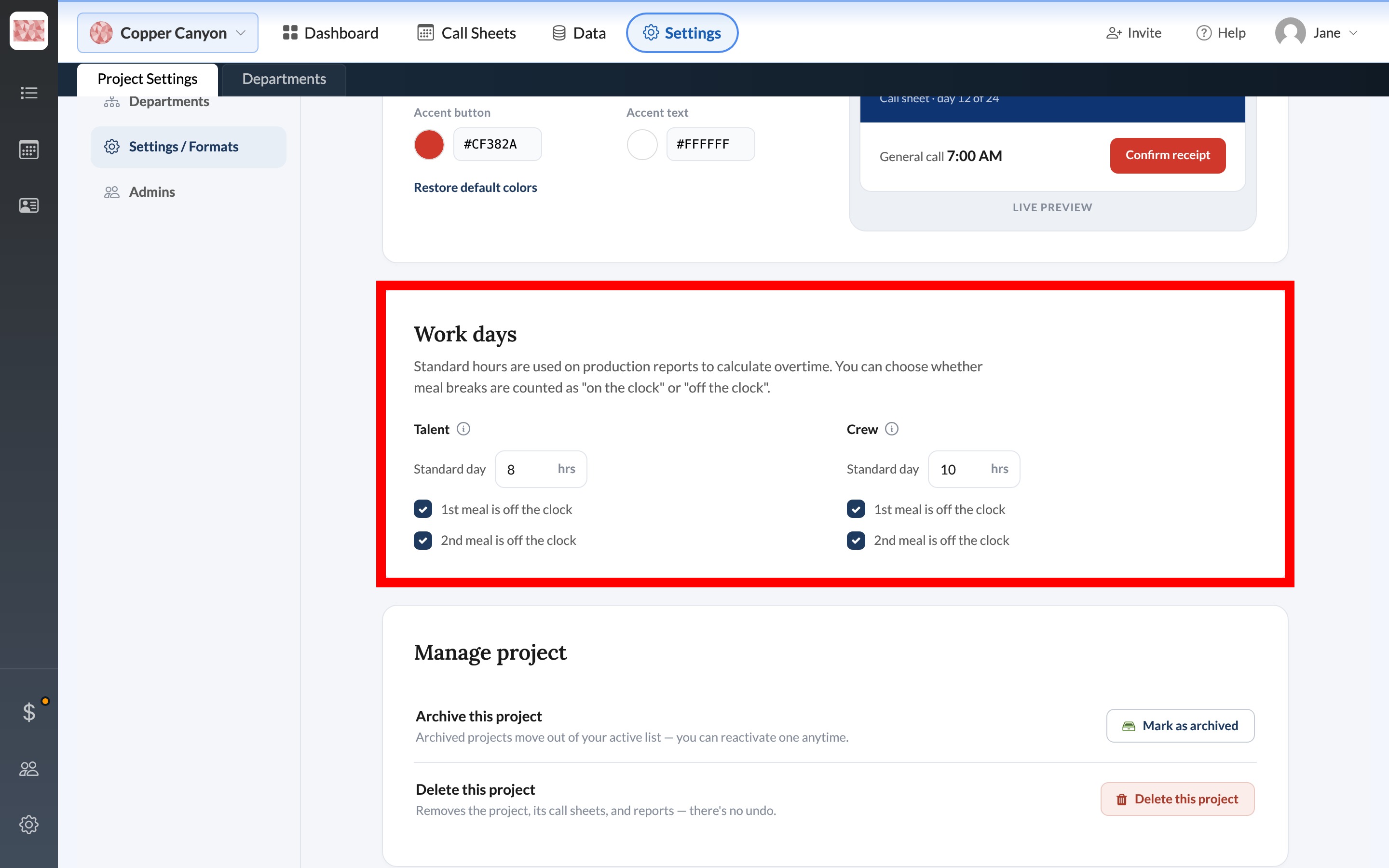
Talent and Crew each have their own Standard day in hours. Hours past that number become overtime units. Under each column, 1st meal is off the clock and 2nd meal is off the clock control whether those breaks are subtracted from worked time. Leave a box unchecked if the meal should still count as time on the clock.
These values apply to this project only. They don't change hours already logged on a report.
Defaults for new projects
Company-wide defaults sit in Company Settings, in the New project defaults card under Standard work days. There's an hour field for Talent and one for Crew. Meal handling isn't set here. That's chosen per project. Set your company name, photo, and defaults covers the rest of that page.
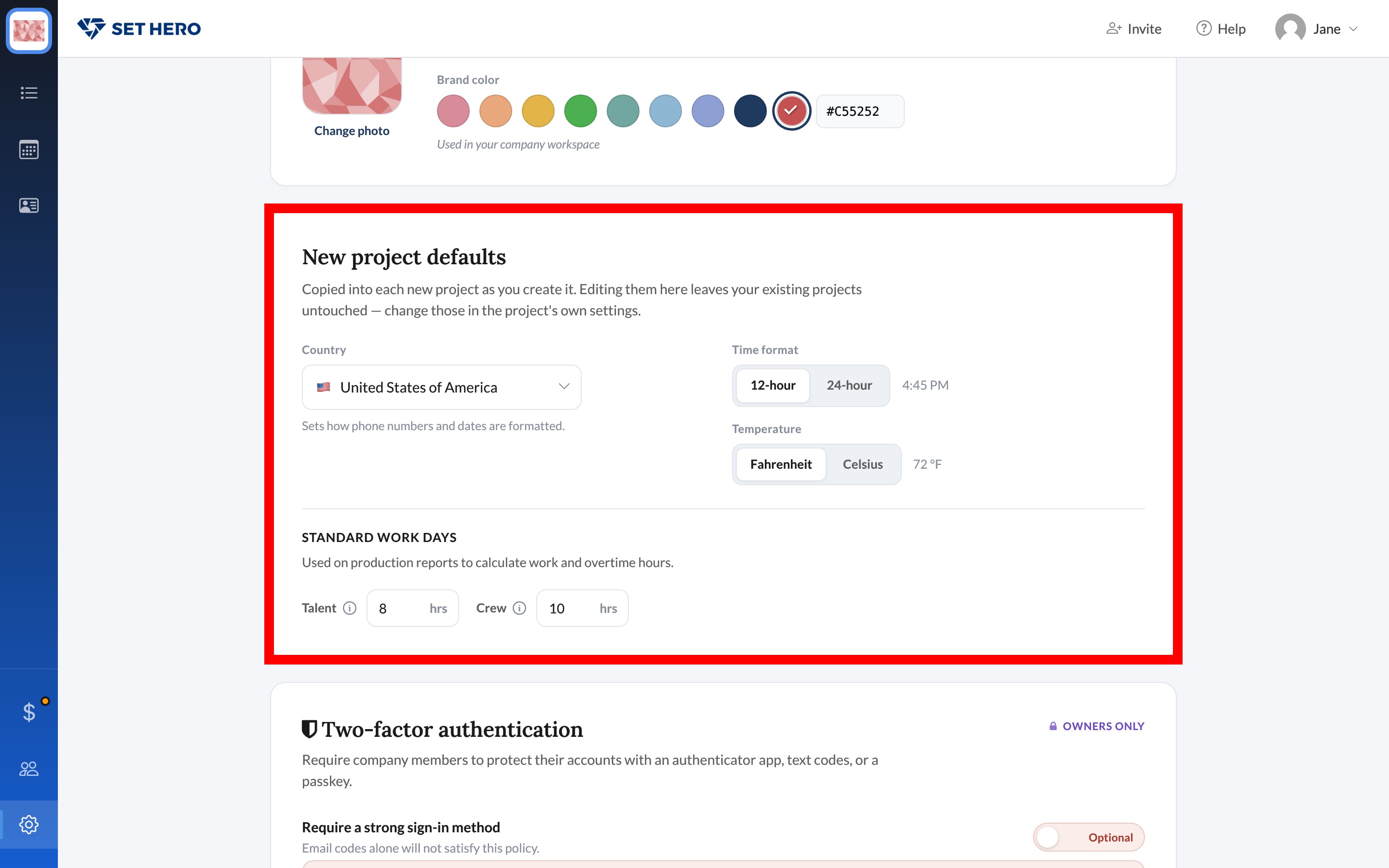
Note: Company defaults are copied to a new project when you create it. Changing them later doesn't affect existing projects. To change the standard day for an existing project, use its Work days card.
Where the numbers show up
The standard day never appears on a call sheet. It's the yardstick a production report uses to turn clock-in and clock-out times into regular and overtime hours. Log crew working hours and meal penalties and Complete the cast time log on a PR are where those times go in, and What is a production report? explains the document they feed.
If the Settings page looks unfamiliar, Project Settings overview is the tour.