Your data, privacy, and security requests
How to export or erase data, request security paperwork, and spot suspicious emails
This page covers how to get a copy of your company's data, ask us to erase personal data, and request security paperwork. For anything else about your data, email support@sethero.com. You can also read our privacy policy and terms.
Export your company's data
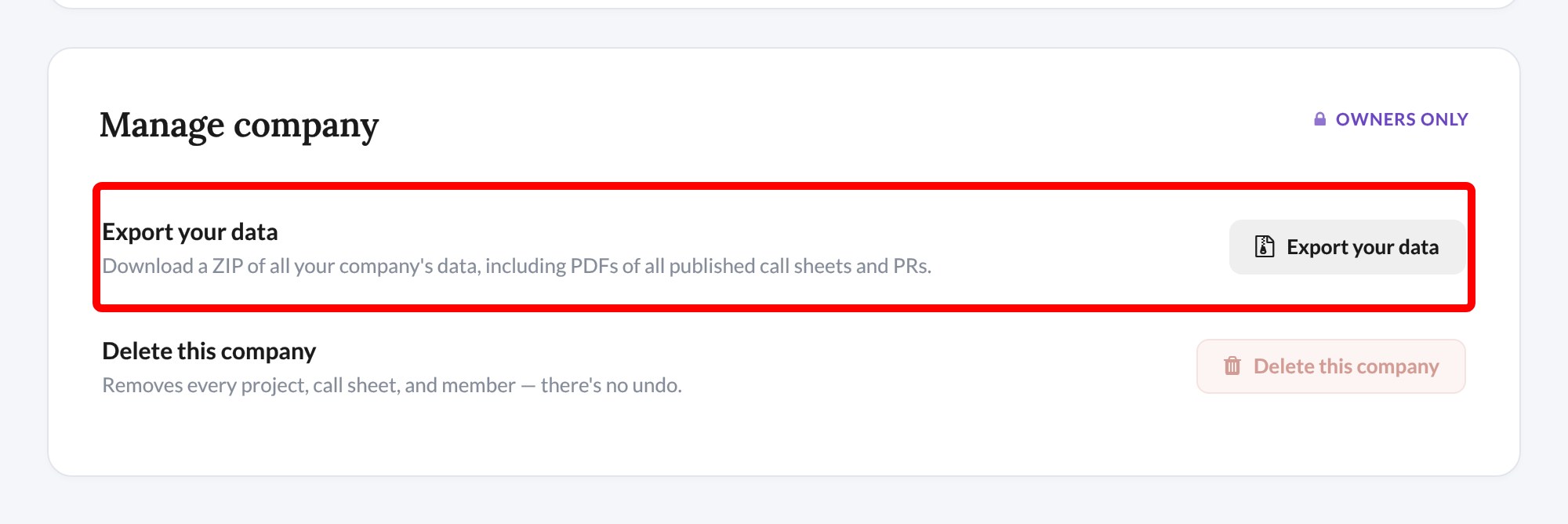
Company owners on any plan can download a ZIP of the company's data, including contacts, projects, and PDFs of published call sheets and production reports.
-
Click the gear icon on the left rail to open Company settings.
-
Under Manage company, click Export your data. You may be asked to confirm your password.
-
Wait for the export to finish. You can leave the page while it runs.
-
Come back and click Download.
Note: You can export once every 24 hours, and each archive is deleted after 7 days. If any PDFs couldn't be included, the
README.txtfile in the archive lists them.
If you aren't the owner, ask your company's owner to run the export. To download something smaller, see Export your contacts or Export a call sheet to PDF or Excel.
Erase personal data
If you have a SetHero account, you can do this yourself by deleting your account, or email support@sethero.com and we'll handle it. We complete erasure requests within 30 days.
If you received a call sheet but don't have an account, ask the production that sent it to remove you first, since each production manages its own contact list. If that doesn't work, email support@sethero.com. To stop text messages right away, reply STOP. See I got a call sheet: now what?.
Important: Cancelling a subscription doesn't erase any data. See Cancel your subscription.
Request security paperwork
Security questionnaires and data processing agreements (DPAs) are available for enterprise and annual contract customers. Email support@sethero.com with your company name and what you need.
Check whether an email is really from us
Our emails come from addresses ending in @sethero.com or @setheroapp.com. Lookalike addresses can be very close, so check the spelling.
If you're not sure about an email, don't click its links or enter your password. Forward it to support@sethero.com and we'll check it for you.