What your crew sees
What crew receive, how to preview it, and what they can access
Want to know exactly what your cast and crew will receive when you publish? You can preview the email, the text message, and the web call sheet before sending anything, so you can check that it looks right for everyone.
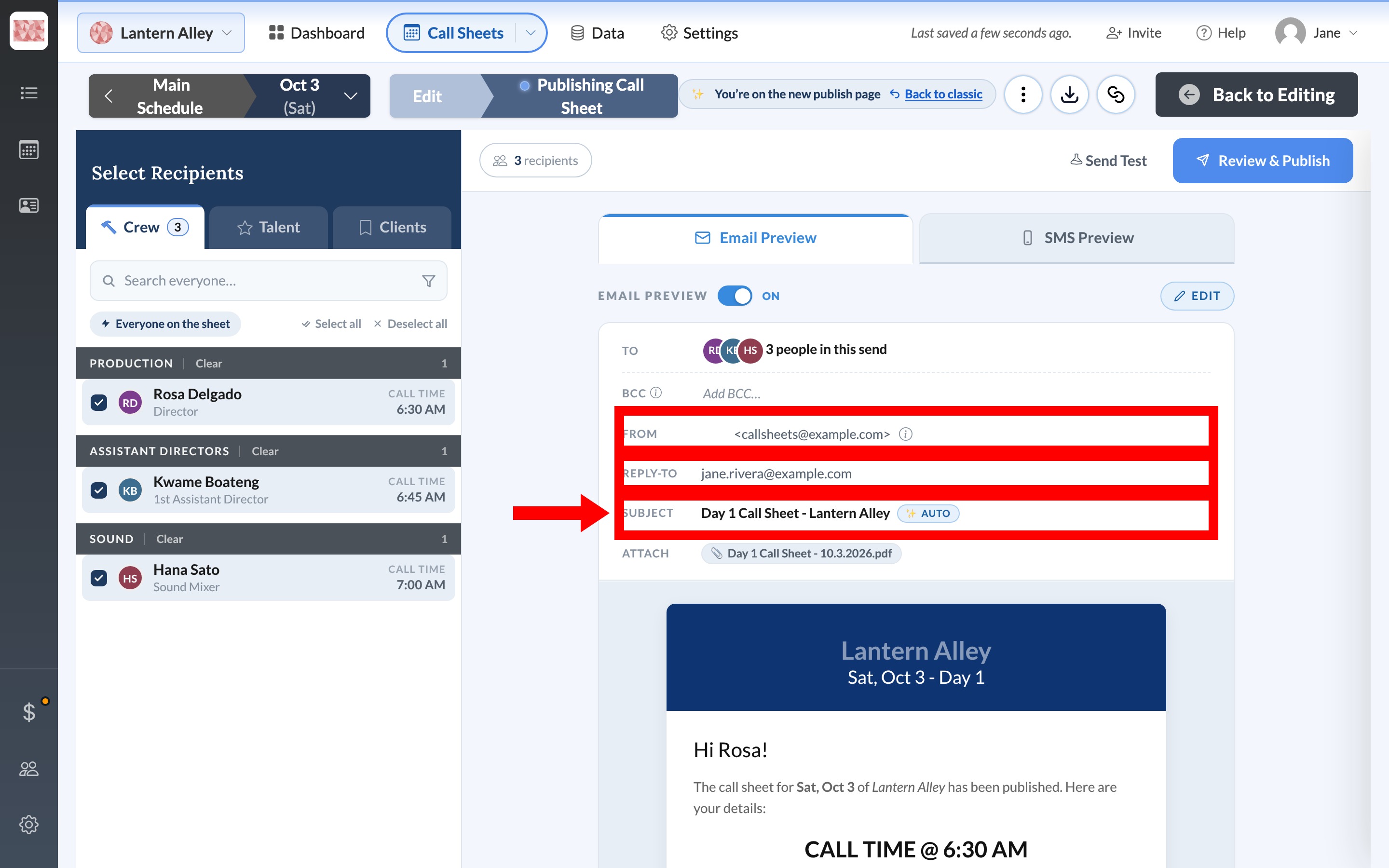
The email
Open Email Preview on the right side of the publish page. The subject is filled in automatically as Day 1 Call Sheet - Project Name, and Reply-To is the address people use if they write back.
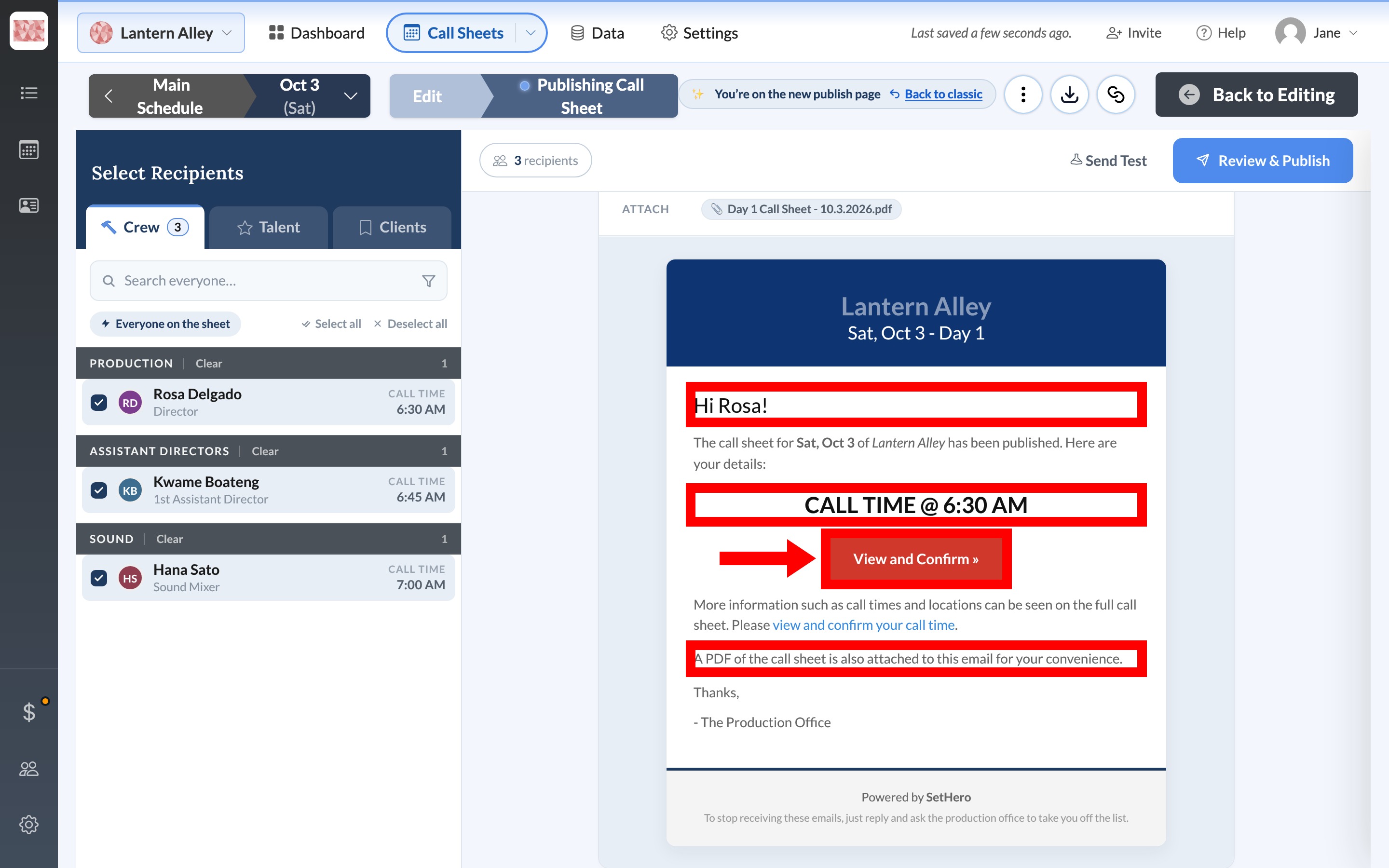
The body greets each person by first name, shows their personal call time in large type, and includes a View and Confirm button that opens the web call sheet.
The text message
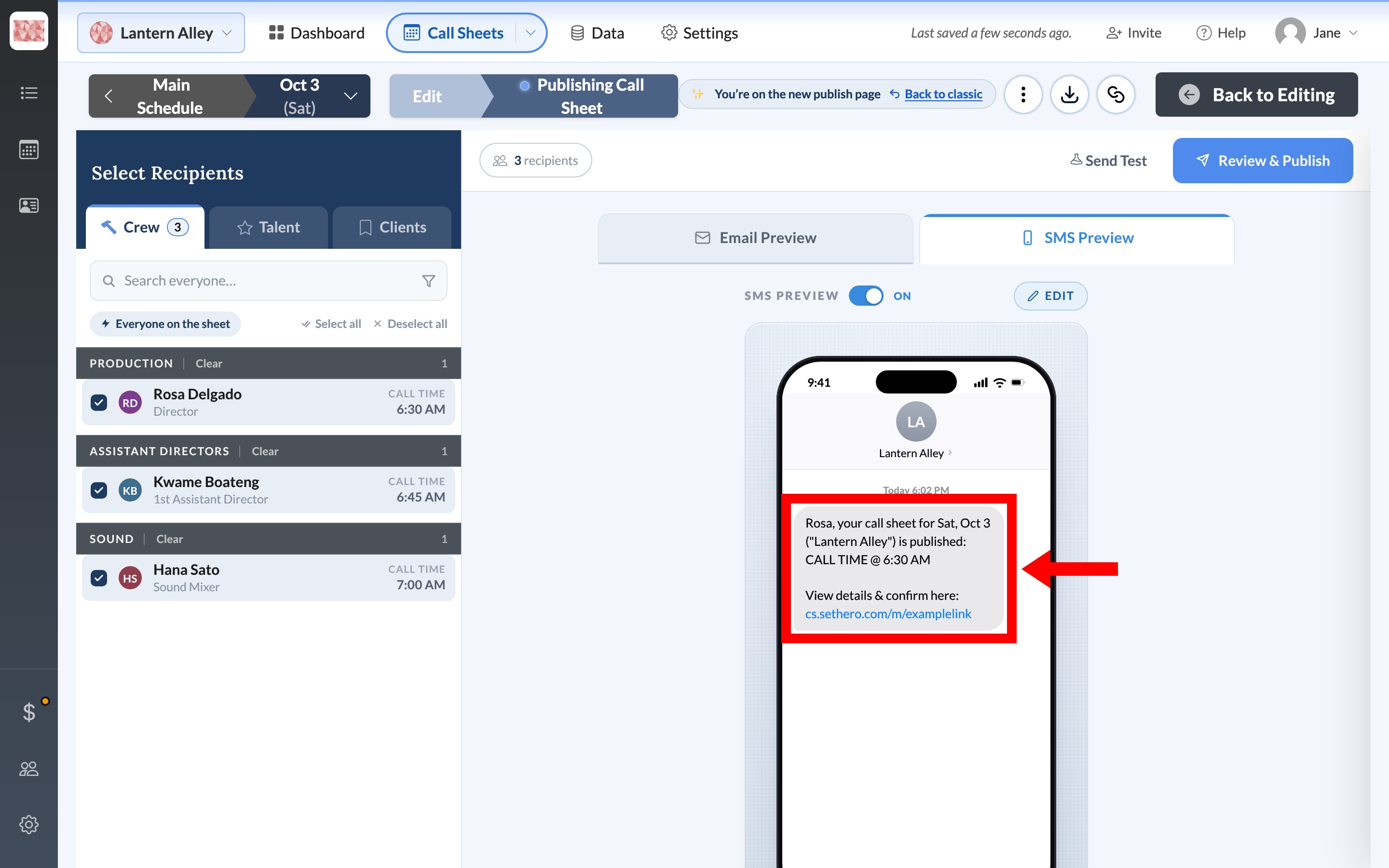
SMS Preview shows a shorter version of the same notice: the person's name, the shoot date, the project, their call time, and a link to the web call sheet.
Note: Texts go only to people with a mobile number and Allow SMS sending turned on. Emails go only to people with an email address and email permission. Anyone else is skipped for that channel. See Required info for sending email and text for what each person needs.
The web call sheet
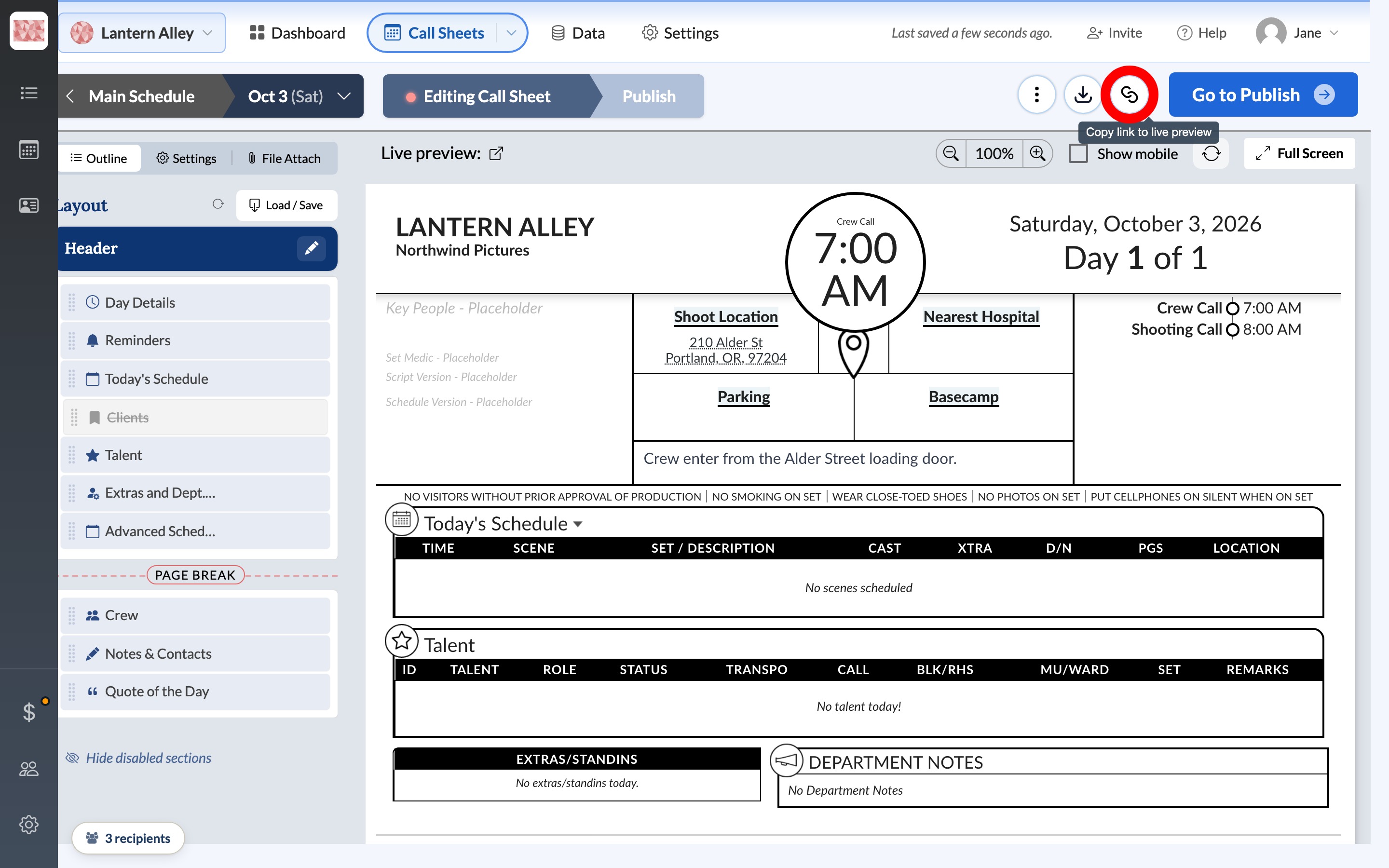
The button in the email and the link in the text open the same web call sheet. You can look at it yourself from the editor: in the workbar, select the chain icon labeled Copy link to live preview and paste the link into a browser.
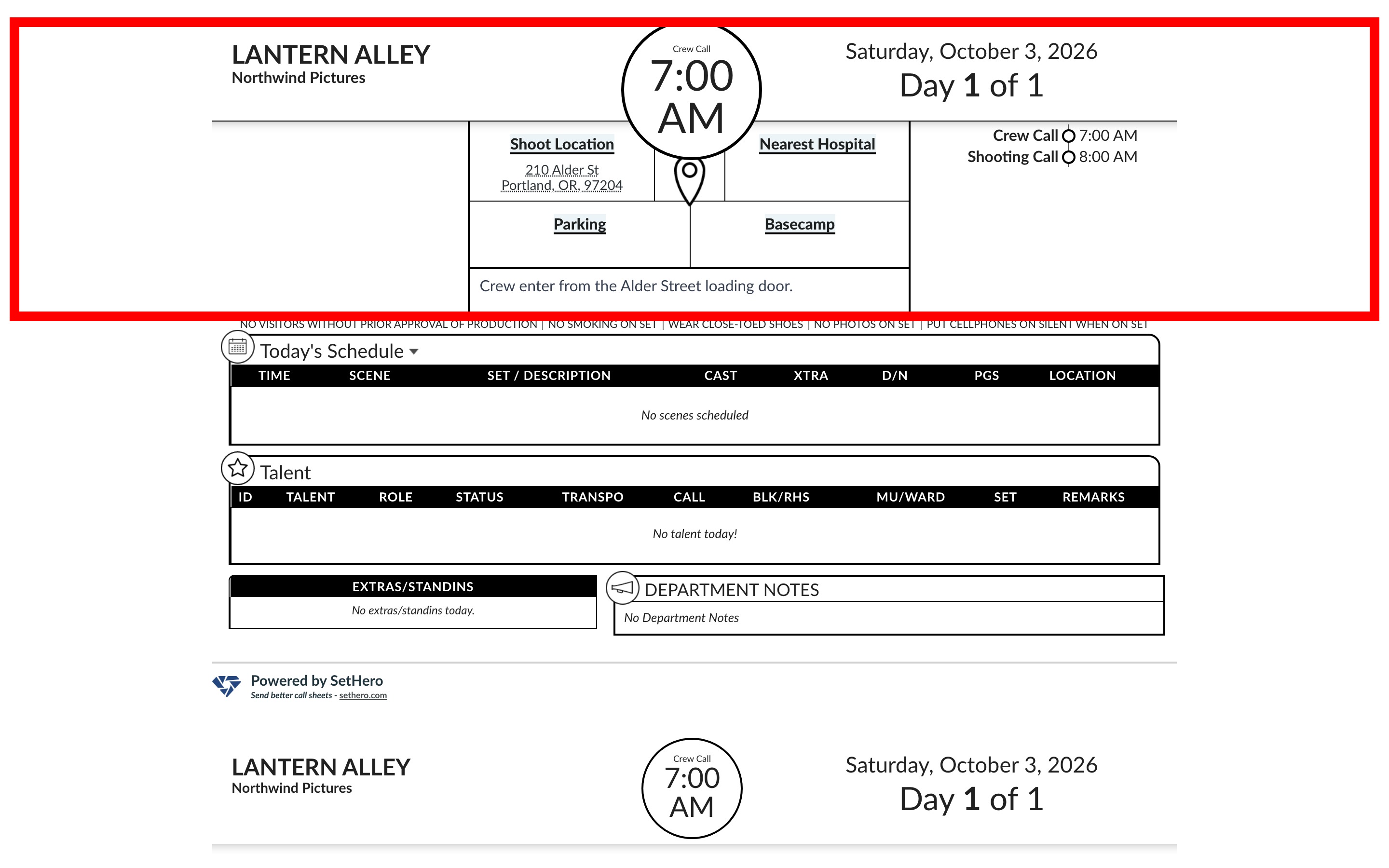
On a desktop, it's the full call sheet: project name, date, general crew call, location, your notes, and the crew list with each person's time.
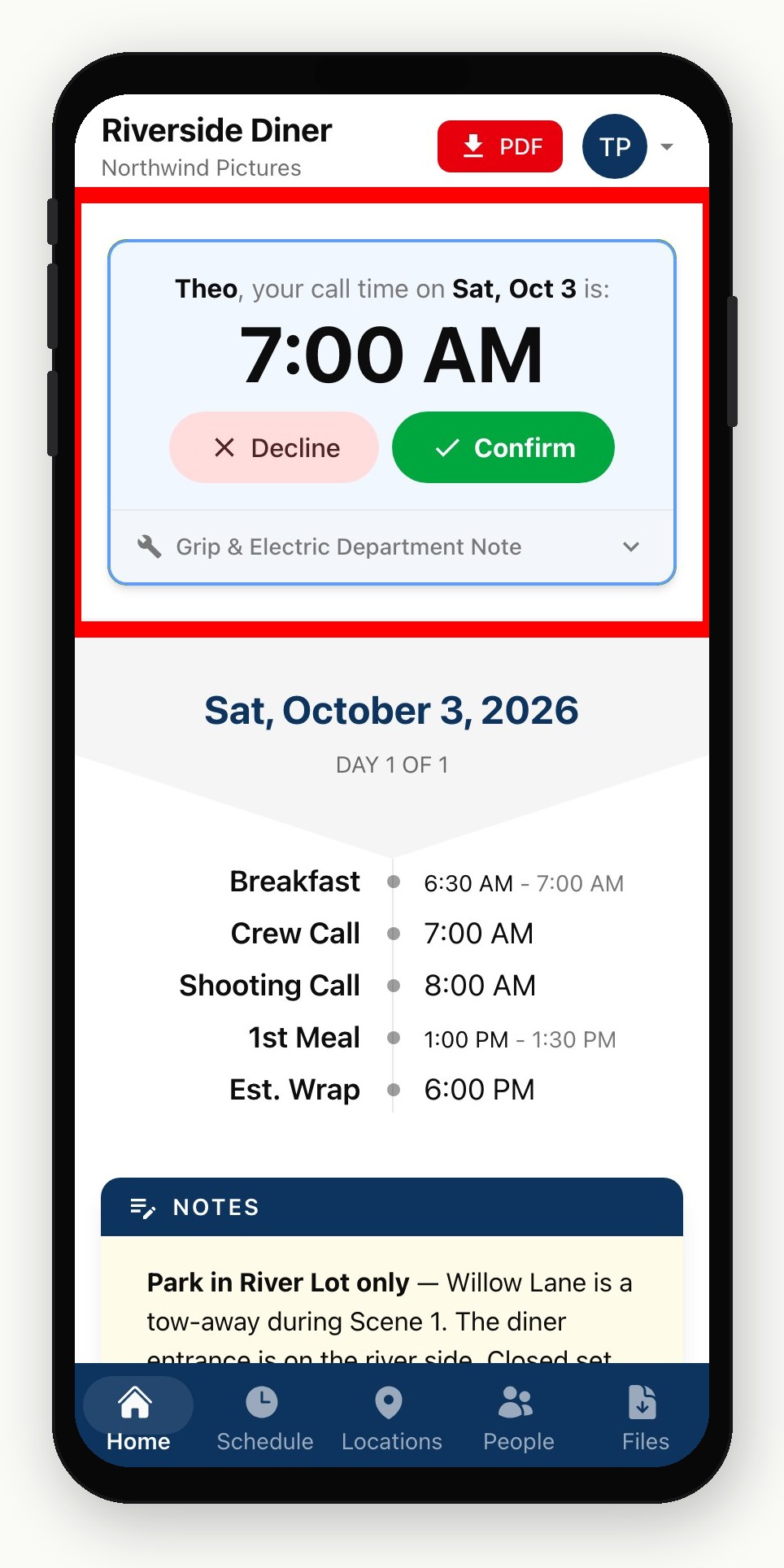
On a phone, Home shows that person's name and call time, with Confirm and Decline buttons. Icons along the bottom open Schedule, Locations, People, and Files. The mobile call sheet is the tab-by-tab tour.
Check it before you send
Open the live-preview link yourself on desktop and on your phone, or send a test call sheet to yourself. Neither publishes the sheet or notifies the crew.
What crew cannot do
Cast and crew don't get a SetHero login. Their link opens only their call sheet. They can't reach your editor, change the sheet, or see other projects. If someone needs to help build and manage call sheets, invite them as a teammate.
When the previews look right, Publish and send a call sheet walks through the actual send.