Upgrade a single project
Choose project size, compare short and long form, and complete payment
A per-project upgrade buys cast and crew slots and shooting days for one project. Nothing else in the company changes, and no other project gets bigger. This is the path to take when you need to pay for a single shoot, or when SetHero has told you Project Upgrade Required.
Start the upgrade
Go to Company Billing, find the project you want to upgrade, and click Upgrade. Billing basics walks through the rest of that page.
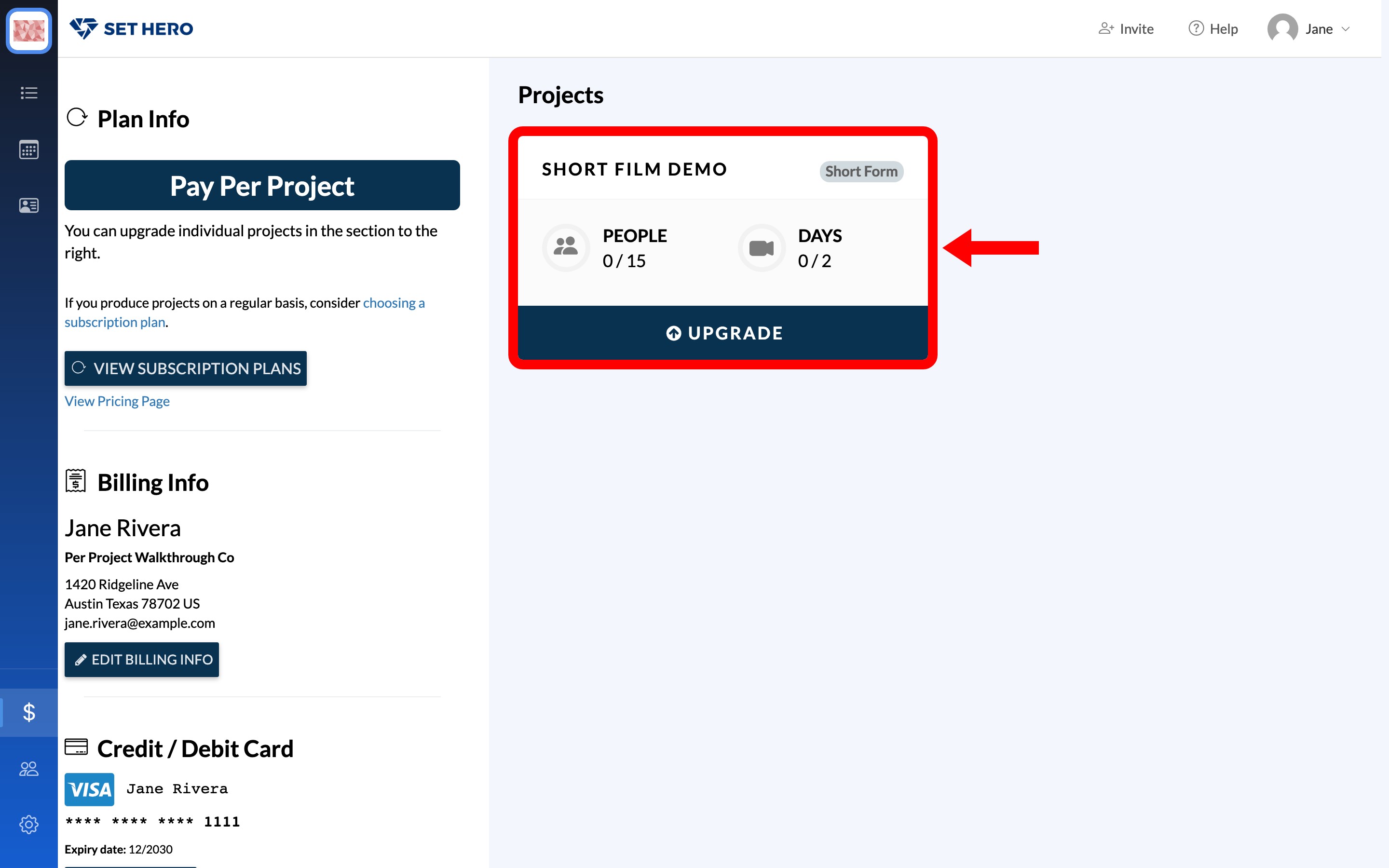
Note: If the button says Add Extra People / Days, your company uses subscription billing instead. On that plan, you add individual people or days rather than purchasing a per-project upgrade.
Subscription or per-project billing: which one and how to switch explains which one you are on.
If a project exceeds its limits, SetHero may prompt you to upgrade when you publish, schedule a send, or export data. Follow the prompt to open Company Billing or go directly to the upgrade options. Project size limits: people and days covers what counts against the limits.
Choose short form or long form
Choose the project type based on the number of shooting days:
- Short Form — 12 shooting days or fewer, paid as a one-time charge.
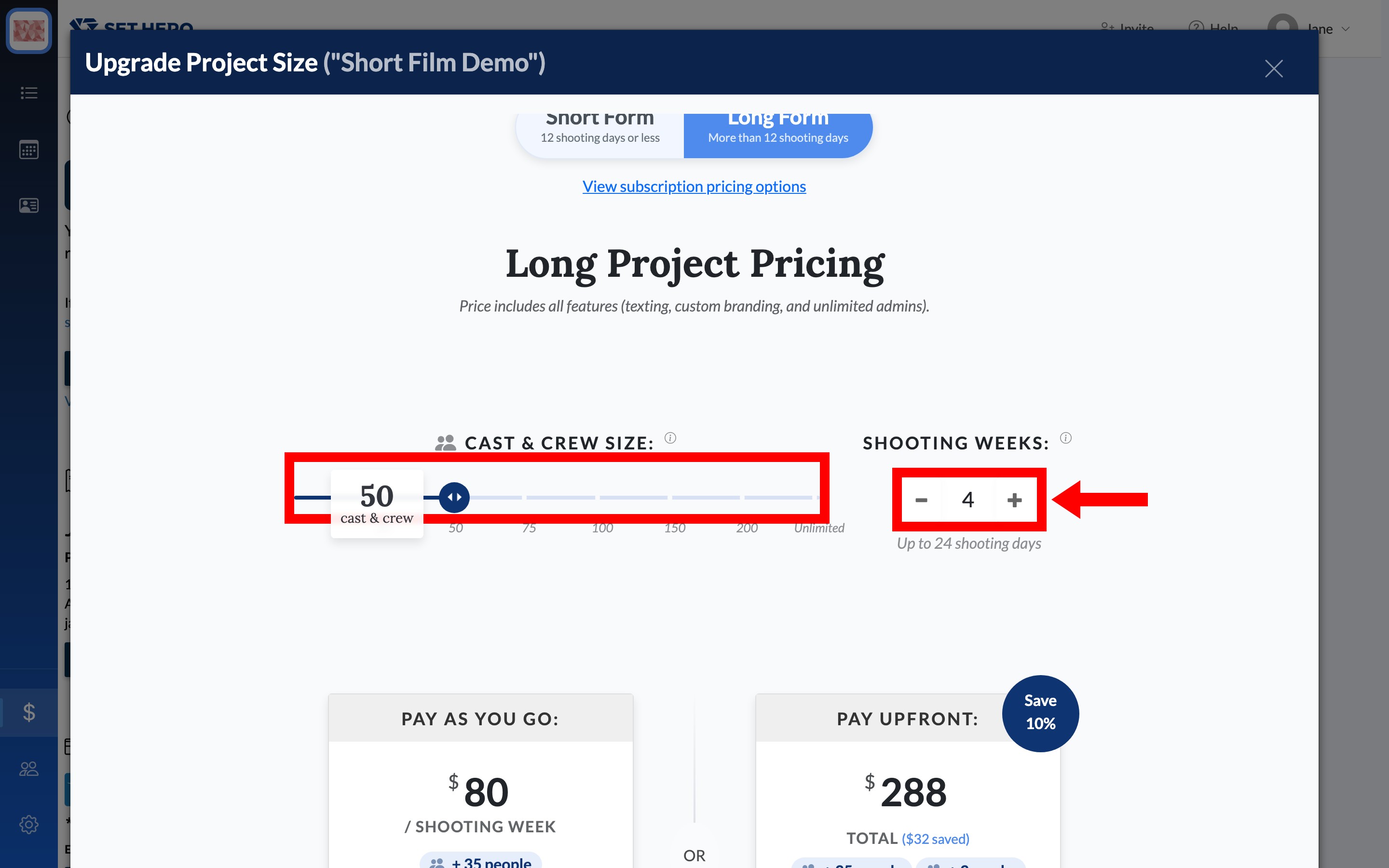
- Long Form — more than 12 shooting days, priced in shooting weeks. One shooting week equals six shooting days, with a minimum of three weeks.
Tip: Count your shooting days first. For 12 days or fewer, choose Short Form. For more than 12 days, choose Long Form, then decide whether to pay weekly until you cancel or pay upfront for 10% less.
The price includes all features, including texting, custom branding, and unlimited admins.
Set the project size
Choose the total capacity the project needs:
- Cast & Crew Size is the total number of people stored in the project.
- Shooting Days is the total number of days you plan to shoot.
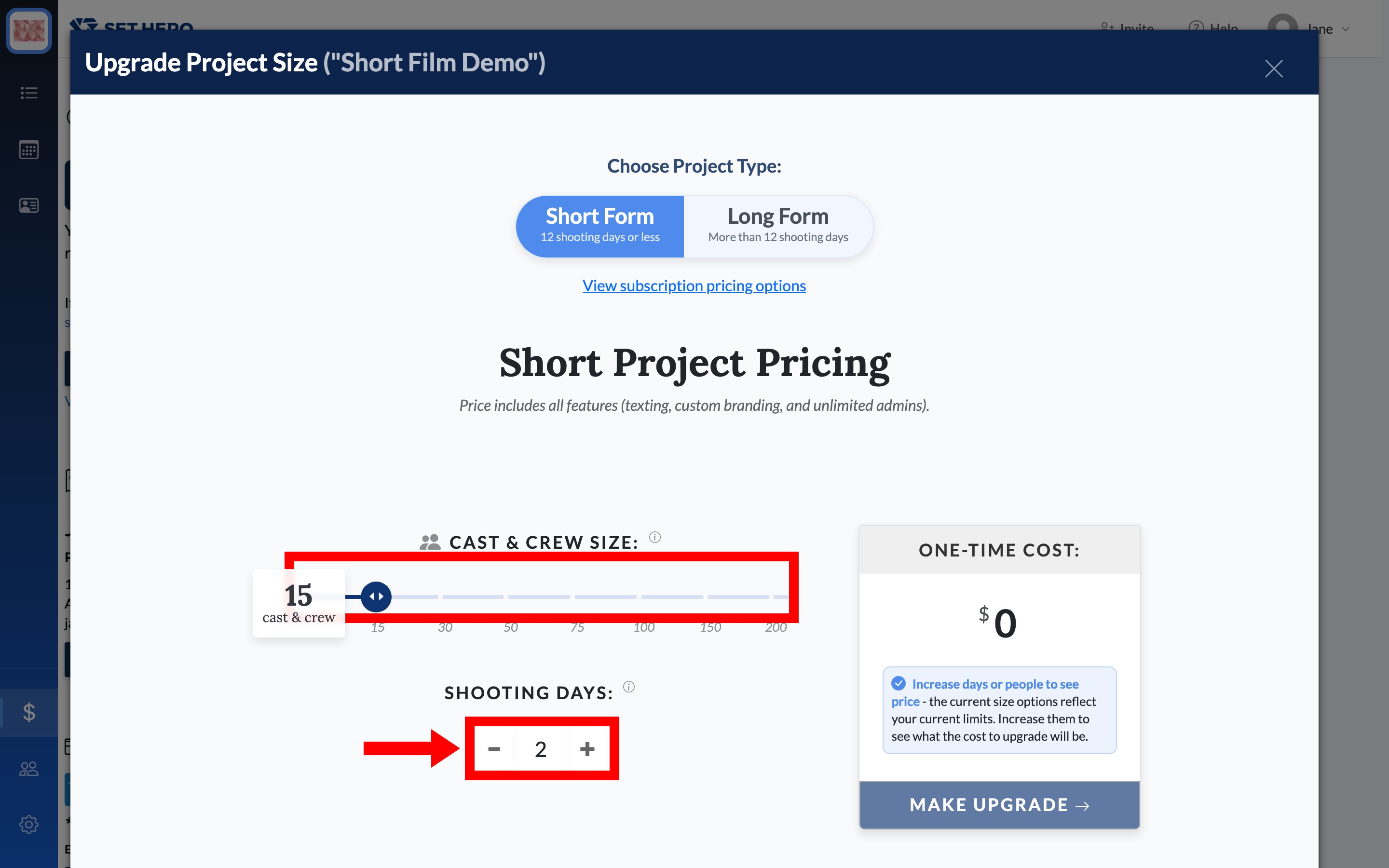
Project sizes can only increase. Keep these limits in mind:
- Selecting 100 or more people gives the project unlimited people.
- Short-form projects can have up to 12 shooting days.
- Long-form projects use Shooting Weeks instead of days, with six shooting days per week and a three-week minimum.
Choose how to pay for long form
Long-form projects offer two payment options:
- Pay as you go — billed per shooting week as a weekly subscription. Company Billing labels this Pay-As-You-Shoot.
- Pay upfront — pay the full amount as a one-time charge and save 10% compared with the weekly total.
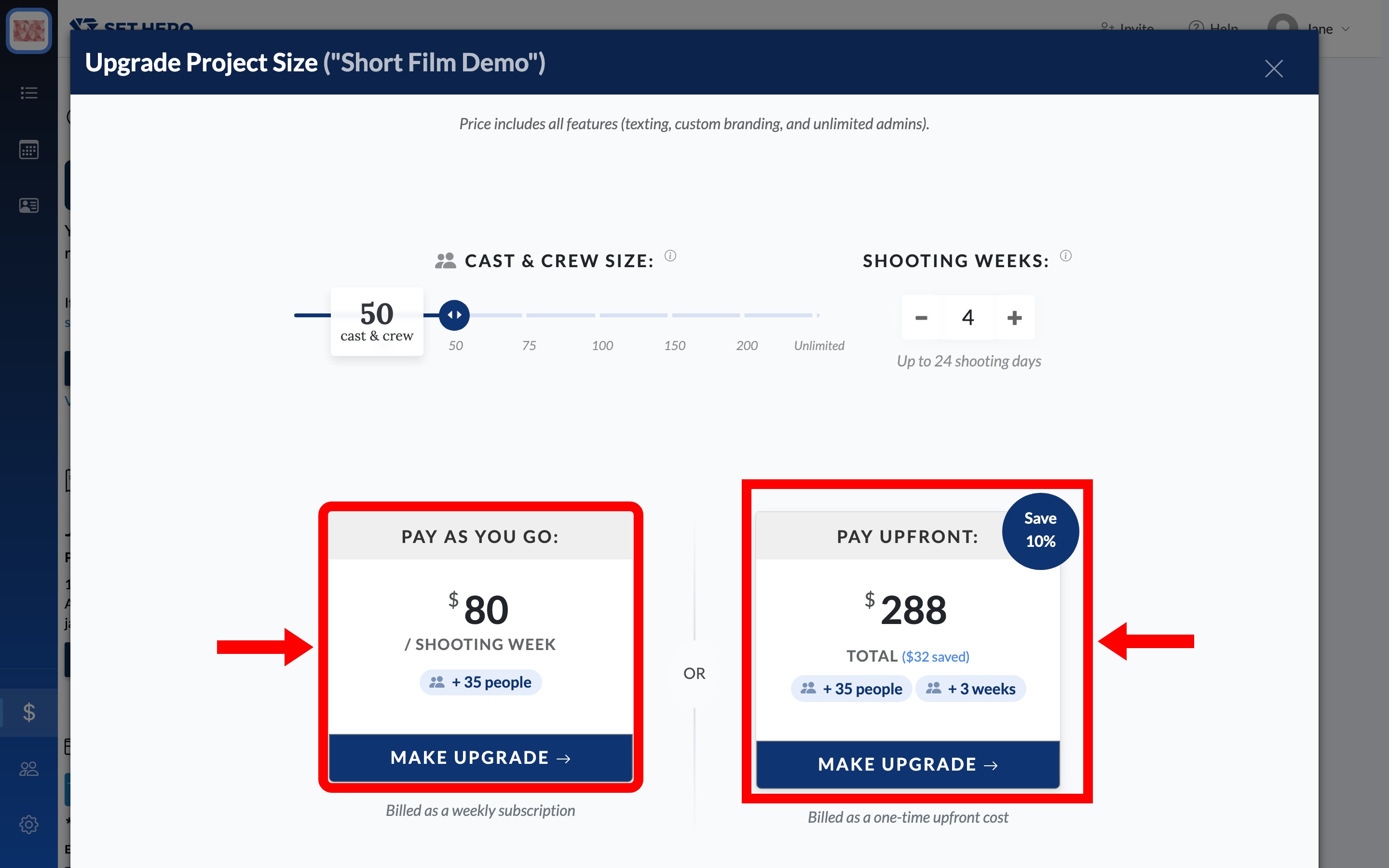
For pay as you go, click Make Upgrade, then set a start date under Subscription Details: Today or On a future date. The subscription renews weekly until you cancel it. There is no Review Order step on this path — Upgrade Subscription starts the subscription and charges the card on file right away, and it is also where SetHero asks for billing details if the company has no card yet.
If you choose a future start date, the project is unlocked immediately for everything except publishing. Publishing becomes available when the subscription starts.
Important: A weekly subscription continues billing after the shoot wraps and even if the project is archived. To stop billing, go to the project card on Company Billing and click Cancel.
Review and complete the order
For Short Form or Long Form paid upfront, review the final total before completing the order.
- Click Make Upgrade to open Review Order.
- Check the itemised charge and the Total to be charged today. Add a code in the + Add Coupon Code field if you were given one.
- Click Complete Order.
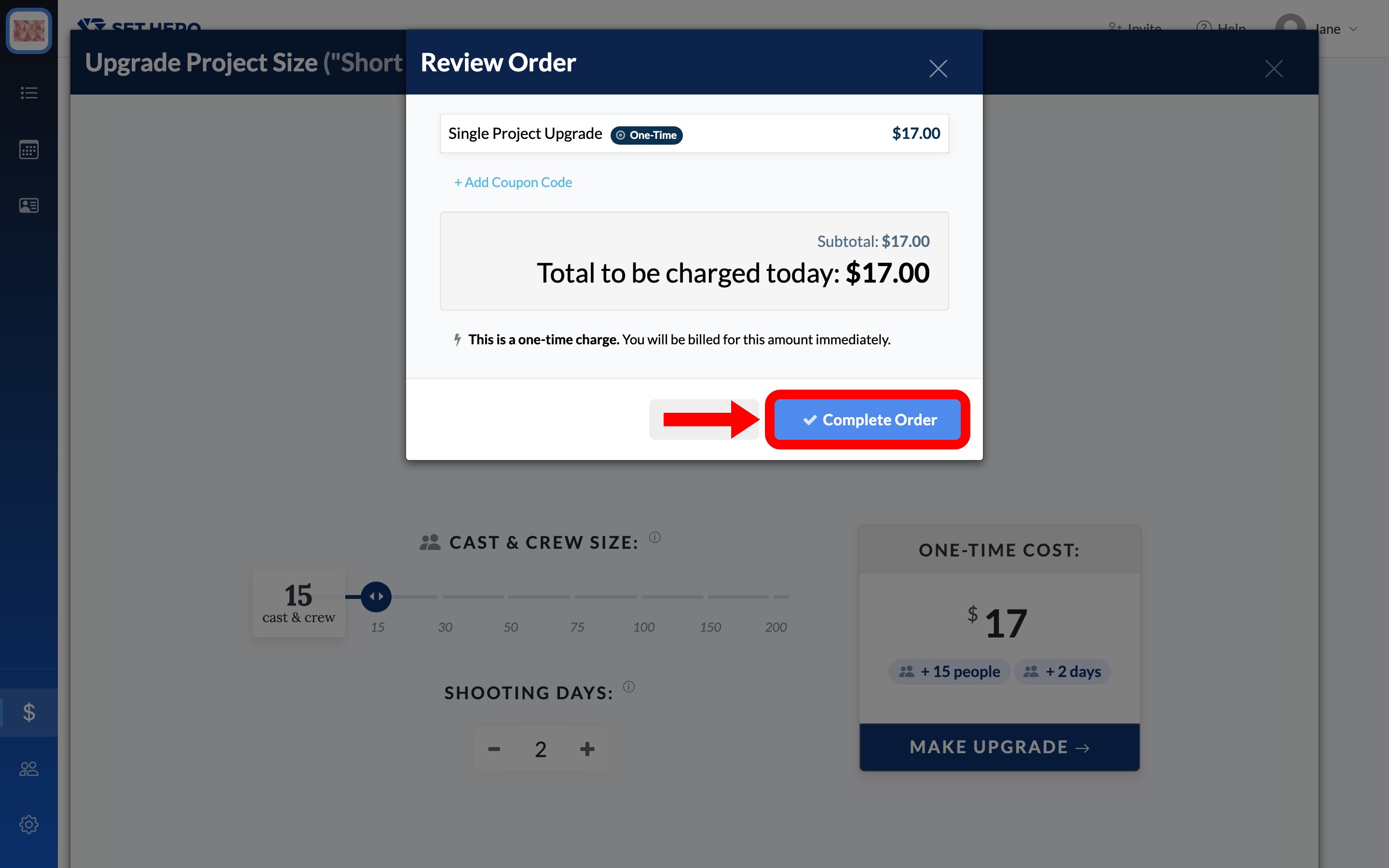
Complete Order charges the card on file immediately, with no additional confirmation. Check the project size, payment option, and total before continuing. If the wrong size went through, Refunds and billing mistakes explains what to do next.
If the company has no card on file yet, SetHero interrupts with First time billing setup. and a Setup Billing button. Fill in that form and the upgrade picks up where it left off, back at Review Order. Payment card, renewals, and invoices has the details of that form.
After the upgrade
After payment, the project card shows its new people and day limits. Any actions that were blocked because the project exceeded its limits—such as publishing, scheduling sends, or exporting—become available once the project is back within those limits.
A project with an allowance over 12 shooting days becomes Long Form. To change a long-form project back to Short Form, contact SetHero Support.
Important: An upgrade applies only to the project you purchased it for. It cannot be transferred to another project, and duplicating the project does not copy its paid size. Duplicate an existing project explains what a duplicate does carry over.
If the purchase fails
A failed upgrade leaves the project at its previous size, so nothing is left partly upgraded or paid. To try again:
- On Company Billing, select Replace Card and carefully enter the card details again.
- Hard-refresh the page: press
Cmd+Shift+Ron a Mac orCtrl+Shift+Ron Windows. - Run the upgrade again from the project's card.
If it still fails, contact the bank, or email support@sethero.com with the project name and the exact error message. Payment card, renewals, and invoices explains what each error means.