Subscription or per-project billing: which one and how to switch
Choose between billing types, check your current one, and switch
Every SetHero company uses one of two billing types:
- A subscription covers the whole company.
- Per-project billing lets you purchase capacity for one project at a time.
A company can use only one billing type at a time. You can view or change it from Company Billing. Billing basics covers the rest of that page.
What a subscription is
A subscription is a company-wide plan. Its price depends on:
- Projects per year — the number of active projects your company expects to run in 12 months
- Billing term — monthly or yearly
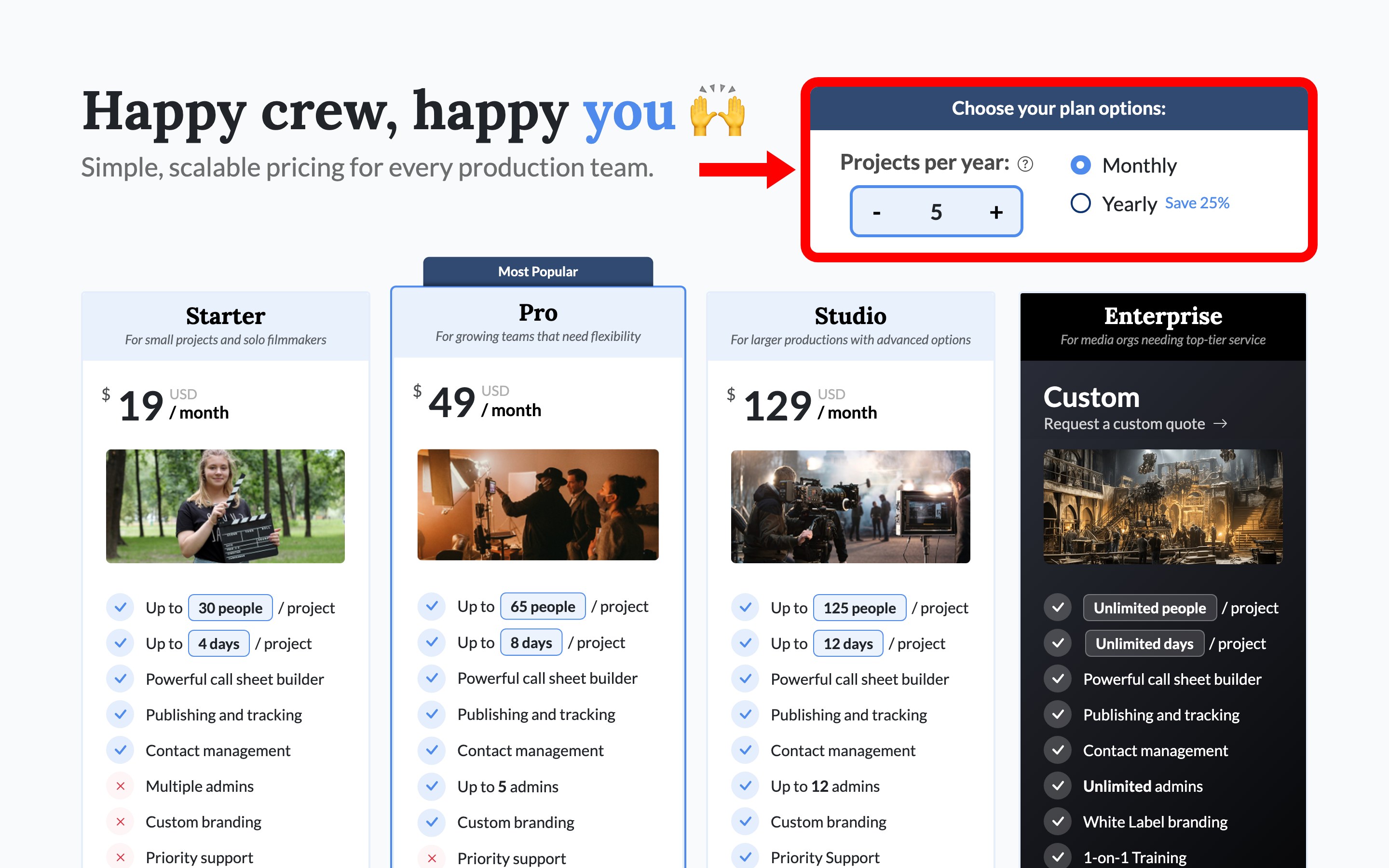
Each plan sets a baseline for the number of cast and crew, shooting days, and company admins included. Subscription plans explained walks through what each plan includes.
These limits are not a hard ceiling for individual projects. If one project needs more capacity, use Add Extra People / Days on its project card. Extra capacity costs $1 per person and $8 per day and does not change your company plan. Project size limits: people and days explains how the People and Days meters are counted.
What per-project billing is
Per-project billing has no company-wide plan. You purchase capacity for an individual project, and that purchase applies only to that project. There is no limit to how many projects you can bill this way.
The available options depend on the project's length:
- Short Form — 12 shooting days or fewer. Choose the cast and crew capacity and number of shooting days, then pay a one-time cost.
- Long Form — more than 12 shooting days. Choose a number of shooting weeks, then pay upfront or use a weekly Pay-As-You-Shoot subscription that continues until canceled.
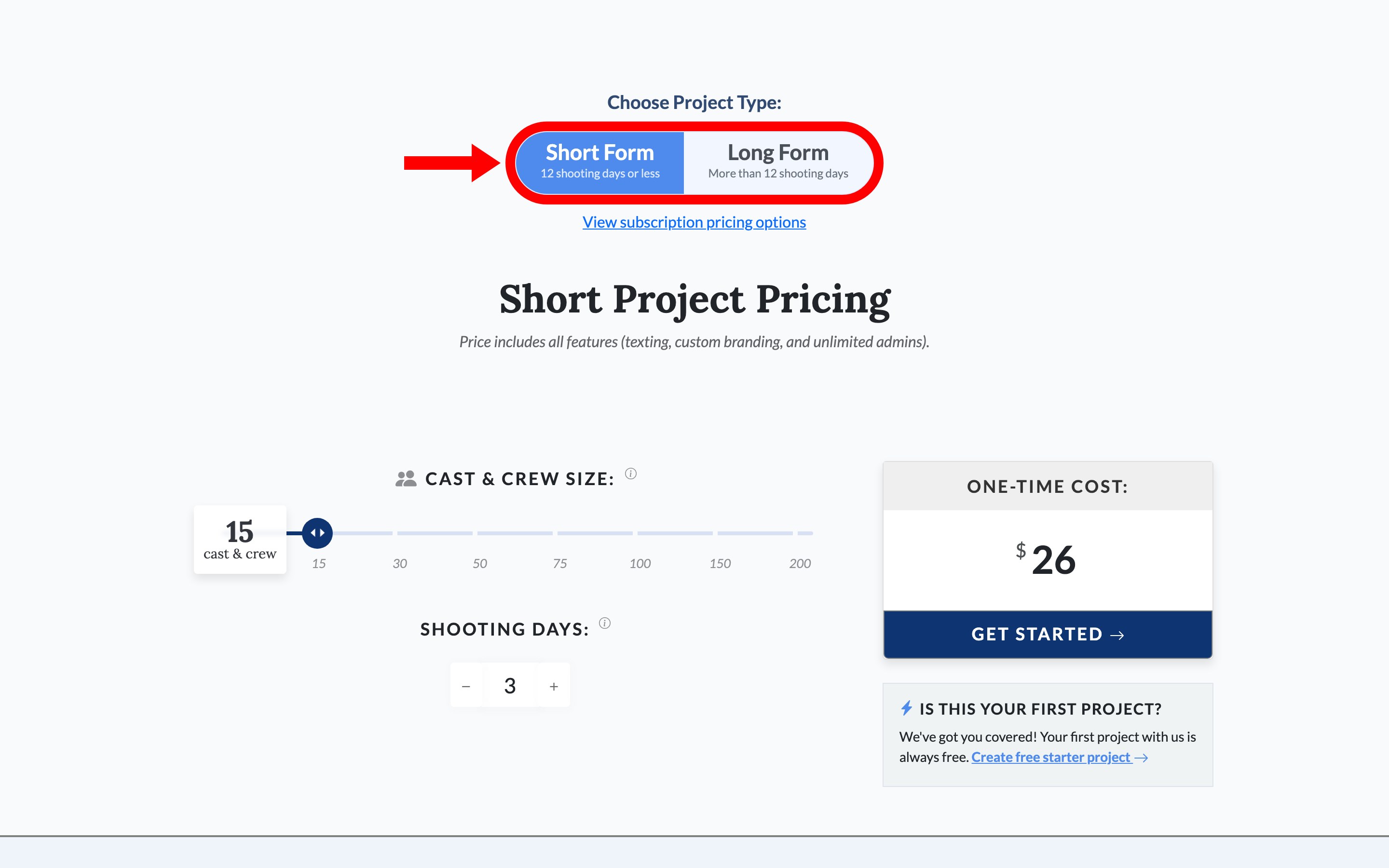
Upgrade a single project covers buying that upgrade step by step.
Which billing type to choose
The best option depends on how often your company produces projects:
- Choose a subscription if you shoot regularly. This is usually the better fit for agencies and production companies with several projects each year. One company plan covers every project and determines your admin allowance and whether SetHero branding appears on call sheets.
- Choose per-project billing if you shoot occasionally. This works well for a single feature, short, or campaign followed by long gaps between projects. You pay only when you have a project. Project pricing includes texting, custom branding, and unlimited admins.
When comparing costs, consider:
- Whether you need to remove SetHero branding from call sheets
- The size of your cast and crew
- The number of shooting days you publish
If your projects are large in more than one of these areas, price both options before choosing.
Tip: SetHero recommends a subscription for companies that produce projects regularly. Per-project billing is intended for occasional productions.
Tip: You do not need to choose during your free trial. All features and limits remain unrestricted until the trial ends. How your free trial and starter project work explains what changes on the last day.
Check your current billing type
Open Company Billing and find Plan Info in the left column. This section will either display your active subscription plan or indicate that your company uses per-project billing.
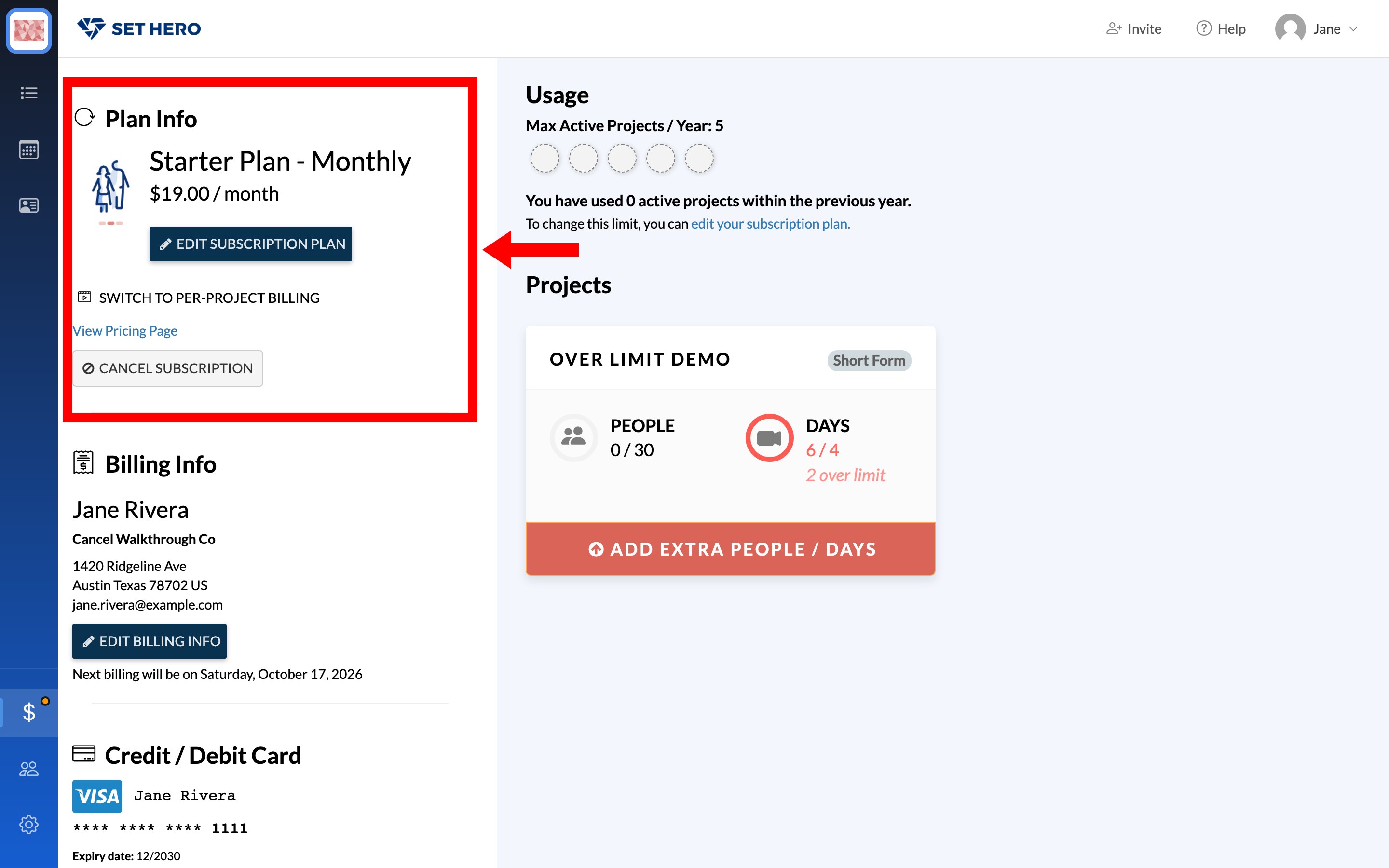
- On per-project billing, the card shows a Pay Per Project label and a View Subscription Plans button.
- On a subscription, the card shows the plan's name and price with an Edit Subscription Plan button.
Switch from a subscription to per-project billing
-
Open Company Billing and find Plan Info.
-
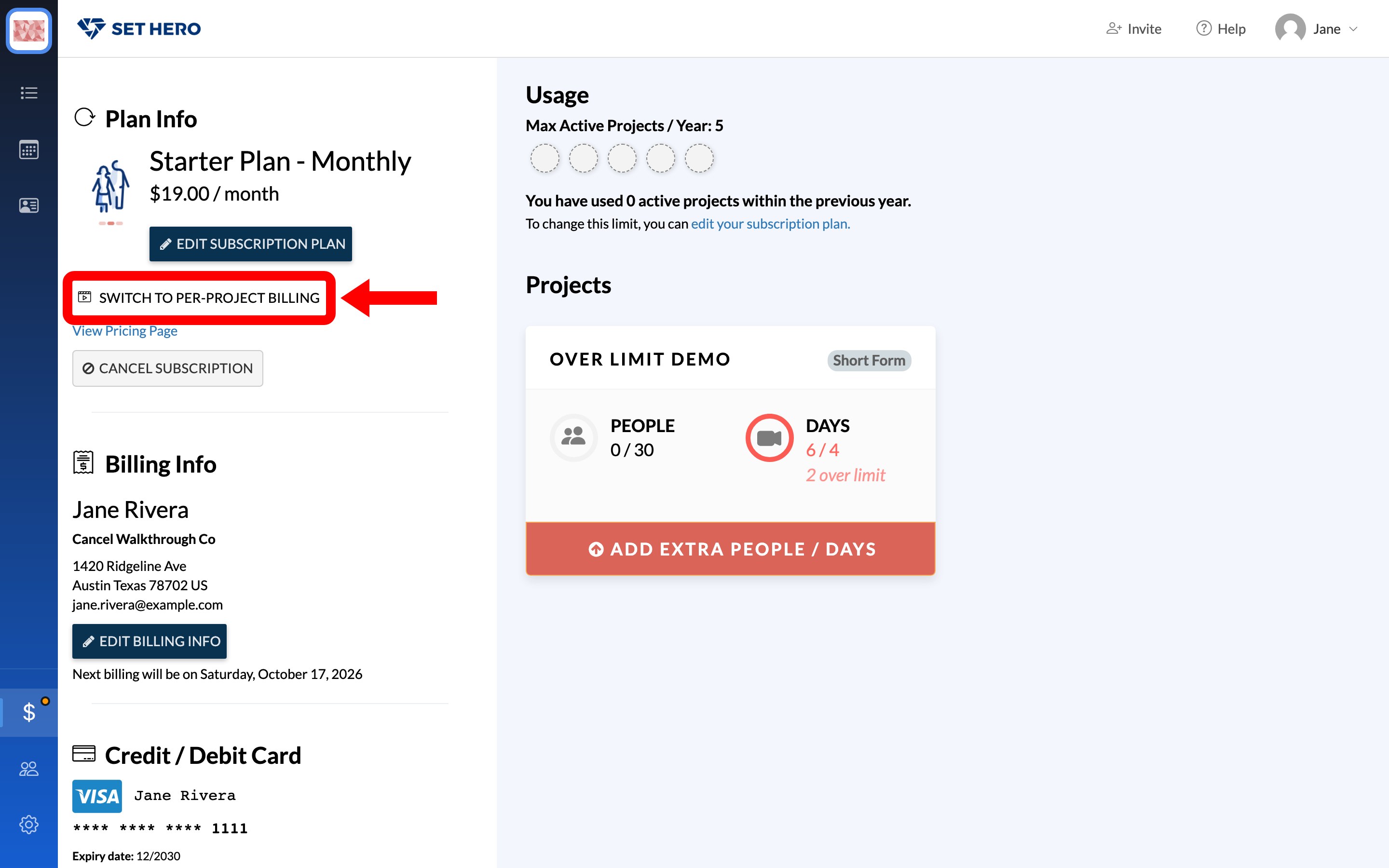
Click Switch to Per-Project Billing.
-
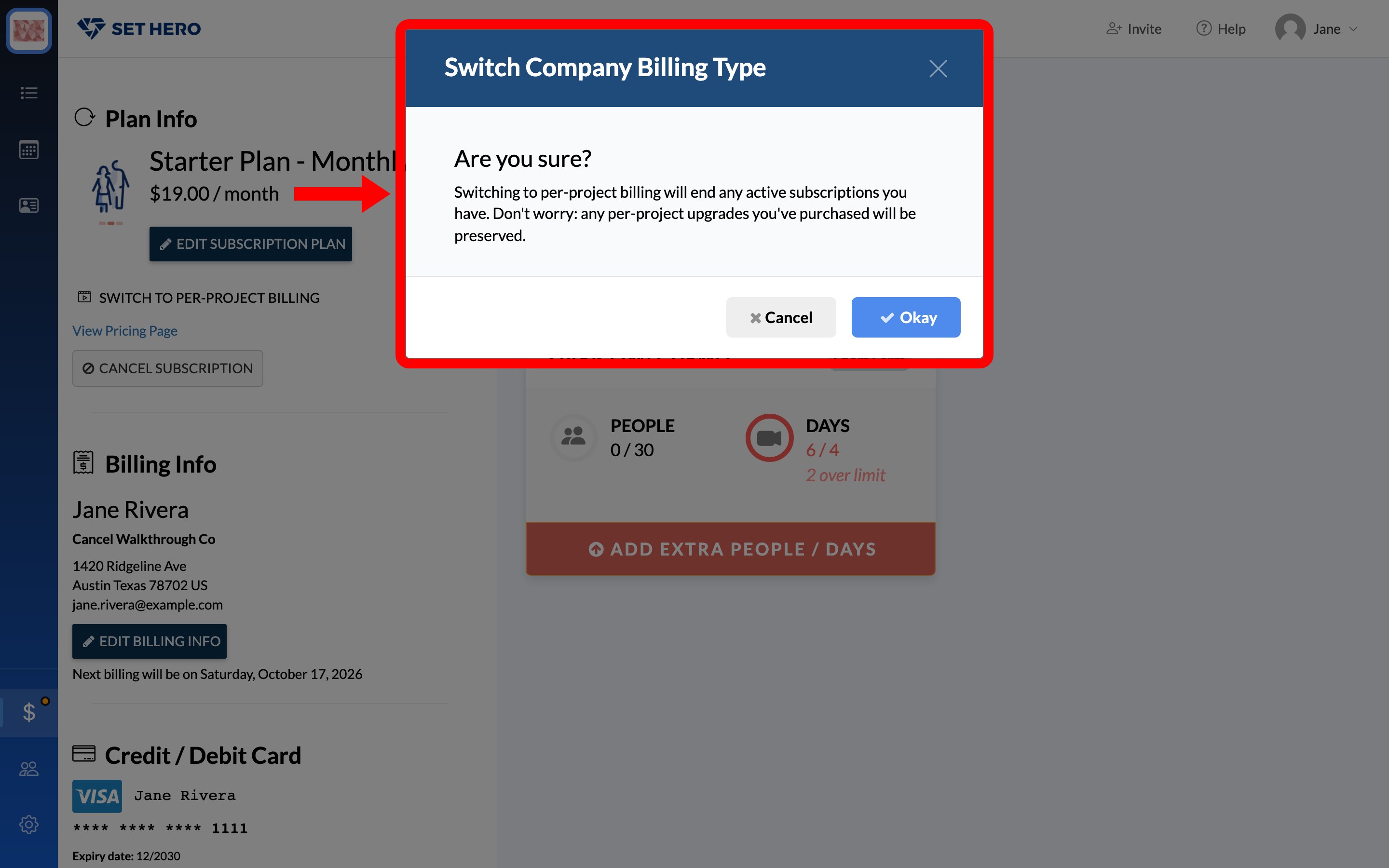
Confirm the change in the Switch Company Billing Type window. Your active subscription will end, but any per-project upgrades you previously purchased will remain attached to their projects.
-
Click Okay to switch, or Cancel to back out. After a successful switch, the page reloads on per-project billing.
Warning: Switching cancels your subscription immediately. SetHero does not prorate or refund unused time on a monthly or yearly plan. If you recently paid, contact support before switching.
Note: A company can switch billing types up to five times. Every switch in either direction counts toward this limit. If you reach the limit, contact support through the in-app chat. Purchasing a subscription to switch back still counts as a switch.
Switch from per-project billing to a subscription
There is no matching button on the per-project side. To switch back, purchase a subscription plan from Company Billing:
- Click View Subscription Plans in Plan Info.
- Choose your plan, a Projects per year count, and Monthly or Yearly.
- Complete the order in the Review Order window. If you do not have a payment card on file, you will be prompted to add billing details first — Payment card, renewals, and invoices covers that form.
Completing the purchase changes the company to subscription billing, with no separate confirmation step. Any existing per-project upgrades remain attached to their projects.
If a project upgrade asks you to switch
If you try to purchase a per-project upgrade while your company has a subscription, SetHero will ask you to switch billing types first. Continuing will cancel your active company subscription.
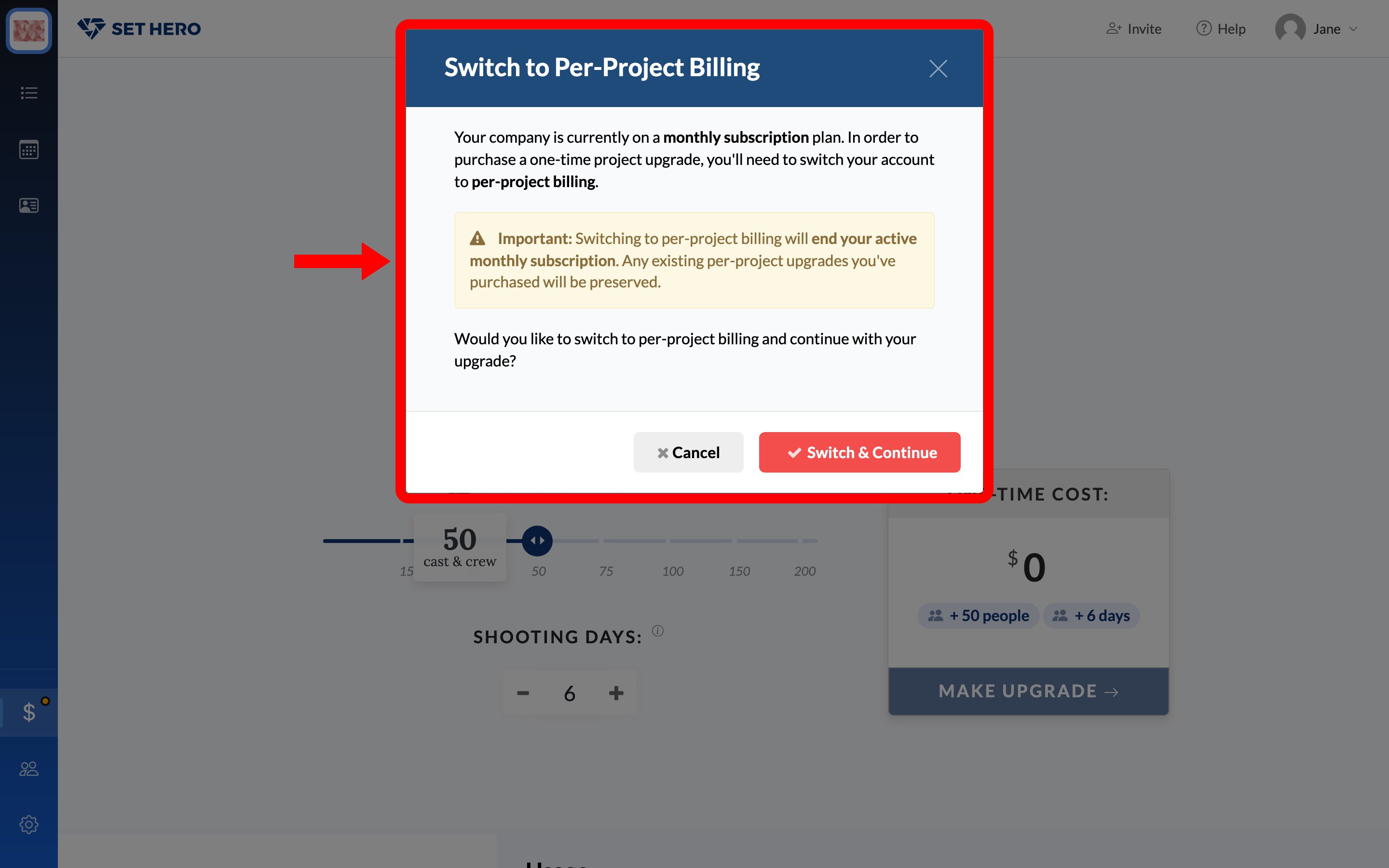
Switch & Continue only performs the switch. The page reloads on per-project billing, and you start the upgrade again from the project's Upgrade button.
If you only need more capacity for one project, use Add Extra People / Days on that project's card instead. This lets you keep your subscription while increasing that project's people or shooting-day limits.
If you purchased the wrong billing type
Charges cannot be moved from a subscription to a project or from one project to another. Contact support through the in-app chat and explain which project or plan you intended to purchase.
Support can refund the incorrect purchase so you can make a new one. You must request the refund within 7 days of the invoice date. The same window applies to annual plan charges, and annual plans are not prorated mid-term. Refunds and billing mistakes covers what to expect.
Switching billing types does not delete your projects, contacts, or published call sheets. It only changes your billing method and account limits, which is also true when you cancel outright — Cancel your subscription covers that case.