Project size limits: people and days
What counts toward People and Days limits, and how to raise them
Every project in SetHero has two size limits: People and Days. If you see You are over the size limits for this project. Please upgrade your subscription. or a red At limit label, one of these limits is full.
There is no limit on how many call sheets or production reports a project can hold.
Check your project limits
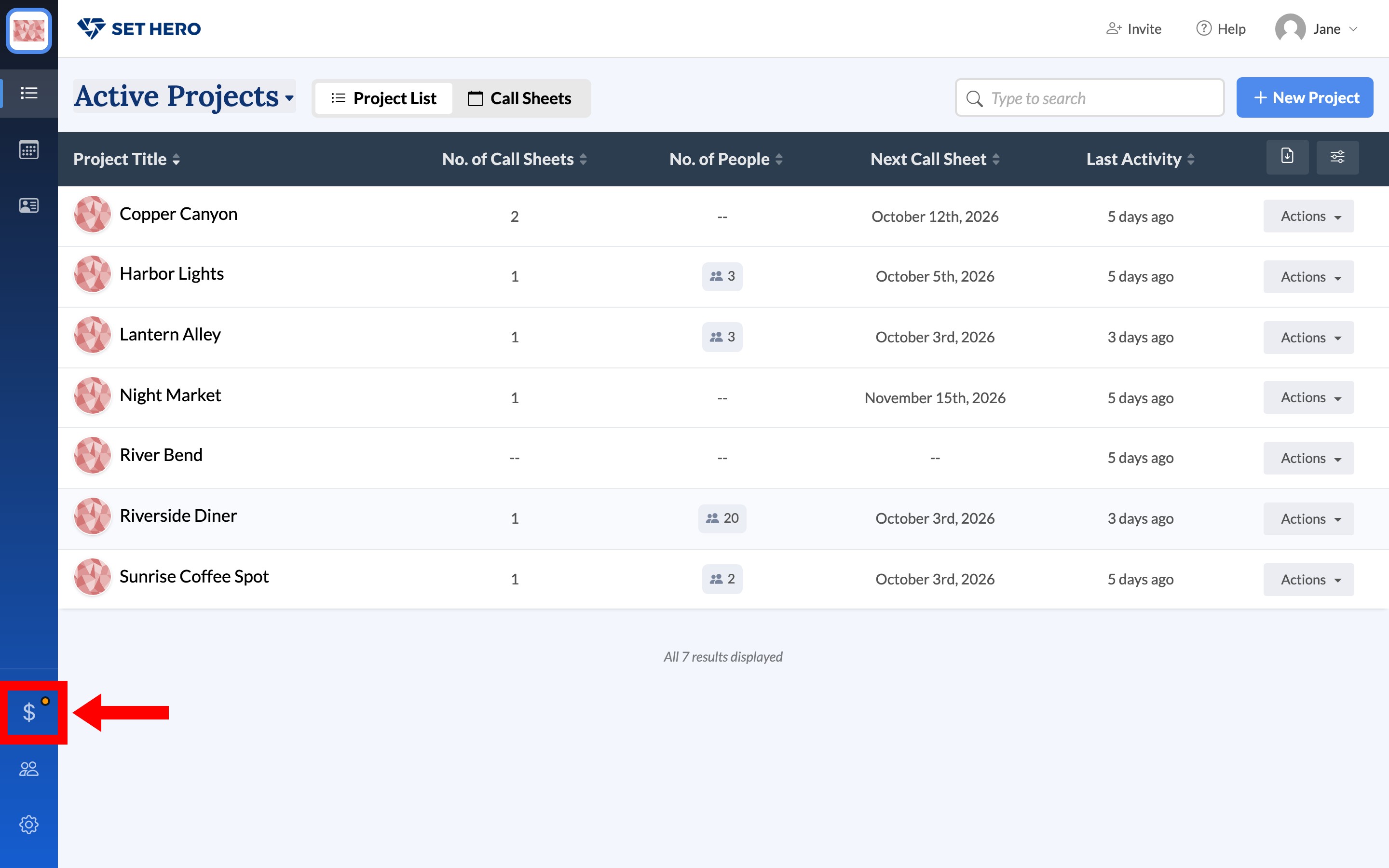
You can check your limits on the Company Billing page, which opens from the dollar icon near the bottom of the left rail. Billing basics walks through the rest of that page.
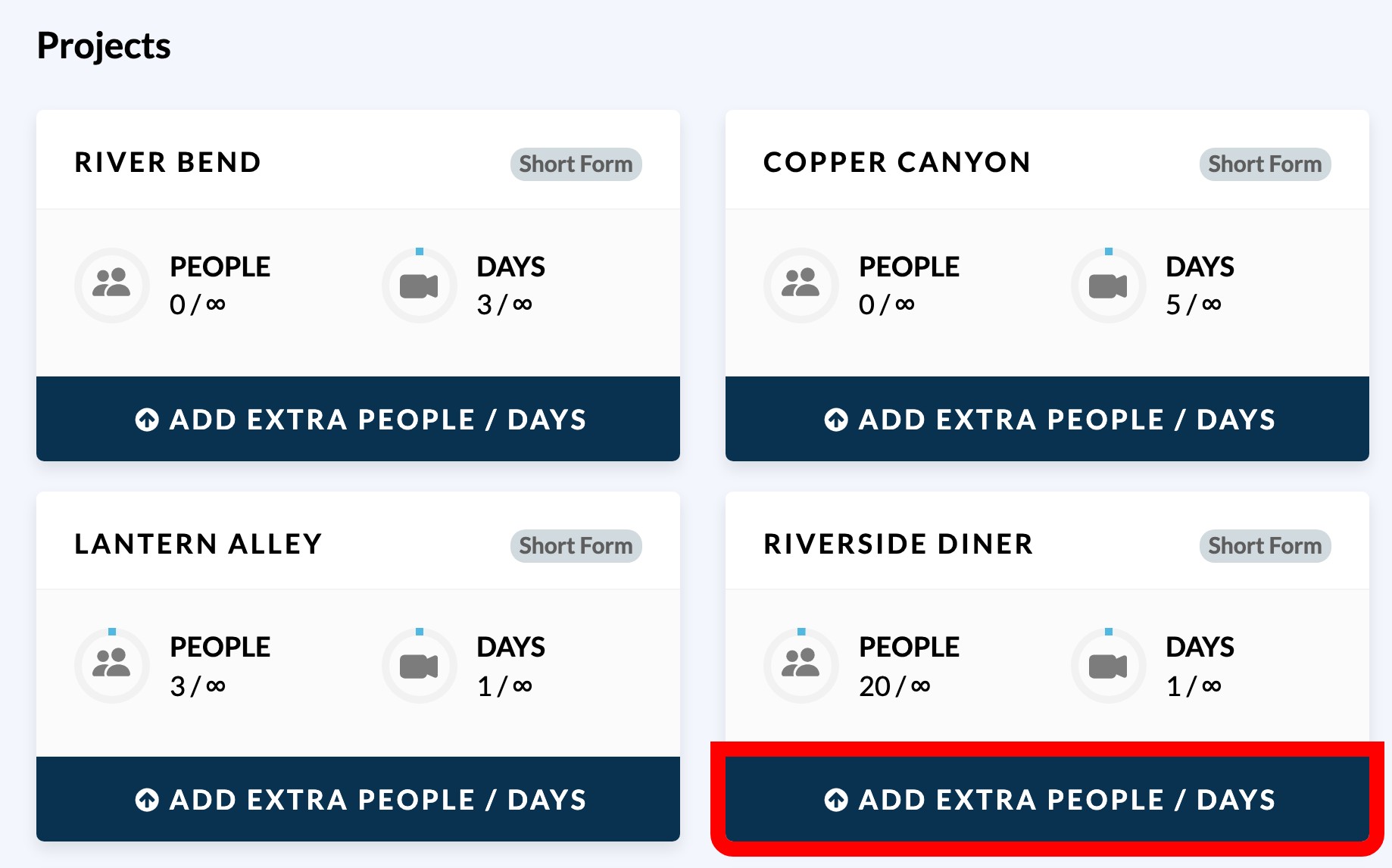
Under Projects, each active project has a card showing its PEOPLE and DAYS usage as the amount used over the amount allowed.
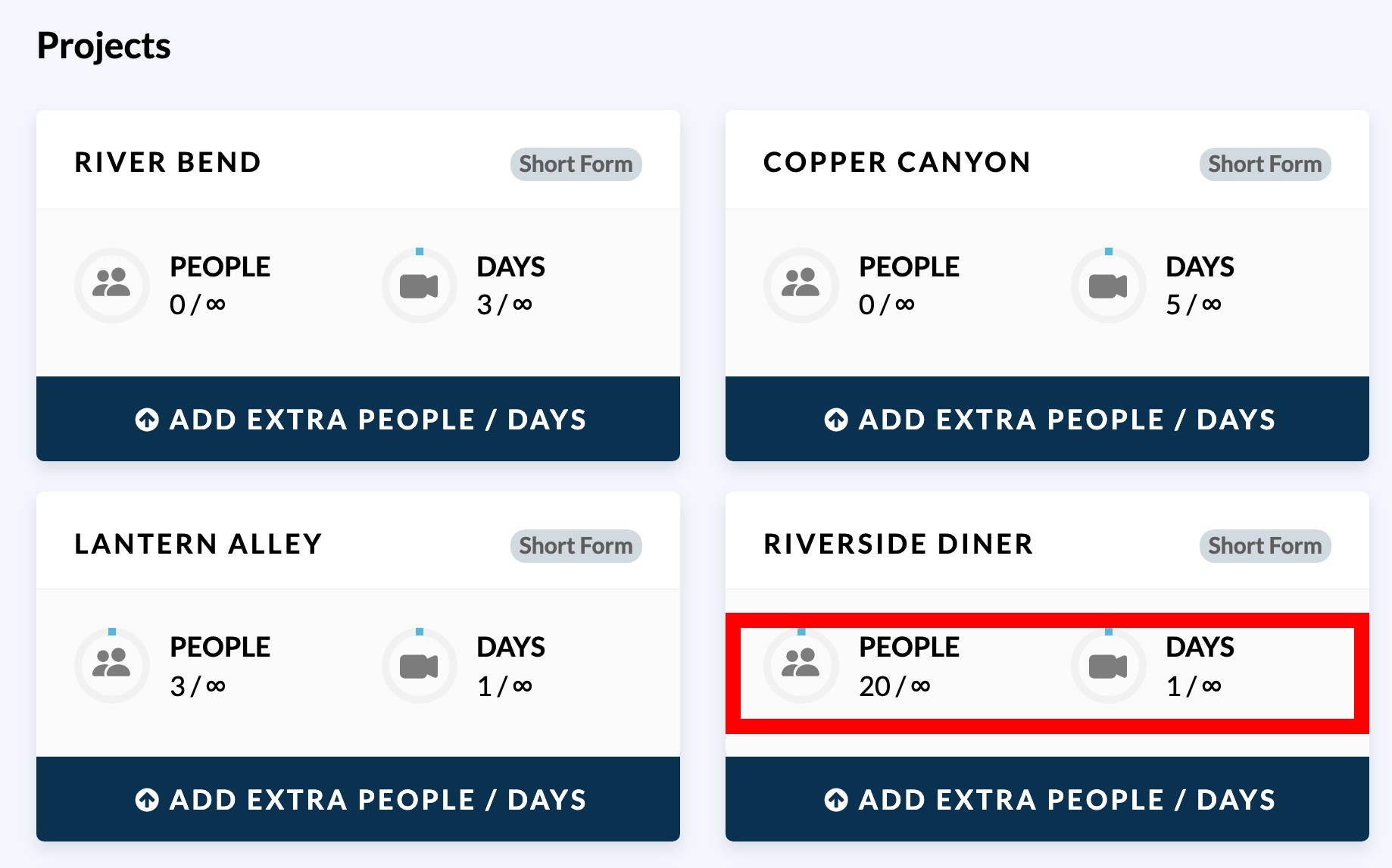
An ∞ instead of a number means the limit is unlimited. When a meter is full, its number turns red and the card shows At limit. If the project exceeds the limit, the label shows how far over it is, such as 2 over limit.
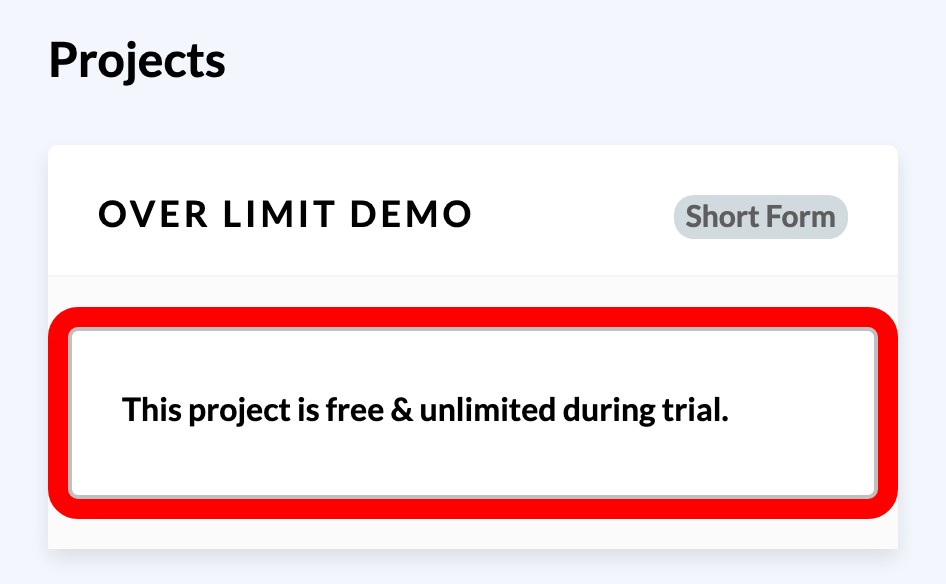
During a free trial, no limits apply. The card shows no meters and no Add Extra People / Days button — it reads This project is free & unlimited during trial. instead. How your free trial and starter project work covers what changes on the last day.
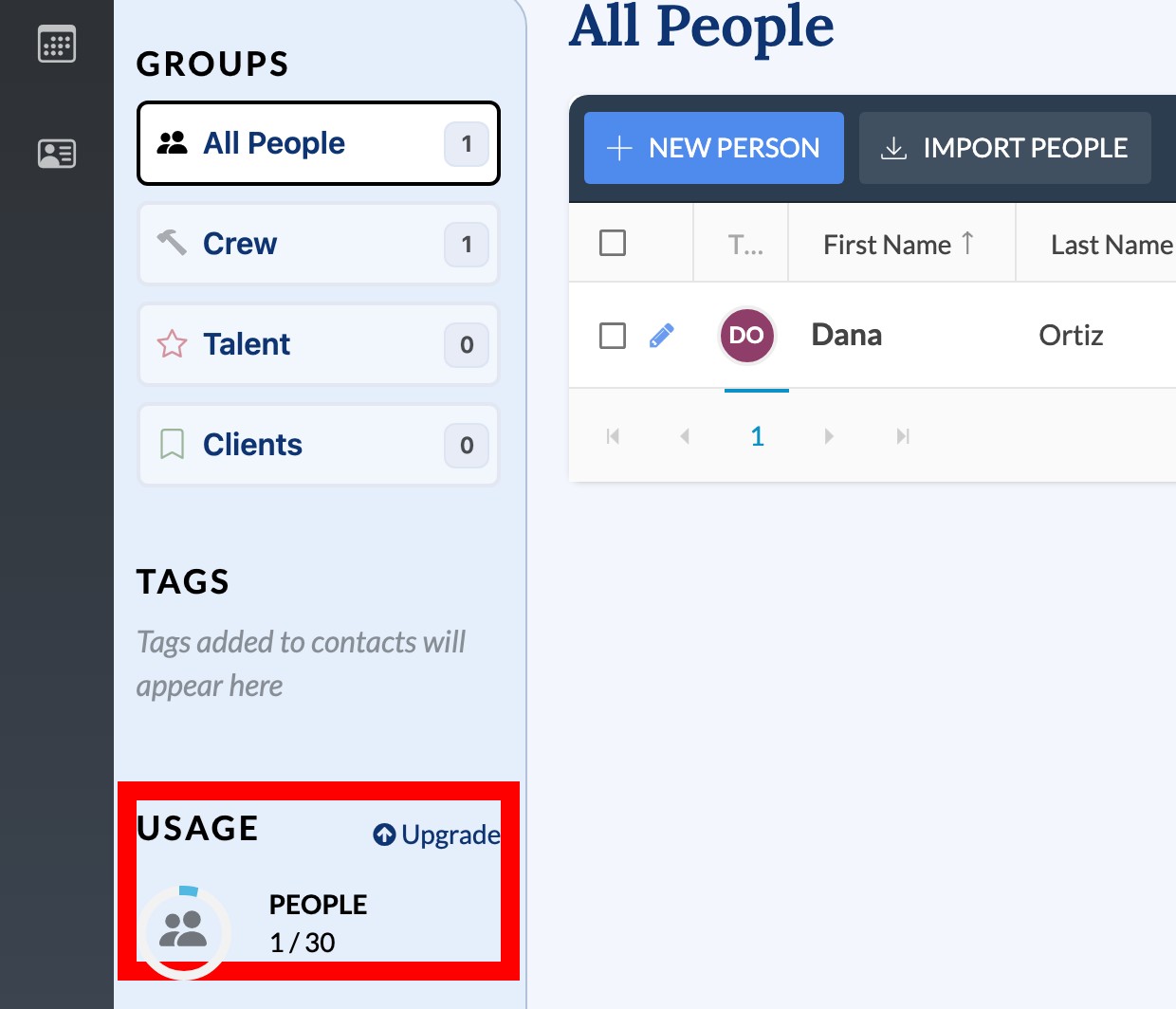
The Team page also shows the People meter, under a USAGE heading, and adds At limit - Upgrade below the number once the project is full. That meter is hidden while the project has unlimited people, while the trial is running, and until the project has at least one contact.
Note: The Billing page inside a project takes you to that project's card on the Company Billing page. It does not display a separate set of limits.
How the people limit works
The People meter counts all cast and crew contacts stored in the project—the people listed on the Team page, not only those assigned to the next call sheet.
SetHero does not block you from adding contacts. This means a project can exceed its People limit after you add or import a crew list. Invite your team covers how contacts get into a project.
How the Days limit works
The Days meter uses the larger of these two numbers:
- Distinct days on your shooting schedule
- Shooting days you have already published
A published day counts when its call sheet is sent to a real portion of the project's crew.
Creating and editing a day, or sending a test to yourself, does not use a day. Publishing the call sheet to the crew does. Set up shooting days from an empty schedule covers building the schedule itself.
What happens when a project exceeds its limits
Going over a limit does not lock the project. You can still open it, edit call sheets, add contacts, and change the schedule.
However, you cannot:
- Publish a call sheet
- Publish a production report
- Schedule a new call sheet to send later
- Download a call sheet or production report as a PDF
- Export a call sheet or production report to Excel
On the publish page, the publish steps are replaced by a Project Upgrade Required screen with Go To Billing Page →.
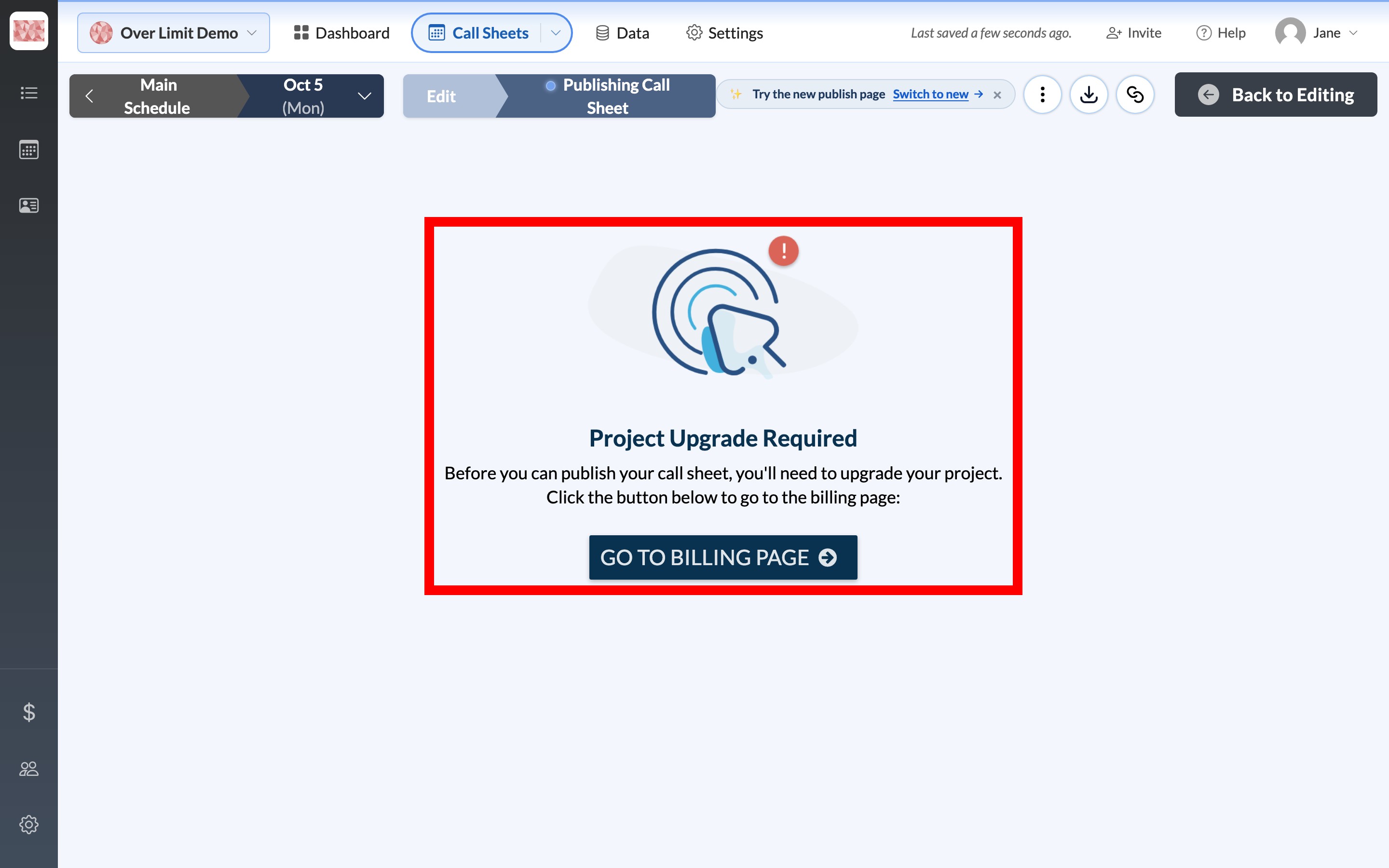
Publish and send a call sheet and Export a call sheet to PDF or Excel describe publishing and exporting when the project is under its limits.
Note: Call sheets that were already scheduled will still go out on time. Exceeding a limit prevents you from scheduling new sends, but it does not cancel sends already in the queue.
Schedule a call sheet to send later explains how those sends are queued.
Add more people or days to a project
If your company has a subscription, you can raise the limits for one project:
-
Open Company Billing.
-
Find the project under Projects.
-
Click Add Extra People / Days at the bottom of the project card. The button turns red when that project is over its limits.
-
In the Upgrade Project Size window, set Number of People to Add and Number of Days to Add.
-
Click Next Step to reach Review Order, then click Complete Order.
The Upgrade Project Size window offers:
- Extra people for $1 / person, sold in bundles of 5
- Extra days for $8 / day
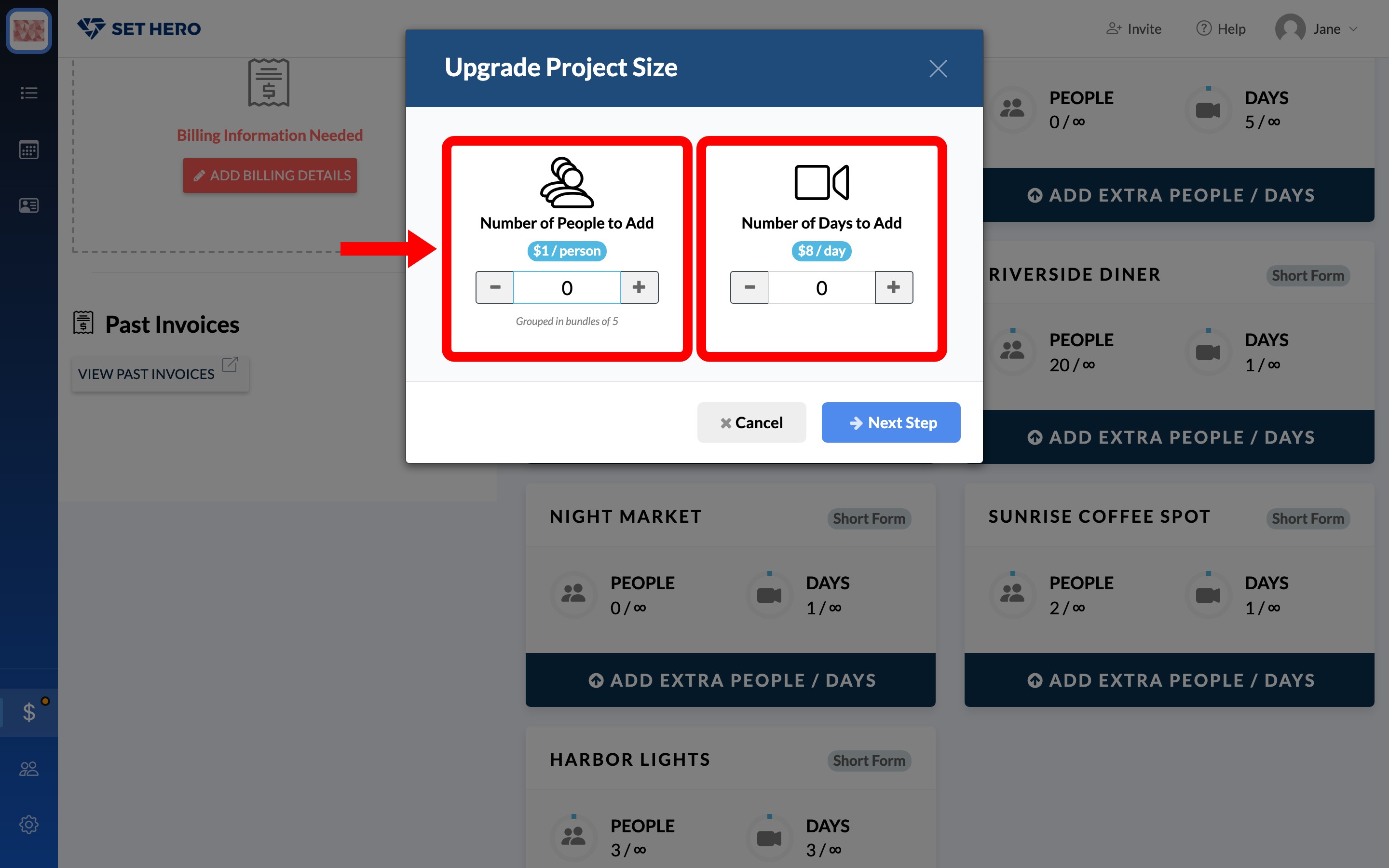
This is a one-time charge billed immediately to the card on file. If the company has no card yet, SetHero asks you to enter billing details first.
The additional capacity applies only to that project and is added to the allowance included with your company plan. For example, if your plan includes 65 people and you add 10, that project's limit becomes 75. Subscription plans explained lists what each plan includes per project.
If your company is billed per project instead of through a subscription, the project card shows Upgrade. In that case, you purchase a larger project size rather than individual add-ons. See Upgrade a single project.
Request credit for days you did not shoot
There is no self-service refund for a published day canceled because of weather, illness, or another disruption.
Support may be able to credit the day after you remove it from the shooting schedule. Contact support with the project name and affected dates.
Important: Archiving a project does not change its limits or billing. The project keeps any capacity you purchased, continues to count toward yearly active-project usage, and any weekly subscription continues until you cancel it. Archived projects do not appear under Projects on Company Billing, so restore the project before checking its meters or adding capacity.
Archive, restore, or delete a project covers archiving.