How SetHero is organized
How companies, projects, schedules, call sheets, and reports fit together
SetHero organizes your work from the big picture, your entire company, down to the details of a single shoot day. Think of it like a filing cabinet: Company → Project → Schedule → Shoot day → Call sheet and production report.
Understanding the levels
Here's what each level represents:
- Company: your top-level workspace, where you manage all your productions. From here you can see an overview of all active projects.
- Project: a dedicated workspace for one specific production.
- Schedule: within a project, a schedule is essentially a calendar for your shoot dates and off days. You'll likely have one Main Schedule, but you can create others for things like a second unit or reshoots. See Create, rename, or delete schedules.
- Shoot day: each row in your schedule is a single shoot day.
- Call sheet and production report: these documents live within a shoot day. The call sheet is your plan for the day, and the production report is the record of what actually happened. See What is a production report?.
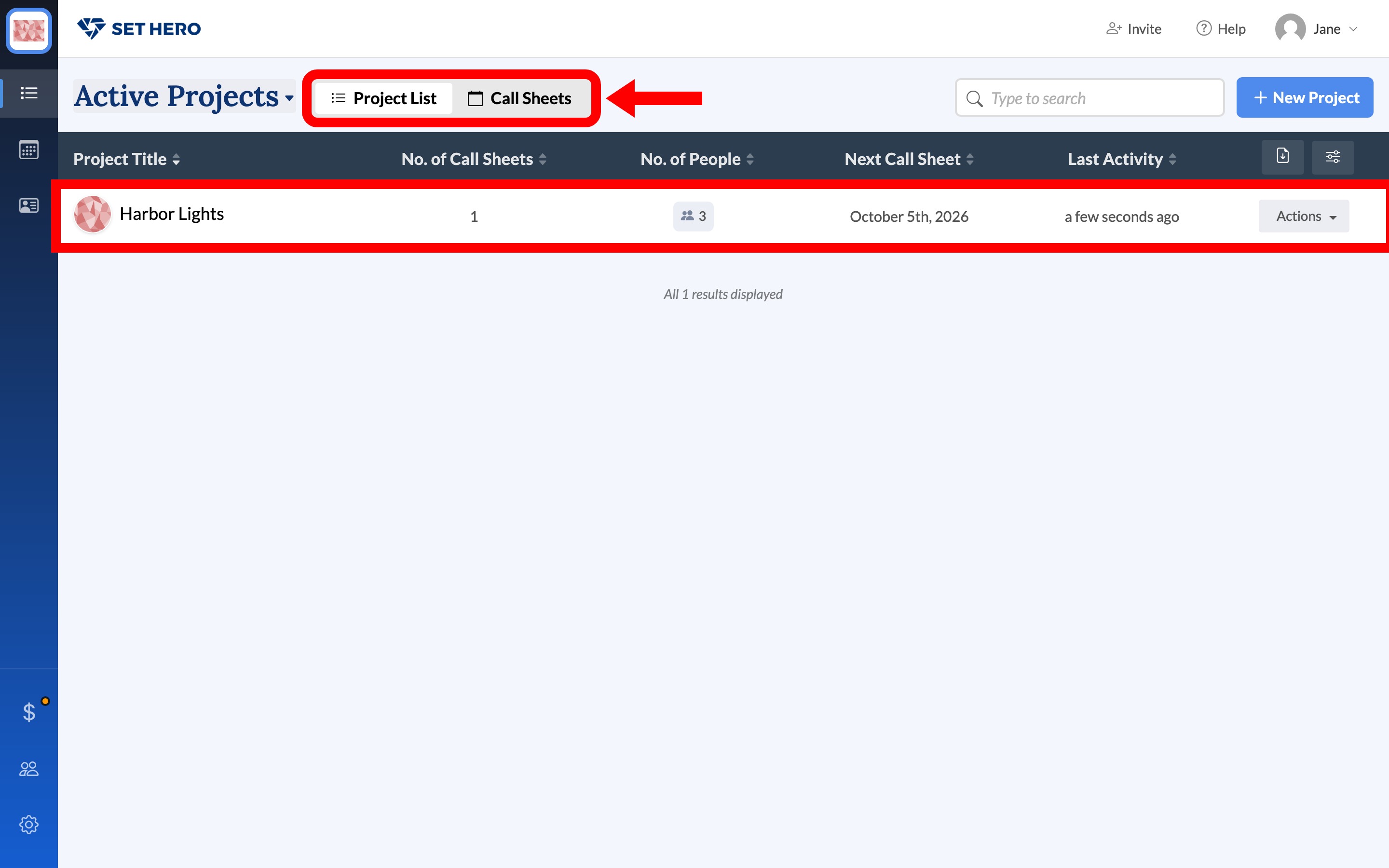
Key areas at the company level
At the company level, you'll find tools shared across all your projects. For example, Company Contacts lets you save and reuse contact information, so you only have to enter it once.
You reach these areas through the navigation rail on the left side of the screen: Company Projects, Company Calendar, Company Contacts, Company Billing, Company Admins, and Company Settings.
Working within a project
When you open a project, you land on the Dashboard, which gives you a quick overview of your setup, people, scenes, and upcoming shoot days. Use the launchpad to learn the basics (and earn trial days) walks through that page, including the setup checklist that can add trial days. From there, use the project header to move between Call Sheets, Data, and Settings.
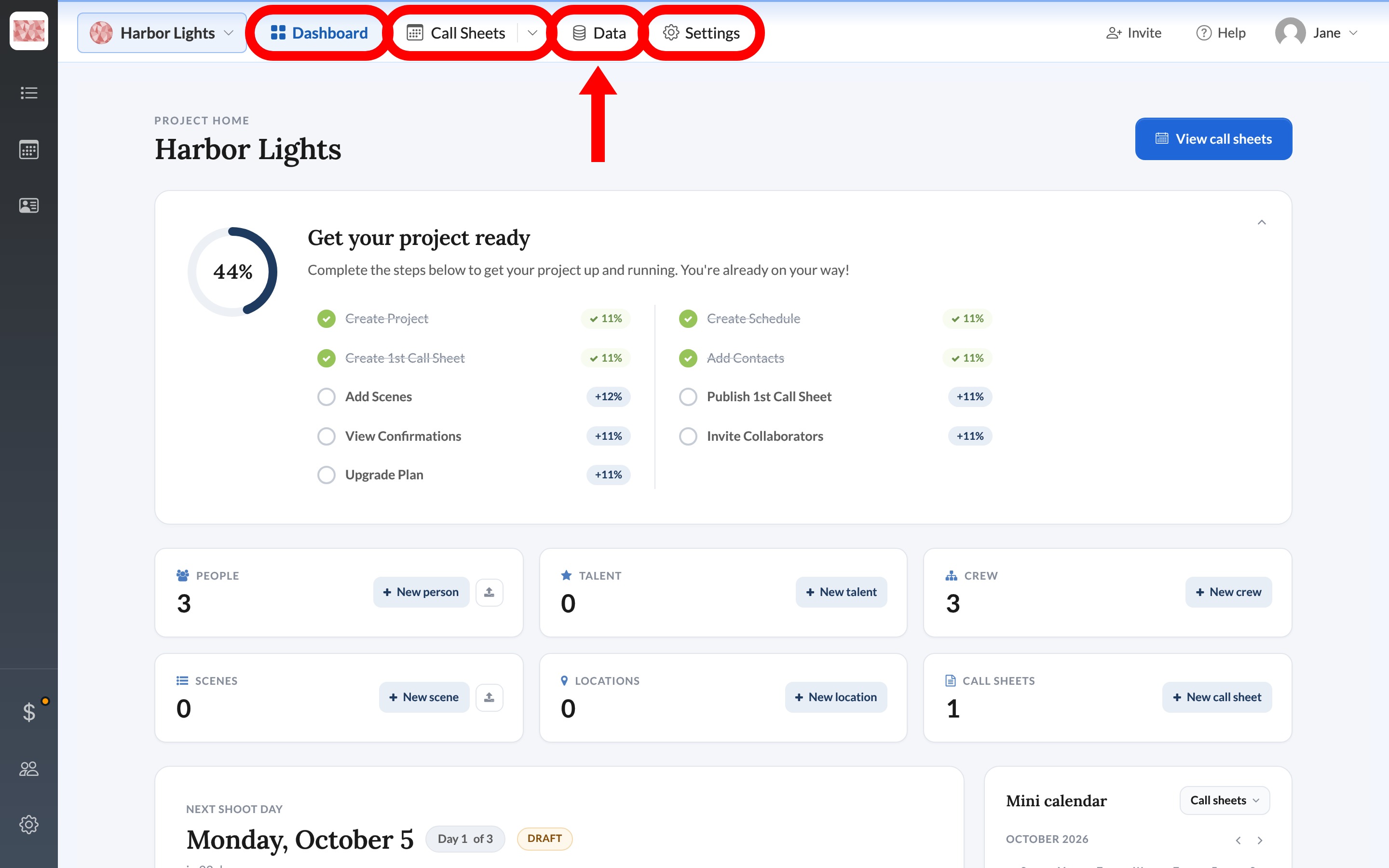
Within a project:
- Call Sheets is where you manage your schedules and shoot days.
- Data is where you store important information for your production, like cast, crew, locations, and scenes. See Find your project data.
- Settings is where you control project-specific details like branding and work-day hours. See Project Settings overview.
Each project is its own self-contained space. That keeps your data organized and prevents information from getting mixed up between productions.
Tip: Not sure which level something belongs to? If it applies to more than one production, like contacts, your team, or billing, it belongs at the company level. If it applies to one production, it belongs inside that project.
Ready to keep going? Build your first call sheet, or learn where to find help.