Subscription plans explained
Compare plans, understand project limits, and change your subscription
A subscription covers your whole company. Every project receives the same baseline limits for people and shooting days, while your subscription sets how many active projects you can run each year. Subscription or per-project billing: which one and how to switch explains the alternative, where you buy size for one project at a time.
There are four plans — Starter, Pro, Studio, and Enterprise. For current limits and prices, visit SetHero's pricing page.
Choose projects per year and a billing term
Choose your expected number of Projects per year. The available options are 5, 15, 30, 50, 80, 125, and Unlimited. Every plan's price changes with this number, so a plan costs more at 50 projects per year than at 5.
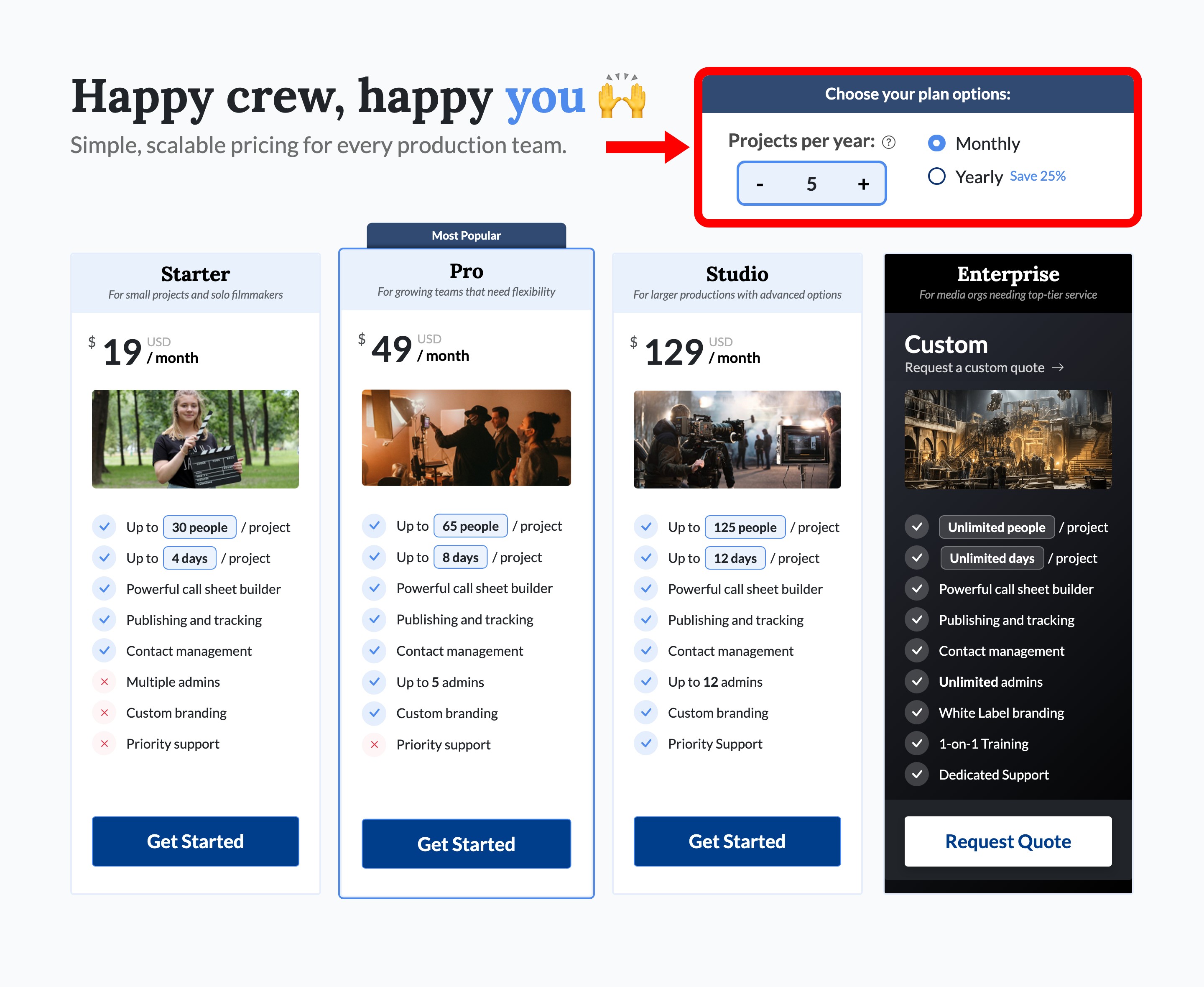
For fewer than five projects, consider per-project billing. Enterprise is required for Unlimited projects.
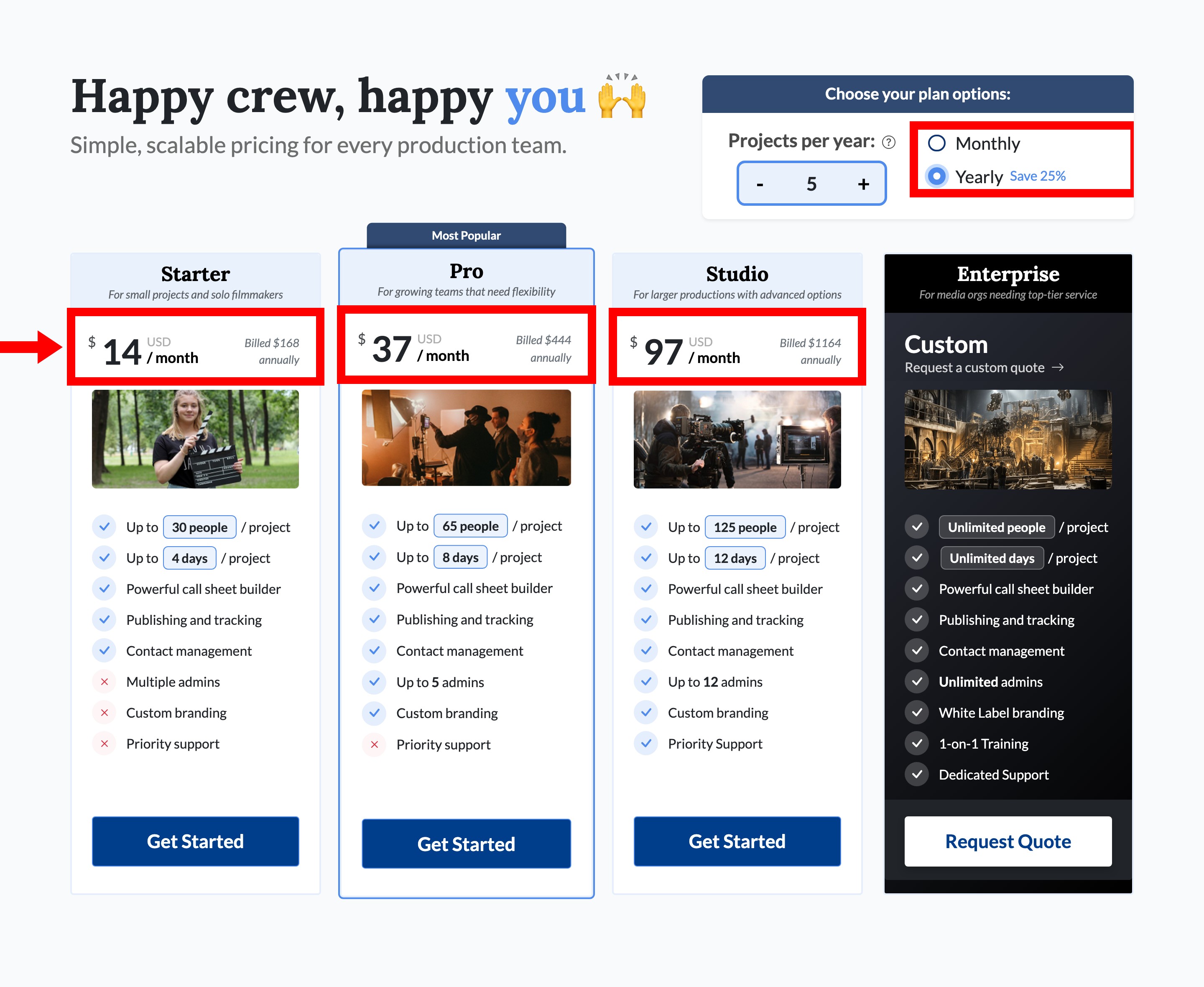
You can pay Monthly or pay Yearly upfront for a discount.
Compare plans
Plans differ by:
- People allowed per project
- Shooting days allowed per project
- Company admins
- Branding options
- Support level
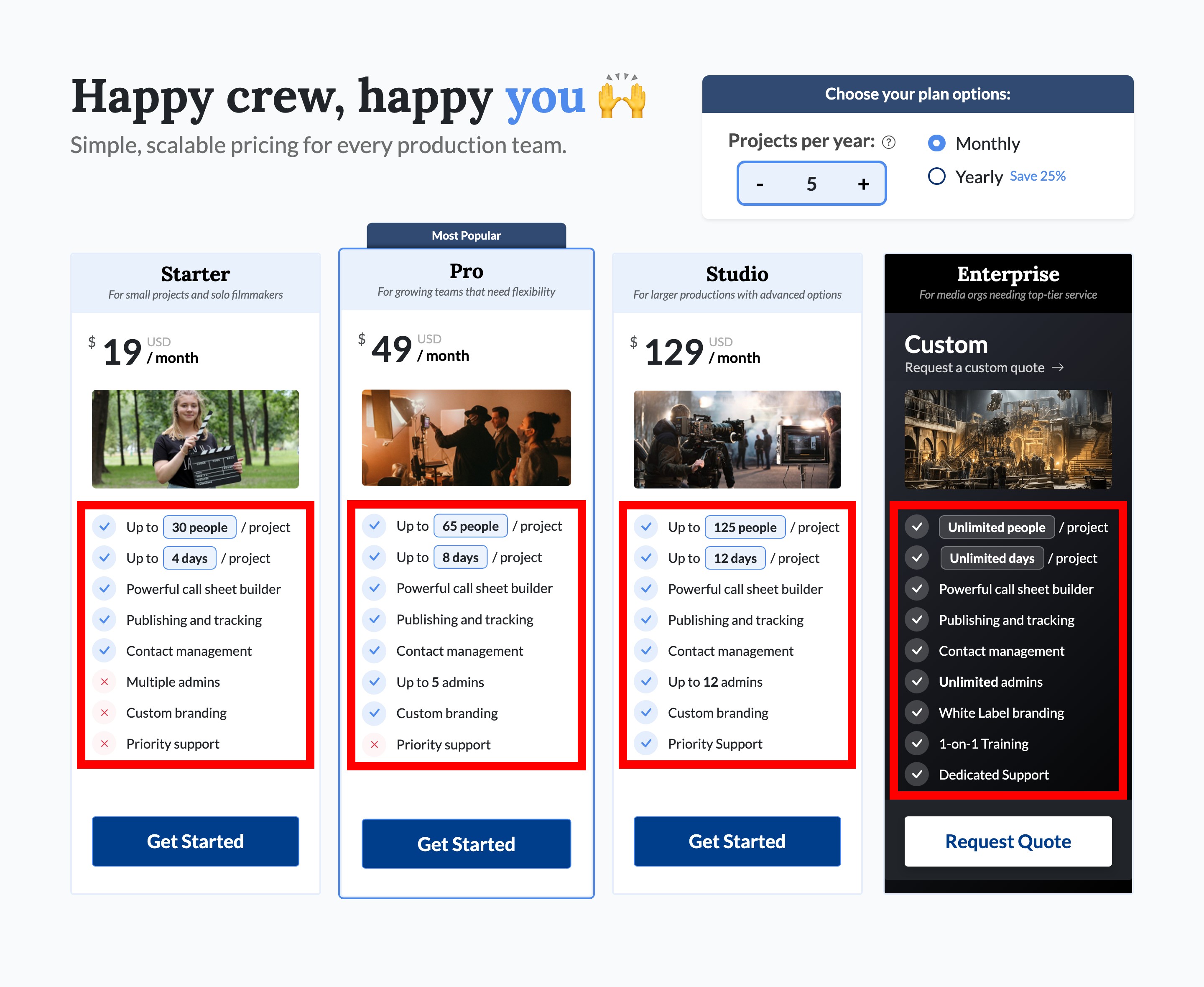
| People / project | Days / project | Admins | Custom branding | Support | |
|---|---|---|---|---|---|
| Starter | Up to 30 | Up to 4 | 1 | Not included | Standard |
| Pro | Up to 65 | Up to 8 | Up to 5 | Included | Standard |
| Studio | Up to 125 | Up to 12 | Up to 12 | Included | Priority Support |
| Enterprise | Unlimited | Unlimited | Unlimited | White Label branding | Dedicated Support |
Each plan is designed for different types of work:
- Starter: Students, short films, and photo shoots
- Pro: Commercial, corporate, and agency work
- Studio: Features, episodic productions, and live events
- Enterprise: Studios and media organizations
Tip: Choose a plan based on your biggest single project, not your busiest month. Check the largest crew and longest shoot you expect for one project, then choose a plan that covers both. You can add extra capacity to an individual project later without upgrading the whole company. Also consider how many admins you need—Starter supports only one.
Starter is a single-admin plan, does not include custom branding, and comes with standard support. Priority Support begins with Studio. Roles, admins, and permissions explained covers what an admin can do that other members can't.
Students and instructors can apply for the student discount, and schools and other groups can look into a partnership.
How active projects are counted
Your projects-per-year allowance is not a cap on how many projects can exist in your company. It counts active projects over a rolling 12-month period.
Note: A project becomes active the first time you publish a call sheet to a real portion of its crew. Creating a project, building a schedule, or adding contacts does not use a slot. Each new qualifying publish keeps it active, and it ages out automatically 12 months after the most recent one.
Keep these details in mind:
- Archiving a project does not return its slot. Archiving only changes the project's status, and its published call sheets still fall within the rolling 12-month period. Archive, restore, or delete a project explains what archiving does and doesn't change.
- You can set up as many projects as you want in advance. They count only after you publish a call sheet. Publish and send a call sheet walks through publishing.
Check your usage
The Usage section in Company Billing tracks how many active project slots you have used against your plan's limit. Max Active Projects / Year is the number your plan is set to. Billing basics covers the rest of that page.
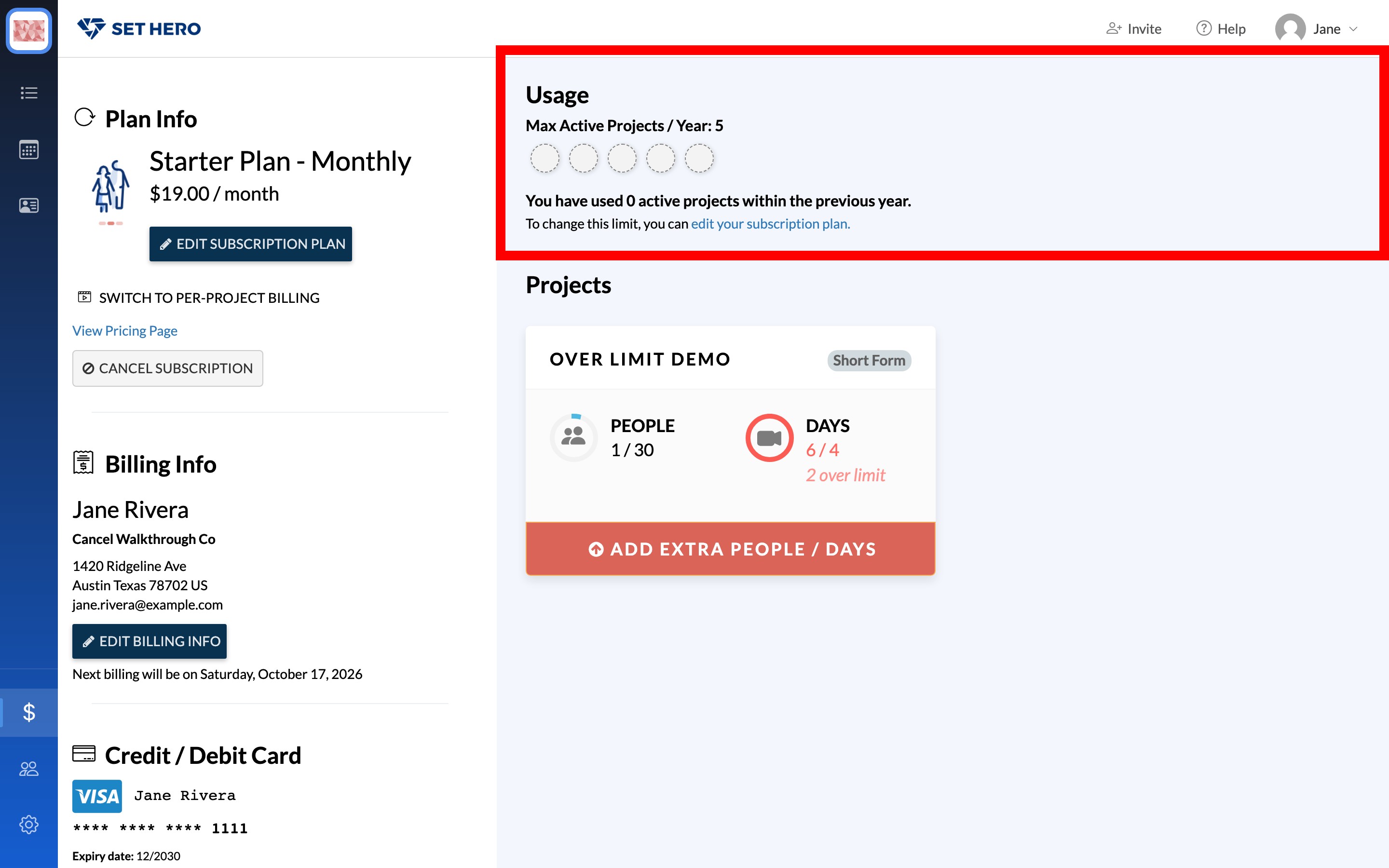
If you have gone past the number your plan allows, an Increase Project Limit button appears on this card.
When you reach a limit
Different limits affect your account in different ways:
- Projects per year: Publishing is never blocked, but the next time you create a project you'll see You've reached your project limit and you cannot continue until you increase your plan's project limit.
- Admins: If you reach your admin limit, inviting another admin shows You've reached your plan's admin limit and the invite won't go out until you upgrade your plan. Invite your team covers inviting people who don't need admin access.
- People or days on one project: You do not need to upgrade the whole company for one larger shoot. From the project's card in Company Billing, select Add Extra People / Days to increase that project's limits only. Project size limits: people and days has the details.
Change your plan
You can choose or edit a plan from the Plan Info section in Company Billing. Any member of the company can do this, not just the owner.
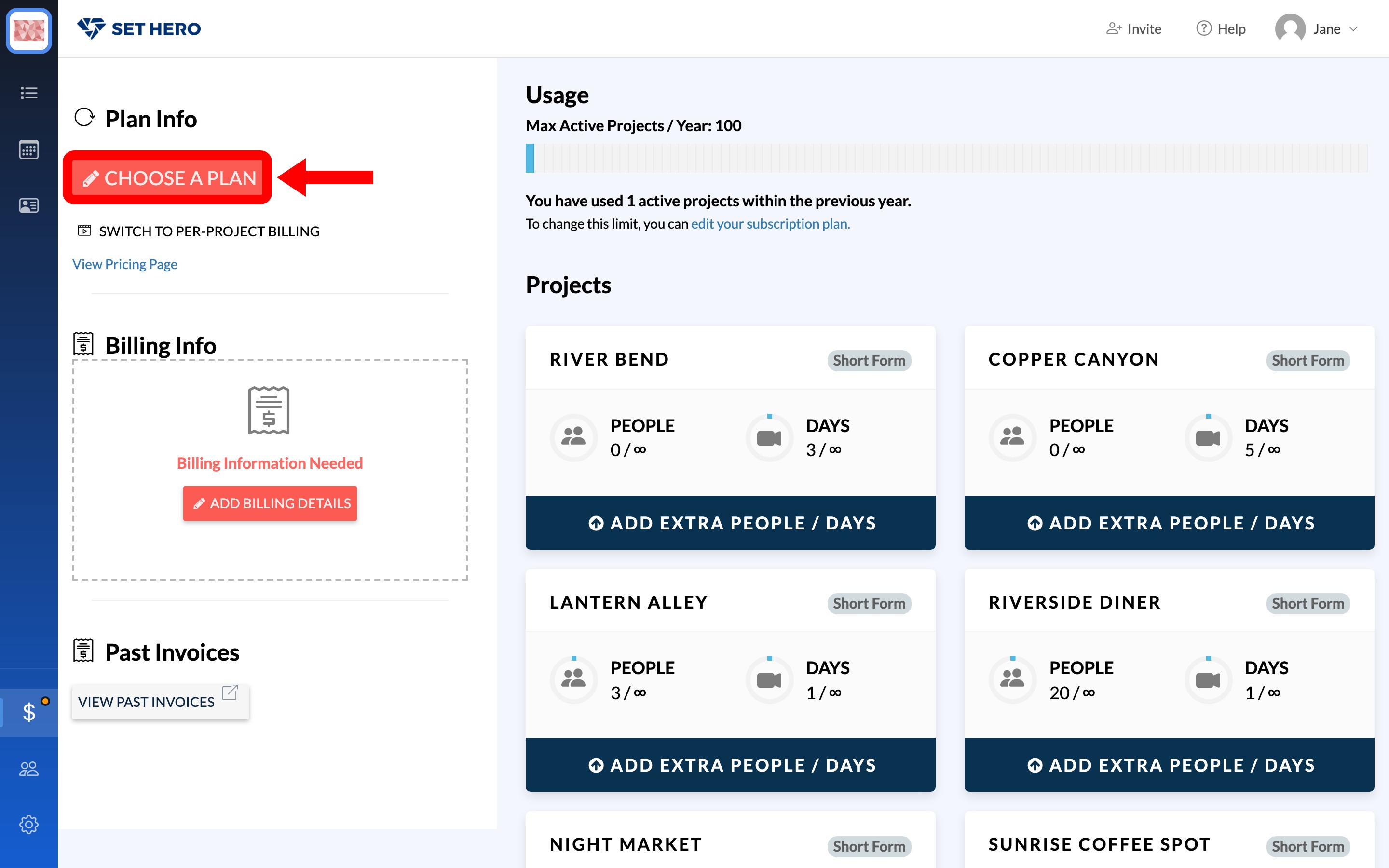
In the plan chooser:
- Set your projects per year.
- Choose monthly or yearly billing.
- Select a plan.
- Review your order and apply any coupon codes.
- Confirm the change. You will be prompted for billing details if needed.
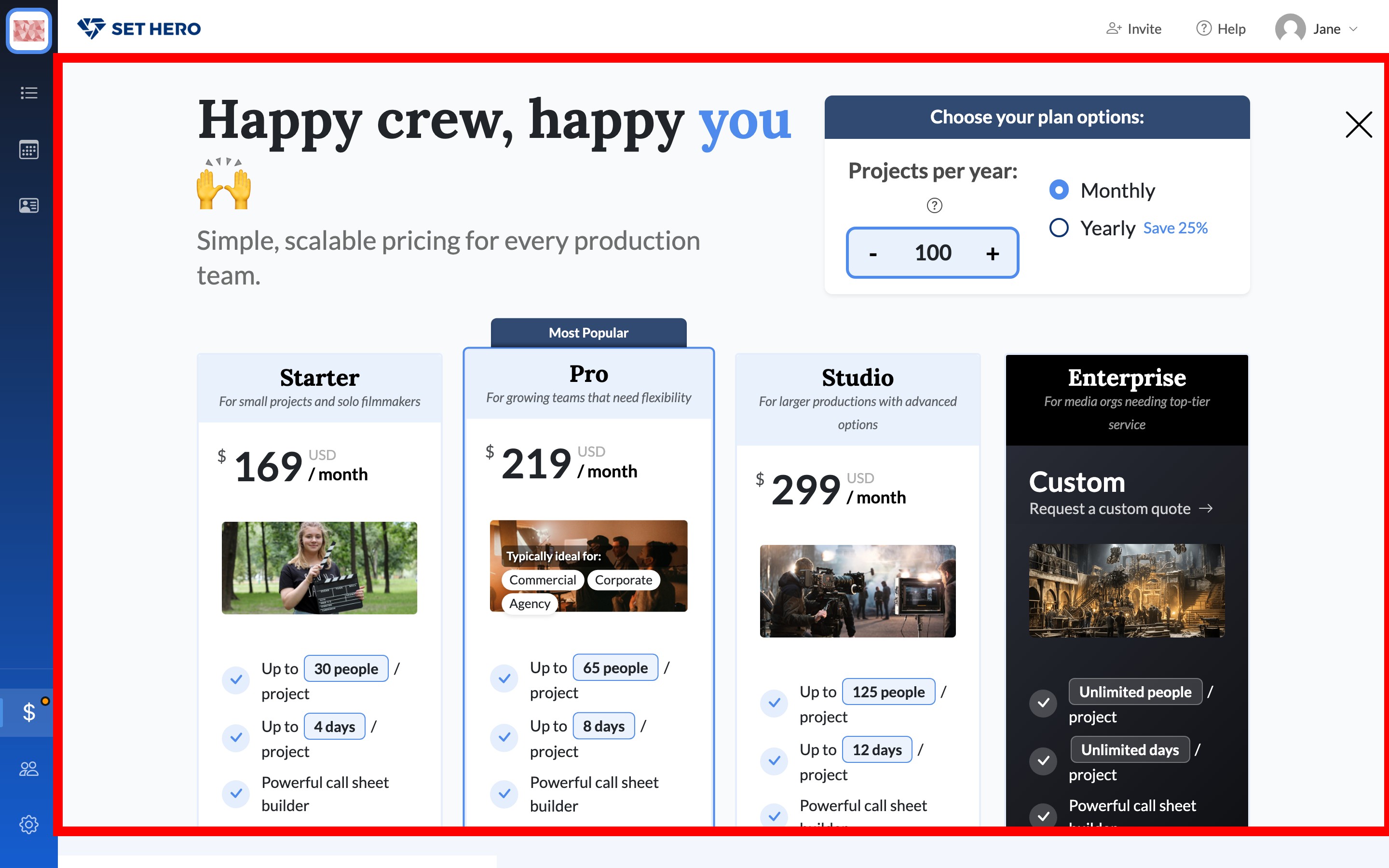
Important: Upgrading to a more expensive plan restarts your billing term on the day of the change, which changes your renewal date. Check the new date before confirming. Downgrading to a cheaper plan does not restart the term, so your existing renewal date remains unchanged.
Enterprise plans require a custom quote rather than an in-app order.
After the plan is live, the card on file and the renewal date live in Payment card, renewals, and invoices.