Why information is missing from your production report
Why people, times, or scenes are missing from a production report
If a time, crew member, scene, or section isn't showing up on your production report, the cause is almost always one of the items below.
Three things to check first
Are you editing the right day? Each shoot day has its own report. If your project has more than one schedule, such as Main Unit and 2nd Unit, make sure you're on the right one.
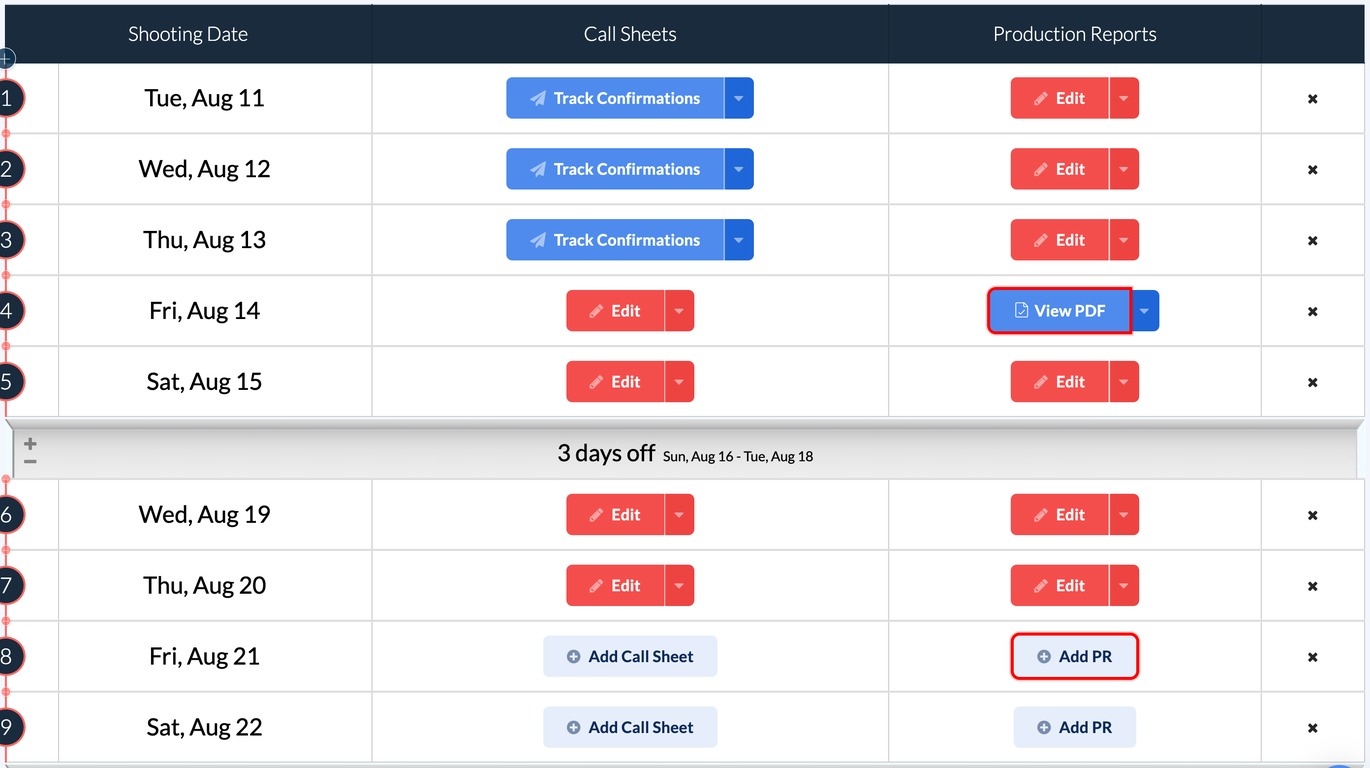
Have you updated the published version? Edits you make after publishing stay in your private draft until you update the published version.
Note: Anyone who opens the report link will see the old published PDF until you click Update Published Version in the report toolbar. This is the most common reason a fix doesn’t show up.

Did you generate a prelim instead of publishing? A preliminary PDF doesn't publish the report or change its status. Check whether the day still shows Draft on your schedule.
A crew member is missing
- Hidden row or department. On the Crew tab, hidden rows are greyed and struck through. Click the eye icon to bring them back.
- Marked as "off". The row shows OFF in its time columns. Hover the clock icon and click Add times.
- Not on the project. Make sure the person is added to your project contacts under Departments.

A warning triangle on the cast log
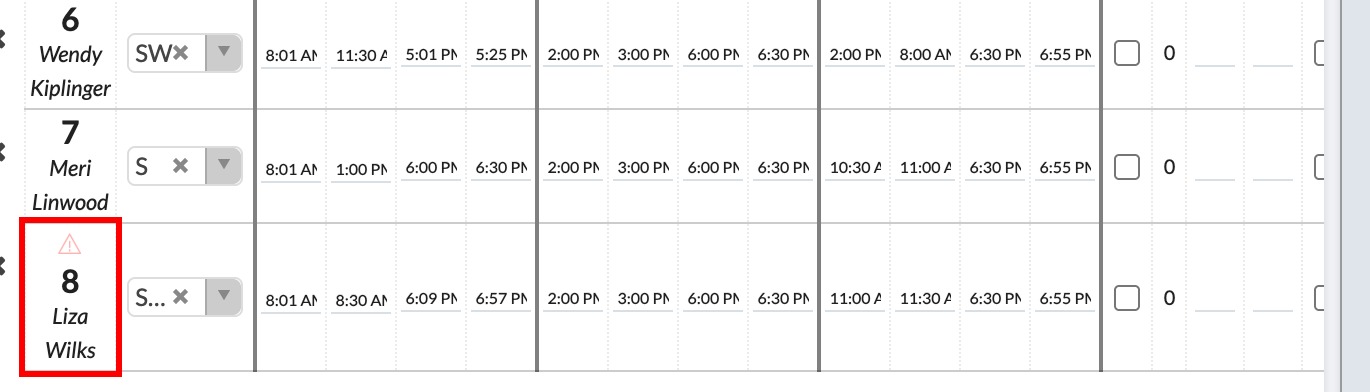
A small red triangle above an actor's cast number means they're on the Cast Time Log but weren't tagged in any completed scene on the Scenes tab. That's normal for hold, fitting, and travel days, and it won't block publishing.
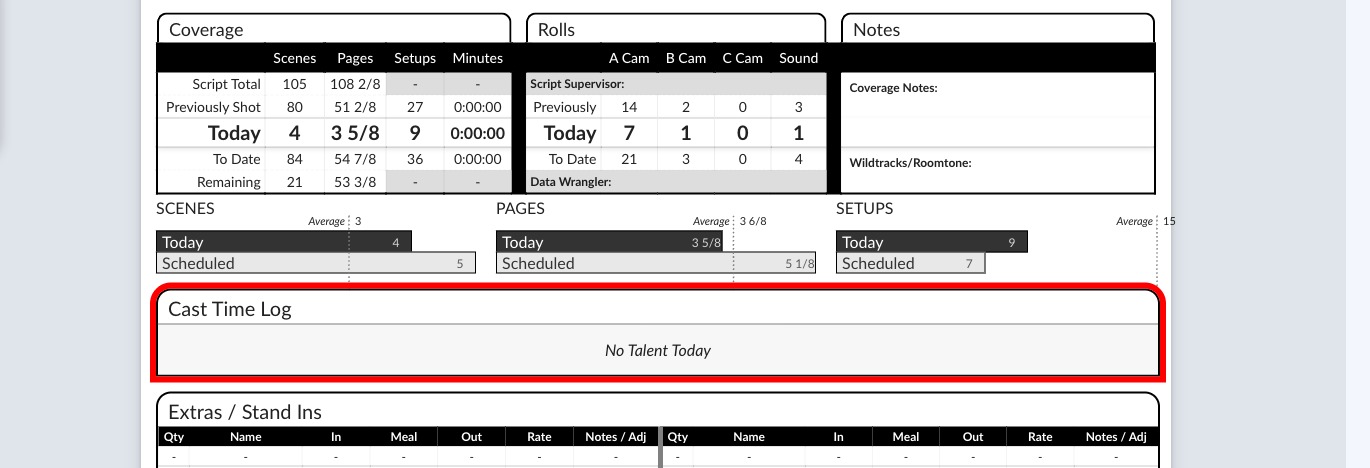
The cast section says "No Talent Today"
No actors have been added to the Cast tab for this day. Add them with Select Talent, or click Add them? in the banner to pull in everyone tagged in completed scenes.
A time is missing
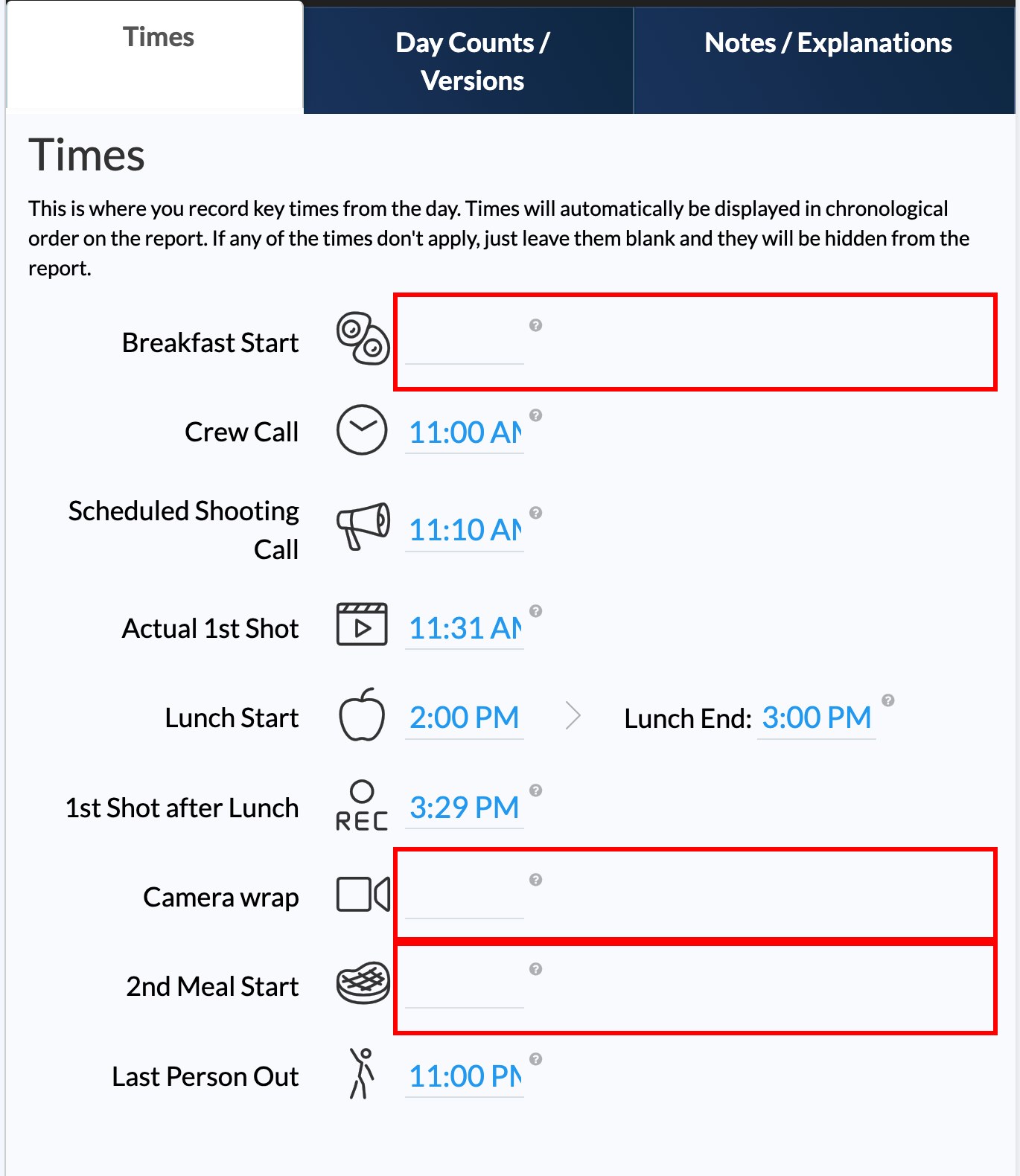
- Empty fields hide automatically. If breakfast or a second meal was left blank, SetHero drops it from the report to keep things clean. See Record the day's times on a production report.
- Meal times need a start. For meal breaks, entering the Start time is what makes the field appear on the report.
A scene isn't in the main table
Check Scheduled, but Not Shot in Log which scenes were shot on a production report. Scenes there print as summary numbers under the table rather than full rows. Click the camera icon on the scene to move it to Shot Today.
Still stuck?
Reach out to the support team. We're happy to look at a specific report with you.