Account, project, and billing FAQs
Where projects went, who controls billing, and how ownership changes
Here's a quick look at answers to frequent questions about projects, your account, billing, and permissions.
Where did my projects go?
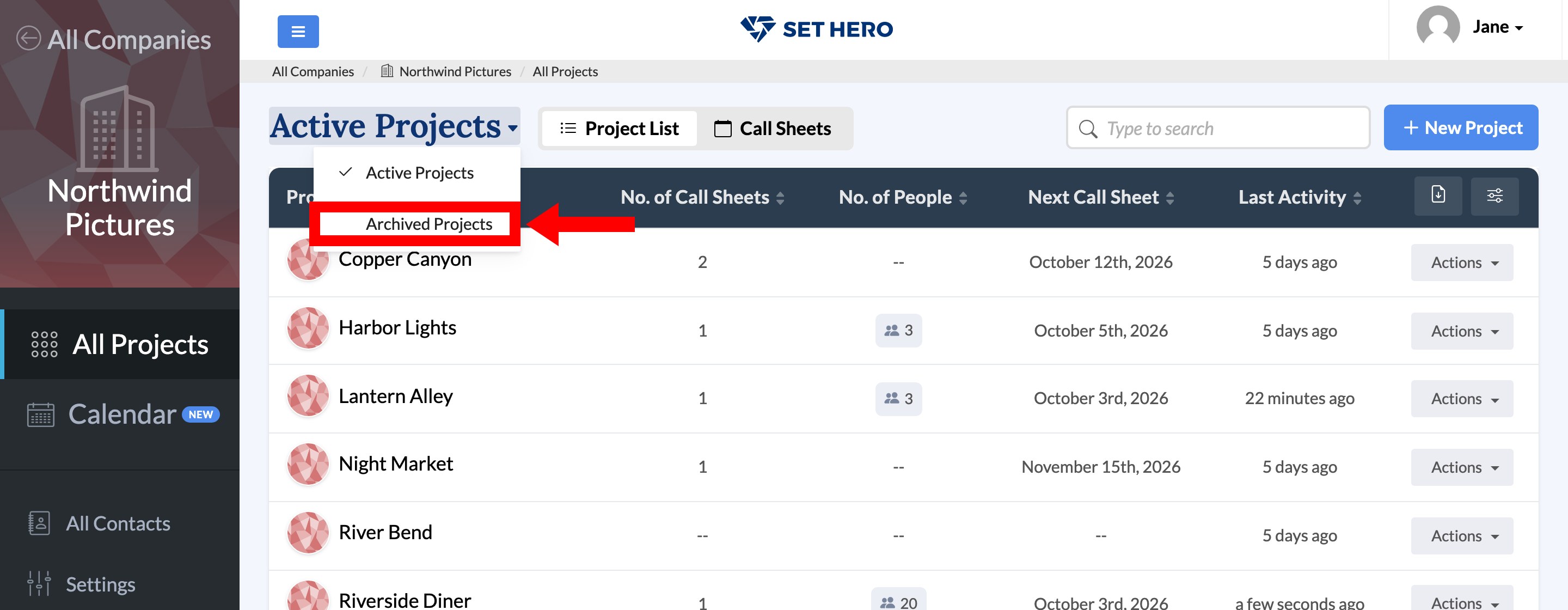
If you can't find a project, it's likely archived rather than deleted. In All Projects, switch the Active Projects dropdown at the top of the list to Archived Projects. To bring one back, open that project's Actions menu and choose Restore as Active. Archive, restore, or delete a project covers archiving, restoring, and the difference between archiving and deleting, and Subscription plans explained explains how the Usage card counts your projects.
Note: Archiving does not immediately free up a project slot. A project counts toward your yearly usage for 12 months after its most recent call sheet was published, regardless of whether it is active or archived. The publish date—not the shoot date—starts that period. Projects with no published call sheets do not use a slot.
Can a deleted call sheet or project be restored?
No. Deleted call sheets and projects can't be restored, even by SetHero support, and any links to a deleted call sheet stop working. If you might need a project later, archive it instead. Archive, restore, or delete a project explains the difference.
Should I cancel my subscription or delete my account?
Cancel your subscription if you want to stop paying but keep your work. Cancellation removes the plan's allowances, but its projects, call sheets, contacts, and production reports stay available and editable. Until you subscribe again, you cannot publish or schedule call sheets and production reports, download them as PDFs from the editor, or export them to Excel; see Cancel your subscription for the steps and the two exceptions.
Delete your account only if you want to remove it permanently. Deletion removes:
- Your login
- Every company you own
- Those companies' projects, contacts, and call sheets
- Subscriptions for the companies you own
Companies where you are a member but not the owner are not affected. Delete your SetHero account walks through what gets removed.
Warning: Cancellation and deletion take effect as soon as you confirm them. Neither waits until the end of your billing term, and you will not receive credit for unused time. Account deletion cannot be undone.
Who can change billing?
Any member of your company can manage billing, whichever projects they have access to. If that's a concern, only invite people you trust with it. Billing basics explains what lives on the billing page.
How do I change the email that receives invoices?
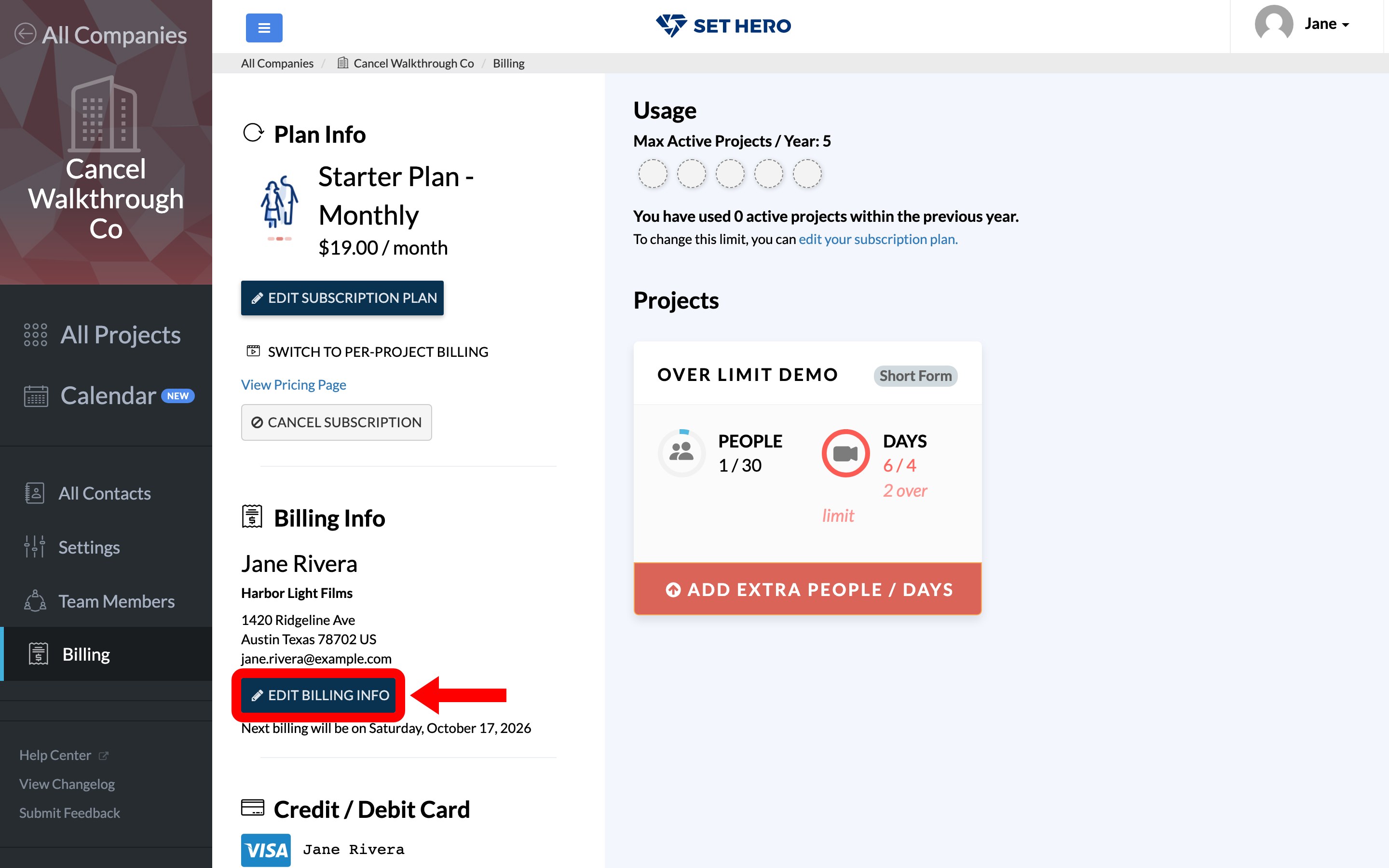
Open the company, click Billing, find the Billing Info card, and click Edit Billing Info. Update the Email (to receive invoices) field in that modal, and future invoices and receipts will go to that address.
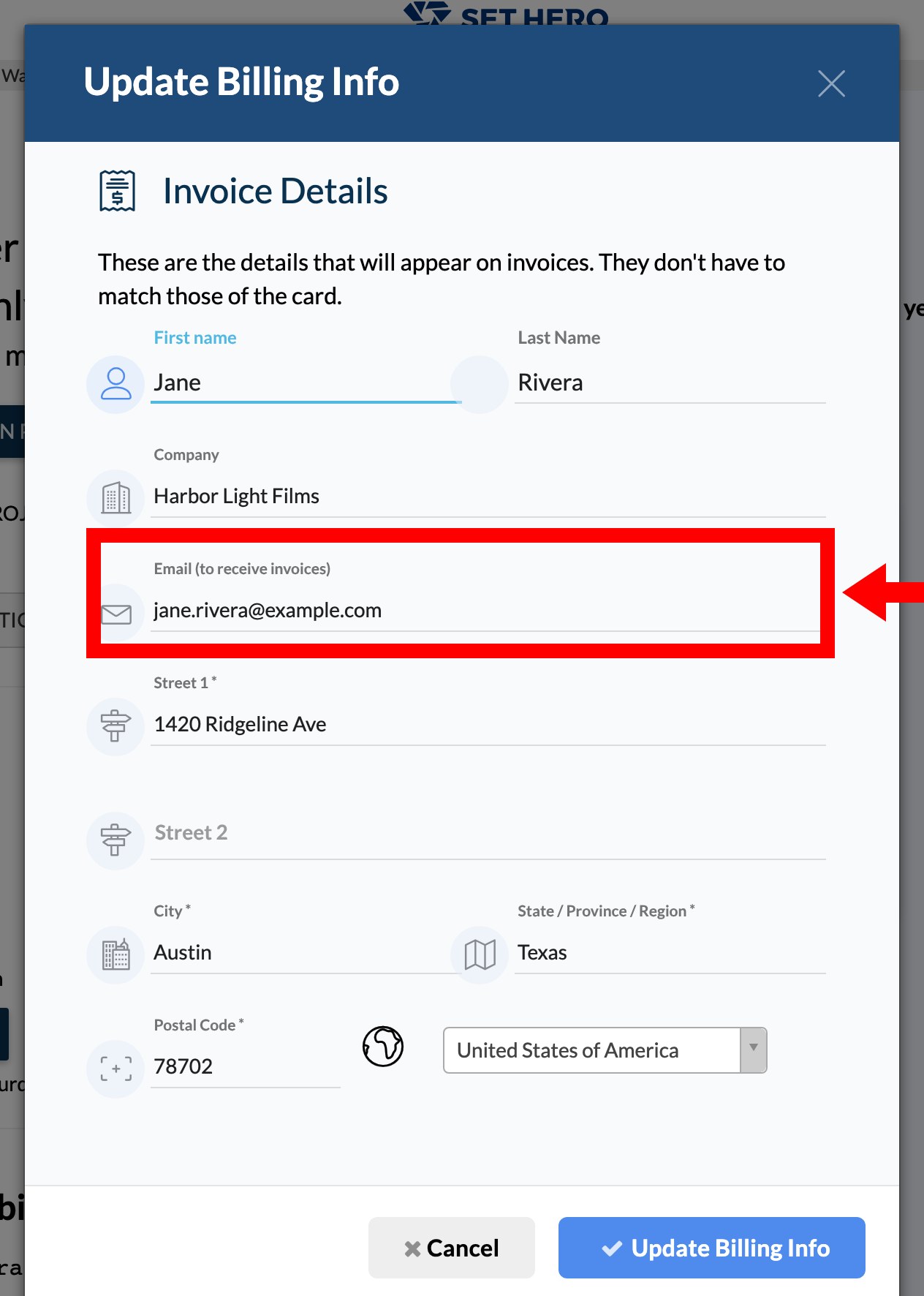
The invoice email is separate from your login email and does not need to match the name or address on the payment card. Payment card, renewals, and invoices covers invoices, receipts, and renewals in full.
Does my old pricing follow me to a new company?
No. Legacy 2021 pricing is tied to the company rather than to your individual account, so a company you create now will be billed at current rates even if another company you own still has a legacy plan. Subscription or per-project billing: which one and how to switch explains the plans available now.
How do I remove someone from my company?
Any team member can remove a regular member from the Team members page. Owners can't be removed there, which helps prevent people from accidentally losing access to their productions, so contact support if you need an owner removed. Remove someone's access has the full walkthrough, including what happens to work they created.
How do I transfer ownership of a company?
Company ownership transfers must be done through our support team. There is no self-service option to add or remove an owner — the Team members page says so directly: "Ownership changes are handled by our support team so nobody loses access to their productions by accident." Start a support chat with the company name and the person who should become the owner, and the team will make the change while ensuring the right people keep access. Roles, admins, and permissions explained covers what an owner can do that a regular member can't, if you're deciding whether a transfer is what you actually need.
What if a free template from your website won't download or never arrives?
Check your spam folder first. If it still isn't there, email support@sethero.com with the template's name and we'll send you the download link.
How do I update my company's listing on your website?
Email support@sethero.com with a link to your listing. We'll send you a short form to update your details and get the listing marked Verified by owner.